


Pinterest isn’t just a place for recipes, DIY crafts, or wedding inspiration—it’s one of the most underutilized discovery platforms in the digital world. As a Fractional CMO and marketing strategist, I’m always evaluating platforms not just for their features, but for the opportunity they offer creators, consumers, and brands.
Pinterest, often misunderstood as a social network, is actually a powerful visual search engine. Whether you’re here to get organized, discover new ideas, or explore your creative identity, this guide will walk you through how to use Pinterest the right way—from the basics to more advanced strategies that can enhance your productivity, creativity, and even professional presence.
Key Takeaways
✅ Pinterest works as a visual search engine, not a social feed, so treat it more like Google than like Instagram or Facebook.
✅ A business account gives you analytics and monthly-viewer data that a personal profile does not, which makes it the right choice for any marketing goal.
✅ Pinterest content is evergreen, so a single well-optimized pin can keep driving traffic years after you publish it.
✅ Keyword-rich board names and pin descriptions are what get your content found, so write to be clear and searchable rather than clever.
✅ For professionals, Pinterest is a discovery and traffic channel: create your own pins with descriptive titles, keywords, and destination links back to your site.
What is Pinterest (Really)?
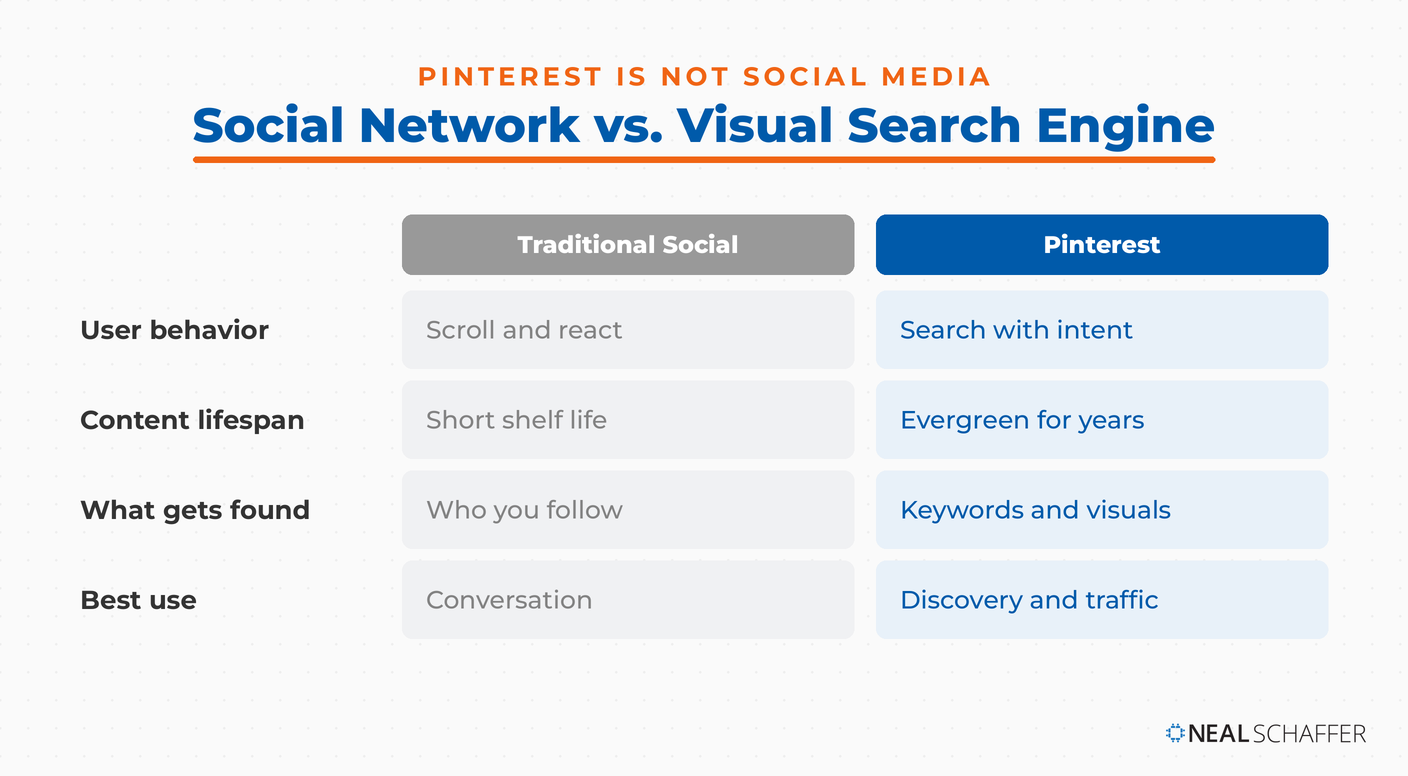
Pinterest is a visual discovery engine, rather than a traditional social media platform. While standard social media platforms might have a search bar to look up specific topics or people, Pinterest functions far more like Google in its breadth and scope.
Although stereotypes abound for how to use the Pinterest app, you can actually use Pinterest for product research, trend forecasting, visual branding, and content curation. Pinterest can be a powerful tool to draw your target audience to your brand or product.
Pinterest is also an important tool, because unlike countless social media platforms, Pinterest often boasts evergreen content. A pin from years ago–think DIY projects or infographics, for instance–can continue to do well years into the future.
Why Use Pinterest Today?
Pinterest is extremely useful for saving information. The platform makes it far easier to organize ideas than other platforms like Instagram, making it far more likely that audiences will actually go back and sort through Pinterest content.
Pinterest business accounts run the gamut, so users can search for inspiration in virtually any field. Pinterest boards can be related to business, fashion, design, content marketing, and far more.
Pinterest content can be saved to find later. Saving content can be strategic for brands, to align with your target audience and show up in search.
Pinterest’s power for trend tracking and content ideation cannot be understated, either; Pinterest offers tools to help brands identify upcoming trends and popular keywords, to help them develop virtual boards that will capture audience interest.
Setting Up Your Pinterest Account
Getting started on Pinterest begins with setting up your account correctly. Whether you’re creating a personal profile or one for your brand, this foundational step ensures your preferences, interests, and content are aligned from day one.
Creating an Account
There are different ways to sign up for Pinterest. You can use an existing social media platform like Facebook, to keep all of your content easily discoverable. You can also use an email, or Google.
Pinterest does offer different account options: business and personal. A business account differs from a personal Pinterest profile primarily in its appearance and approach. A business account shows monthly visitors rather than followers, and allows users access to tools like Analytics.
Building Your Profile
You want to stand out if your content comes up in a search bar, so make sure your profile is equipped with a profile photo, a short bio, and a link to either your website or your LinkedIn.
As you set up your profile, pay close attention to the interests you choose. Choosing the right interests trains the algorithm early and helps your social media presence and entrance in search results.
Privacy Considerations
There is another way that Pinterest sets accounts and platforms apart; the social media giant offers the ability to produce public and private boards. Public boards can be observed by anyone, while locked (or private) boards can only be seen by the user or select people.
The privacy function can be an invaluable one. Private pins and boards might include early-stage projects, sensitive company information, and client mood boards. Create boards to carefully and strategically host any visual ideas you may have.
Understanding Pins, Boards, and the Pinterest Language
Pinterest’s visual discovery platform does have its own verbiage to familiarize yourself with. The most important terms to know are:
- Pin: To pin is to add new content to Pinterest, wherein it can be displayed on your profile page.
- Repin/Save: Repinning means to pin existing content, or save it to your board. This allows you to begin training the algorithm and develop a niche.
- Board: A board is a collection of pins. You can develop a practically limitless number of boards, making board categorization easy and straightforward.
- Secret Board: A secret board is a board containing pins that cannot be seen by everyone coming to your page.
- Like: Liking a pin will not save it to your board, but will indicate interest or approval of a user or their content.
Looking at a pin, you’ll notice the bright red button. That button gives you the option of saving a pin (or repinning) to your own boards and keeping that visual content on your own profile.
As you continue building out your profile, adding visual content, and proceeding with any marketing efforts you have created for your Pinterest account, make sure you use best practices for naming boards and writing pin descriptions. This is a time to be clear and informative, rather than clever or cute.
How to Use Pinterest to Organize Your Life and Ideas
Pinterest is more than a source of inspiration—it’s a practical tool for organizing every aspect of your life. From meal planning and home projects to business strategies and creative workflows, Pinterest helps you visually map out and manage your ideas in one place.
Pinning Aggressively, Then Curating
The recommendation system used by Pinterest is a solid one, so as you begin, pin freely. Save content frequently, post pins to shopping lists, engage in visual storytelling–all of it can help boost your activity and refine your place on the platform.
Once you have a solid series of pins, organize and refine your pins. Organize your social media by creating different boards and filing ideas. Your Pinterest page can act as a strategic digital filing cabinet, so create boards any time you need to separate and further organize your pins.
Making Thematic Boards for Personal and Professional Use
Thematic boards allow you to generate different ideas for your business, which in turn allows you to identify trends through Pinterest analytics. Different themes for boards may include content marketing ideas, personal branding layouts, workspace design, travel boards, speaking gig inspiration, goals boards, and more.
As a digital professional, you can make use of your boards to both organize your ideas and creative input, and appeal to the algorithm to make sure you regularly show up when a user types a new query into the search bar.
Search Smarter, Not Harder: Using Pinterest Like a Pro
Unlock the full potential of Pinterest by learning how to search with intent. From leveraging keyword-rich queries to exploring visual discovery tools, smart search habits can surface fresh, relevant content that aligns with your goals and interests.
How the Pinterest Search Engine Works
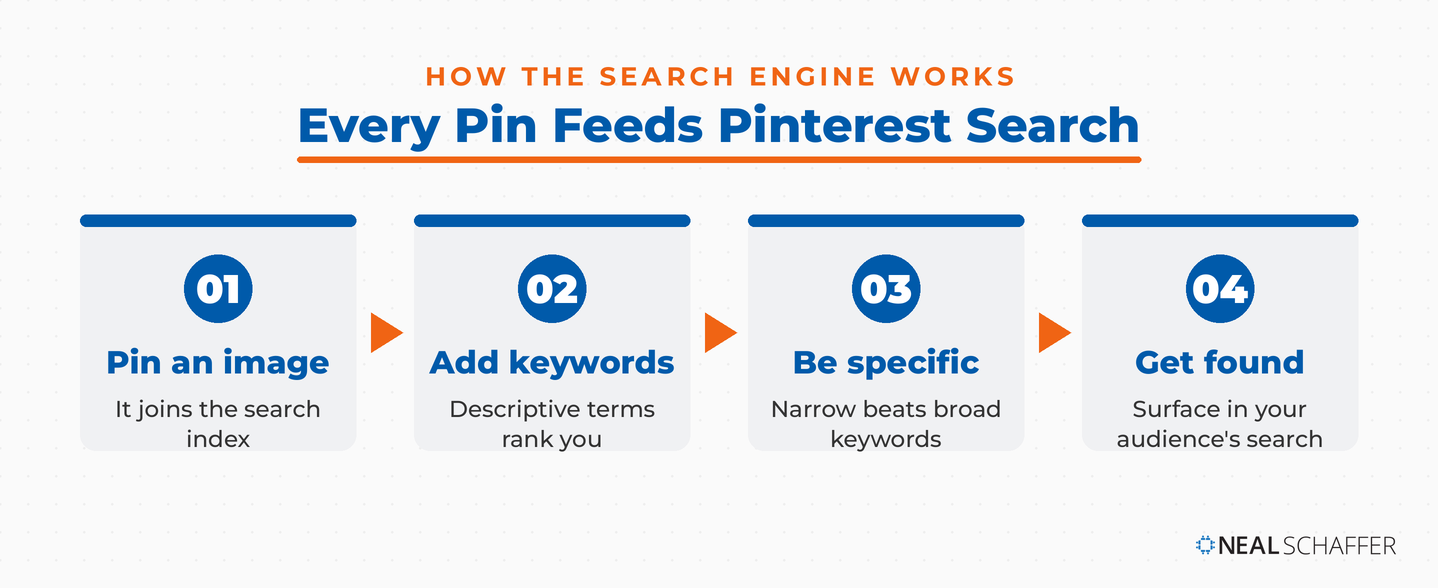
Pinterest is a unique search engine, in that it layers visual search and keyword-based queries. When you pin it, an image immediately becomes part of the broader search engine. Pairing that image with descriptive keywords and optimized keywords successfully catches the algorithm’s metaphorical eye.
Specific keywords are key here. When you hit “create board,” make sure that your boards keep clarity and brand awareness in mind. Consider pinning using “minimalist workspace ideas graphic designer” versus a simple “home office setup” to reach your preferred audience.
Use “More Like This” and Suggested Pins to Train the Algorithm
When you see pins similar to your own or related to your industry or niche, save those pins to effectively train your home feed. This will allow you to continually find idea pins, while also staying relevant on the home page of others.
Sections like Pinterest’s “More Like This” to expand beyond echo chambers in your niche. “Fashion trends,” for instance, can quickly turn stale. By using “more like this,” however, you can expand beyond narrow trends and reach more specific or detailed niches.
Pinterest vs. Google: When to Use Each
Although the Pinterest logo is one that I can immediately get excited about, and strongly encourage everyone to make use of the platform, there are times to use Google and times to use Pinterest.
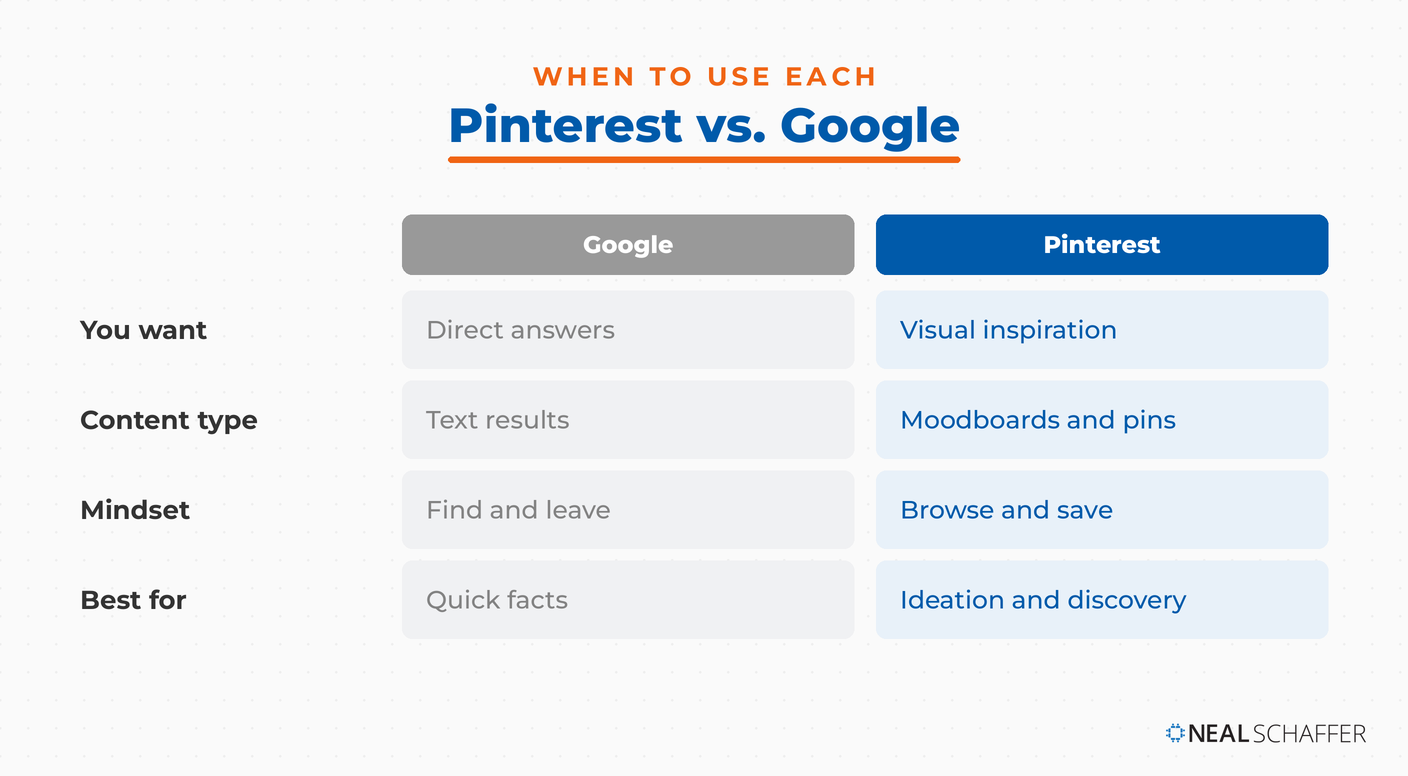
Pinterest is ideal for visual inspiration, while Google is best used to deliver text-based answers. The difference lies in the visual appeal of pins, and the straightforward text of Google.
In essence, Pinterest is great for creating moodboards and cultivating inspiration, while Google is best for delivering direct information.
Creating Your Own Pins (Optional but Powerful)
Fortunately, if you want to take advantage of the option to upload your own pins and become a powerhouse in your own right, the process is quite simple. Using either an image or URL, you simply navigate to the “+” button on the left, from the home screen.
When you press the plus sign, you will be directed to either upload your photo or type in your URL, and you will then be given the option to either select a photo from a site or type in a site, and create a pin! It is truly that simple.
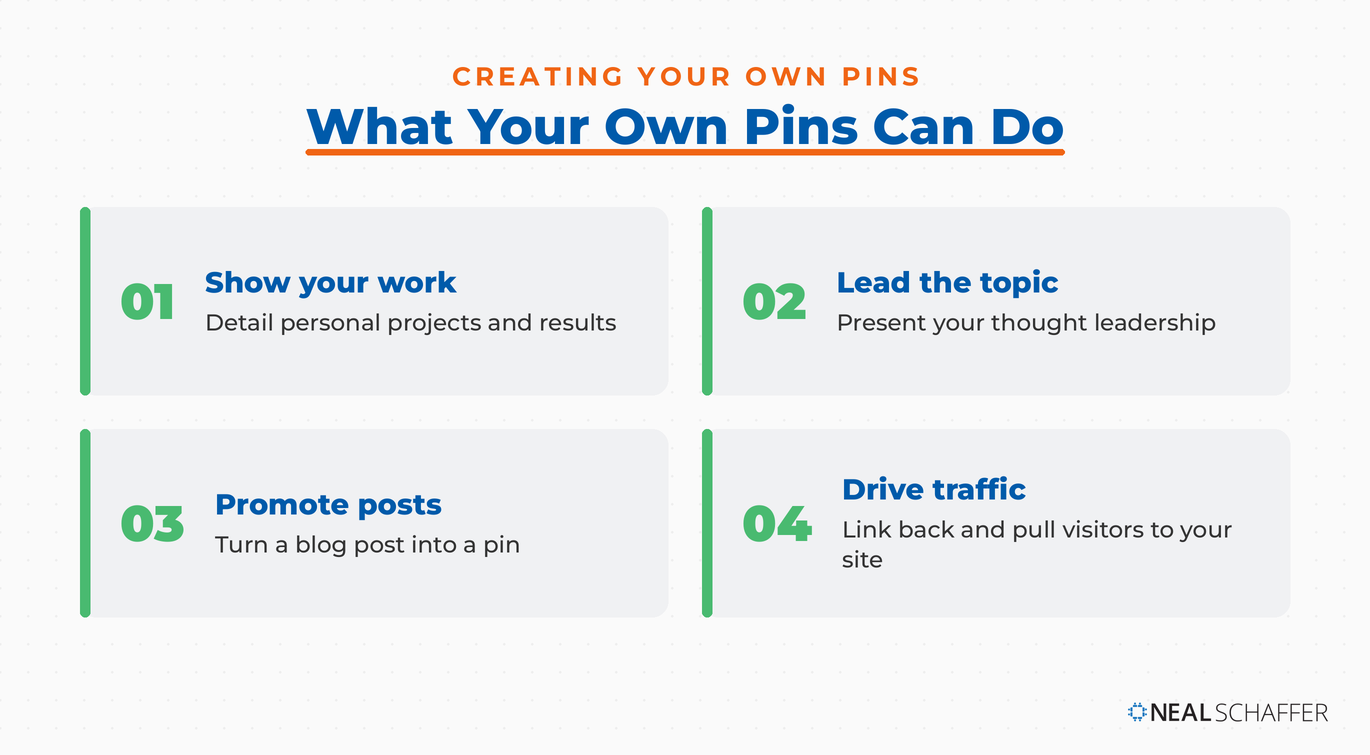
Creating your own pins is a great way to make the most of the visual search technology. You can use your own pins to detail personal projects, present thought leadership, or promote a blog post. You can quickly and easily link the creator site and produce a novel means of driving traffic to your site.
When you create your own pins, make sure you will actually show up in search suggestions by using descriptive titles and relevant keywords, and attaching destination links to all of your uploaded images.
Pinterest for Professionals and Content Creators
Pinterest isn’t just for hobbyists. It’s a powerful visual discovery engine for professionals, entrepreneurs, and content creators. By using Pinterest strategically, you can drive traffic, build brand authority, and reach new audiences who are actively searching for inspiration and solutions. Once that traffic starts flowing, there are several proven ways to earn income directly on Pinterest.
Using Pinterest for Brand Discovery and Ideation
While your Pinterest home feed, once trained, can be a great tool for discovery and ideation on its own, Pinterest also offers trend tools for greater forecasting. The Trends tool predicts what is gaining momentum on the platform, which helps increase pin clicks and other engagement signals. Watching those signals next to the wider social media trends shaping every platform gives you a fuller read on where to point your content.
You can also follow peers in your industry or your clients to glean greater visual insight into preferences and practices.
Using Pinterest to Store Your Creative Swipe File
Although Instagram does have a “save” feature, it is often difficult to organize and sort through. Pinterest allows you to take the Instagram posts you are interested in saving, and organize them for quick and easy reference.
You can also pin articles, designs, frameworks, and marketing examples for your clients or for your own content use. You can use Pinterest for product discovery and for prospective clients’ product discovery of you.
Collaboration Use Cases
Pinterest can also be used for collaboration. Share boards with your clients or other team members to align visual direction and content ideas.
Tips to Keep Your Pinterest Experience Fresh
Follow and unfollow strategically. Follow accounts or boards that appeal to your audience or fit within your niche, and regularly audit your followings to make sure you unfollow any accounts that are no longer relevant or no longer serve your brand.
Opt to search outside of your norm to keep things fresh. For instance, you might search “editorial design” rather than “marketing visuals.”
Revisit your boards on a monthly basis to refine your pins, and add any sub-categories you may not have initially considered.
Common Pinterest Pitfalls to Avoid
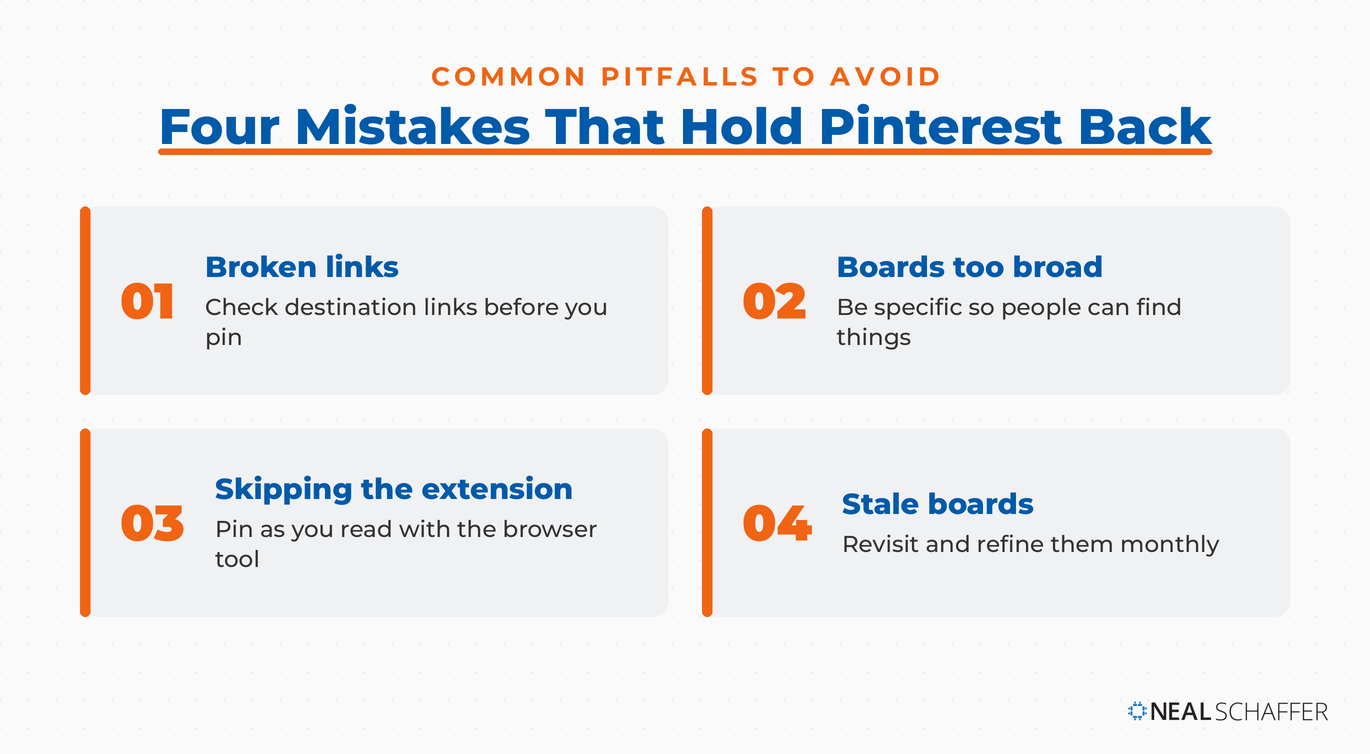
Before you Pin it, check destination sites! Pinterest is not always known for accuracy regarding links. Make sure links are both accurate and present.
Broad boards can confuse your audience, or make it more difficult to find items in search. Be specific when you create your boards and sub-categories.
Finally, don’t ignore the Pinterest browser extension. The extension makes pinning while reading blogs or articles far easier, and helps you quickly stay up to date in your Pinning.
Frequently Asked Questions About Using Pinterest
Pinterest functions far more like a visual search engine than a traditional social network. People arrive with search intent, looking for ideas and products, and the platform ranks pins by keywords the way Google ranks pages. That search behavior is what makes it valuable for marketers.
A business account is the better choice for any marketing goal. It shows monthly viewers instead of followers and opens up analytics that a personal profile does not include. You can convert an existing personal account or start a fresh one.
Pinterest content is evergreen, which sets it apart from most social feeds. A pin you publish today can keep surfacing in search and driving visits months or even years later. That longevity is why consistent pinning compounds over time.
Use descriptive, keyword-rich titles and pin descriptions, and name your boards around specific topics rather than broad themes. Add a destination link to every pin so it points back to your site. Clear beats clever every time on Pinterest.
Yes. When you create your own pins with strong visuals and destination links, each one becomes a path back to your content or products. Many creators build on that traffic to earn income directly on the platform.
Final Thoughts: Why Pinterest Deserves a Place in Your Digital Toolkit
Pinterest may have started as a place to collect pretty pictures, but it’s grown into so much more: a tool for ideation, visual planning, and even digital decluttering. Whether you’re pinning mood boards for your next brand launch or saving design inspiration for your office makeover, learning how to use Pinterest well can save time and spark creativity.
As someone who helps brands make smarter digital marketing decisions, I can tell you: the platforms you overlook are often the ones with the most potential.
Pinterest is one of them.
Use the visual search engine not just to collect, but to connect the dots between what inspires you and what you create.



Thank you for your article ! I just started on pinterest and that helped me a lot.
Glad to hear Sara!