
Most people still think of LinkedIn as the place you go when you need a job. Update the profile, fix the headshot, start applying. That mental model is costing businesses a fortune.
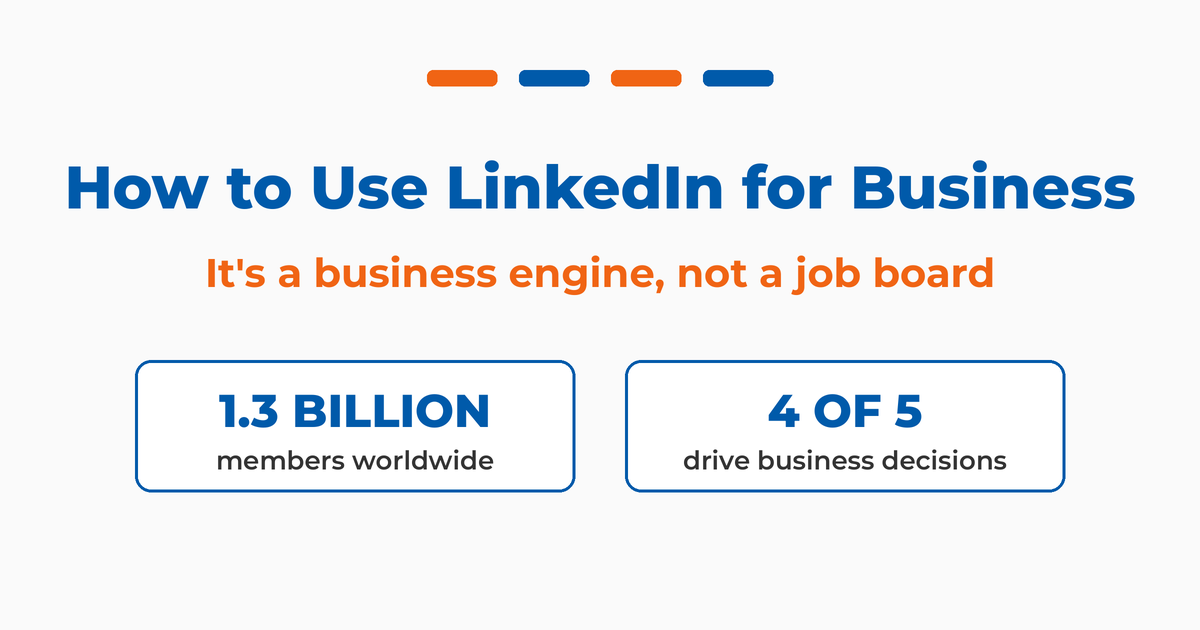
LinkedIn has more than 1.3 billion members across over 200 countries, which makes it the largest professional network on earth. But the size matters less than the makeup. These are professionals, decision-makers, and buyers with budgets, and they show up to LinkedIn with their work brain switched on. That’s a very different audience than the one scrolling Instagram at midnight.
I’ve spent close to two decades helping companies turn LinkedIn into a growth channel, and I wrote the book on it, literally. Maximizing LinkedIn for Business Growth is the second edition of work I’ve been refining since 2011. I also teach social media and social selling at Rutgers Business School, and I’ve spent years as a fractional CMO and keynote speaker watching what actually moves the needle for businesses on this platform. So when I say LinkedIn is misunderstood, I mean it.
So the shift in thinking is simple. LinkedIn is a business engine first, and recruiting is only one of the things it does. This guide walks through how businesses actually use LinkedIn in 2026, and where most of them are leaving money on the table.
Key Takeaways
✅ LinkedIn is a business engine, not a job board. It runs on four cylinders, your profile, network, content, and relationships, and recruiting is just one of the outcomes it produces.
✅ Your personal profile beats your company page. The algorithm rewards human connection over corporate accounts, which is why I tell business owners to put 90% of their effort into personal profiles and 10% into the company page.
✅ B2B marketers consistently rank LinkedIn their most effective channel. That’s not an accident given who’s on the platform: an audience full of decision-makers with budgets.
✅ Social selling produces measurable, repeatable results. Sellers who use LinkedIn well create more opportunities and hit quota more often than peers who don’t.
✅ Thought leadership now does double duty. It builds trust faster than ads, and long-form LinkedIn articles increasingly get cited by AI search tools like ChatGPT and Perplexity, so they keep working long after the feed moves on.
✅ Get the easy wins first. A complete profile, a basic company page, and a consistent posting habit cover most of what a small business needs to start.
What Does It Mean to Use LinkedIn for Business?
Using LinkedIn for business means treating the platform as a connected system for finding talent, winning customers, and building authority, rather than as a static digital resume. The work happens across recruiting, sales, marketing, employee advocacy, employer branding, and thought leadership, and the same profiles and content feed all of them at once.
That last part is what people miss. The profile you optimize to win a sales conversation is the same profile a journalist sees, a future hire reads, and an investor checks. On LinkedIn, every activity leads people back to your profile. So the question isn’t “which one feature should I use.” It’s “how do I run the whole engine.”
I find it useful to think about who’s actually on the platform. According to Sprout Social, four out of five LinkedIn members drive business decisions at their organizations. You won’t find that concentration of buying authority on any other social network. If you want to understand the audience in more depth, the latest LinkedIn statistics are worth bookmarking.
How Do Companies Use LinkedIn for Recruiting?
Recruiting is the oldest and still one of the most important business uses of LinkedIn. It works two ways. Job seekers find who in their network already works at a target company, then angle for a warm introduction. And recruiters, both in-house and headhunters, search for talent, post roles, and reach out directly through the platform.
There’s an old saying that finding a job isn’t about what you know but who you know, and LinkedIn turned that into infrastructure. Many of your former colleagues and classmates are already in your network, which makes a warm path into almost any company surprisingly short.
LinkedIn also built paid tools around this, including LinkedIn Recruiter and job postings on the company side, and premium career features on the job-seeker side. But business owners forget the real payoff. The same search-and-connect mechanics that power recruiting are exactly what power sales. Once you understand how recruiters find and engage people, you can re-engineer that process for finding customers. If you want to see who’s viewing your activity along the way, understanding LinkedIn analytics helps you read the signals.
How Do You Use LinkedIn for Sales and Social Selling?
Social selling is using social media as part of your sales process, and in B2B it almost always means LinkedIn, because that’s where the decision-makers are. The practice is straightforward: find the right prospects, build a real relationship over time, and earn the conversation before you ever pitch. Done well, it replaces cold outreach with warm familiarity.
Picture a software rep selling into civil engineering. They identify decision-makers at engineering firms, infrastructure contractors, and public works departments, then connect, engage, and introduce their company when the timing is right. There’s also a slower, more relationship-driven version: meet people at events and conferences, add them on LinkedIn, and stay in their orbit so that when a need surfaces, you’re already top of mind. The same pattern holds in referral-driven service businesses, which is how I frame LinkedIn for real estate agents, where the people worth knowing are the lenders, attorneys, and past clients who send deals your way.
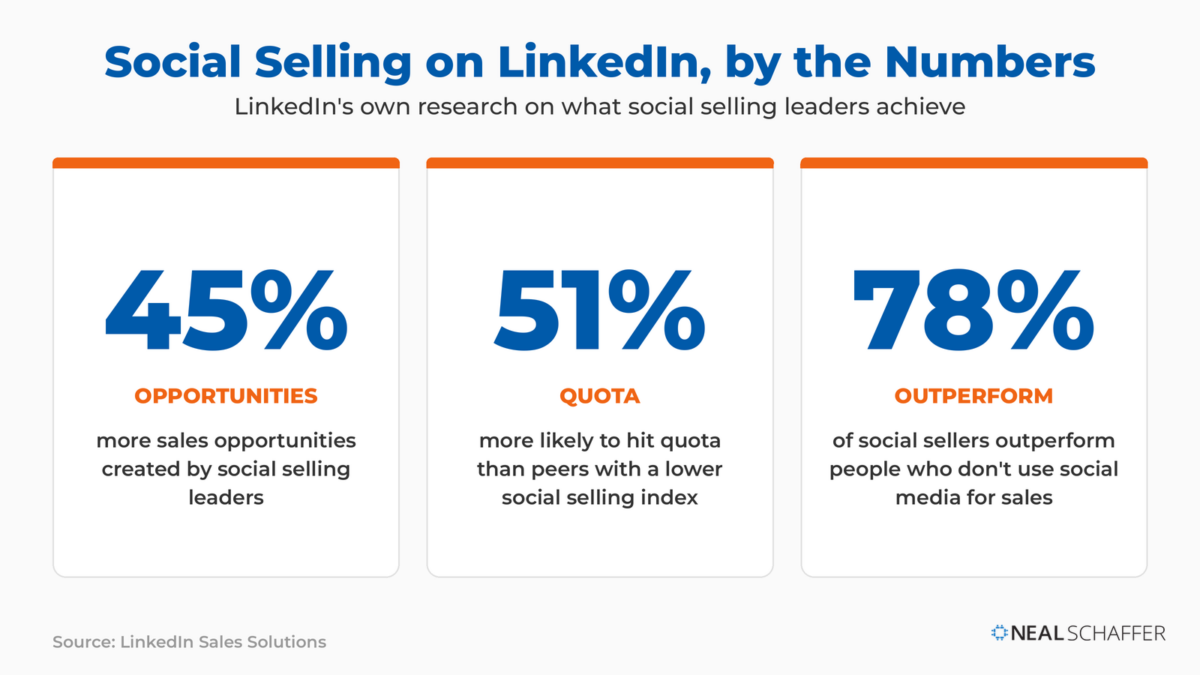
The data backs this up. LinkedIn’s own research found that social selling leaders create 45% more opportunities than peers with a lower social selling index. They’re also 51% more likely to hit quota. And 78% of social sellers outperform people who don’t use social media for sales. If you want to measure where you stand, your LinkedIn social selling index is a free diagnostic. And if pipeline is the goal, the mechanics of LinkedIn lead generation build directly on these same habits.
A quick note on tools. LinkedIn sells Sales Navigator and InMail for prospecting at scale, and they’re useful for high-volume sellers. If you’re weighing whether to pay, it’s worth understanding what InMail on LinkedIn actually gets you before you commit. For the third-party apps that work alongside LinkedIn, start with this roundup of LinkedIn tools to grow your business.
How Do You Use LinkedIn for Marketing and Lead Generation?
LinkedIn marketing works through two engines: organic content and paid ads. Organic content, published from a personal profile or company page, influences buyers by teaching them something over time. Paid ads let you target by job title, function, industry, and seniority with a precision no other platform matches. Together they cover the slow build and the direct push. If you are trying to work out whether the paid side earns its keep, my honest guide to LinkedIn Ads walks through what is worth paying for in 2026 and what is not.
The reason this works is the audience quality I mentioned earlier. A global survey found 53% of B2B professionals rank LinkedIn the single most important social platform. The reach is there too: LinkedIn’s ad tools could reach 1.2 billion members in early 2025, a jump of 176 million in a single year. When your buyers carry corporate spending power and show up in a professional mindset, your content lands differently than it would mid-scroll on a consumer network.
The formats matter. Long-form posts, native documents, and carousels tend to earn more reach than a bare link, and video keeps gaining ground. If you’re building a content habit, knowing how to post on LinkedIn effectively, experimenting with a LinkedIn carousel, and publishing a LinkedIn newsletter all give you different ways to reach the same audience. As A. Lee Judge, host of the Business of Marketing podcast, put it: “If you’re in B2B and you’re not paying attention to LinkedIn right now, you’re falling behind.”
Should You Focus on Your LinkedIn Profile or Your Company Page?
Focus on your personal profile. This is the single most contrarian thing I tell business owners, and it’s the one that produces the biggest results. LinkedIn’s algorithm, like every social platform, favors human connection over corporate accounts. Personal profiles consistently out-reach and out-engage company pages, so your profile, not your logo, should carry the load.
People connect with people, not companies. Your personal content gets more engagement than company posts, your network trusts your voice more than corporate messaging, and individual profiles tend to surface higher in search. None of that means the company page is useless. It matters as social proof. When a prospect lands on your profile and clicks through to your company, that page needs to exist, look professional, and post the occasional update.
Is Your Digital Marketing All Over the Place?
My latest book helps small businesses, entrepreneurs, and marketers bring search, email, and social together into one digital marketing strategy that actually compounds.
Drawing on my work as a Fractional CMO, Digital Threads turns complicated tactics into a clear, practical plan you can follow, whatever your budget or team size.
Grab your copy on Amazon and start weaving your own digital threads. Click the cover or the button below to get started.

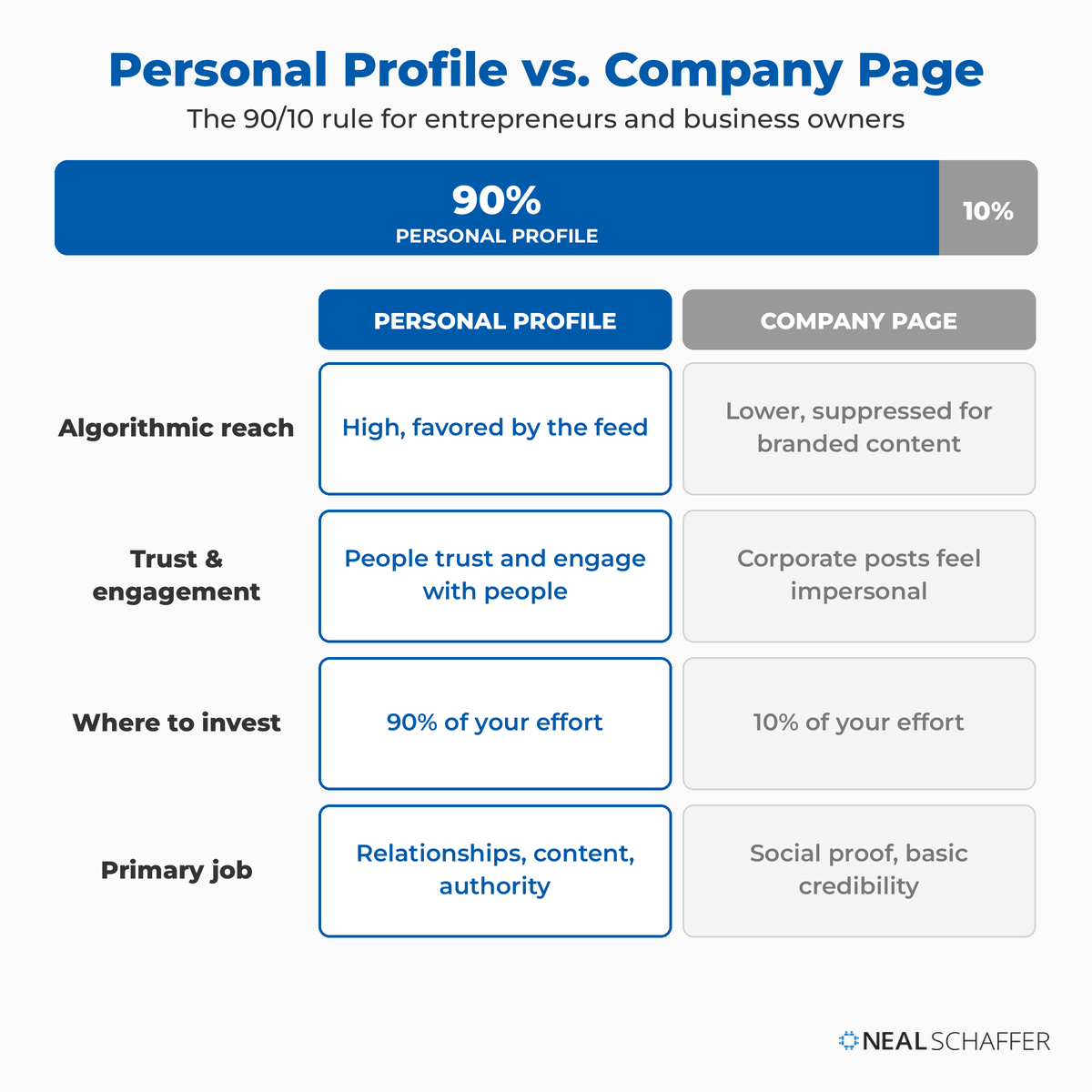
My recommendation for entrepreneurs and business owners is a 90/10 split. Put 90% of your effort into your personal profile, your network, and your content. Put 10% into maintaining a basic company presence. For employees, the move is to engage with and occasionally reshare company content while building their own personal brand.
| Priority | Personal profile | Company page |
|---|---|---|
| Algorithmic reach | High, favored by the feed | Lower, suppressed for branded content |
| Trust and engagement | People trust and engage with people | Corporate posts feel impersonal |
| Where to invest | 90% of your effort | 10% of your effort |
| Primary job | Relationships, content, authority | Social proof, basic credibility |
If you’re going to make your profile do the heavy lifting, it has to be built right. That starts with a strong LinkedIn headline, a LinkedIn summary that reads like a brand story rather than a job history, and a professional LinkedIn headshot. For the full build, work through LinkedIn profile examples to see what a strong one looks like in practice. And yes, you still want the company page set up, just don’t expect it to be the star.
How Does Employee Advocacy Work on LinkedIn?
Employee advocacy is the practice of encouraging your team to share company messages and their own content from personal profiles, amplifying your brand through trusted voices. It works because of credibility. Surveys consistently show people trust regular employees more than executives or PR, so a message from a real person carries more weight than one from a logo.
The logic is simple. Leaders will always paint a rosy picture of the company, justified or not. Employees know what it’s actually like to work there. So when an employee genuinely brags about their job, a product, or a win, prospects, future hires, and investors all take it more seriously. Smart companies encourage and empower employees to be active on LinkedIn and to talk about their work, which puts a human face on the brand and stretches reach far beyond the company page’s own followers.
This is the same personal-over-corporate dynamic from the profile section, applied across your whole team. Employee-shared content reaches roughly five and a half times further than the same content posted from the company page alone, a point I made in a recent keynote on this topic. Ten engaged employees with active profiles can reach more of the right people than a company page ever will on its own.
I cover a case study in the second edition of Maximizing LinkedIn for Business Growth that makes this concrete. A company called Butterfly Effect, led by CEO Elfried Samba, built $2.6 million in revenue with no sales team, no cold outreach, and no paid ads. Their growth came from a LinkedIn strategy built on daily storytelling and activating every employee as part of the brand. Employee advocacy is really a form of influencer marketing, since every socially active employee carries influence inside their own trusted network.
How Do You Build Thought Leadership on LinkedIn?
Thought leadership is publishing genuine expertise, perspective, and insight to establish yourself or your company as an authority in your field. On LinkedIn that means posting original takes, joining real discussions, and sharing what you actually know over a sustained period. It’s how bank executives become known as financial experts and how consultants stay visible in their niche.
The payoff is trust, and trust shortens sales cycles. LinkedIn is where that work pays off, since 76% of B2B marketers say it’s the most effective channel for thought leadership. 73% of B2B decision-makers say an organization’s thought leadership is a more trustworthy basis for assessing its capabilities than its marketing materials and product sheets, according to the Edelman-LinkedIn B2B Thought Leadership Impact Report. Even better for demand generation, 75% of B2B buyers say a piece of thought leadership led them to research a product or service they weren’t previously considering.
The vehicles for this are the same content formats that power your marketing. Publishing LinkedIn articles, shipping consistent LinkedIn posts, and showing up in comments are how authority compounds. Nobody builds thought leadership in a week. You build it by being useful, repeatedly, where your buyers already are.
Why Is LinkedIn Content Now Showing Up in AI Search?
LinkedIn content now surfaces inside AI search. When people ask ChatGPT, Perplexity, or Google’s AI Overviews a professional question, LinkedIn posts and long-form articles increasingly turn up as cited sources. That makes your LinkedIn writing a discoverable, long-lived asset, not just a post that disappears from the feed in a day.
In a recent keynote I gave on this shift, I pointed out that LinkedIn has become one of the most-cited domains for professional questions across the major AI tools, and that long-form articles, the 500-to-2,000-word kind, make up the bulk of what gets pulled. Original analysis gets cited. Reshares barely register. AI is looking for genuine expertise, not recycled content.
That’s why I’ve shifted more of my own publishing toward LinkedIn articles and newsletters. A strong article keeps working long after a feed post would have disappeared. It can surface when a buyer asks an AI tool about your industry six months from now. If answer engine optimization is on your radar, your LinkedIn writing is one of the highest-value places to put real, original thinking.
How Do You Run LinkedIn as a Business Engine?
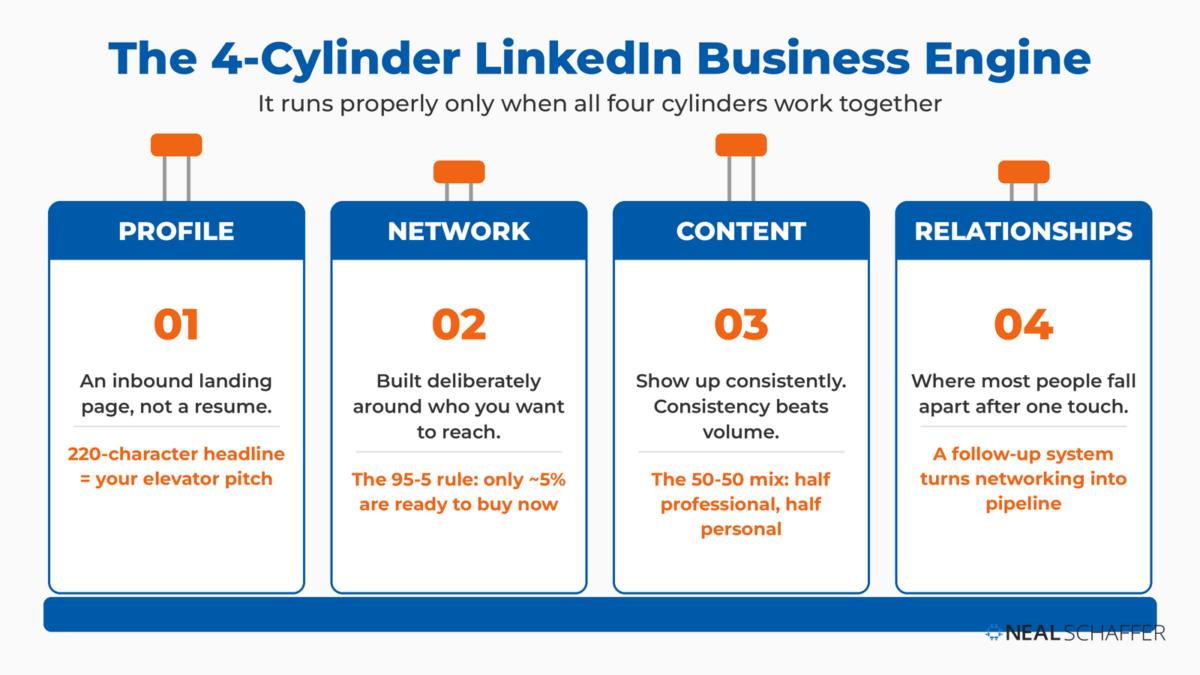
Running LinkedIn as a business engine means firing on four cylinders at once: your profile, your network, your content, and your relationships. Most people run on one or two. A decent profile but no content. Content but no follow-up system. The engine still moves, but it sputters. It runs properly only when all four work together.
On a recent episode of my podcast Your Digital Marketing Coach, I put it bluntly: LinkedIn is not a social network, not in the way the other platforms are. And the moment you start treating it like one, you’ve already lost.
Cylinder one is your profile, which works as an inbound landing page rather than a resume. Your headline is a 220-character elevator pitch aimed at the person you want to reach, and your about and experience sections are searchable, so write them in the language your prospects actually type, not industry jargon. The banner sitting behind all of it is the biggest piece of visual real estate you own on the platform, so start from the correct LinkedIn banner size before you design one.
Cylinder two is your network, built deliberately around who you want to reach. This is where the 95-5 rule comes in. At any given moment, only about 5% of your target audience is ready to buy. The other 95% aren’t there yet. The goal of a connection isn’t to sell on the first touch. It’s to be the person they already trust when they’re ready.
Cylinder three is content, and the biggest mistake I see is going all business or all personal. Neither works. I teach a 50-50 mix: half professional content like industry insight and how-to advice, half engagement content like personal stories, lessons learned, and behind-the-scenes. Video belongs in that mix, and my guide to LinkedIn videos covers the formats, specs, and lengths that hold attention. Consistency beats volume, so find the best time to post on LinkedIn for your audience and hold a steady rhythm.
Cylinder four is relationships, and it’s where most people fall apart. They connect, engage once, then disappear. The difference between networking and pipeline is a follow-up system. It doesn’t need fancy software. A simple spreadsheet and a few minutes a day is enough. The system is what matters.
How Do You Get Started Using LinkedIn for Business?
Start with three things: a complete personal profile, a basic company page, and a consistent posting habit. That covers most of what a small business needs to begin. You don’t need a budget or a paid subscription to get value out of LinkedIn. The core platform, profiles, posting, connecting, and a company page, is free.
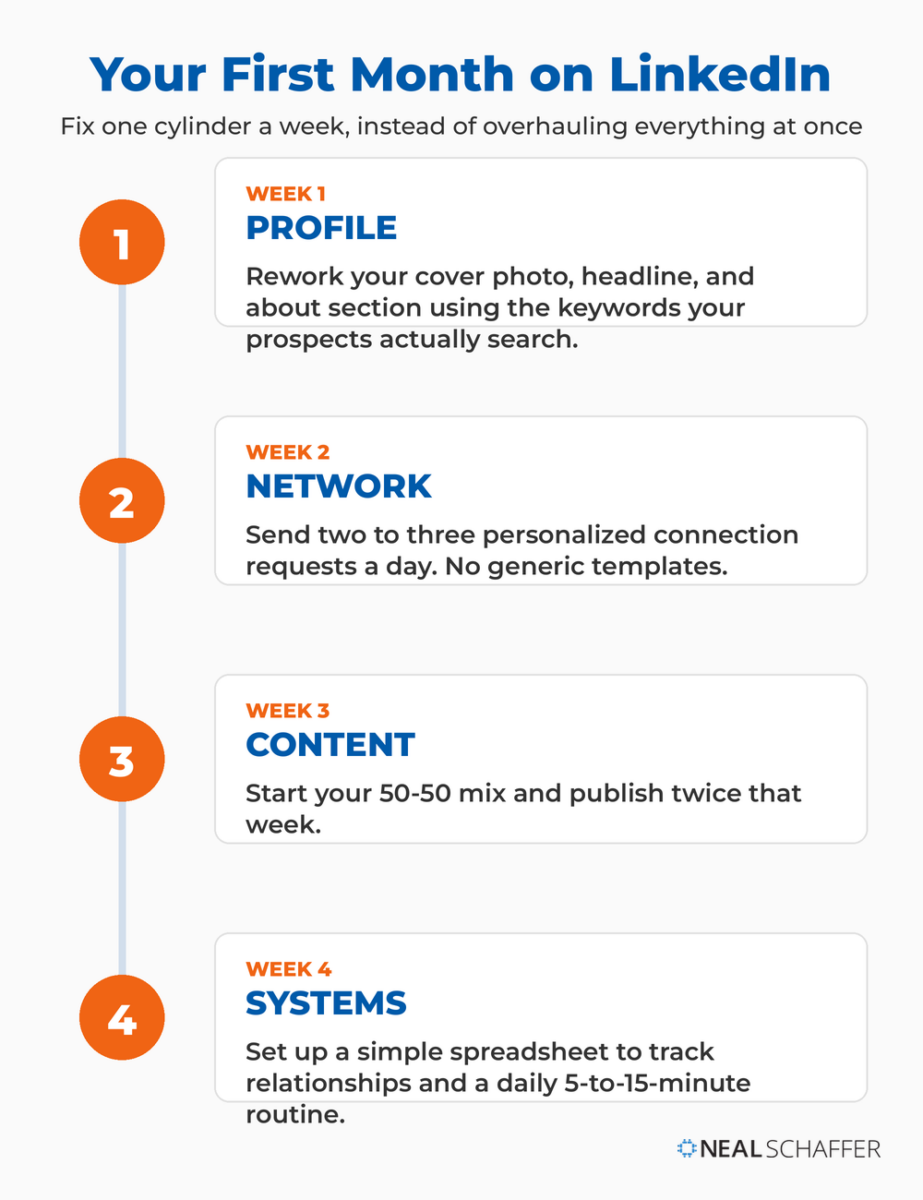
The simplest way to start is to fix one cylinder a week for a month, rather than trying to overhaul everything at once. Begin with your profile, then build your network, then start your content rhythm, then put a follow-up system in place. If you want a step-by-step on building out your personal profile, start there. And if you’re new to the platform entirely, the basics of what LinkedIn is and how it works are worth a read first.
| Week | Cylinder | What to do |
|---|---|---|
| Week 1 | Profile | Rework your cover photo, headline, and about section using the keywords your prospects actually search |
| Week 2 | Network | Send two to three personalized connection requests a day, no generic templates |
| Week 3 | Content | Start your 50-50 mix and publish twice that week |
| Week 4 | Systems | Set up a simple spreadsheet to track relationships and a daily 5-to-15-minute routine |
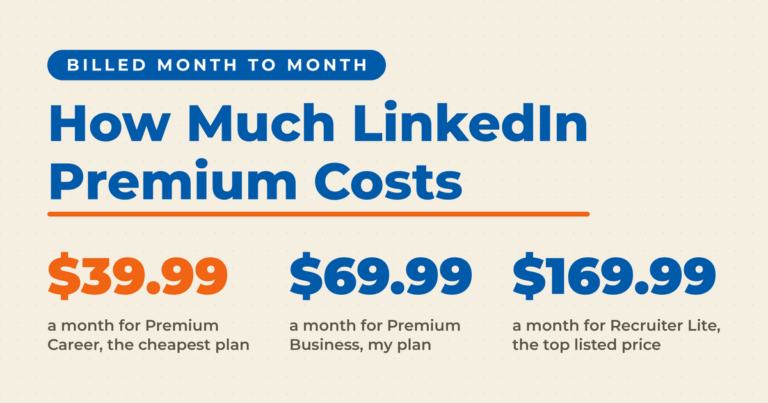
Paid upgrades come later, and only if the free version is paying off. LinkedIn Premium, Sales Navigator, and Recruiter all have their place, but I’d start free, prove the channel works for you, and then decide. If you do reach that point, it’s worth weighing whether LinkedIn Premium is worth it for your specific goals before you pay.
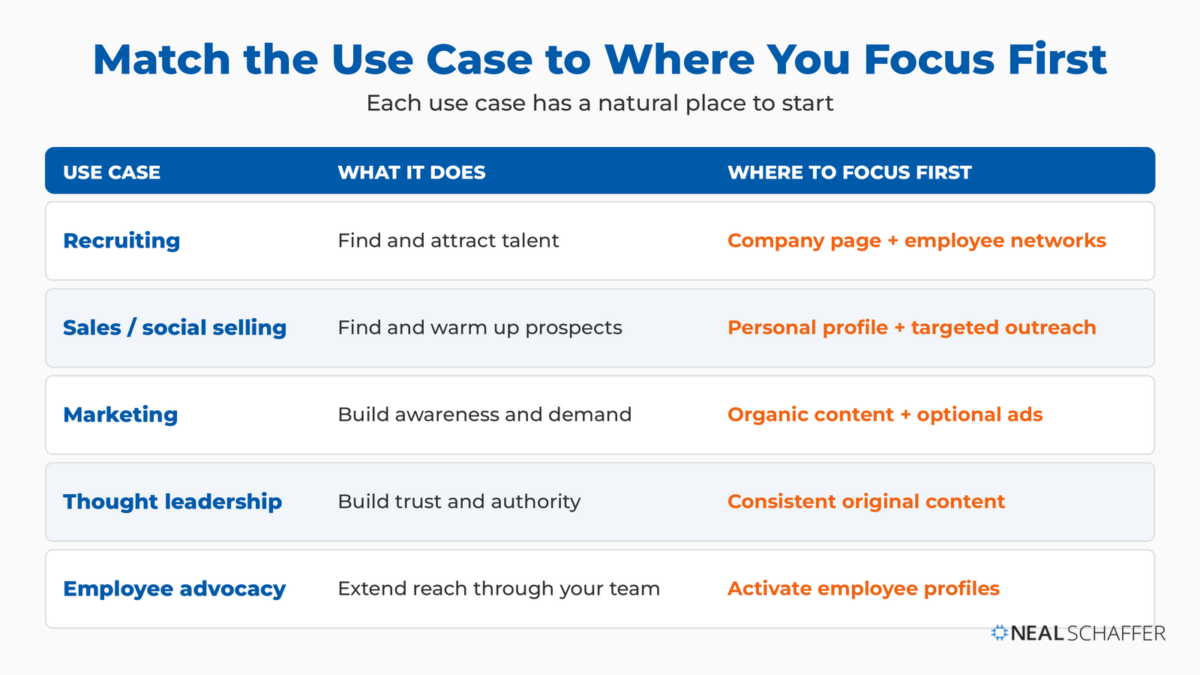
Each use case has a natural place to start.
| Use case | What it does | Where to focus first |
|---|---|---|
| Recruiting | Find and attract talent | Company page + employee networks |
| Sales / social selling | Find and warm up prospects | Personal profile + targeted outreach |
| Marketing | Build awareness and demand | Organic content + optional ads |
| Thought leadership | Build trust and authority | Consistent original content |
| Employee advocacy | Extend reach through your team | Activate employee profiles |
Frequently Asked Questions
Yes. Creating a personal profile, building a network, posting content, and setting up a company page are all free. The free version is enough to start generating value through organic reach and relationships. Paid products like LinkedIn Premium, Sales Navigator, Recruiter, and LinkedIn Ads are optional upgrades for specific goals.
The platform itself is free to use. Paid tiers vary widely depending on what you need, from individual Premium subscriptions to enterprise recruiting and advertising products. I’d start with the free version, confirm the channel works for your business, and only then weigh whether a paid tier earns its keep. You can dig into the specifics of LinkedIn Premium cost when you’re ready.
For B2B especially, yes. The audience is concentrated with decision-makers, and B2B marketers consistently rank it their most effective channel. Small businesses benefit most by leaning on personal profiles rather than trying to build a big company-page following from scratch.
Lead with your personal profile. The algorithm favors human connection, so personal content reaches and engages more people than company posts. Keep the company page active for credibility, but put the bulk of your effort into personal profiles, yours and your team’s.
Consistency matters more than volume. Posting two to three times a week, every week, beats a burst of daily posts followed by weeks of silence. Aim for a mix of professional insight and more personal, behind-the-scenes content rather than only promotional updates.
Start Treating LinkedIn Like the Business Engine It Is
The businesses winning on LinkedIn in 2026 aren’t the ones with the biggest company-page following. They’re the ones who understand that recruiting, sales, marketing, advocacy, and thought leadership all run off the same engine, and that personal profiles carry most of the load. Optimize your profile. Pick the use cases that match your goals. Show up consistently. The rest is execution.
If you want the deeper playbook, grab a free preview of Maximizing LinkedIn for Business Growth, which walks through every one of these use cases in detail. To go further on the content and demand side, my breakdown of LinkedIn marketing strategy picks up where this leaves off. And if you’d like help building a coordinated LinkedIn strategy alongside your other channels, the Digital First Mastermind is built for exactly that.