
I’ve been publishing on LinkedIn since the platform was small enough that you could recognize most of the active voices by name. Three books later, a decade of running social media training at Rutgers Business School, and somewhere north of a thousand posts on the platform, the question I get asked most often by clients, coaching members, and audience members after a keynote is the same one: how do I write a LinkedIn post that people actually see?
In 2026, that question is harder to answer than it was even a year ago. LinkedIn rebuilt the underlying ranking system for its feed, replacing several separate retrieval pipelines with a single LLM-powered model that judges your post on topical relevance to each viewer rather than on raw connection overlap.
The platform now serves roughly 1.3 billion members, and parent company Microsoft confirmed LinkedIn’s continued momentum in its Q3 FY26 earnings press release, reporting double-digit LinkedIn revenue growth across all lines of business.
The practical effect for content creators is straightforward: posts that match your established expertise area and earn meaningful engagement in the first hour travel much further than they used to. Posts that look generic or off-topic get filtered before most of your network ever sees them. When organic reach alone stops moving the number you care about, paid distribution is the other lever, and my breakdown of LinkedIn Ads covers when the spend is justified.
This guide is the playbook I use myself, teach in my course, and walk clients through when I’m working with them as a Fractional CMO. It pulls from the 2026 second edition of Maximizing LinkedIn for Business Growth, conversations with brand teams I’ve advised, and the most recent platform research I trust.
Key Takeaways
✅ A LinkedIn post is short-form content (up to 3,000 characters) published to the feed, with seven dominant formats: text, single image, multi-image gallery, document carousel, poll, native video, and reshare with commentary.
✅ The first 140-210 characters are the entire game. Mobile cuts off at roughly 140 characters; desktop at about 210. Your hook has to land inside the cutoff or the rest of the post won’t get read.
✅ Engagement peaks for posts in the 1,300-2,500 character range, with engagement falling off for posts under 400 or pushing toward the 3,000 ceiling.
✅ Carousels (PDF document posts) are the highest-engagement format on LinkedIn by a wide margin, followed by native video and image posts. Text-only posts are the easiest to publish but the lowest-engagement format.
✅ Posting 2 to 5 times per week is the meaningful tier shift; below that, the algorithm doesn’t treat you as an active creator.
✅ Topic consistency and profile-content alignment are now major ranking factors. The 2026 algorithm reads your profile, looks at your posting history, and can route your post to people whose interests align, even if they don’t follow you.
What Is a LinkedIn Post (And Why Does It Look Different in 2026)?
A LinkedIn post is a short-form update published to the feed, up to 3,000 characters, that the platform’s algorithm distributes to a subset of your network and (increasingly) to non-followers whose professional interests match the topic. Unlike a LinkedIn article, a post is built for fast consumption inside the scroll, and the algorithm scores it as standalone content on its own.
What’s changed in 2026 is the part the algorithm cares about. For years, LinkedIn’s feed leaned on connection-based distribution: post something, your followers see it first, and if a few of them engage, it expands outward through their networks. That mechanic still exists, but it’s no longer the primary driver.
LinkedIn’s engineering team disclosed in March 2026 that the platform replaced multiple ranking pipelines with a unified LLM-based retrieval and ranking system. The new model builds embeddings of both posts and users, then matches content to viewers based on semantic understanding of the topic rather than direct relationship. According to the engineering update coverage, the new architecture can retrieve candidates in under 50 milliseconds and updates content embeddings within minutes.
The broader strategic direction has been telegraphed for years. Tim Jurka, then a senior director of engineering at LinkedIn, wrote in 2024 that the platform wants its content focused on relevance rather than virality, meaning the right people getting the most relevant knowledge rather than the largest possible audience.
In plain English: if you post about B2B SaaS pricing, LinkedIn now uses the LLM to understand that B2B SaaS pricing relates to revenue operations, freemium strategy, and CFO decision-making. It can surface your post to a CFO in your second-degree network who has been engaging with pricing-strategy content all week. That CFO doesn’t need to follow you.
The system also weighs your own profile as a credibility signal. If your About section, headline, and posting history align with the topic of your post, you get rewarded. If they don’t, you get throttled. Human readers judge the same profile in about two seconds, which is why a banner built to the right LinkedIn banner size does more work than most people give it credit for.
That kind of professional reading behavior is more common than most people assume: Sprout Social’s 2026 LinkedIn analysis reports that nearly 70% of LinkedIn users engage with brand content at least once a week.
That last point matters more than most people realize. My post on LinkedIn headline examples is where I cover the foundational profile work because the headline is where the algorithm and the human reader both decide whether you have authority on what you just posted about. A weak or off-topic headline now actively suppresses your post reach.
What Are the Different Types of LinkedIn Posts?
LinkedIn supports seven primary post formats, each with its own engagement profile and best-use case. In my book I argue that most professionals should master three or four of these and skip the rest rather than spreading thin across all seven.
The seven formats most professionals will actually use are the plain text post, the single image post, the multi-image gallery, the document carousel (PDF), the poll, the native short-form video, and the reshare with added commentary. There’s also LinkedIn Live, the LinkedIn Article (long-form), and the LinkedIn Newsletter, which are adjacent products with their own distribution rules but can be cross-posted as feed content too. Newsletter shares in particular have become a reliable performer for me when I have a fresh edition to promote, because they pull in two engagement audiences at once: the subscribers who get the push notification and the broader feed readers who see the share.
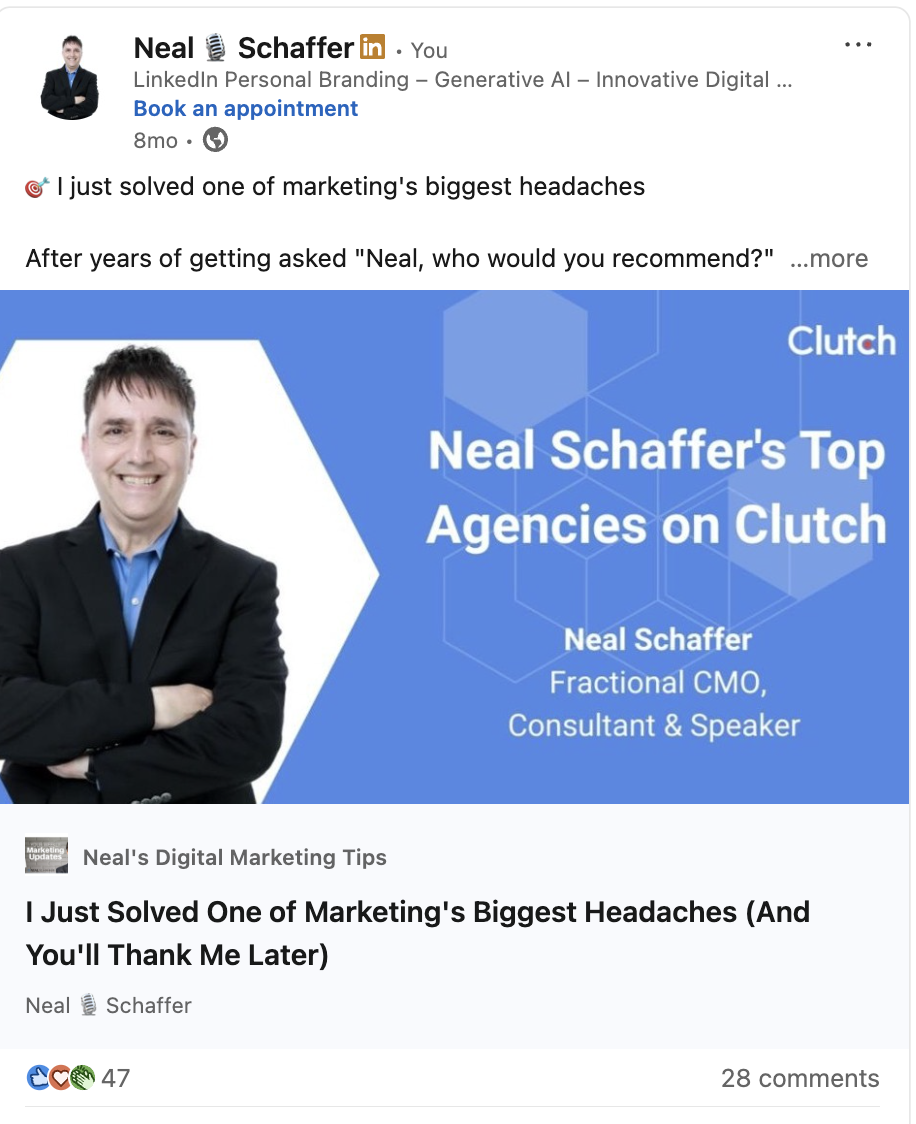
The major formats compare on engagement like this, based on Buffer’s analysis of more than 2 million LinkedIn posts across its 94,000+ connected accounts:
| Post Format | Relative Engagement (vs. Text) | Best For | Effort Level |
|---|---|---|---|
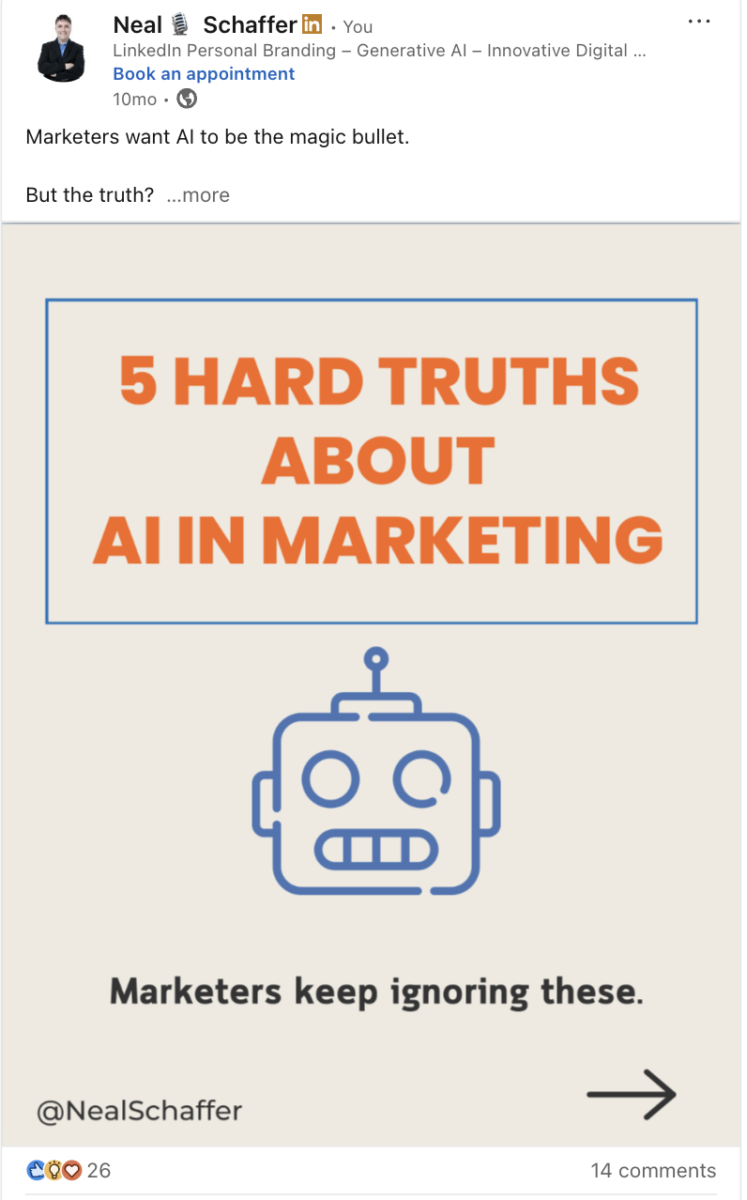
| Document Carousel (PDF) | ~600% more engagement | Frameworks, checklists, step-by-step content readers will save | High |
| Native Video | 84% more engagement | Founder POV, behind-the-scenes, interviews | High |
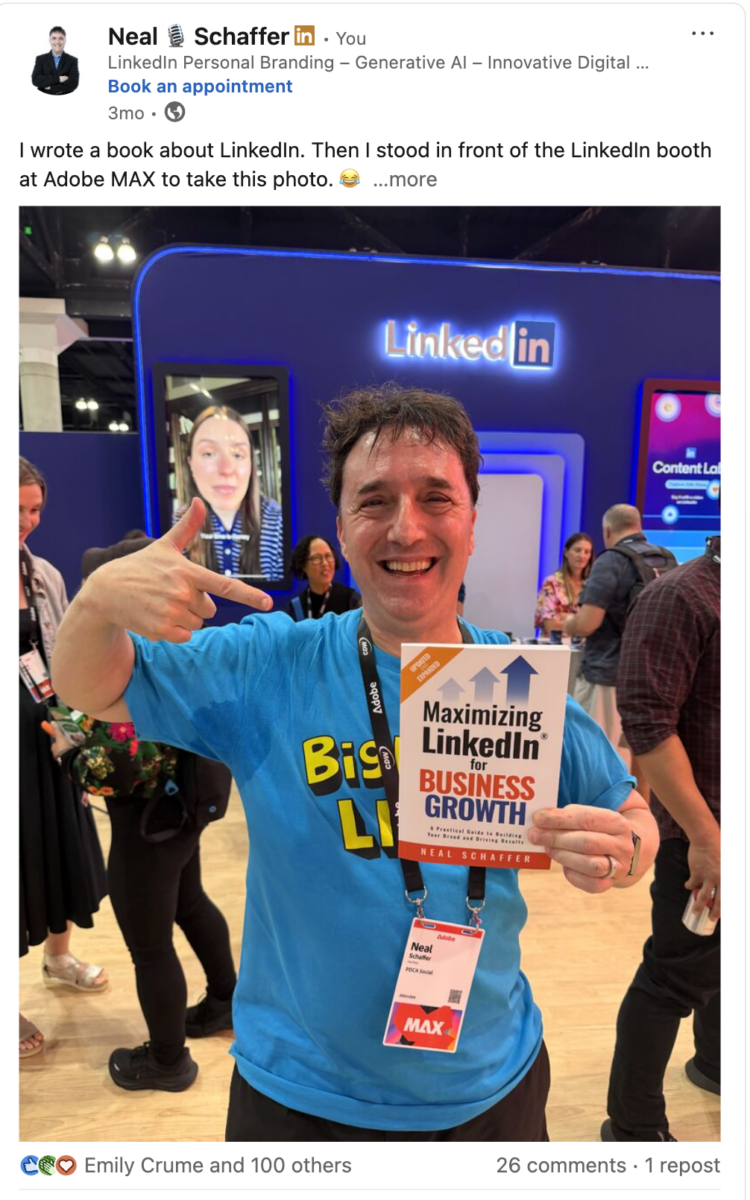
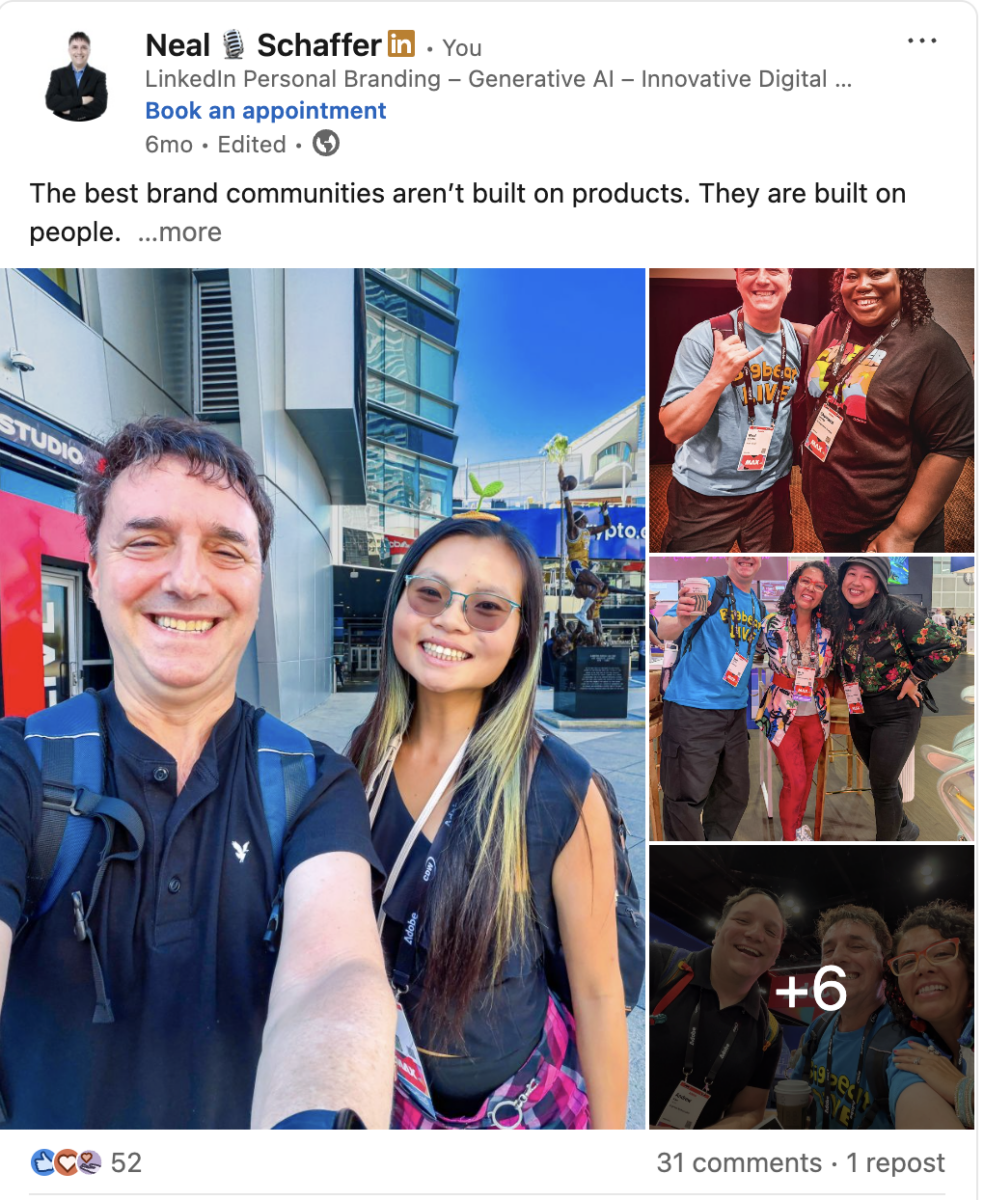
| Single Image / Multi-Image | 72% more engagement | Selfie-with-context posts, conference photos, milestones | Low |
| Text Post | Baseline | Quick insights, polarizing takes, questions | Low |
| Poll | Variable (high comment rate) | Audience research, lightweight engagement | Low |
| Reshare with Commentary | Lower than original posts | Amplifying client/colleague wins, news commentary | Very low |
| Posts with External Links | Lowest median engagement | Generally avoid; put link in first comment instead | Low |
A few notes from my own posting that the table doesn’t capture. The selfie-with-context post is genuinely underused. When I’ve posted a photo of myself at a client visit, a conference, or even my home office desk with a few sentences of context, those posts consistently outperform anything pre-planned.
I cover this in detail in Maximizing LinkedIn for Business Growth where I split content into “professional” and “engagement” buckets. Engagement content (the human side, the celebration, the personal milestone) consistently outperforms pre-planned thought leadership in my own analytics, every single week.
The carousel-versus-everything-else gap is corroborated by a second large dataset: Socialinsider’s 2026 benchmark analysis of 1.3 million LinkedIn business posts put native document posts at a 7.00% average engagement rate, the highest of any format on the platform, with a 14% year-over-year performance increase. Two independent studies, two different methodologies, same conclusion.
One Strategy to Connect All Your Marketing
My latest book helps small businesses, entrepreneurs, and marketers bring search, email, and social together into one digital marketing strategy that actually compounds.
Drawing on my work as a Fractional CMO, Digital Threads turns complicated tactics into a clear, practical plan you can follow, whatever your budget or team size.
Grab your copy on Amazon and start weaving your own digital threads. Click the cover or the button below to get started.

The format gap between carousels and everything else is real but it comes with a caveat. Carousels take meaningfully longer to produce than a text post or a selfie, and if you’ve never made one before, the design learning curve is steep.
I’ve written more about the production specifics on the LinkedIn carousel post format, but the short version is: design five to ten swipeable PDF pages in Adobe Express or Canva, upload as a document, and write commentary in the post body. That single change in format alone has been the most reliable engagement lift I’ve seen for clients who were stuck on text posts.
Polls remain useful in 2026 but they’re a different beast. They get massive engagement (the highest comment rates of any format), but they don’t carry the same authority signal that a substantive post does. Don’t make your weekly content rotation 50% polls and expect to build a serious professional brand. I cover when polls actually work on my coverage of LinkedIn polls.
How Do You Write a LinkedIn Post That Actually Gets Engagement?
A high-performing LinkedIn post in 2026 follows a four-part structure: a hook that lands inside the mobile preview cutoff (roughly 140 characters), a specific value proposition in the next two lines, the substantive content (story, framework, or argument), and a closing question that invites a reply. Without a hook that earns the click on “see more,” nothing else matters.
The hook is the single most important sentence you’ll write. AuthoredUp’s analysis of 372,126 LinkedIn posts published between September 2025 and February 2026 found that posts under 400 characters underperform on every metric, with median engagement rates of 2.10% versus 2.61-2.67% for posts in the 1,301-2,500 character range.
But length only helps if people read past the first line. The hook needs to either break a pattern (state something contrarian to what most readers expect), create a curiosity gap (open a loop the reader needs to close), or name a specific pain point in the audience’s exact language.
Hooks that I’ve seen consistently outperform in my own posting and in client accounts I’ve audited fall into four reliable patterns:
| Hook Pattern | What It Does | Example Opening Line |
|---|---|---|
| Counterintuitive number | Specific stat plus an unexpected frame | “I closed $4M in pipeline last quarter without sending a single cold email. Here’s what actually worked.” |
| Contradiction of conventional wisdom | Names a common belief and rejects it | “Stop optimizing your LinkedIn headline. It’s the third thing recruiters read, not the first.” |
| Confession / vulnerability | Admits a mistake or unexpected outcome | “I deleted three years of LinkedIn content last week. Engagement went up.” |
| Pattern-interrupt observation | Names the reader’s exact experience | “Most LinkedIn posts lose the reader before ‘see more.’ Mine used to.” |
What does NOT work in 2026:
- “I’m excited to announce…”: universal scroll trigger
- “Hot take:”: pattern-matched as engagement bait
- “Comment YES if you agree”: actively suppressed by the algorithm
- Any generic “in today’s [adjective] world” opener: instantly signals AI-generated content
- Any post that opens with a generic dictionary-style definition
Note that LinkedIn has been explicit about reducing the reach of engagement-bait content in 2026. The platform’s March update flagged three specific patterns it would actively suppress: posts that explicitly solicit a one-word reply for algorithmic lift, posts that pair an attention-grabbing video with unrelated text to manipulate distribution, and templated thought-leadership content that recycles the same structure across many accounts without adding original insight.
Getting back to the LinkedIn post mechanics, after the hook, the post needs to deliver. The two structures that work reliably:
The Story → Lesson structure. Open with a specific moment (a meeting, a decision, a failure), narrate the relevant detail in 200-400 words, then end with the lesson generalized for the reader. This works for personal brand posts and B2B credibility content equally well.
The Framework / List structure. Open with the hook, name the framework or the number of items, deliver them with short paragraphs and line breaks, and close with a “here’s what to try this week” prompt. This is the structure that gets bookmarked, and saves are now one of the strongest signals the algorithm tracks.
Either way, your formatting choices matter. Use single-sentence paragraphs and aggressive line breaks. Walls of text get scrolled past. Emojis used sparingly (one or two as visual anchors, not as decoration) are fine. Hashtags have lost most of their distribution value in 2026 because the algorithm now uses semantic topic modeling rather than hashtag matching; use three to five relevant ones for light categorization but don’t expect them to drive reach.
End with a question that gives readers a low-friction reason to comment. Not “Do you agree?” but “What’s the one thing your team does on LinkedIn that you think other teams should copy?” Specificity invites a substantive comment, and substantive comments are what the 2026 algorithm weighs most heavily.
How Long Should a LinkedIn Post Be?
According to AuthoredUp’s analysis, the optimal LinkedIn post length in 2026 is between 1,300 and 2,500 characters, which translates to roughly 250 to 450 words. Posts in this range generate the highest median engagement rates on the platform, while posts under 400 characters underperform on impressions and posts pushing the 3,000-character ceiling show slight engagement decline relative to the 2,001-2,500 range.
What that means in practice is that the 3,000-character limit is a ceiling, not a target. The platform gives you the room because some content (long personal stories, detailed frameworks, contrarian arguments) genuinely needs it. But the most reliable performers are tight, scannable, and built around a single clear idea.
Length intersects with content type as follows, based on my own posting and the data:
| Content Type | Recommended Length | Notes |
|---|---|---|
| Quick insight or industry observation | 200-500 characters | Compact, share an opinion, invite a quick reaction |
| Question or audience prompt | 100-300 characters | Question is the value; minimal context needed |
| Framework or list (3-7 items) | 1,300-2,000 characters | Lots of line breaks; each item gets its own visual beat |
| Personal story or case study | 1,500-2,500 characters | Room for narrative arc; specific details |
| Detailed point of view / contrarian argument | 1,800-2,500 characters | Build the argument carefully; cite evidence |
| Carousel commentary (post body) | 200-400 characters | Most of the substance is in the PDF itself |
One nuance the character-count data doesn’t fully capture: completion rate. LinkedIn’s March 2026 engineering disclosure lists dwell time among the signals the new ranking model analyzes alongside likes, comments, and other interactions, meaning the longer someone actually spends reading your post, the stronger the engagement signal.
How Often Should You Post on LinkedIn?
The right LinkedIn posting frequency for most professionals is two to five posts per week, with the algorithm rewarding the jump from one post per week to two-plus more than any other frequency change. The same Buffer dataset found that this single cadence shift, more than any other, is what triggers the platform to treat you as an active creator and begin distributing your content more widely.
The Buffer dataset, controlling for account size and niche, found three meaningful tiers of return on posting cadence. At two to five weekly posts, accounts gained an additional 1,182 impressions per post on average and saw their engagement rate climb 0.23 percentage points relative to once-weekly posting. Pushing into the six-to-ten range pulled those numbers higher: 5,001 additional impressions per post and a 0.76 percentage point engagement rate increase. Accounts running eleven or more posts per week saw the steepest climb of all, adding 16,946 impressions per post, tripling total engagements, and lifting engagement rate by 1.40 points.
The takeaway is that LinkedIn behaves differently from most other platforms when it comes to posting cadence. There’s no observable penalty for high frequency, and each step up in volume tends to widen rather than dilute distribution. Social Media Today’s coverage of the same Buffer study framed this as the algorithm “rewards activity” effect, where higher posting volume signals the system to surface more of your content to more viewers.
That said, I would not recommend most professionals jump from one post a week to eleven. The realistic working cadence I see succeed for clients is three to four posts per week, alternating formats (one carousel, two text posts, one selfie-with-context or video). That cadence is sustainable, lets you batch content production, and hits the engagement-rate sweet spot without burning out.
A separate question that matters as much as frequency is when to post. The general rule across most B2B audiences is Tuesday through Thursday between 9 a.m. and noon local time, though there’s significant variation by industry and audience time zone. I’ve published more on the best time to post on LinkedIn, but the bigger lever for most accounts is consistency over precise timing. The algorithm rewards a predictable schedule because it has more data to work with on how your specific audience engages.
One nuance specific to 2026 worth flagging: the old “24-hour window” rule of thumb for LinkedIn post lifespan is being actively rewritten. “Right now, content lives and dies on the newsfeed very quickly,” Tim Jurka, LinkedIn’s senior director of engineering, told Entrepreneur magazine.
The platform is now building a system to surface high-quality posts to relevant viewers long after their original publication date, treating strong posts more as durable assets than disposable updates. The practical implication for you: write each post like it could keep working for you over the long haul, because the platform increasingly wants it to.
What Does the LinkedIn Algorithm Reward in 2026?
The LinkedIn algorithm in 2026 rewards three things above all else: topical relevance to the viewer, engagement quality (especially substantive comments and saves), and profile-content alignment. It actively suppresses engagement bait, off-topic posting that breaks from your established expertise, and content that pattern-matches as AI-generated boilerplate.
Five specific signals matter most:
Topic consistency and profile credibility. The system reads your headline, About section, and recent posting history before distributing your post. If you post about supply chain optimization but your profile says you’re a wedding photographer, the algorithm doesn’t know who to route the post to and your reach gets capped. The fix is editorial discipline: pick two or three topic areas and post consistently within them.
Engagement velocity in the first 60-90 minutes. Like most other social networks, LinkedIn shows your post to a small initial slice of your network first, then watches how those viewers engage before deciding whether to widen distribution. Substantive comments, saves, and shares in that window matter far more than likes. The algorithm now clearly distinguishes between active engagement (comments, shares, direct messages) and passive engagement (reactions, views), heavily favoring the former. This is why the 30 minutes before and after you publish are worth investing in: comment substantively on three to five posts in your network, respond to early comments on your own post within the first hour, and the algorithm reads all of it as relationship signal.
Saves over likes. Saves are widely understood among LinkedIn creators and platform researchers to carry meaningfully more weight than likes or reactions, on the logic that a save signals lasting reference value rather than momentary interest. The practical takeaway: structure your content as something a reader would bookmark to refer back to later. Frameworks, checklists, step-by-step guides, and comparison tables get saved. Hot takes and quick observations get a thumbs-up and a scroll.
Dwell time. LinkedIn’s engineering team has described dwell time (how long a reader spends on the post, even without clicking or commenting) as one of the signals the new ranking model analyzes.
No engagement bait. The 2026 algorithm is specifically tuned to detect and suppress posts that explicitly solicit reactions (“Comment YES if you agree”), as well as recycled thought-leadership templates that pattern-match across many accounts. I dig into the measurement side of this in my LinkedIn analytics post.
For deeper analysis of how these signals stack into a coordinated strategy, my post on LinkedIn marketing strategy lays out a complete posting framework, and my LinkedIn best practices post is the place to start for foundational profile and behavioral hygiene before optimizing for the algorithm. The underlying numbers (organic reach trends, format-specific engagement rates, and the latest member counts) all sit on my post on LinkedIn statistics, which I refresh on a regular cadence.
What Are the Biggest LinkedIn Post Mistakes to Avoid?
The most damaging LinkedIn post mistakes in 2026 are posting off-topic content that breaks from your established expertise, opening with a generic “see more” cutoff, using engagement-bait phrasing, including external links in the post body instead of in the first comment, and treating LinkedIn like a broadcast channel rather than a network.
Specific mistakes I see most often when auditing client accounts:
The “We’re excited to announce” opener. If your first line could appear at the top of a corporate press release, your post is going to die. The opener has to be human, specific, and curiosity-inducing. Even a major company milestone benefits from a personal framing: “Two years ago I told my co-founder this would never work. We just shipped it.”
Wall-of-text formatting. A LinkedIn post that looks like a paragraph from a novel is a scroll trigger. Single-sentence paragraphs, aggressive line breaks, and the occasional bullet list are all that stand between a long post and the reader. White space is a feature, not a flaw.
Posting links in the post body. External links in the post body get reduced distribution because LinkedIn doesn’t want users leaving the platform. The workaround the top creators use: drop the link in the first comment, and refer to it in the post body (“Link in the first comment”).
Treating LinkedIn like one-way broadcast. Posts perform better when they’re surrounded by engagement activity from the author. If you publish a post and then don’t comment on anyone else’s content for the next 24 hours, you’re leaving distribution on the table. Spend 15 minutes commenting substantively on relevant posts in the same window you publish, and the algorithm reads it as relationship signal that benefits both your post and your visibility on theirs.
Inconsistent topic mix. If your last ten posts are about marketing strategy and your eleventh post is about a political controversy, the system loses its read on who to distribute that post to, and the post underperforms even if the content is good. Stay within your two or three established lanes. Save the off-topic content for personal social channels or save it for posts where you can connect it back to your professional theme.
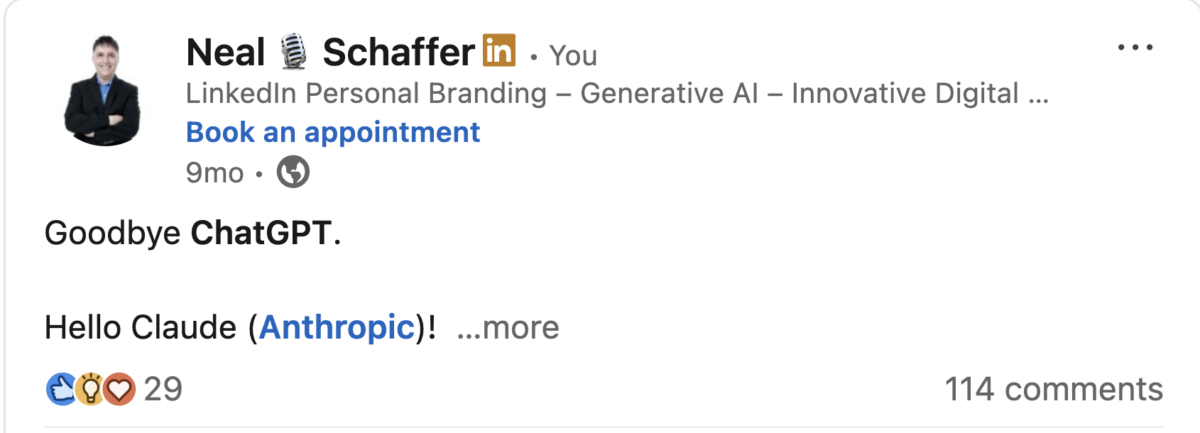
Generic AI-generated drafts. This one is mostly a 2026 problem. LinkedIn’s content classifier has gotten better at detecting boilerplate AI output, and posts that pattern-match as generic ChatGPT drafts are receiving reduced reach. AI is fine as a drafting tool (I use it regularly), but the final post needs your voice, a specific anecdote, and a point of view a machine couldn’t have generated.
Frequently Asked Questions
Three to five relevant hashtags is the upper limit worth using. The 2026 algorithm distributes content based on LLM-derived topic modeling rather than hashtag matching, so hashtags carry far less weight than they did in 2022 or 2023. Use them for light categorization, not as a distribution strategy. Stuffing 15+ hashtags will not improve reach and may signal low-quality content to the classifier.
Not in the post body. Put the link in the first comment and reference it in the body (“Link to the full piece in the first comment”). This is the workaround the platform’s top creators have settled on because external links in the post body itself receive reduced distribution, while links in the first comment do not.
A LinkedIn post is short-form content up to 3,000 characters published to the feed, designed for fast consumption inside the scroll. A LinkedIn article is long-form (up to 125,000 characters), has its own dedicated page on LinkedIn, can rank in Google search results, and behaves more like a blog post.
Posts get distributed to the feed; articles can build a subscriber base through LinkedIn Newsletters. The publishing mechanics for both live on my how to publish on LinkedIn post, and the long-form format has its own home here on my post about LinkedIn articles.
The audience is mostly mobile, but the format implications matter. Mobile cuts off the post preview at roughly 140 characters; desktop at around 210. If you’re writing your hook on desktop and it looks great at 200 characters, mobile users may still see a truncated version. Test the first line on a phone before publishing anything you care about.
Longer than it used to. The old rule of thumb was 24 hours, and the 2026 algorithm is built to extend that meaningfully. The platform is actively developing capabilities to surface high-quality posts to relevant viewers long after their original publication date, as part of an effort to make the feed less time-bound and more knowledge-bound. The specific lifespan extension varies by post and audience signal, so treat strong posts as durable assets rather than disposable updates.
Ready to Start Publishing LinkedIn Posts That Get Seen?
The most important shift to make this month is moving from one post per week to two or three. Pick two topics where you have real expertise, commit to publishing two or three posts a week within them for the next 30 days, and watch which formats your audience responds to. The Buffer data and my own client work agree: cadence is the lever everything else turns on.
If you want a coordinated approach to using LinkedIn for B2B pipeline (which is where most of the platform’s commercial value sits), my post on LinkedIn lead generation is your next step. If you’d like help building a coordinated LinkedIn presence as part of a broader digital strategy, reach out about my Fractional CMO services, or download a free preview of Digital Threads for the playbook on integrating LinkedIn into a multi-channel digital marketing program.