Editorial Note: I may earn a commission when you visit links that appear on my website.
How to Post on LinkedIn: The Complete Guide for 2026
You’ve built your profile, connected with industry leaders, and maybe even landed a great opportunity through LinkedIn. The thing that separates passive lurkers from influential networkers is consistent, strategic content creation.
With over 1 billion members worldwide and the majority of B2B leads generated through the platform, LinkedIn is a dynamic publishing platform, a professional broadcast channel, and your personal stage to showcase expertise and build genuine connections.
Think about it: Whatever activity you do on LinkedIn, it will always lead people back to your profile. Yet most professionals treat posting as an afterthought. This guide changes that. As the author of 3 books on LinkedIn, including my latest Maximizing LinkedIn for Business Growth, and having taught executives digital marketing at Rutgers Business School, let me walk you through everything from understanding the algorithm to crafting posts that spark real conversations.
Key Takeaways
✅ Personal profiles significantly outperform company pages in engagement, so prioritize your individual presence over hiding behind a logo
✅ The LinkedIn algorithm rewards early engagement, making your first hour after posting critical for expanded reach
✅ Text-with-image posts, carousels, and native video outperform content with external links by a wide margin
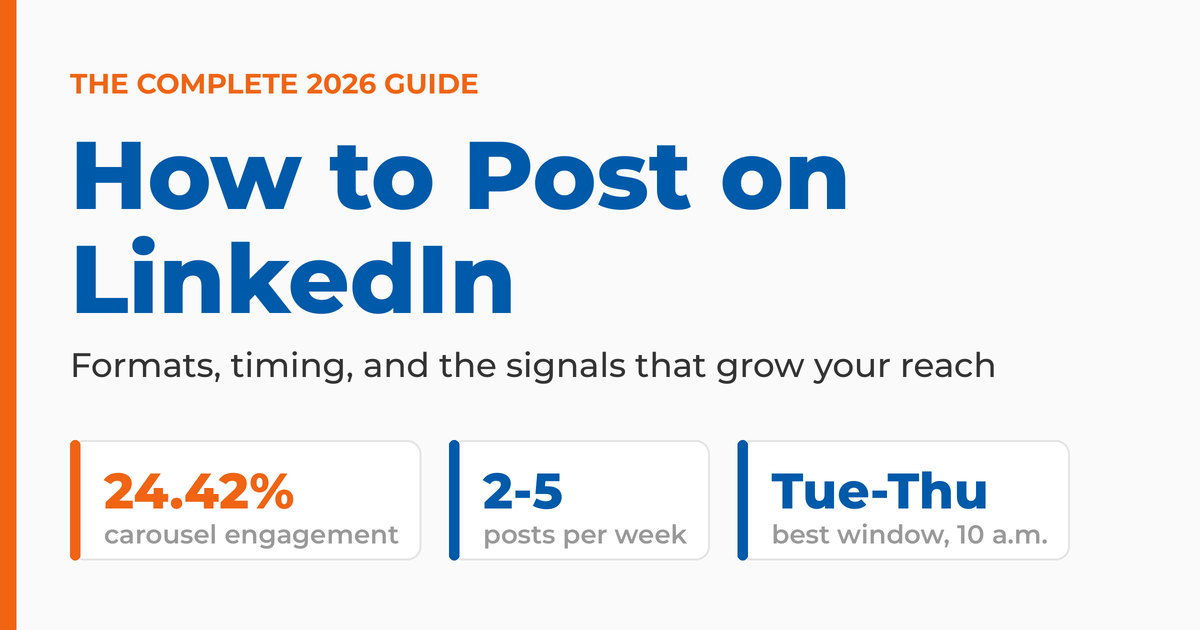
✅ Consistency beats perfection: aim for 2-5 posts per week and use a balanced content mix
✅ Comments carry more weight than likes with the algorithm, so encourage conversations rather than just reactions
Why Do Your LinkedIn Posts Matter More Than Ever?
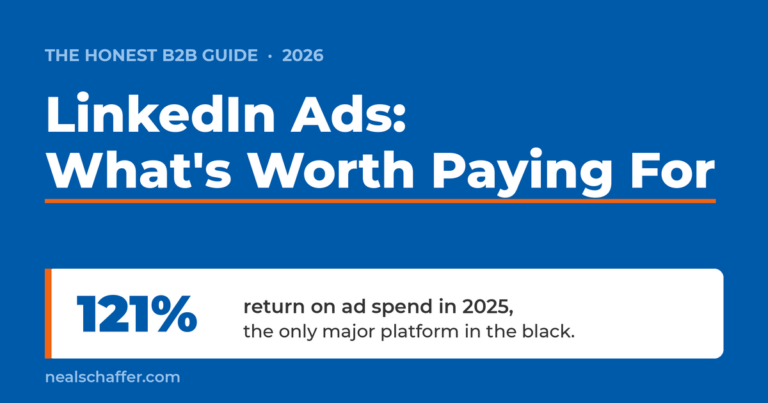
LinkedIn posting is essential because personal profiles outperform company pages, generating significantly more engagement and impressions. Regular content creation positions you as a thought leader, drives B2B leads, and builds a professional brand that attracts opportunities. Organic posting is only half of the platform, and once you are ready to put budget behind your best content, my guide to LinkedIn Ads covers which formats actually convert for B2B.
More Than Just a Digital Resume
LinkedIn is no longer a place where you simply upload your resume and wait for recruiters to find you. It’s an active engagement platform where professionals share insights, discuss industry trends, and build genuine relationships.
Consider your LinkedIn profile to be the front page of the website of you. When you post content, you’re showcasing your expertise in real-time. Every thoughtful post demonstrates your knowledge and positions you as someone worth paying attention to. I’ve written extensively about creating a LinkedIn profile that gets you noticed, and the pattern is clear: your profile and your content work together.
How Does LinkedIn Content Build Thought Leadership?
According to Agorapulse’s analysis of LinkedIn performance, 81% of B2B campaigns fail to achieve their basic objective of capturing users’ attention and brand awareness. That means most professionals are doing this wrong.
Personal profiles perform dramatically better than company pages. The reality? Stop hiding behind your company logo. Your face, your voice, and your perspective matter more than polished corporate content.
When I speak on LinkedIn, I often talk about how I was looking for a realtor on LinkedIn and found three good looking profiles. One had zero recommendations, another had two, and another had more than 30. Who do you think I first contacted? The lesson applies to posting too: your authentic voice builds credibility faster than generic corporate messaging. Check out some LinkedIn recommendation examples to see how credibility gets built.
Can LinkedIn Posts Generate Leads and Drive B2B Sales?
If you’re in B2B, LinkedIn is non-negotiable. The platform is where decision-makers spend their time, and professionals who post consistently generate more inbound opportunities. I’ve blogged about LinkedIn lead generation, and social selling works because you’re building trust before the first sales conversation ever happens.
Understanding the LinkedIn Algorithm: Your Secret Weapon
The LinkedIn algorithm prioritizes content based on three main factors: relevance to your audience, your expertise on the topic, and the engagement your post receives within the first 30-60 minutes after publishing. Understanding these signals helps you create content that gets seen.
According to Hootsuite’s analysis of how the LinkedIn algorithm works, the LinkedIn algorithm is designed to fill user’s feeds with only the most relevant professional advice and expertise, which means a completely different approach than the one you’d use for TikTok or Instagram.
What Does the LinkedIn Algorithm Prioritize in 2026?
LinkedIn now emphasizes expertise more than ever. Posts with original insights, industry trends, or actionable advice are now more likely to reach larger audiences.
The platform also rewards its most active creators and subject-matter experts. If you consistently post about a particular topic, LinkedIn is more likely to recognize your authority and boost your content.
According to the Algorithm Insights Report analysis by Mercer MacKay, an analysis of over 1.8 million posts by Richard van der Blom and Just Connecting, organic reach has plummeted by nearly 50%, but the potential for meaningful engagement is stronger than ever.
How Does Engagement Affect Your LinkedIn Reach?
Not all engagement is created equal. The hierarchy below is ranked by value to the algorithm:
| Engagement Type | Algorithm Weight | Why It Matters |
|---|---|---|
| Comments | Highest | Signals deep interest and sparks conversation |
| Saves/Reposts | Very High | Saves and reposts signal lasting value and extend a post’s distribution |
| “See more” clicks | High | Indicates compelling hooks |
| Reactions | Medium | Quick signal of appreciation |
| Dwell time | Medium | Shows content is being consumed |
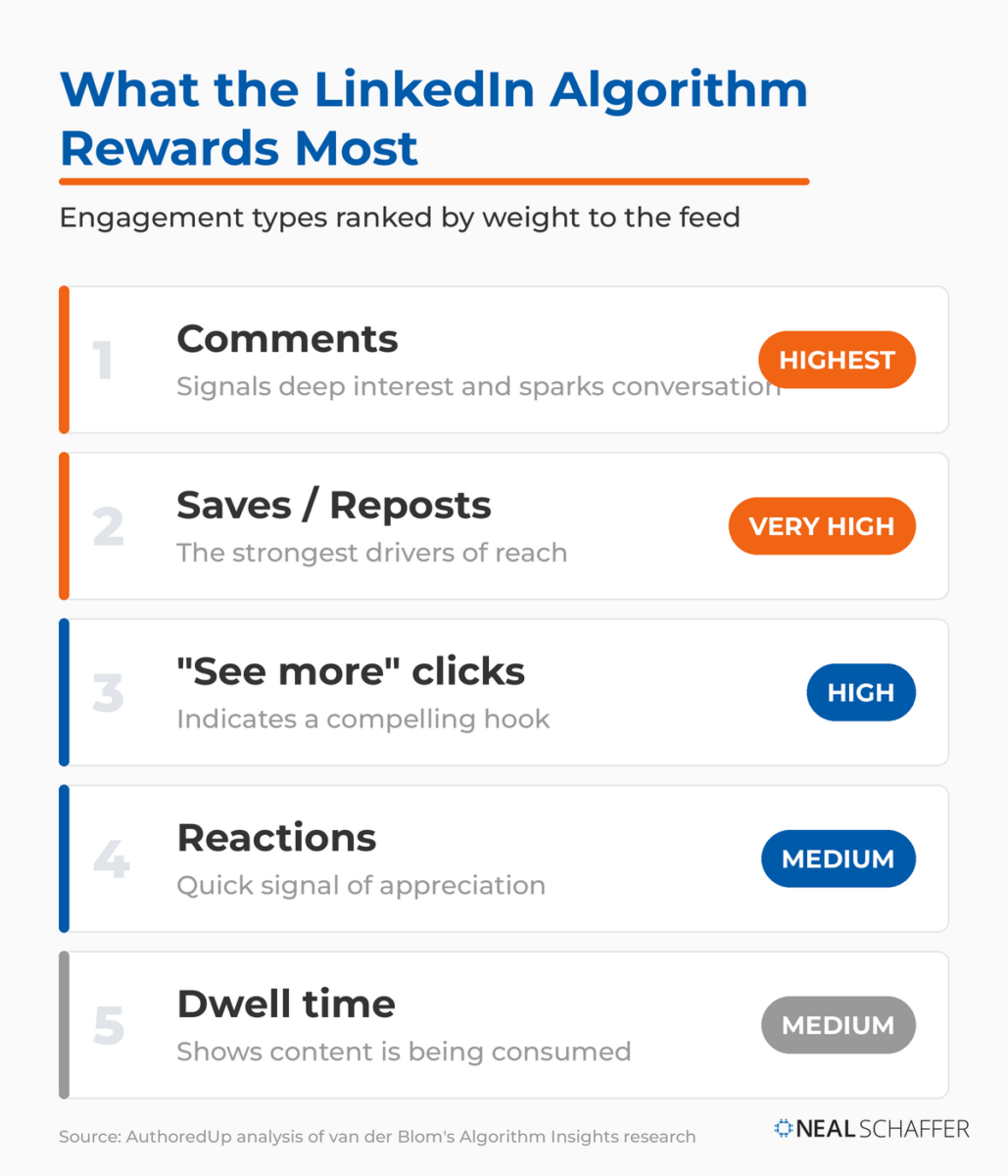
According to data from AuthoredUp’s analysis of van der Blom’s Algorithm Insights research, the first 30-60 minutes after posting are crucial. Posts that get likes, comments, and shares during this time can see significant increases in reach.
This is why timing and engaging with your community matters so much. Post when your audience is active, and be ready to respond to comments immediately. Track your performance using LinkedIn analytics to understand what resonates.
Which Content Formats Perform Best on LinkedIn?
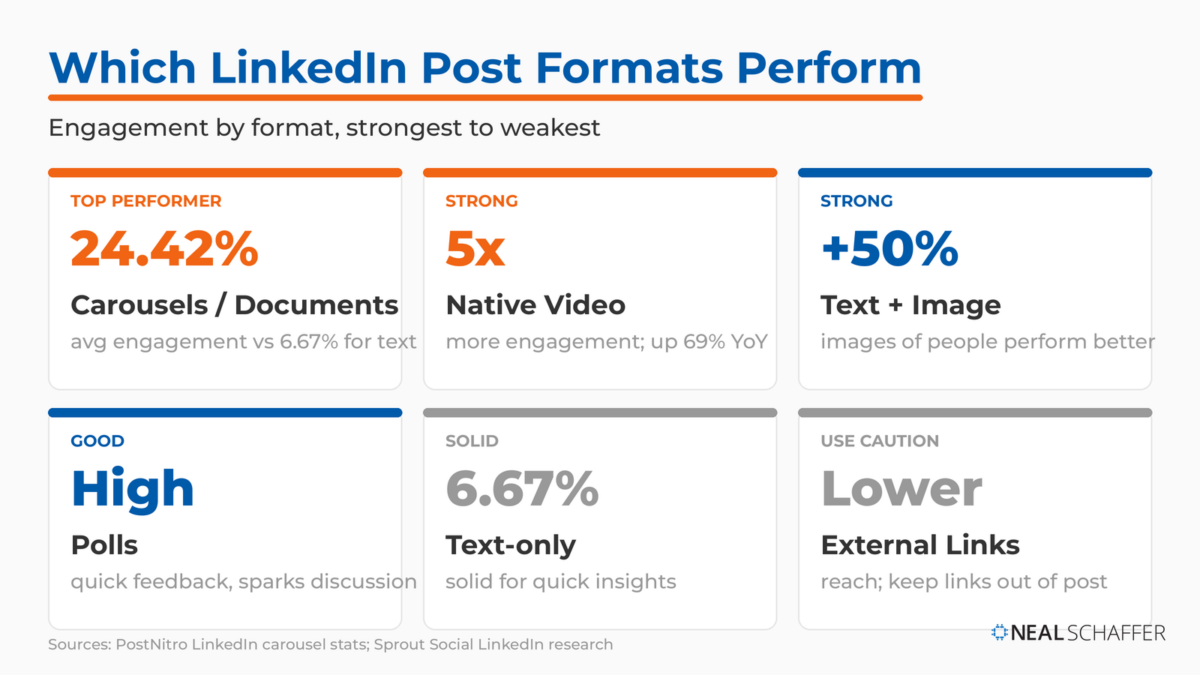
LinkedIn’s algorithm treats different formats differently. According to Socialinsider’s LinkedIn Benchmarks, multi-image carousels have the highest average engagement rate of 6.60%, surpassing all other content forms.
| Post Format | Performance | Best Use Case |
|---|---|---|
| Carousels/Documents | Highest engagement | Educational content, step-by-step guides |
| Text + Image | Strong performance | Posts with images of people perform up to 50% better |
| Native Video | Up 69% year-over-year | Personal connection, demonstrations |
| Polls | High engagement | Quick feedback, sparking discussion |
| Text-only | Solid | Quick insights, questions |
| External Links | Lower reach | Avoid in main post when possible |
Keep videos under 90 seconds. Videos have the third-highest LinkedIn average engagement rate in 2025 and are the most shared format.
One Strategy to Connect All Your Marketing
My latest book helps small businesses, entrepreneurs, and marketers bring search, email, and social together into one digital marketing strategy that actually compounds.
Drawing on my work as a Fractional CMO, Digital Threads turns complicated tactics into a clear, practical plan you can follow, whatever your budget or team size.
Grab your copy on Amazon and start weaving your own digital threads. Click the cover or the button below to get started.

Why Do External Links Hurt Your Reach?
LinkedIn has long discouraged posts that direct users off-platform. In past years, external links were effectively reach killers.
But the algorithm has since softened. According to the Algorithm Insights report analysis, posts with links now see a modest 5% gain in reach, reversing a multi-year decline. Shorter, value-first captions (under 300 words) paired with links perform better than long-form link posts.
The workaround if you’re still concerned? Put your links in the first comment instead of the post itself. Then ask your connections to like that comment so it stays visible.
What’s the Difference Between LinkedIn Posts and Articles?
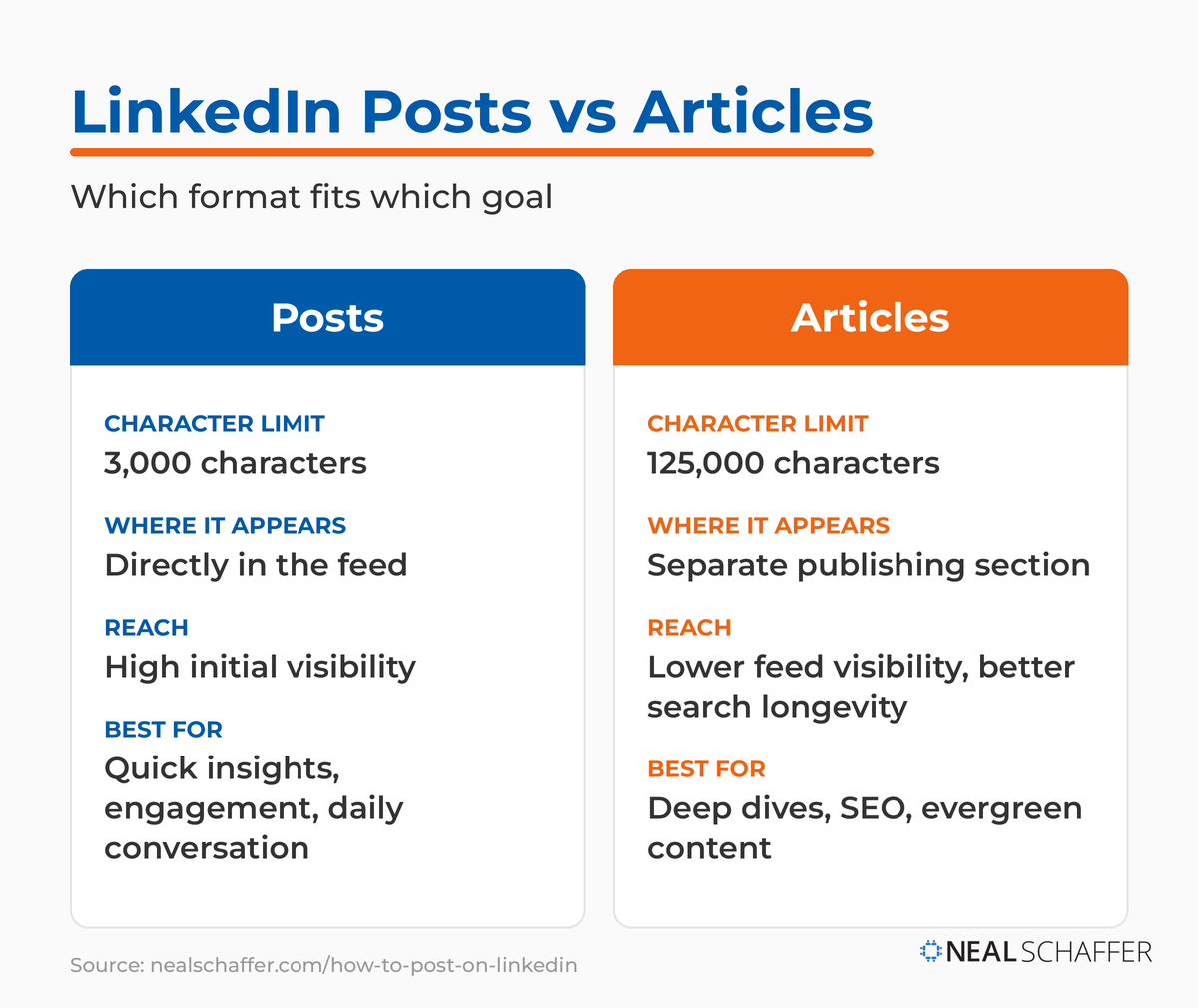
LinkedIn posts are short-form updates (up to 3,000 characters) that appear directly in your connections’ feeds, while LinkedIn articles are long-form content (up to 125,000 characters) published through the platform’s publishing feature and found via search.
| Feature | LinkedIn Posts | LinkedIn Articles |
|---|---|---|
| Character Limit | 3,000 characters | 125,000 characters |
| Where It Appears | Directly in feed | Separate publishing section |
| Reach | High initial visibility | Lower feed visibility, better search longevity |
| Best For | Quick insights, engagement | Deep dives, SEO, evergreen content |
When to use posts: Daily insights, questions, quick wins, behind-the-scenes content, and anything designed to spark immediate conversation.
When to use articles: In-depth analysis, complete guides, content you want to rank in search, and pieces you’ll reference repeatedly. I’ve shared my complete approach to publishing LinkedIn newsletters if you want the full breakdown on long-form content, and my guide to writing LinkedIn articles that rank goes deeper on the article format itself.
Types of LinkedIn Posts That Drive Results
Text-Only Posts
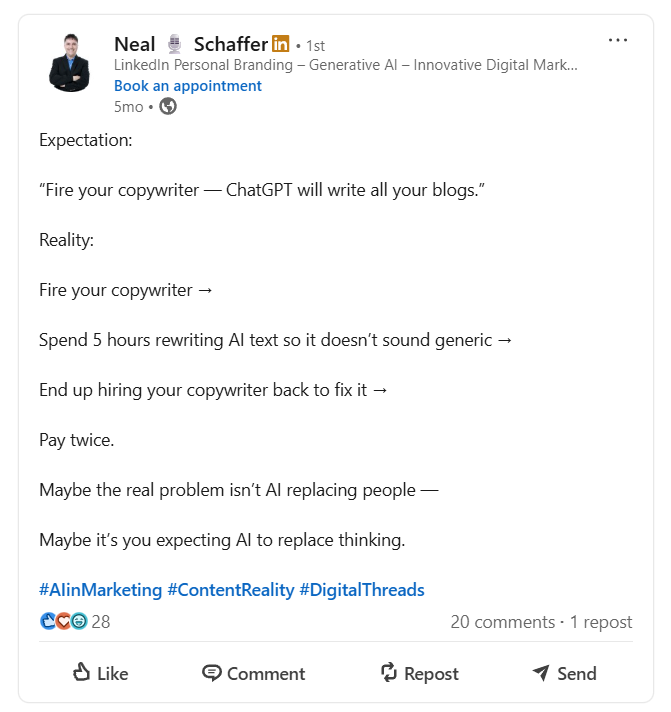
Text posts work best for sharing quick insights, asking questions, and starting conversations. They’re easy to consume, highly shareable, and let your voice shine through without visual distractions.
Optimal caption length: 700-900 characters. The key is frontloading value. Your first 1-2 sentences need to hook readers before they hit “see more.”
Image and Photo Posts
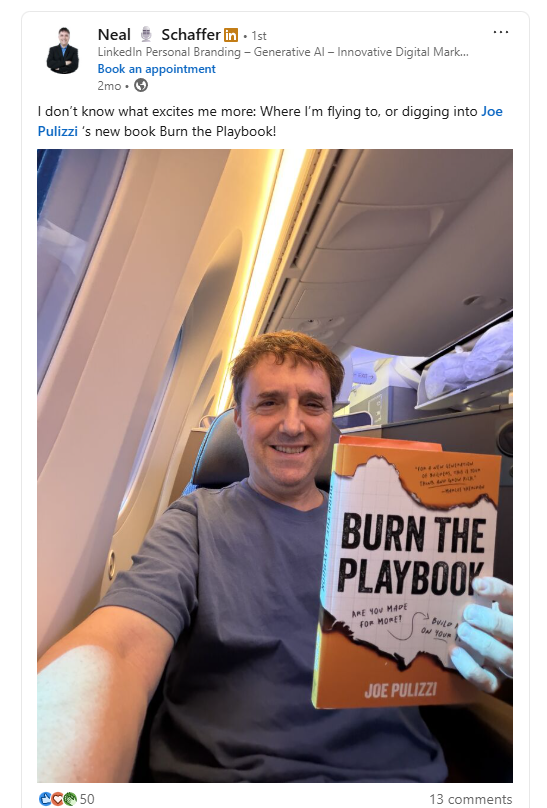
Visual storytelling creates emotional connection. Behind-the-scenes photos, event snapshots, team celebrations: these humanize your brand and make your content more memorable. The same visual standard applies to your profile, where getting the LinkedIn banner size right keeps your largest brand asset from being cropped into nonsense.
Pro tip: Avoid stock photos. They scream “corporate content” and perform worse than authentic images. Your smartphone camera is more than good enough. I’ve covered tips for your LinkedIn headshot and background photo that apply to post images too.
Video Posts
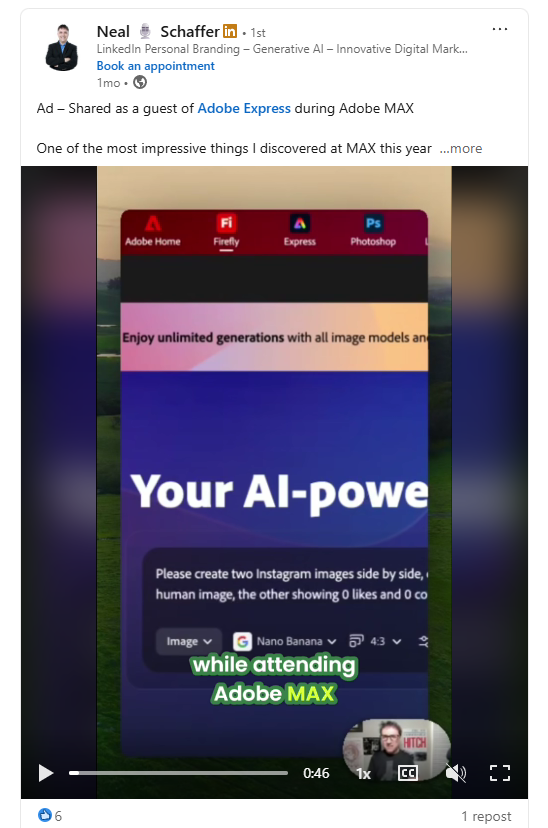
Native video uploaded directly to LinkedIn is preferred by the algorithm over external video links. According to EC-PR’s analysis of the Algorithm Insights Report, vertical mobile-first videos (under 60 seconds) performed best.
According to Sprout Social’s LinkedIn scheduling research, posts with videos get 5x more engagement on LinkedIn compared to text-based posts.
Always add captions. Many professionals watch with sound off, and according to AuthoredUp’s research, 72% of users access LinkedIn on mobile where silent viewing is common.
Document/Carousel Posts
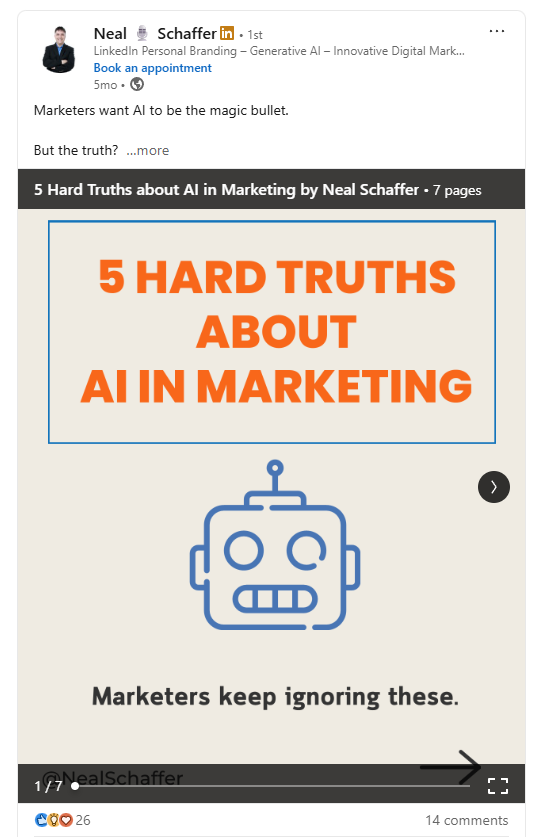
Carousels consistently sit at the top of LinkedIn’s engagement benchmarks, which is why they deserve a permanent place in your content mix.
Best practices for LinkedIn carousels:
- Design for readability with large fonts
- According to SocialPilot’s carousel guide, keep it between 5-10 slides, as the engagement begins to drop after the 6th or 7th slide
- End with a clear call to action
- Save as PDF before uploading
Polls
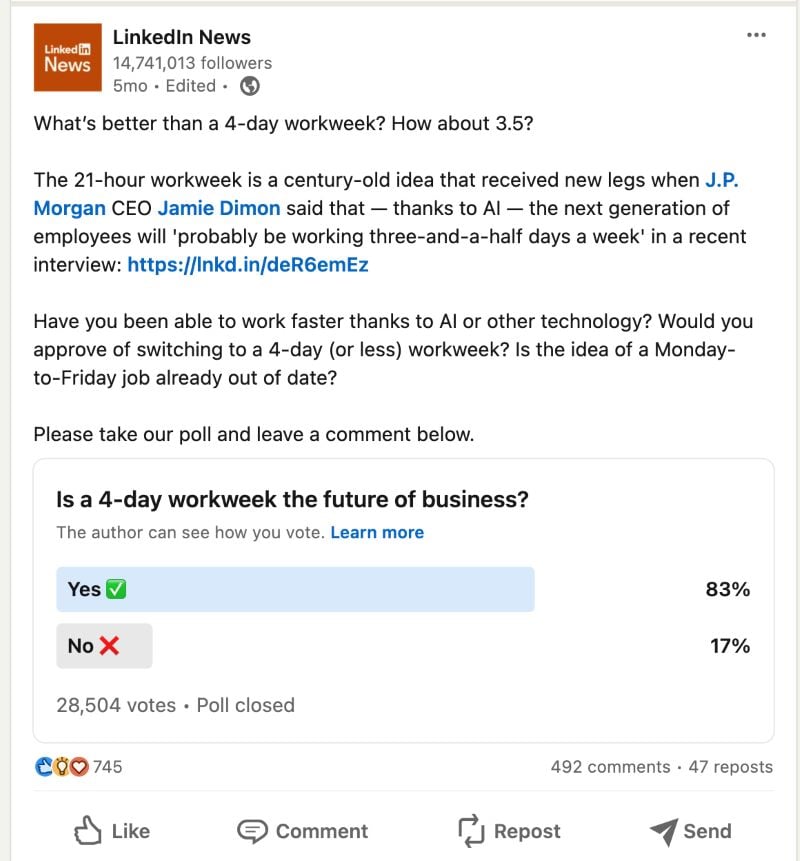
LinkedIn polls are fantastic for quick engagement and gathering insights. They’re easy to participate in, satisfy curiosity (everyone wants to see results), and spark discussion in comments.
Keep options to 3-4 choices, and always follow up with a post analyzing the results. It’s free content from your own data.
Other Formats
LinkedIn continues adding features. LinkedIn Live offers real-time streaming for events and Q&As. LinkedIn newsletters provide a way to build a subscriber base with long-form content.
What Should You Post on LinkedIn?
Personal Anecdotes and Professional Journeys
Vulnerability builds relatability. Sharing your struggles, lessons learned, and career turning points creates genuine connection. The posts that go viral on LinkedIn often aren’t polished: they’re honest.
Industry Insights and Thought Leadership
Commentary on industry news positions you as someone who stays informed and has valuable perspectives. Data-driven observations perform particularly well. Cite your sources and add your unique take.
Behind-the-Scenes Glimpses
Day-in-the-life content, workspace tours, and process reveals humanize you. People connect with people, not perfectly polished personal brands.
Celebrating Successes (Yours and Others’)
Promotions, certifications, project wins, customer success stories, employee spotlights: these posts perform well because people love celebrating achievements. Just don’t make every post about yourself. Consider writing LinkedIn recommendations for others as part of your giving strategy.
Asking Questions and Sparking Discussion
Open-ended questions drive comments, and comments drive reach. “What’s your biggest challenge with X?” or “How do you handle Y?” are reliable conversation starters.
The 40/40/20 Content Framework
Balance your content mix for sustainable results:
| Content Type | Percentage | Examples |
|---|---|---|
| Expertise | 40% | Tips, insights, how-tos, industry analysis |
| Engagement | 40% | Questions, stories, celebrations, discussions |
| Promotional | 20% | Your services, products, offers, CTAs |
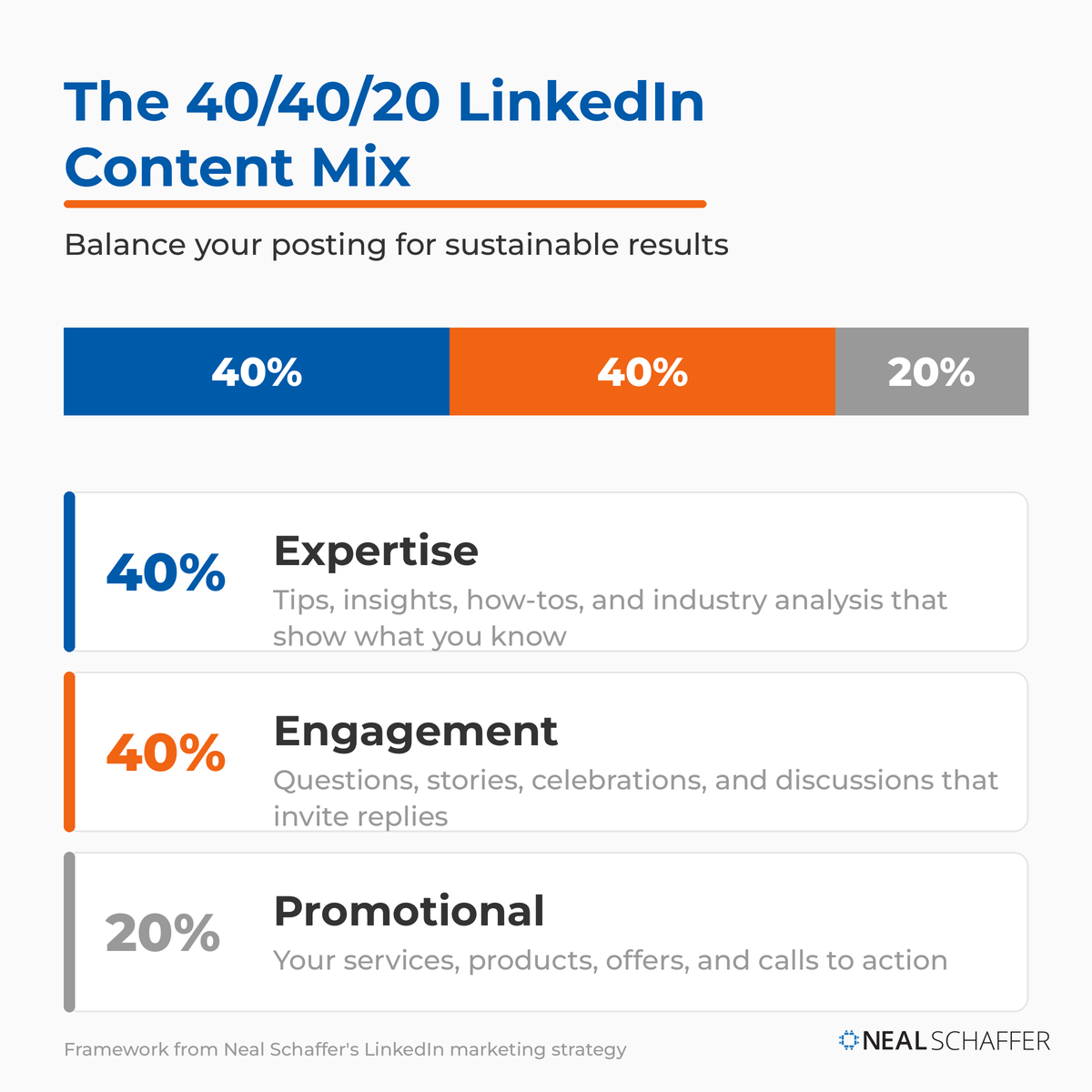
This framework, which I reference in my LinkedIn marketing strategy guide, prevents you from becoming a sales pitch machine while still driving business results.
How to Craft Compelling LinkedIn Posts
Hook ‘Em Early: The Power of the First Line
Your first 1-2 lines are everything. They’re what appears before “see more,” your only chance to stop the scroll.
Effective hooks include:
- Questions: “Have you ever failed so badly it changed your career?”
- Bold statements: “Most LinkedIn advice is wrong.”
- Surprising statistics: “80% of B2B leads come from one platform.”
- Pattern interrupts: “I got fired on a Tuesday.”
Value Over Volume: What’s Your Takeaway?
Every post should educate, inspire, or entertain. Ask yourself: “What will my reader gain from this?” If you can’t answer clearly, revise until you can.
Focus on your audience’s pain points, not your own accomplishments.
The Visual Advantage: Matching Format to Message
Choose your format based on content, not habit:
- A carousel makes sense for step-by-step guides
- A video makes sense for demonstrations
- An image makes sense for event recaps
- Text-only makes sense for personal stories
Call to Action: Guiding Your Audience
End with a specific ask. “What’s your experience with X?” drives more comments than “Thoughts?” Be explicit about what you want readers to do.
Hashtags: Your Discovery Channels
Use 3-5 relevant LinkedIn hashtags at the end of your post. Mix broad hashtags (#marketing, #leadership) with niche ones (#B2BSaaS, #ContentStrategy). According to Shopify’s analysis of the LinkedIn algorithm, filling your post with excessive hashtags can look spammy and cause LinkedIn’s algorithm to deprioritize it.
The Anatomy of a Perfect LinkedIn Post
Starting Strong: The Hook
Pattern interrupts and curiosity gaps work. “I learned more from my worst boss than my best mentor” makes people want to know why. Open with something unexpected.
Developing the Idea: The Meat of Your Message
Keep it scannable. Short paragraphs (2-3 sentences max). Line breaks for readability. Bold or emoji visual cues for key points.
Long blocks of text intimidate. White space invites reading.
Adding Visuals: Making It Pop
Match format to message. Educational content → carousel. Personal story → photo. Quick demonstration → video. Opinion piece → text-only.
Engaging Your Audience: The Question or CTA
End with a conversation starter. The best posts feel like the beginning of a discussion rather than a finished statement.
Optimizing for Discovery: Smart Hashtags
Place hashtags at the end, after your content. This keeps your post clean while still improving discoverability. Check LinkedIn analytics to see which hashtags drive the most impressions.
How to Post on LinkedIn: Step-by-Step
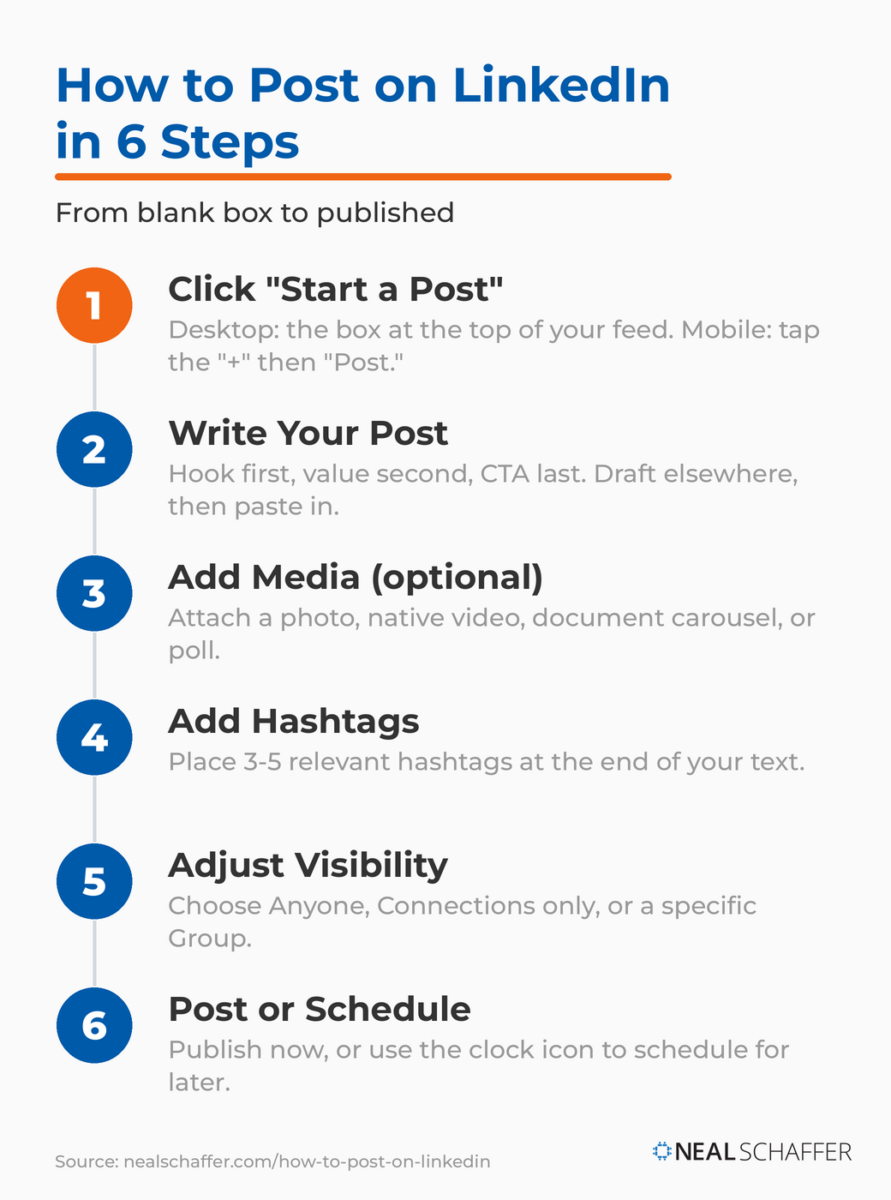
Step 1: Click “Start a Post”
Desktop: Click the “Start a post” box at the top of your feed or profile page.
Mobile: Tap the “+” icon at the bottom center of the app, then select “Post.”
Step 2: Write Your Post
Draft your content in the text editor. Remember: hook first, value second, CTA last. Use the formatting tools for bold text or bullet points if appropriate.
Pro tip: Draft in a separate app first, then paste into LinkedIn. This prevents accidental posting and gives you space to edit.
Step 3: Add Media (Optional)
Click the media icons below the text box to attach:
- Photo: single or multiple images
- Video: native video uploads
- Document: PDFs for carousel posts
- Poll: create multi-option polls
- Celebrate an occasion: work anniversaries, new positions
Step 4: Add Hashtags
Add 3-5 relevant hashtags at the end of your text. LinkedIn will suggest popular hashtags as you type.
Step 5: Adjust Visibility Settings
Click the visibility dropdown to choose:
- Anyone: public post visible to all LinkedIn users
- Connections only: visible to your direct connections
- Group: post to a specific LinkedIn group
Step 6: Post or Schedule
Post immediately: Click “Post” to publish now.
Schedule for later: Click the clock icon next to the Post button to schedule. LinkedIn’s native scheduling lets you pick a future date and time, no third-party tool needed.
If you prefer social media scheduling tools for cross-platform management, those integrate with LinkedIn for posting as well. I’ve covered LinkedIn tools that can help streamline your workflow.
When Should You Post on LinkedIn?
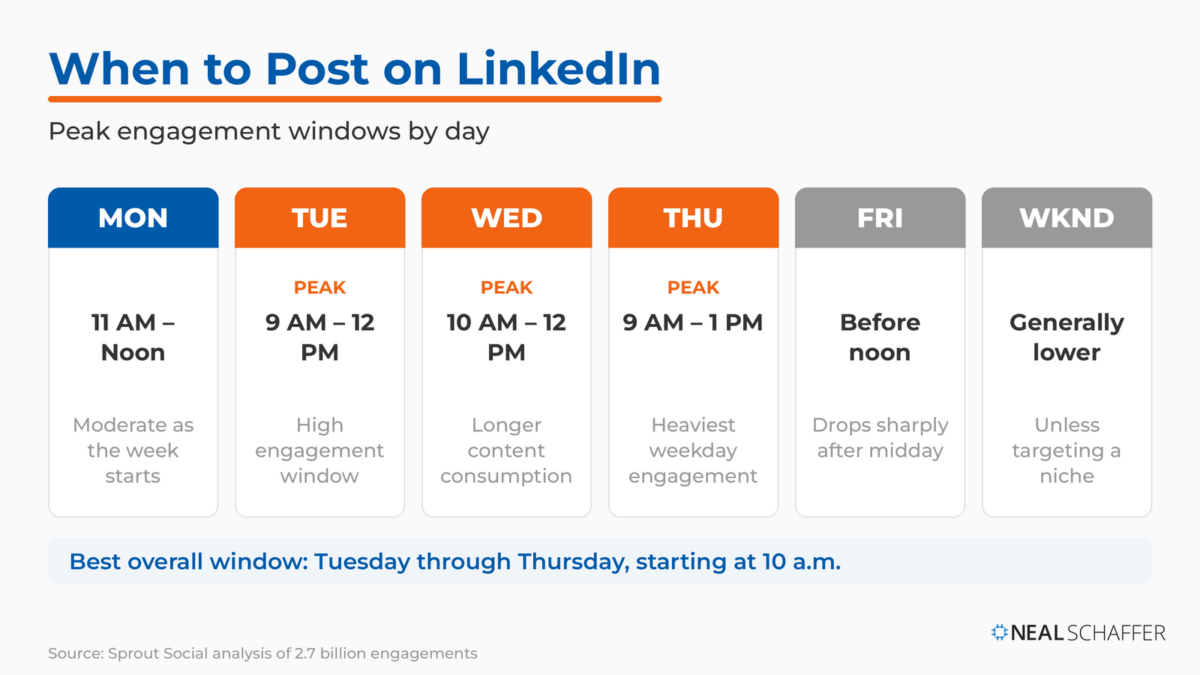
Best Times to Post in 2026
According to Sprout Social’s analysis of 2.7 billion engagements, the best time to post on LinkedIn is Tuesdays through Thursdays starting at 10 a.m.
| Day | Best Times | Performance Notes |
|---|---|---|
| Tuesday | 9 AM – 12 PM | High engagement window |
| Wednesday | 10 AM – 12 PM | Supports longer content consumption |
| Thursday | 9 AM – 1 PM | Heaviest weekday engagement concentration |
| Monday | 11 AM – Noon | Moderate as users settle into the week |
| Friday | Before noon | Engagement drops significantly after midday |
| Weekends | Generally lower | Unless targeting niche audiences |
I’ve written a detailed breakdown of the best time to post on LinkedIn with industry-specific recommendations.
Finding Your Audience’s Peak Times
General best practices are starting points, not guarantees. Your specific audience might differ based on industry, geography, and role.
Test different times for 4-6 weeks, track results, and iterate. Your optimal posting schedule is unique to your network.
Interacting with Others: The Engagement Loop
Commenting Strategically
Commenting on others’ posts is as important as creating your own. But “Great post!” adds nothing. Add value with your comments:
- Share a related insight or experience
- Ask a thoughtful follow-up question
- Respectfully offer a different perspective
Being early on high-profile posts increases your visibility. When industry leaders post, thoughtful early comments get more eyes than comments buried deep in the thread. Learn more about becoming a LinkedIn influencer through strategic engagement.
Sharing and Resharing with Value
Always add your perspective when sharing others’ content. Three sentences explaining why you found it valuable transforms a reshare from lazy to engaging.
Tag relevant people thoughtfully, not to spam them, but when they’d genuinely find the content useful or have relevant expertise to add.
Responding to Comments on Your Posts
Reply quickly to boost engagement signals. The algorithm watches post activity, and rapid back-and-forth conversation signals valuable content.
Beyond algorithm benefits, responding builds relationships. When someone takes time to comment, acknowledging them encourages future engagement.
Tools and Tactics for Smarter Posting
Scheduling Tools
LinkedIn native scheduling works for basic needs. Click the clock icon when creating a post to pick a future date and time.
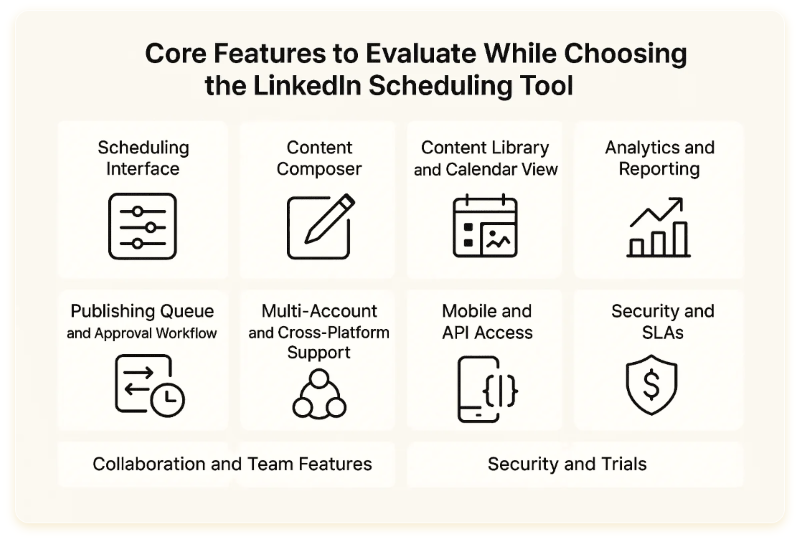
Third-party options offer additional features:
- Cross-platform scheduling
- Team collaboration
- Advanced analytics
- Content libraries
Content Calendars
A content calendar transforms random posting into strategic publishing. Plan your 40/40/20 mix in advance:
- Map themes to days (e.g., “Tip Tuesday,” “Story Thursday”)
- Batch content creation for efficiency
- Balance content types across the week
- Leave room for timely, reactive posts
A/B Testing Your Approach
Test systematically:
- Same topic, different hook styles
- Same message, different formats (text vs. carousel)
- Same content, different posting times
Track what works for your audience. Understanding what an impression on LinkedIn means helps you interpret your analytics correctly.
Common LinkedIn Posting Mistakes to Avoid
Treating LinkedIn Like Other Social Platforms
LinkedIn is professional. What works on Instagram or TikTok often falls flat here. Avoid:
- Overly casual language
- Meme-heavy content (unless it’s genuinely clever)
- Clickbait that doesn’t deliver value
- Content with no professional relevance
That said, “professional” doesn’t mean “boring.” Personality matters, just keep context in mind.
Being a Sales Pitch Machine
Nothing kills engagement faster than constant selling. The 40/40/20 framework exists for a reason: if more than 20% of your content is promotional, you’re training your audience to scroll past.
Lead with value. Build trust first. Selling becomes easier when people already see you as helpful.
Ignoring Comments and Engagement
Posting and disappearing is a mistake. If you don’t engage with your own posts, why should anyone else?
Reciprocity matters for both the algorithm and relationships. Respond to every comment. Engage with your commenters’ content. Build genuine connections.
Inconsistent Posting
Sporadic activity kills momentum. The algorithm doesn’t know what to do with accounts that post once, disappear for weeks, then post again.
Aim for 2-5 posts per week minimum. According to Agorapulse’s research, that cadence alone can increase visibility by up to 120% compared to sporadic or overly frequent posting.
Measuring Your Success: What to Track
Post Impressions and Views
Impressions measure reach: how many times your content appeared in feeds. Views (for video) measure plays.
High impressions with low engagement suggest your content is seen but not compelling. Diagnose whether the issue is your hook, your content, or your audience targeting. Track your LinkedIn SSI (Social Selling Index) for a broader view of your effectiveness.
Engagement Rate
Calculate engagement rate: (Likes + Comments + Shares) / Impressions × 100
According to Socialinsider’s LinkedIn benchmarks, LinkedIn engagement peaked in March 2025 at 5.76%, marking a noticeable improvement compared to the same period in 2024. If you’re significantly below average, experiment with different content approaches. You can also benchmark your results against the latest LinkedIn statistics.
Follower Growth
Track follower growth over time as a measure of audience building. Spikes often correlate with viral posts; steady growth indicates consistent value delivery.
Profile Views and Connection Requests
Indirect indicators of content effectiveness. When your posts resonate, curious readers visit your profile. Strong profiles convert visitors to connection requests. Check out LinkedIn profile examples for inspiration on converting those views.
If you’re getting engagement but no profile views, your posts might not be clearly attributed to you. Add your perspective; make it personal.
What to Do with Underperforming Posts
Don’t delete underperforming posts immediately. Instead:
- Analyze why it may have underperformed (timing? hook? topic?)
- Repost at a different time or day
- Repurpose the content in a different format
- Use learnings to improve future posts
Every “failed” post teaches you something about your audience.
Frequently Asked Questions
How often should I post on LinkedIn for best results?
Aim for 2-5 posts per week for optimal visibility. Consistency matters more than frequency. Posting several times a week is far better than posting once and going silent. The algorithm rewards accounts that maintain regular activity, and according to research, this cadence can increase visibility significantly compared to sporadic posting.
Do LinkedIn posts with external links really get penalized?
The penalty has softened. LinkedIn previously reduced reach for posts with external links significantly, but current data shows posts with links now see a modest 5% gain in reach. For best results, keep captions short and place links at the end rather than the beginning of your post.
What’s the ideal length for a LinkedIn post?
The optimal caption length is 700-900 characters for text posts with images. For text-only posts designed for thought leadership, you can use up to 3,000 characters, but keep paragraphs short (2-3 sentences) for mobile readability. The key is frontloading your most compelling content in the first two lines before the “see more” break.
Should I use LinkedIn’s native scheduling or a third-party tool?
LinkedIn’s native scheduling works well for basic needs and keeps you on-platform. Third-party tools become valuable when you need cross-platform scheduling, team collaboration, advanced analytics, or content libraries. Start with native scheduling and upgrade to external tools as your posting volume grows.
How do I know if my LinkedIn content strategy is working?
Track four key metrics: impressions (reach), engagement rate (interaction quality), follower growth (audience building), and profile views (content attribution). Compare your engagement rate against the benchmark of around 5-6% and look for consistent growth trends rather than focusing on individual post performance.
Ready to Master LinkedIn Posting?
LinkedIn today is a vibrant, indispensable platform for professional growth and connection. By understanding the algorithm, choosing your content types deliberately, and applying a consistent strategy, you can turn a passive presence into an active one.
Let me give you the short version:
- Post consistently (2-5 times per week)
- Lead with value, not sales pitches
- Engage with your community, not just your own posts
- Use the format that matches your message
- Track what works and do more of it
Chasing likes was never the goal. You are building genuine relationships, establishing your expertise, and contributing meaningfully to your professional community. Let your personality shine through.
If you want to go deeper on LinkedIn strategy, grab my free preview of Maximizing LinkedIn for Business Growth for tactical advice you can implement today. For entrepreneurs and content creators looking for ongoing support, my Digital First Group Coaching Community provides monthly guidance on making LinkedIn work harder for your business.
So, what’s stopping you? Your next post is waiting. Your professional story is waiting to be told. Start today.

Actionable advice for your digital / content / influencer / social media marketing.
Join 13,000+ smart professionals who subscribe to my regular updates.