

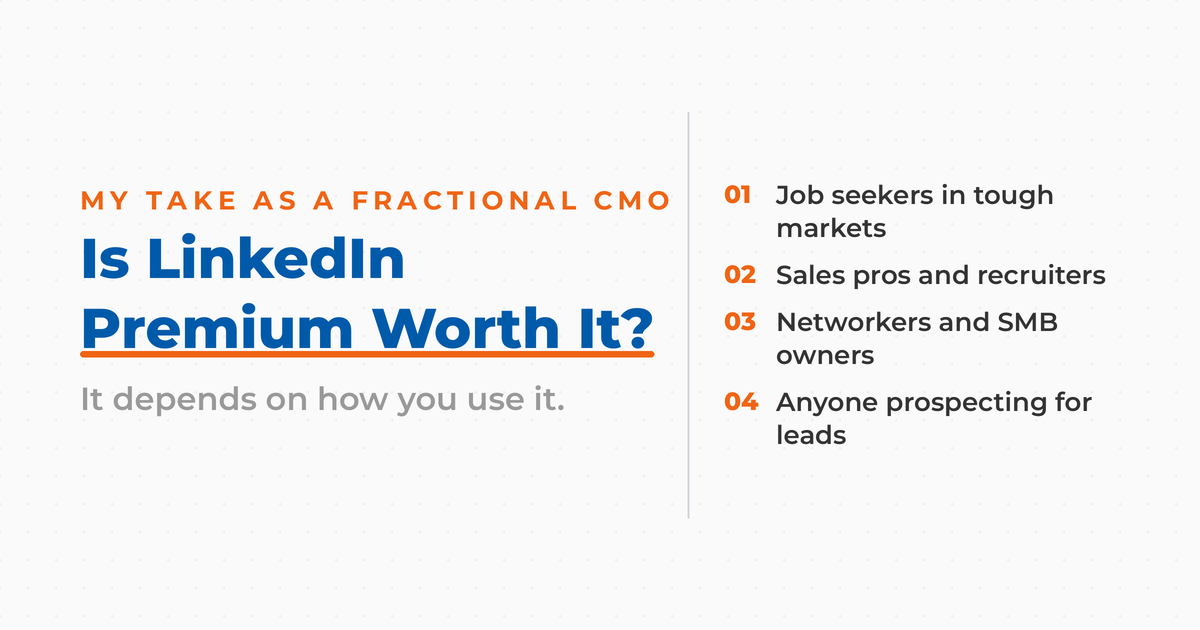

LinkedIn Premium can feel like a tempting upgrade, but is it actually worth the cost?
As a Fractional CMO and digital marketing consultant who has helped thousands of professionals and businesses grow their presence on LinkedIn through speaking and the three books I wrote on the social network, I often get asked this question. Whether you’re a job seeker, sales professional, recruiter, or small business owner, the value of LinkedIn Premium ultimately depends on how you use it.
In this post, I’ll walk you through what LinkedIn Premium actually includes, its costs, who it’s for, and the 11 most valuable features that come with a subscription. You’ll get a clear understanding of whether or not it’s a worthwhile investment for your situation, and how to maximize your ROI if you do decide to upgrade.
Is it right for you?
| You should buy if you’re: | You should skip if you’re: |
| Actively networking | A casual LinkedIn user |
| Generating leads | On a tight budget |
| In sales, looking for prospects | Already well-connected |
| Job hunting in a competitive market | Not focused on B2B |
Key Takeaways
✅ Premium pays off for active users: sales professionals, recruiters, job seekers in competitive markets, and business owners who prospect see the clearest return.
✅ Plans run roughly $40 to $180 per month: Premium Career at $40, Premium Business at $70, Sales Navigator Core at $120, Recruiter Lite at $170, and Sales Navigator Advanced at $180.
✅ The headline features: InMail credits, a full year of Who’s Viewed Your Profile, unlimited search, personalized invitations, and LinkedIn Learning.
✅ Casual users should stay on the free plan: profile optimization, posting, and group participation cost nothing and cover most networking needs.
✅ Test before you commit: take the 30-day free trial, set measurable goals, and switch to annual billing only once the results justify it.
What is LinkedIn Premium?
LinkedIn is the only social network that offers a premium paid plan offering additional features because of the large numbers of professionals who use LinkedIn as part of their job. While YouTube has some premium features, it’s primarily the right to watch videos without advertising. You don’t get additional features to communicate with other members. Meta (Facebook / Instagram) and Twitter / X also offer you a chance to get verified, but outside of the verified blue checkmark, you don’t get any additional features per se.
On the other hand, LinkedIn Premium provides greatly increased search and communication tools above and beyond what most LinkedIn users can access for free. These can be game changers for growing your network, prospecting new clients, researching competitors, or landing your next job. Premium adoption is also broader than most people assume: an estimated 39% of LinkedIn users pay for LinkedIn Premium. If you are in the other 61%, the rest of this post will help you decide whether to join them.
Who Uses LinkedIn Premium?
There are several key demographics who benefit from LinkedIn Premium and who are more likely to get their money’s worth. If you fall into any of these categories, keep reading. Premium may very well be a smart investment for you.
Recruiters
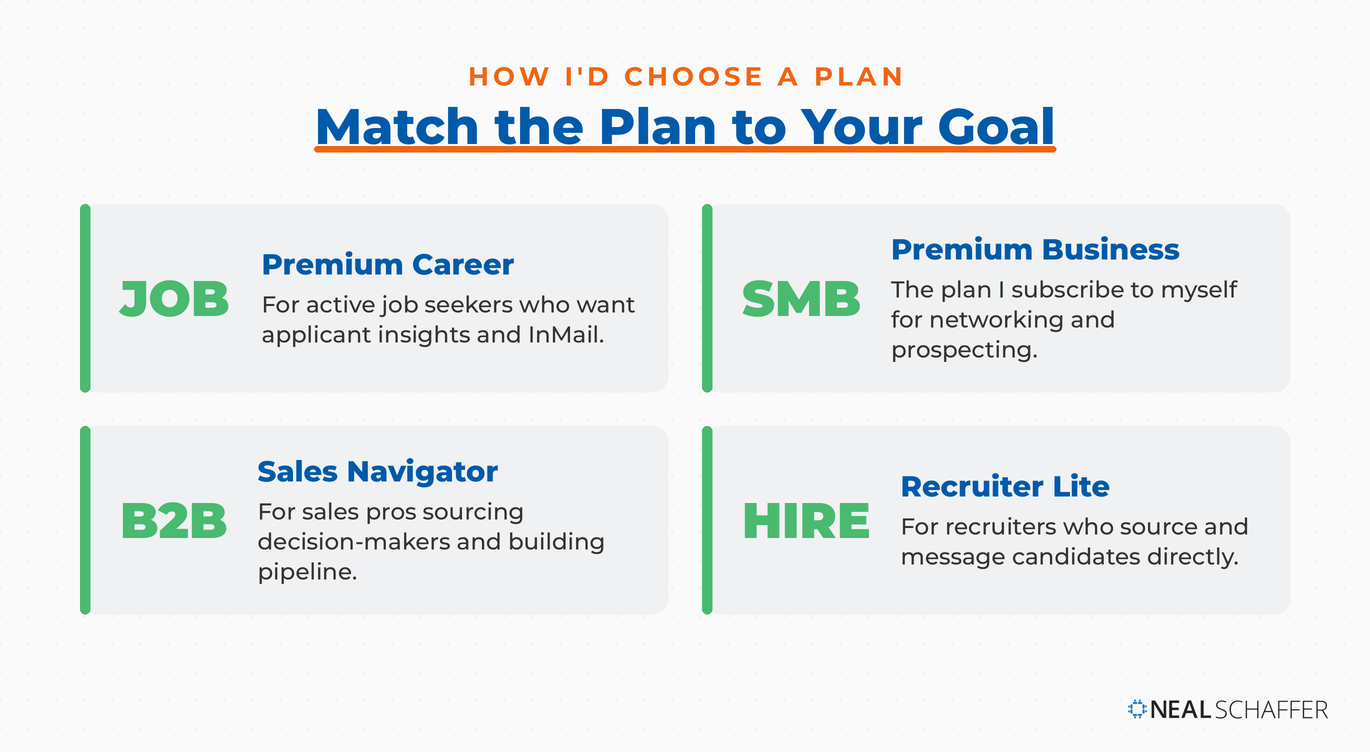
Recruiters are heavy users of LinkedIn Premium, with 95% of them active on the platform. The Recruiter Lite plan helps recruiters more easily find candidates, message them directly, and gather deeper insight into professional backgrounds. LinkedIn Premium allows recruiters to go beyond just browsing applications and actively source talent, even among professionals not actively applying for jobs.
Job Seekers
LinkedIn Premium Career is geared toward helping job seekers get noticed. Features like seeing who viewed your LinkedIn profile, competitive applicant insights, and InMail messages are designed to help you stand out. LinkedIn claims that Premium users get hired 2.6 times faster than free users. And if that leads to your next paycheck, the subscription could pay for itself quickly.
B2B Sales Professionals
Sales Navigator is one of LinkedIn’s most powerful Premium offerings. Sales professionals can use its tools to find decision-makers, build relationships, and ultimately drive revenue. These tools include advanced search filters, real-time updates on key accounts, saved leads, and email integration.
Premium can also help boost your Social Selling Index (SSI), LinkedIn’s internal score that tracks how well you’re using the platform for relationship building. The better your SSI, the more likely your outreach is to generate results.
Small Business Owners and Entrepreneurs
LinkedIn also offers a LinkedIn Premium Business plan for small business owners, service providers, and solopreneurs like myself who want to grow their business, expand their network, and accelerate the finding of and communicating with those who matter.
This is the plan that I often subscribe to and is perfect for those who are networking and not looking for a job or hiring but don’t want to invest in Sales Navigator as part of their lead generation efforts.
How Much Does LinkedIn Premium Cost?
LinkedIn Premium pricing varies depending on the plan you choose and whether you pay monthly or annually.
Here’s a quick breakdown of how much each plan costs in ascending order (costs are current as of the time of writing this post and have been rounded up for clarity):
| Plan | Monthly Cost | Annual Cost | Key Use Case |
|---|---|---|---|
| Premium Career | $40 | $240 | Job Seekers |
| Premium Business | $70 | $540 | SMBs, Consultants |
| Sales Navigator Core | $120 | $1,080 | B2B Sales |
| Recruiter Lite | $170 | $1,680 | Recruiting & Hiring |
| Sales Navigator Advanced | $180 | $1,800 | B2B Sales |
LinkedIn usually offers a 30-day free trial, which is a great way to test out the features and see whether the benefits justify the cost for your particular needs.
If you’re unsure, start with a monthly plan and track your results. If you find it valuable, switch to an annual plan and save up to 50% depending on the plan.
A Forrester study found that Sales Navigator delivered a 312% ROI over three years for some companies. Your results may vary, but it shows what’s possible if you use these tools right.
What Are the 11 Most Valuable LinkedIn Premium Features?
Let’s take a closer look at the specific features you get with LinkedIn Premium and how they can help you reach your goals faster and more efficiently.
1. InMail Credits
InMail allows you to directly message any LinkedIn user, even if you’re not connected. This is incredibly powerful for networking, outreach, and prospecting.
Is LinkedIn Actually Bringing You Business?
My latest book helps professionals, entrepreneurs, and business owners turn LinkedIn from a static profile into a real source of clients and growth.
Maximizing LinkedIn for Business Growth gives you clear, practical steps to build a profile that gets noticed and a network that actually sends business your way.
Grab your copy on Amazon and put it to work this week. Click the cover or the button below to get started.

You are provided monthly credits depending on your plan:
- Career: 5
- Premium Business: 15
- Recruiter Lite: 30
- Sales Navigator Core and Advanced: 50
LinkedIn claims InMails are 2.6x more effective than cold emails, making them an essential tool for those looking to make new connections or start conversations.
2. See Who’s Viewed Your Profile
Without Premium, you only get limited access to recent viewers. With Premium, you can see every profile view over the last 365 days. The exception is anyone browsing in LinkedIn private mode: you will know someone viewed your profile, just not who. This feature helps you identify potential leads, recruiters, or collaborators who are already interested in you.
Everyone with a LinkedIn Premium account can use those views as a reason to send an InMail or potentially even an invite. After all, that person has shown some interest in you for a reason.
| Feature | Free Account | Premium Account |
| Profile view insights | Last 5 viewers | Full list of viewers |
| Insight duration | 90 days | 365 days |
This info is gold for understanding who’s interested in your business and tailoring your outreach.
3. Access to LinkedIn Learning
Formerly known as Lynda.com, LinkedIn Learning courses offer over 21,000 expert-led courses across a wide range of industries. Whether you want to improve your marketing strategy, learn about AI tools, or master sales psychology, this is a value-rich resource.
Upskilling is one of the most underrated benefits of LinkedIn Premium.
4. Unlimited Search
LinkedIn Premium removes the limit on how many profiles you can view in a LinkedIn search. This is crucial for sales pros, recruiters, and consultants who rely on LinkedIn for outreach and research.
5. Personalized Invites
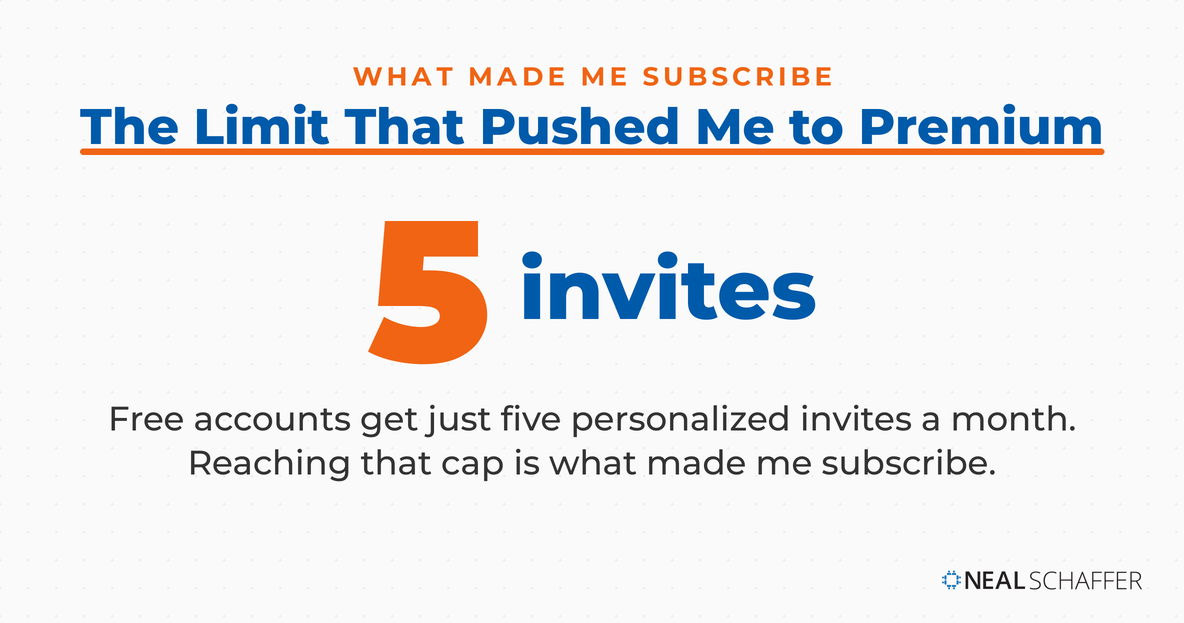
This is the benefit that actually triggered me to subscribe recently. For those that don’t know, over the last year LinkedIn has limited the number of personalized invites you can send to a mere five a month. If you are networking or sending out invites to people that might not personally know you, this is a must-have feature!
6. Job & Salary Insights
Premium Career users gain access to insights that show how they compare to other job applicants and what salaries are typically offered for the roles they’re targeting. These insights can also help recruiters benchmark salaries for open positions.
7. Company Insights
Premium users get access to data on company growth, hiring trends, employee counts, and other valuable analytics. This can be used for competitor research, partnership evaluation, or prospecting.
8. Advanced Search Filters
Premium search filters let you search by seniority, company size, industry, years of experience, and more. This laser-focused search ability is what makes LinkedIn so powerful for lead generation and recruitment.
9. Saved Leads and Accounts
Sales Navigator and Recruiter Lite users can save people and companies to get notified about profile changes, job shifts, or new roles. It’s an excellent way to stay top-of-mind with prospects or monitor ideal target accounts.
10. Lead and Account Recommendations
If you’re in sales, Sales Navigator offers this killer functionality. LinkedIn will use its AI to help uncover leads and/or account recommendations that you might have missed. When you pay to play on LinkedIn, you have LinkedIn’s full support!
11. Saved Search Alerts
If you’re frequently looking for new leads, candidates, or collaborators, you can save a search and get notified when new people match your criteria. This automation saves time and helps you strike while the iron is hot.
How to Use LinkedIn Premium Strategically
LinkedIn Premium is most valuable when it’s aligned with a clear business or career goal. Here’s how to make the most of it depending on your use case.
B2B Companies
For B2B, LinkedIn Premium is all about finding leads and building partnerships:
| Feature | What It Does for B2B |
| Sales Navigator | Finds potential leads |
| Company Insights | Reveals prospect’s business challenges |
| Extended Network | Lets you reach further into your network |
For Small Business Owners and Marketers
Use InMail and advanced search filters to find ideal clients. Review who’s viewed your profile and use it as a prompt for follow-up. Keep an eye on competitors using Business Insights. Share valuable content to build authority and expand reach.
Premium’s ability to help you grow your network, monitor trends, and generate leads makes it well-suited for growth-minded SMBs.
For Sales Professionals
Use Sales Navigator’s powerful lead and account features to organize your pipeline. Monitor changes to job titles and company growth. Send personalized InMail messages based on profile and activity insights. Increase your SSI score by building real relationships.
Premium helps you spot and connect with potential clients:
| Feature | What It Does |
| InMail | Send 15-50 personalized messages monthly |
| Who’s Viewed Your Profile | Follow up with interested folks |
| Advanced Search | Pinpoint decision-makers |
Pro Tip: Tailor your InMail messages using info from the recipient’s profile. It’s a game-changer for response rates.
For Job Seekers
Use Premium to uncover job insights, compare yourself with other applicants, and discover salary benchmarks. Find decision-makers at your target companies and reach out directly with InMail. Use “Who’s viewed your profile” to follow up with potential employers.
When Free LinkedIn Might Be Enough
Not everyone needs LinkedIn Premium. If you’re a casual user, not actively looking for new clients or roles, or already well-connected in your industry, you might not need to pay for the upgrade.
With the free version of LinkedIn, you can still:
- Optimize your profile using strategic keywords
- Post content to build your brand
- Engage in groups and communities
- Expand your reach through employee advocacy
- Broadcast a webinar or interview using LinkedIn Live
In some cases, smart use of free LinkedIn can be just as effective as Premium, especially if you’re not ready to commit financially.
Other Business Networks
LinkedIn is great, but don’t put all your eggs in one basket. Here are some other platforms to consider:
| Platform | What It’s Good For |
| Facebook Groups | Industry talks, B2C networking |
| Twitter Threads | Sharing thoughts, industry news |
| Meetup | In-person networking, building community |
| Expanding into European markets | |
| Slack Communities | Industry-specific networking |
Facebook Groups: These are great for community-driven discussions. Many industries have active Facebook groups where you can share ideas and build relationships.
Twitter Threads: Twitter is perfect for quick insights and joining industry chats. Use hashtags to find relevant conversations.
Meetup: Want to meet people face-to-face? Meetup is your go-to for local, in-person events in your industry or business community.
Xing: If you’re looking to grow in Europe, especially in German-speaking countries, check out Xing. It’s like LinkedIn, but with a European focus.
Slack Communities: Many industries have their own Slack channels. These are great for quick chats, job opportunities, and collaboration with peers.
Frequently Asked Questions About LinkedIn Premium
Every LinkedIn Premium plan includes a shared core: InMail credits to message people outside your network, a full year of Who’s Viewed Your Profile data, unlimited search, personalized invitations, advanced search filters, and access to LinkedIn Learning’s 21,000+ courses. The specialist plans add tools on top, such as saved leads and lead recommendations in Sales Navigator.
For active job seekers, usually yes. LinkedIn reports that Premium subscribers get hired 2.6 times faster than free users, and the applicant insights, salary benchmarks, and InMail access give you concrete advantages in a competitive search. The math changes once the search ends, which is why many job seekers subscribe only while actively hunting.
Premium Business, the plan I subscribe to myself, suits small business owners who network and prospect without needing Sales Navigator. For $70 per month you get 15 InMail credits, company insights for competitor and partner research, and unlimited search, which together support steady lead generation and network growth.
Match the plan to your goal: Premium Career ($40 per month) for job seekers, Premium Business ($70) for business owners and consultants, Sales Navigator Core ($120) for B2B sales professionals, and Recruiter Lite ($170) for hiring. Start with the least expensive plan that covers your use case and upgrade only when you outgrow it.
Free LinkedIn is enough for casual users, professionals who are already well-connected, and anyone not actively prospecting, hiring, or job hunting. You can still optimize your profile with strategic keywords, post content to build your brand, engage in groups, and broadcast with LinkedIn Live without paying anything.
Final Verdict: Is LinkedIn Premium Worth It?
LinkedIn Premium is especially valuable for professionals in sales, marketing, job seeking, and recruiting. Its strongest benefits include:
- Direct access to new leads or hiring managers via InMail
- Insight into who’s viewing your profile
- The ability to send personalized invitations
- Better targeting and segmentation with advanced search filters
- Continued learning through LinkedIn Learning
- Profile visibility enhancements to stand out
But if you’re not using LinkedIn for serious business growth or job searching, the free version might be enough.
Here’s a quick breakdown:
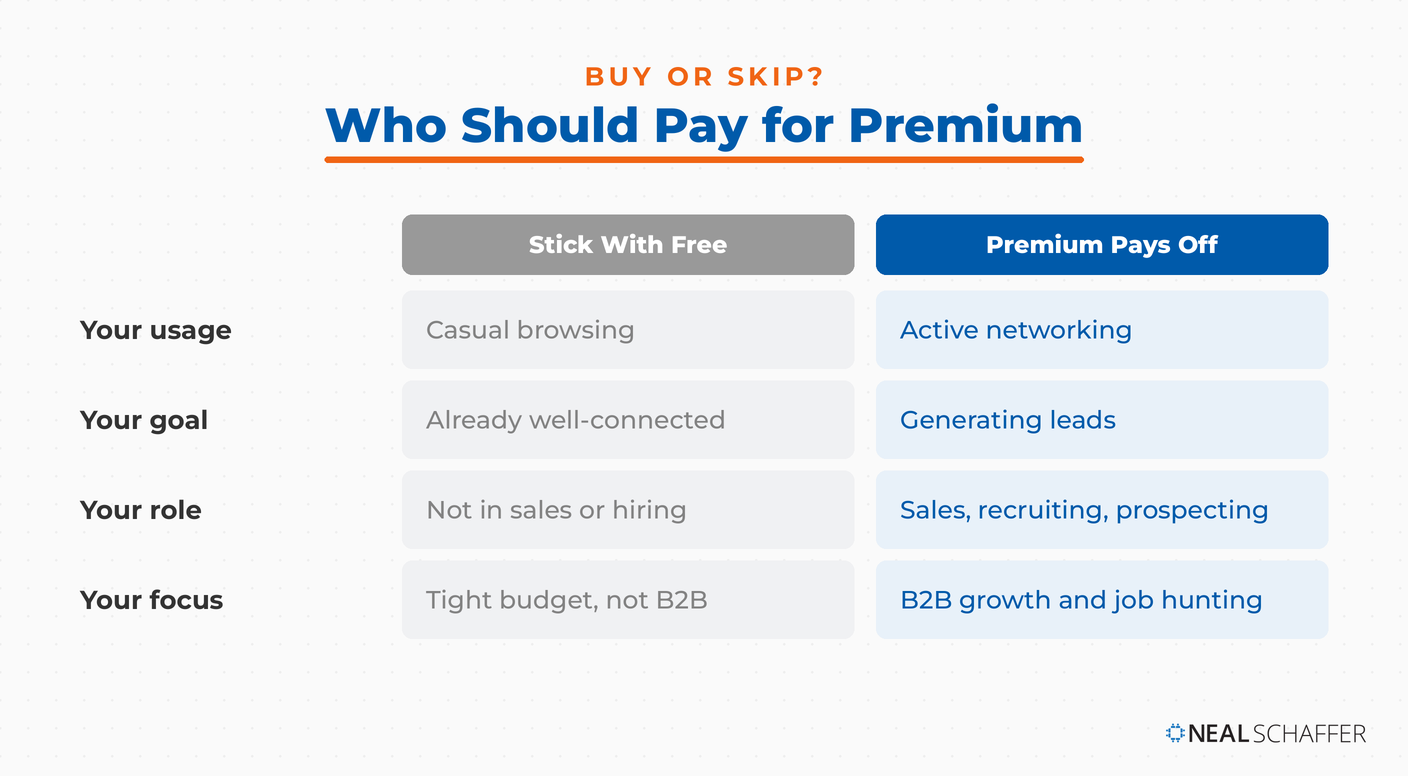
You should buy if you’re:
- Actively networking
- Generating leads
- In sales or recruiting
- Job hunting
- Focused on B2B growth
You should skip if you’re:
- A casual LinkedIn user
- Not prospecting or hiring
- Already well-connected
- On a tight budget
My recommendation? Use the free 30-day trial to test the waters. Track your results. If you see a real benefit, such as more leads, more responses, or better opportunities, the investment can pay off very quickly.




I amnon Premium account. Since i am in the process of searching a job, I have to reach out / invite for connecting to multiple people. It says that I have hit my weekly quota and not letting me do anything.
Last week the same problem happened. Thought that Monday will enable but it has given me the same error on the first day of the week..
Please help
You MUST contact LinkedIn Customer Support for help. This website is in no way affiliated or related to LinkedIn. Thank you!
Hello there! Nice work, thanks a lot!
I am wondering, having currently downgraded to FREE, if the algorithm that decides how much/often to show my content to the platform, has downgraded that… I have benefitted from many posts in the past that received thousands of impressions, and now, most of the time, with no obvious change in quality of content, many receive only tens or a few hundred impressions.. What do you think?
Hi Claire, I actually think Creator Mode, more than a paid account, influences impressions in the LinkedIn Newsfeed. Are you on Creator Mode?
Had a LinkedIn account for about two years. In the long run it didn’t seem to assist in job searches and or applications. I closed my page down in August.
Everyone has a different experience and there are many factors which can influence success on the platform…
Same here. Had it for 2 years and I closed the account. It is an absolute waste of time. You have to pay in order to have your profile promoted. Never got a good job offer as a simple member, with this account I was invisible to recruiters.
I am a Family Physician attempting to turn the medical and scientific communities on their head. I have developed a new disease model that explains our current epidemic of obesity and common psychiatric disorders. I frequently reach out to academics and clinicians who might be interested in my ideas. Would Premium be helpful for me?
Hi Dr. Wilson, Premium might help make it easier and quicker to do what you want to do, but you don’t necessarily have to have it to do what you want to do. Let me ask you: Where do you think Premium might help you? If you can’t answer that you probably don’t want to invest in it. Hope this helps!
I am on LinkedIn in and am actively seeking for a job? I have being on LinkedIn with no job yet people are celebrating news positions everytime. Which premium will land me a job?
Premium does not land you a job. A combination of personal branding, showcasing your skills and experience on your profile, networking in your industry, and applying is the solution in my opinion. There are also factors like luck and timing that we cannot control…
Hi,
I have a LinkedIn career and recently I received a notification that I have reached the commercial use limit and that I should upgrade to a premium account. This has totally confused me as I thought career is already a premium account and that I already had an unlimited search permission. Is there anything that linkedIn has changed recently regarding commercial use limits? Thank you!
Can I submit an #openforwork query within a specific industry using Premium, or do I need Recruiter Lite, or is this even possible?
What do you mean by “submit an #openforwork query”? Are you talking about doing a search? Hiring someone? Please clarify so that I can help you. Thanks!
Hi Neal, I’m interested in signing up for LinkedIn Learning but I also see it is a feature of Premium membership. So how is it both different? Do I get access to all courses from Premium membership itself?
LinkedIn Learning is $29.99 a month. LinkedIn Premium is $59.99 a month which includes LinkedIn Learning, Does that make sense now?
Which Linkedin service would you suggest for prospecting?
I would start with the minimum LinkedIn Premium service and start from there.
I recently signed up for Sales Navigator, but I don’t think the extra features are worth it for me, and I want to go back to LI Premium. Do you have any guidance on how to “downgrade” my subscription? I can’t figure it out from the LinkedIn site.
Do I cancel my Sales Navigator account and then re-sign up for LinkedIn Premium? And is it called LinkedIn Premium or LinkedIn Business. I feel that LI has done a lot to confuse the situation in the last few months.
Thanks for any guidance.
Hey Nils, sorry to hear about your poor experience. The premium service is actually referred to both as Premium Business as well as just Business. I am on that plan and I am able to upgrade to Sales Navigator, but perhaps they consider these 2 separate products and therefore won’t allow you to downgrade. You can’t go wrong by cancelling and signing up again – they will always take your money! Hope this advice helps!
Thanks Neal – that’s just what I needed to hear. I will go ahead and “downgrade” myself.
My pleasure!
Thanks for outlining the benefits of LinkedIn Premium. I agree the things you mention are valuable, but at nearly $40 per month it’s still too expensive for an unemployed person with no income. Even at the annual-billing rate, that’s still over $320 a year I’m not sure I can spare. How is someone with no income expected to afford this?!
Thanks for your comment Matthew and I totally understand. I believe it takes a leap of faith: If I can find a job 1 month earlier using LinkedIn Premium, that is one months of salary that I have gained using the product, so paying $40 is very little. That is the mindset you need to have to get potential ROI from using it. Hoping my explanation makes sense!
Thanks for the well written segment. Do you know if sales navigator option includes those features available in premium career membership such as competitive intelligence for job applicants and being a featured applicant?
Hey Edward, thanks for your comment and sorry for the delay! LinkedIn recently rolled the career product into the general Business product, and as of today I can confirm that Sales Navigator contains all of the features that the general Business product has for job seekers. You can confirm this for yourself here: https://premium.linkedin.com/. Hope the info helps!