Editorial Note: I may earn a commission when you visit links that appear on my website.
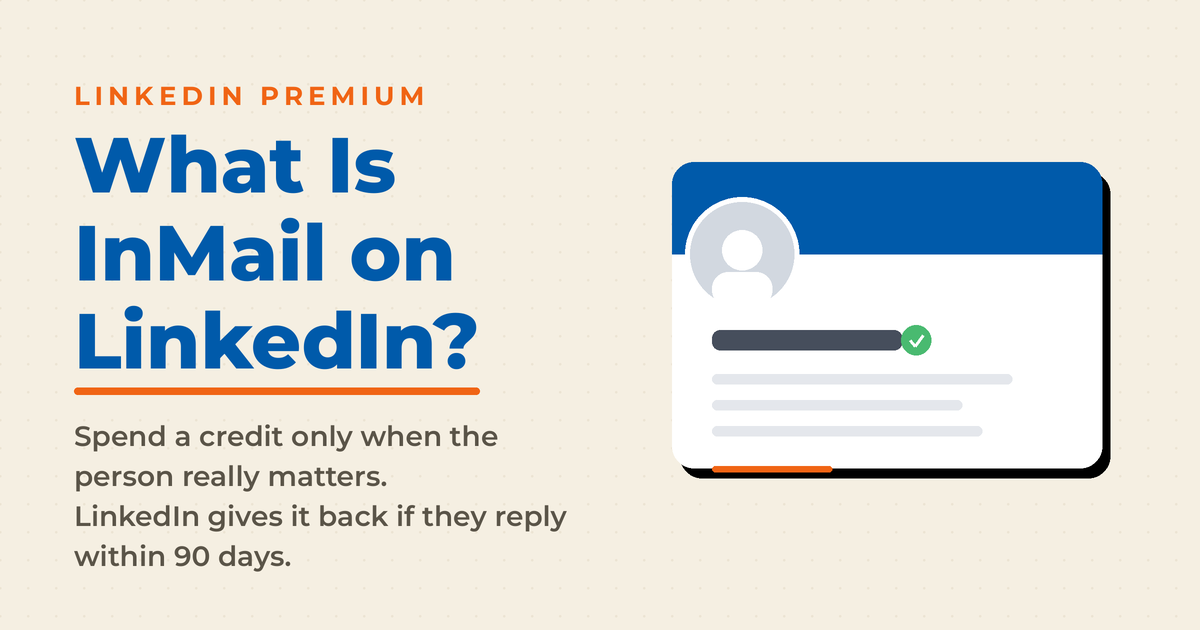
What is the InMail on LinkedIn?
LinkedIn InMail is a powerful messaging feature that allows users to communicate with professionals outside their direct network. It is a valuable tool for recruiters, salespeople, and job seekers. Unlike standard LinkedIn messages, which are restricted to your 1st-degree connections, InMail gives you the ability to reach any LinkedIn user, opening doors to new opportunities. Although it is a paid tool, it can help you reach more people, as I have found from my own experience on LinkedIn.
In this post, I’ll break down exactly what LinkedIn InMail is, how it works, and how to use it effectively for your networking and business goals.
Key Takeaways
✅ InMail lets you message anyone on LinkedIn: it removes the first-degree connection requirement, which makes it the platform’s built-in channel for cold outreach to recruiters, prospects, and partners.
✅ Credits are the currency: plans include 5 to 50 InMails per month depending on tier, and LinkedIn refunds the credit for any message answered within 90 days, so well-targeted outreach is nearly self-sustaining.
✅ Recipients can tell: InMails arrive labeled and trigger their own notification, which lends credibility but also signals that the sender wants something, so the message has to earn the open.
✅ Short and personal wins: LinkedIn’s own data shows shorter, personalized InMails outperform longer generic ones, and referencing a mutual connection or shared background measurably lifts response rates.
✅ Know the alternatives: Sponsored InMail, now sold as Message Ads, buys scale through LinkedIn’s ad platform, while a free personalized connection request remains the right first move for most networking.
What is an InMail message on LinkedIn?

A LinkedIn InMail is a LinkedIn Premium feature which allows you to send a LinkedIn message to ANYONE on LinkedIn. Your recipient will usually be someone that you aren’t connected to, such as a business decision maker in B2B sales. As a jobseeker, you might reach out to recruiters about your interest in certain jobs.
InMails are part of the Premium suite of products that LinkedIn provides paid members, with the number of InMails allotted per month dependent on the paid plan. This means that you should only send an InMail if the target is important to you. In other words, it’s too expensive to send a large number of InMails blindly, as InMail credits do run out. Sending blindly will lead to not having any allowance left when it matters most.
LinkedIn is generous in offering you an InMail credit if the recipient of your InMail message responds within 90 days. One reason for this is that LinkedIn prides itself on the effectiveness of LinkedIn InMails.It also means that, as long as you choose your recipients carefully, sending an InMail is relatively low risk. And even if your recipient never answers, the distinct InMail labeling and notification mean there’s a good chance they’ll at least open and read what you sent.
How Does InMail Work?
Messaging can be used by both premium members and unpaid members, but LinkedIn Premium does afford users more options through LinkedIn InMail. InMail is a valuable premium feature because it allows you to send out cold emails to people with whom you do not have a connection.
LinkedIn InMail is used via a credit system; LinkedIn Premium members receive InMail credits according to their subscription plan and use these credits to send out cold emails. At the top end, Sales Navigator Core users receive 50 InMail credits each month.
Unused credits can roll over for a few months if they are not used to send direct messages to people who have not answered connection requests or who are not a part of your network, and credits are deducted as InMails are sent. Users receive between 5 and 50 credits per month, based on their subscription.
Each InMail sent takes one credit, and that credit is returned when the recipient responds within 90 days. Unlike the casual nature of regular messages, Unlike the casual nature of regular messages, make sure that your InMails effectively connect to your target audience to reduce the likelihood of simply losing InMail credits.
The Benefits of Using LinkedIn InMail
InMail is a huge benefit to premium users of LinkedIn, because although the average email might come and go without a great deal of notice, an InMail subject is more likely to focus on building connections or engaging in recruitment. InMail messages allow professionals to expand their networks and make meaningful connections outside of their network.
InMail is a wonderful way to send outreach messages, because it lends an air of credibility to the sender. InMail campaigns can be used by recruiters, business owners, and sales people to help reach the message box of people outside of their networks using a series of credits.
InMails credits are only available to LinkedIn users with a premium subscription. This means that people receiving messages are far more likely to respond; InMail messages may be more likely to be trusted because the sender is verified as a premium member.
InMails can be used to reach out to 2nd and 3rd-degree connections, or they may be used for prospecting messages by recruiters. Ultimately, they are a way to send cold messages effectively on LinkedIn, and are just one tool in an arsenal of outreach strategies available to marketers and recruiters on the platform.
Recruiters and sales professionals alike can use InMail to build their professional network. This helps create more opportunities for engagement. Although there are a limited number of requests per week, credits reset each billing cycle, and a follow-up InMail can help reimburse any credits spent.
A LinkedIn InMail is also more likely to be authentic because it is not a mass message; the credit system that has been adopted by LinkedIn means that recruiters and sales professionals cannot send out 150-200 emails every day; instead, messages are targeted and intentional, designed to narrow down preferred connections and build a more intentional professional network.
LinkedIn InMail vs. Regular LinkedIn Messages

Under normal circumstances, you can’t send someone a message on LinkedIn without being connected to them or in the same LinkedIn Group. This helps protect people’s privacy, as well as limiting the presence of spam. There are exceptions where sometimes LinkedIn Premium members allow others to message them for free.
Sales professionals might benefit from InMail message credits, as can recruiters. If someone decides to send an InMail, their recipient will know immediately. LinkedIn InMail messages are clearly labeled as InMail, indicating that they are not organic messages from your connections and that someone paid for the privilege to send you a message. This arguably helps encourage people to open it, since they know it isn’t spam. On the other hand, they’ll know that the sender wants something. In either case, InMail messages display a different email notification than a standard message, making it stand out.
How to Write an Effective InMail

First, you should know that there are limits on the length. InMail messages can have up to 200 characters in the subject line and up to 2000 characters in the body. 2000 characters doesn’t go very far if you’re messaging a friend; if you’re sending a business message, however, 2,000 characters is enough. Besides which, you probably don’t want to write a long sales letter anyway.
Formatting basics
Second, a successful InMail begins with the subject line.
Your subject line shouldn’t be boring. Choose something eye-catching, yet professional. Ask yourself: If you were in the recipient’s shoes, what would make you want to open the LinkedIn Inmail? Chances are that it is the impression that the InMail contains something valuable.
Third, be sure to demonstrate that what you have to say is important. That being said, you don’t have to use all available text to make meaningful connections. In general, be brief and to the point. LinkedIn says that shorter InMails perform significantly better than longer ones. Professionals are busy, so they will decide quickly if an advertised product or service is relevant to them. It has also been found that LinkedIn InMails under 100 words are 50% more likely to get a response than their larger counterparts.
Fourth, you MUST personalize the email – this is the whole point of sending a LinkedIn InMail! In email marketing, a personalized subject line alone can increase open rates by as much as 26%, and the same psychology applies to your InMail subject line. Think about it this way: without personalization the message will seem a lot more like spam or message ads that your audience may not appreciate.
Not convinced? A Salesforce study found that nearly half (48%) of decision makers in B2B categories won’t respond to an InMail unless it’s personalized. Even LinkedIn admits that personalized mails do around 20% better than their mass-produced counterparts. Considering that LinkedIn refunds certain InMails that go unanswered, their estimates are likely very good.
That’s great…but how do I say it?
As important as basics are, sometimes saying it the right way is difficult.
My first tip is to explain clearly why you reached out. Do you want to tell this person about opportunities in your company? If you’re sending a LinkedIn InMail to a job candidate, the news will likely be welcome. The same goes for a consultant who’s looking for the next great client. For sales professionals, it might be a harder sell, so treat your cold email body carefully.
Mention any common associations. In fact, mentioning a mutual connection in your subject line increases your chance of getting a response by as much as 27%! Folks who share a group in common with you, for example, are 21% more likely to write back. Referencing a former employer in common increases your chances of getting an InMail response by 27%. If you don’t have common associations like this, then try and find something else you have in common to lend an edge to emails.
Although most people will recognize this as a sales technique, don’t forget to explain WIIFM (What’s In It For Me). Even if you aren’t trying to “sell” goods and services, you are asking the LinkedIn InMail recipient to respond positively to you. Any advantage you might realize, especially if there’s a lot of competition, is beneficial.
Finally, give them a reason to reply by asking for advice, opinions, or referrals. In this case, you aren’t necessarily going straight to the sales pitch. Instead, you’re demonstrating that your LinkedIn InMail recipient is valuable and has something to offer. In other words, they aren’t just a number or an impersonal sales target. This is very powerful and incites a response in your email game.
When to Use LinkedIn InMail
LinkedIn InMail is not ideal for all situations; there are specific situations in which this feature of LinkedIn premium subscriptions is particularly useful, and it warrants spending your InMail credits.
Recruitment is one such scenario. Recruitment often requires you to send out cold emails, and InMail facilitates recruitment far better than regular messages within an existing network. Sending cold emails through InMail can also help lend an air of legitimacy.
Sales outreach also requires being able to reach out to your target audience, and InMail allows you to do so without a dedicated cold email software. Sales professionals can use their message credits to send out prospecting messages for new sales leads.
Business development and partnerships are also frequently identified and nurtured via InMail. Using your InMail, you can reach out to second and third-degree connections to further expand your network, and you can search and reach out to potential partners quickly and easily.
Remember that a follow-up InMail can help redeem some message credits, so the more compelling and interesting your messages are, the more you benefit.
InMail Pricing and Availability

As I pointed out above, there are different tiers of premium plans, and these tiers have different base message credits offered during each billing cycle. Remember that although the number of credits that come with each plan does not vary, the number of private messages you can send via InMail will depend on whether you are sending relevant messages and subsequently receiving InMail responses.
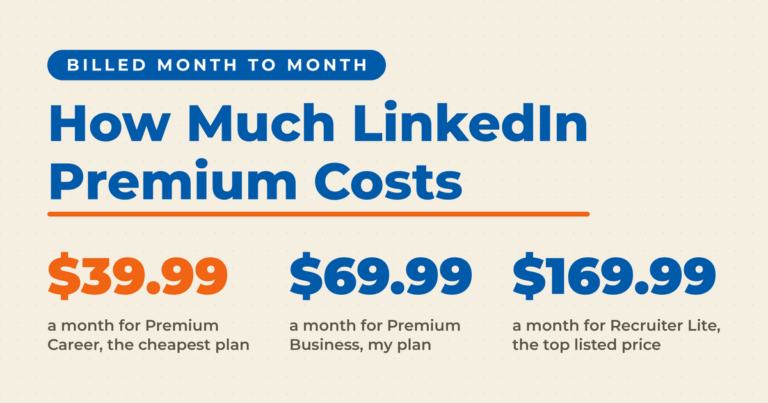
There are 4 tiers of premium accounts available on LinkedIn: Premium Career, Premium Business, Sales Navigator Core, and Recruiter Lite. Premium Career is the lowest tier and the one least often designated for email outreach campaigns. This tier comes with up to 15 credits per month, at $19.99 per month. With only 5 credits added each billing cycle, email personalization is far easier, and you may want to focus more on achieving a high email response rate.
Premium Business is the next tier, with up to 45 credits, at $44.99 per month. The connection opportunities are slightly higher here, but not at the rate of sales and recruiter levels. For Premium Business subscribers, a connection request step may be a good first step, followed by an InMail message in the absence of a connection request.
A cold email strategy using InMail could be beneficial for each of these tiers, but Recruiter Lite may be the tier most likely to develop a larger-scale email campaign using InMail. As a result, Recruiter Lite has the second most InMail messages available for email outreach, at up 120 credits (30 per billing cycle). Recruiter users frequently turn to this tier for $79.99 per month.
Sales Navigator Core offers InMail as a crucial feature, providing up to 150 credits after rollovers (50 added each billing cycle). This is a great feature for businesses looking to for effective tools to scale their sales pitches on LinkedIn. Professional profiles can use InMail as an efficient tool to reach larger numbers of LinkedIn users and deliver sales pitches on a grander scale for $139.99 per month.
What about Sponsored InMail?

Not all LinkedIn InMail is connected to a premium account, and it isn’t always limited. Whereas InMails are part of premium for-fee profile enhancements, Sponsored InMails are a LinkedIn Ads product that let you utilize the LinkedIn Ads platform to target users and send them InMails at scale. In other words, these are the bulk emails of LinkedIn, as opposed to the handcrafted prospecting emails.
Because Sponsored InMails are based on advertising, you cannot choose who exactly receives your InMail, only the targeting options to send to a blanket number of people. This means that you’ll set a budget and let LinkedIn do the rest. If you choose your targeting options carefully, however, it should lead to a decent response rate.
Sponsored messages are also different from LinkedIn InMail from the way they behave in your target’s inbox. Since Sponsored InMails are ads, people can’t respond to them and instead are forced to respond to your CTA. This frequently means going to a landing page and filling out an information form. Or, it might mean registering for the free webinar. Whatever it is, be sure your CTA is clear and easy to do.
Another thing you should be aware of is that sponsored InMails are clearly labeled as sponsored in the subject line. Therefore, no matter what else you do, the message will be thought of as an advertisement. Being chummy or chatty in a sponsored InMail is rarely a good idea. After all, people don’t like bulk mails that are chatty; being to the point typically performs better. That being said, LinkedIn claims they are effective with a 57.5% open rate and 3.6% clickthrough rate, compared to 21.6% and 2.6% for normal email marketing.
As you can see, that’s more than double the open rate, and half again the CTR. These are good numbers, even considering that they are more expensive to send out. It would be interesting if we could compare them with other forms of advertising. However, this is difficult because of the differences in intended audience.
If you’re trying to learn more about LinkedIn Ads, check out my video on the subject here:
What about Cold Outreach?
It should be noted that while LinkedIn limits the InMails while Sponsored InMail allows you to send broadly targeted emails at scale, there is another option: cold outreach. With cold outreach, you’re using LinkedIn as a data source, rather than a contact method. This is similar to other forms of reaching out to people when they haven’t opted in.
Cold outreach involves scraping the profiles of LinkedIn users that you want to message, using tools to find their email addresses, and then doing cold outreach using email marketing software. Tools used to send emails to LinkedIn derived emails often are provided by the same tools to find email addresses. It’s an ecosystem of marketing from LinkedIn without involving the paid features of the network.
A description of this process goes beyond the scope of this article, but for more information, see this informative article from one of the leading data scraping tools, Phantombuster. In general, cold outreach from LinkedIn data is highly controversial. LinkedIn has fought it in court on several fronts, with rulings that have gone both ways over the years, and LinkedIn’s own user agreement prohibits it. If you go this route, understand the risk to your account and get your own legal advice.
Frequently Asked Questions About LinkedIn InMail
What is InMail on LinkedIn?
LinkedIn InMail is a Premium messaging feature that lets you send a message to any LinkedIn member, even when you are not connected. Each message costs one InMail credit from your monthly allotment, which makes InMail best suited for carefully targeted outreach to recruiters, prospects, or potential partners.
How many InMail credits do you get per month?
Your monthly allotment depends on your subscription tier. Premium Career includes 5 credits per month, Premium Business 15, Recruiter Lite 30, and Sales Navigator Core 50. Unused credits roll over for a few months up to a cap, so consistent subscribers can accumulate a meaningful reserve for bigger outreach pushes.
What is the difference between InMail and a regular LinkedIn message?
Regular LinkedIn messages are free but limited to your first-degree connections and fellow group members. InMail reaches anyone on the platform, arrives clearly labeled as InMail, and triggers its own email notification. That labeling tells recipients someone paid to reach them, which cuts through noise but also signals an ask.
Do you get InMail credits back?
Yes. LinkedIn returns the credit for any InMail that receives a response within 90 days, including a decline. This refund system rewards well-targeted, personalized messages: choose recipients carefully and write something worth answering, and your effective monthly sending capacity can grow well beyond your base allotment.
Can you send InMail for free on LinkedIn?
Generally no, since InMail requires a Premium subscription, but there is one exception: members who enable Open Profile can receive messages from anyone at no cost. Replying to an InMail you receive is also always free. For everyone else, a personalized connection request remains the free alternative.
Ready to Use LinkedIn InMails?
LinkedIn InMail opens doors to new opportunities by allowing you to connect with professionals outside your immediate network. Whether you’re a recruiter looking for top talent, a salesperson seeking new leads, or simply expanding your network, InMail offers a direct and trusted way to reach out. With its higher response rates and targeted approach, InMail is a powerful tool for anyone looking to maximize their LinkedIn experience.

Actionable advice for your digital / content / influencer / social media marketing.
Join 13,000+ smart professionals who subscribe to my regular updates.