
Whether you’re trying to attract job applicants, increase brand awareness, or boost sales, LinkedIn is an important place to start. After all, it’s the most professionally-focused social media platform, and nearly everyone is looking for information relevant to their industry.
With so many people vying for the attention of fellow professionals, how can you and your brand stand out? The answer to this question is by getting the right quantity of quality LinkedIn impressions.
What is an impression on LinkedIn, though? In short, impressions are a measure of success in the world of social media.
Key Takeaways
✅ An impression counts every time your content appears on a signed-in member’s screen, whether or not anyone clicks, reads, or reacts.
✅ Impressions measure quantity, not audience: one person scrolling past your post three times generates three impressions but reaches only one member.
✅ Treat impressions as your visibility baseline, then judge content by the engagement it earns relative to those impressions.
✅ Audience size, content format, posting time, and the LinkedIn algorithm all influence how many impressions a post earns.
✅ Review your impression data regularly and double down on the topics and formats that consistently earn the most visibility.
Definition of LinkedIn Impressions

Impressions are the number of times your content is displayed on a given forum. The number includes posts, articles, videos, ads, and other content types. Similarly, you can get impressions for sponsored content so long as it includes your branded information. I’d argue that the possibilities for making impressions are endless.
Besides the flexibility of what content can create an impression, frequency is important. Our answer to the question, “What is an impression on LinkedIn?” includes the total number of views, not unique views. In other words, if I see an ad for American Express or influencer pictures of Mt. Fuji sponsored by an airline, they both count. Likewise, every time I see those ads on LinkedIn, it counts as a separate impression.
How LinkedIn Counts Impressions
LinkedIn tracks impressions automatically whether you post organic content or buy ad space. An impression is logged each time content appears in a user’s feed or search results, and you can find the information in your analytics screen.
Impressions are counted even if the user doesn’t click on or engage with the content. For this reason, a high impression count alone doesn’t prove that your ad spend or content is paying off. Similarly, repeat views by the same user are counted as separate impressions.
LinkedIn’s own Help Center keeps the definition simple: impressions are the number of times your post was shown on LinkedIn, and it notes that post analytics numbers are estimates rather than precise counts. Ultimately, the simplest way to answer “What is an impression on LinkedIn?” is “an instance where someone sees a piece of content.”
Impressions vs Other LinkedIn Metrics
Of course, for advertisers and recruiters alike, impressions aren’t the only show in town. If impressions express quantity, others indicate the quality or results of content views.
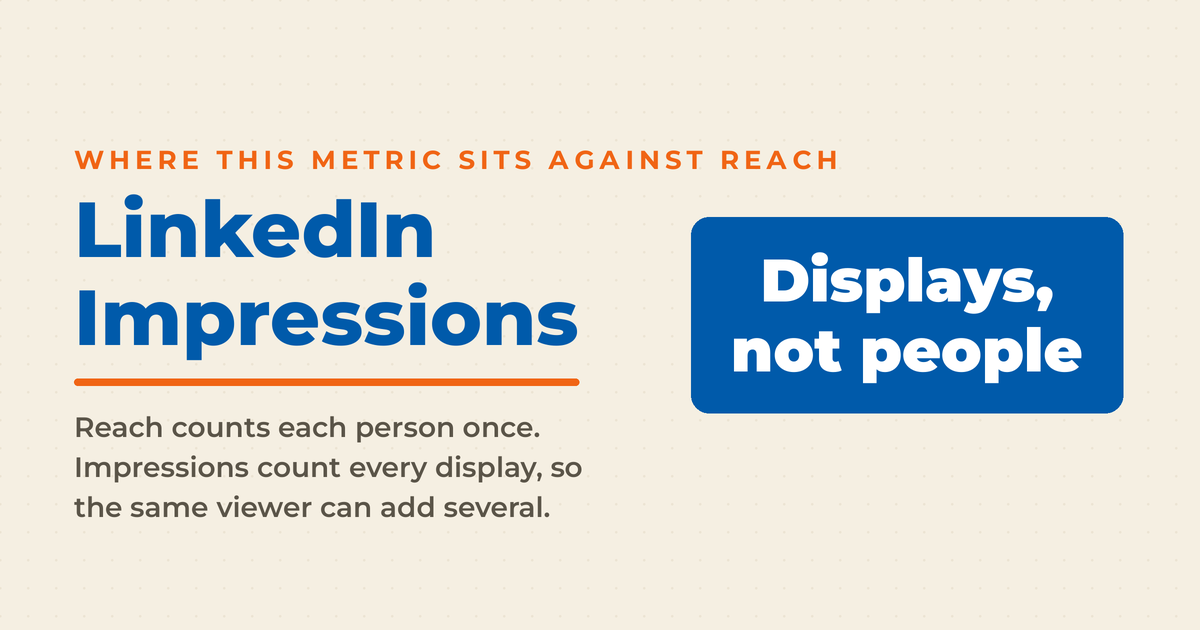
The first important distinction is between impressions and reach, which LinkedIn calls “members reached” in its analytics. While impressions count every view, reach only counts each viewer once per piece of content, and LinkedIn notes it excludes repeat views.
Similarly, engagement measures the extent to which people interact with your content. Those interactions could include comments, likes, and shares. If your content contains links, then clicking through would count as engagement. Generally speaking, the quantity of engagement is an indicator of content quality.
In a nutshell, impressions indicate potential visibility, while engagement shows active interaction. Because interaction is more likely to turn admirers into customers later, effective campaigns have higher engagement rates. This is true even if you’re trying to boost brand awareness, especially since engagement expands your reach.
Why LinkedIn Impressions Matter
Now that you understand what is an impression on LinkedIn, it’s important to understand why they matter. Ultimately, impressions are a critical metric for anyone who’s doing marketing on LinkedIn or any other social media network. There are several ways in which impressions help you be successful.
Measuring Brand Awareness

A high impression count means your content is being widely displayed. Even with paid advertising, more impressions mean that your content is appearing frequently in user feeds and homepages. Remember, ads get shown based on customer interests and relevant keywords. For organic content, wide distribution can mean your content is being shared.
Ultimately, a high number of impressions helps gauge overall brand visibility on the platform. From there, you can determine what areas need improvement to boost your brand’s success.
Evaluating Content Resonance
Over time, you’ll see that some content gets more impressions than other offerings. Compare impressions to engagement to see if people react to your content versus just scrolling through it. Generally, low engagement compared to impressions may mean your content isn’t compelling enough to share.
With this information, you can tweak your content strategy to improve your engagement rate. Double down on what works well, and improve it if you can. Likewise, change or discontinue approaches that don’t get much engagement. These approaches will help you improve performance and ROI over time.
Informing Ad Spend and Sponsored Content
Impressions are a key metric for paid content like Sponsored Posts because higher impressions mean more ad visibility. In addition, you’ll often pay for ads based on the number of impressions. For a successful campaign, you want a high level of visibility in the chosen niche.
Use impression data to optimize ad targeting and budget allocation. You might find that not enough people see the ad and that this is undermining your effectiveness. To fix insufficient distribution, you might alter the targeting to include a wider audience. Likewise, you’ll need to spend more money on ads as impressions rise.
Want an extra boost? Consider sponsoring content. While this practice is less widespread on LinkedIn, blog posts and similar content can be very effective. No matter what you choose, the chance to get organic impressions is invaluable, both for your wallet and public awareness.
Turn LinkedIn Into a Real Growth Channel
My latest book helps professionals, entrepreneurs, and business owners turn LinkedIn from a static profile into a real source of clients and growth.
Maximizing LinkedIn for Business Growth gives you clear, practical steps to build a profile that gets noticed and a network that actually sends business your way.
Grab your copy on Amazon and put it to work this week. Click the cover or the button below to get started.

Factors Affecting LinkedIn Impressions
One aspect of what is an impression on LinkedIn is considering how they can be earned. The days of posting something and simply hoping it goes viral are over, and nowadays, you’ll need to consider multiple factors.
Audience Size and Engagement
A larger audience (connections + followers) generally means more impressions. Mathematically speaking, if you have more people who are likely to see your content, circulation automatically increases. And if your audience is very engaged, the effectiveness of that audience increases. If people engage with your content, their followers will see the reaction.
To boost your engagement rate, focus on growing a relevant, active audience. People who aren’t engaged or only passively interested in your industry are less likely to share content and increase your LinkedIn impressions.
Content Type and Format
Different content formats have varying impression potential, regardless of the social media platform. For instance, native videos tend to get high impressions due to autoplay. Video has also become a far more prominent format on LinkedIn than it once was, so treat it as a serious part of your content mix rather than an afterthought.
Eye-catching visuals and compelling titles can boost impressions, too. Especially because LinkedIn is more text-based than many other options, quality photos, and graphics can quickly grab attention. Often, these high-quality posts get high engagement rates.
Posting Time and Frequency
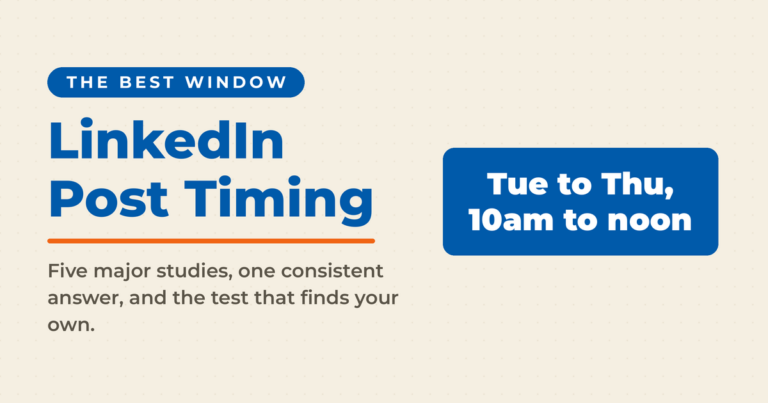
Posting when your audience is most active on LinkedIn can increase impressions. Most people see the most recent posts in their feed before others, no matter what time of day they log on. However, as a rule, certain groups are online at similar times.
Experiment with different posting times and track results after each item is posted. While many LinkedIn users will check their profiles during business hours as part of their job, there are exceptions. For instance, someone who’s casually looking for a new opportunity while employed may keep it off the clock. Plus, there are time zone differences.
Once you’ve figured out when most of your potential audience is online, schedule most of your content for those times. It’s relatively easy to do this with social media schedulers. Decide on a posting frequency, such as once a day or twice a week. Then, maintain a consistent posting schedule to maximize impressions over time.
LinkedIn Algorithm and Feed Ranking
Creating the best content to answer what is an impression on LinkedIn is just the beginning. Relevance is key to boosting your numbers. In particular, the LinkedIn algorithm prioritizes relevant, engaging content in user feeds. Choosing the right keywords to compete over is just the beginning, however. Instead, you need engagement.
Generally, posts from engaged connections are more likely to appear. In other words, if someone already loves your content, they’re more likely to share it with others. Remember to encourage interaction and maintain an active presence to improve feed ranking. Although useful techniques are a bit different than other networks, encouraging comments is a great place to start.
Strategies to Boost LinkedIn Impressions
Clearly, impressions on LinkedIn are critical to advertising success. Yet, it’s easy to be worried about how to increase this traffic. Fortunately, the rules for LinkedIn impressions are similar to those for other platforms, except that they are focused on business and privacy. Here are some of my best tips for maximizing your impressions.
Optimize Your Profile and Company Page
Ultimately, the most important aspect of getting your organic content discovered is being easy to find. As an individual and business leader, your complete and professional profile builds credibility and attracts views. You should always include your current business in your profile to drive views from one to the other, and if your business doesn’t have a LinkedIn Company Page yet, create one.
Use relevant keywords in the headline, summary, and experience sections to appear in searches. Find keywords in the same way you’d locate them for other social networks, selecting the best ones for a business network. Your summary should indicate your goals and a clear view of your accomplishments so far.
Besides attracting visitors to your pages, engage with others’ content to increase your visibility and impressions. Engagement, whether it’s your content or someone else’s, exposes various pages and profiles to new LinkedIn users, expanding the audience over time.
Create Compelling, Valuable Content
Once people start visiting your pages and content, you want them to stay and engage. Among the ways to do this is to share insights, tips, and stories that resonate with your target audience. Present these well enough, and people will be more likely to share.
Also, don’t be boring: Use eye-catching visuals, videos, or infographics to stand out in the feed. For your brand page, be sure to use appropriate branding to reinforce your messages. Your brand is something that should stand out, rather than being an afterthought that disappears into the background.
Don’t forget to encourage engagement with questions, polls, and CTA’s. Each of these techniques is easily adapted to business communications. In fact, I’d argue that they are natural fits for B2B marketing, and not just adaptable to it.
Use LinkedIn Features and Formats
Among the better features of LinkedIn is the opportunity for detailed communications and the exchange of ideas. Publish long-form articles to showcase expertise and thought leadership, either for yourself or your brand. This technique encourages people to engage, and keeps you top-of-mind when it’s time to act.
Similarly, use LinkedIn Live for real-time video content and increased impressions. People love the ability to join in a conversation, whether it’s branded or not. At the same time, they’ll get to know you as a person. And as the saying goes, people buy from people.
Finally, create shareable documents, presentations, and PDFs using LinkedIn’s built-in tools. These are easy to use and don’t cost anything, so you’re free to experiment. As a bonus, these pieces of content are often popular because they offer free information.
Engage with Your Network Consistently
Content engagement shouldn’t be a one way street. Instead, like, comment, and share others’ relevant content to build relationships. You’ll help the other person, and also benefit from cross-exposure to each other’s audience.
You can also join and participate in LinkedIn Groups related to your industry. While this doesn’t necessarily give you instant impressions on LinkedIn, it does create interest in your content and expertise. Over time, people will check in with your profile, boosting impressions.
Finally, @Mention connections in your posts to encourage interaction and expand reach. While people don’t always answer when mentioned, you’ll invite them into the conversation around your content.
Promote Your LinkedIn Content on Other Channels
Despite LinkedIn’s unique posture as a business-focused social network, you can often bring your audience to LinkedIn from other sources. An easy way to do this is to share LinkedIn posts on X, Facebook, email newsletters, and other media.
Another option is to embed LinkedIn posts on your website or blog, where your content can attract mainstream search engine traffic. As with social media cross-posting, this practice will increase traffic to your LinkedIn page.
Finally, encourage employees, colleagues, and friends to engage with your content. As people engage, it’ll increase your credibility online and let others see what you’ve accomplished.
Analyzing and Applying LinkedIn Impression Insights
Understanding what is an impression on LinkedIn, and learning to earn them, is just the beginning. Growing your audience and influence on LinkedIn is an ongoing process that requires tweaks over time. Adjusting your approach and maximizing results is dependent on applying insights from your analytics. Here’s how.
Accessing Impression Data on LinkedIn
Your first step is to determine how many impressions you’re getting. View impressions count on individual posts on your homepage feed, which displays the number of views. Then, check the Analytics tab for aggregate impression data over time. You’ll be able to see which posts are more effective than the others and double down on what works well.
If you run one, check LinkedIn Company Page analytics for detailed metrics. Here, you can find out the demographics and other information about your impressions. You can use this information for better targeting and ad planning, in addition to boosting impressions.
Identifying Top Performing Content
Next, prepare to maximize your effectiveness for impressions and engagement. Sort posts by impressions to see which topics and formats resonate with your audience. Look for common themes and styles among high-impression content. Does your audience love humor? Or does a straightforward approach with a whitepaper work better?
Incorporate successful elements into future content planning. Doing this will boost your success rate, regardless of the goal for each campaign or piece of content. In turn, your ROI will improve, too.
Tracking Impression Trends Over Time
Just like your original attempts at earning impressions, your initial adjustments can benefit from improvements. Monitor impression growth as you implement new strategies, then compare impression data month-over-month, year-over-year. Turn the raw data into charts and graphs for easier viewing and explanation.
Armed with detailed information, it’s easier to evaluate the effectiveness of content pivots, campaign launches, and other strategic changes. In turn, you’ll get the information needed to improve what works and change what doesn’t.
Refining Your LinkedIn Strategy
Getting the results of your efforts lets you pivot and refine your strategy. Generally speaking, you should double down on content types and topics driving the most impressions. As they say, if it isn’t broken, don’t fix it.
Likewise, you should experiment with new tactics to address lagging impression counts. The lower counts often occur in a particular part of your profile or affect certain content types. In turn, you can look for the reasons why certain content underperforms and try to fix this. Sometimes, you’ll need to discontinue something completely.
Finally, continuously adapt to platform changes and audience preferences. You may find that, over time, formerly successful content types or approaches no longer work well. Similarly, there might be a trend you can capitalize on. Either way, keep track of these trends and adjust your LinkedIn marketing strategy accordingly.nd accordingly.
Frequently Asked Questions About LinkedIn Impressions
An impression is counted each time your content appears on a signed-in member’s screen, whether in the feed, in search results, or as an ad. No click or engagement is required. Repeat views by the same person count as separate impressions, which makes impressions a measure of total visibility rather than audience size.
Impressions count every time your content is displayed, including repeat views by the same person. Reach, which LinkedIn calls members reached, counts each viewer only once per post. If one person sees your post three times, that’s three impressions but one member reached. Comparing the two shows how often your audience sees your content.
There is no single benchmark, because impressions scale with your audience size and posting consistency. A more useful measure is your own trend line: compare each post against your recent average, and watch your engagement rate relative to impressions. Growth against your own baseline matters more than any industry number.
Click “View analytics” below any of your posts to see its impressions, or open the Analytics section of your profile for aggregate data over time. Company Page admins get a separate analytics dashboard with demographic detail. Reviewing these numbers regularly shows which topics and formats consistently earn visibility with your audience.
Post consistently when your audience is active, favor formats that earn attention in the feed, and encourage comments, since engagement expands distribution. Engaging with other people’s content also increases your visibility. Over time, study which posts earn the most impressions and produce more of what demonstrably works.
Next Steps
In a nutshell, the answer to the question, “What is an impression on LinkedIn?” is “An instance where someone views your content.” However, there’s a lot more to this question than a simple definition. Impressions are also opportunities to share ideas with your audience and attract business. And like other opportunities, you can maximize them through careful planning.
Try these strategies today and see how well they work for you. There are also other posts on my blog to guide you more generally. Good luck!