Editorial Note: I may earn a commission when you visit links that appear on my website.
LinkedIn Videos: The Complete 2026 Guide to B2B Video Success
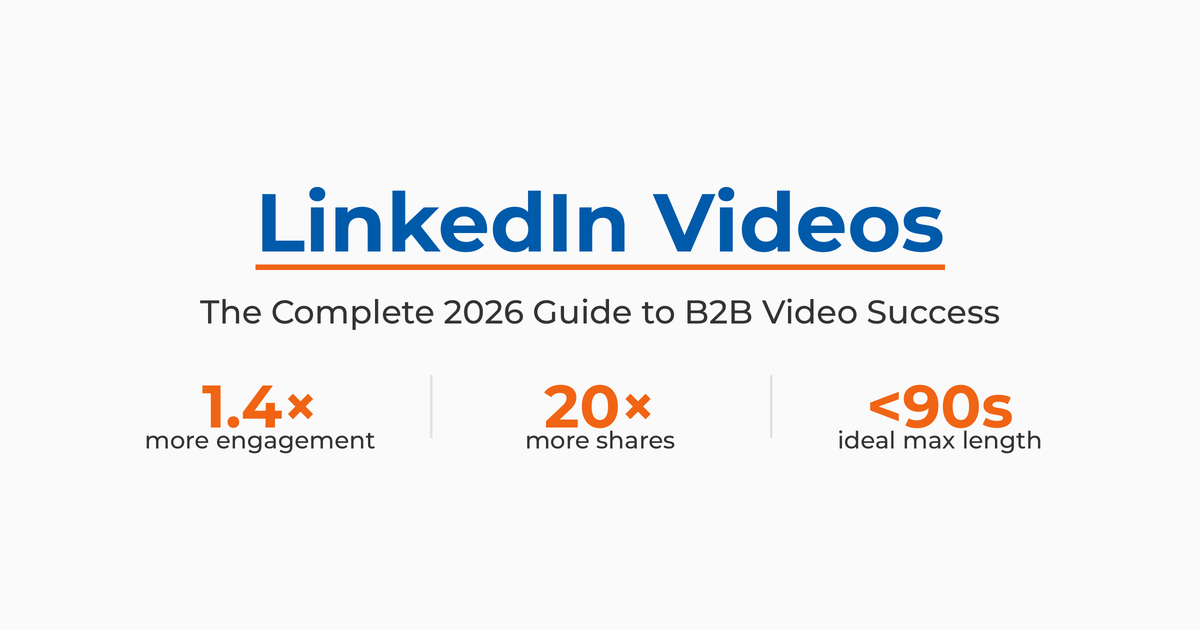
LinkedIn videos generate 1.4x more engagement than other content formats, and video views on the platform increased 36% year-over-year. If you’re not using video on LinkedIn, you’re leaving reach and influence on the table.
Here’s the reality: Most B2B professionals treat LinkedIn video as an afterthought. They upload without strategy, ignore technical specs, or skip video entirely because they think it’s too complicated. Meanwhile, the platform has transformed into a video-first experience with a dedicated TikTok-style video feed, full-screen mobile playback, and algorithm changes that actively prioritize video content.
After spending years teaching digital marketing at UCLA Extension and Rutgers Business School, where I developed the Social Selling program, and advising companies on their LinkedIn best practices, I’ve seen the patterns. As the author of three books on LinkedIn, including Maximizing LinkedIn for Business Growth, I can tell you with confidence: The companies winning with LinkedIn video aren’t using fancy studios or production crews. They’re using smartphones, following platform specifications, and creating content that speaks directly to professional pain points.
This guide walks you through everything you need to create effective LinkedIn videos. You’ll learn the technical requirements LinkedIn demands, discover which video formats work best for B2B audiences, and get a step-by-step process for uploading and optimizing your content.
Key Takeaways
✅ LinkedIn video generates 1.4x more engagement than other content types, with Live video driving 24x more comments than native video.
✅ Keep videos under 90 seconds for maximum completion rates. Shorter videos under 15 seconds see 57% completion rates.
✅ Always add captions since 75-85% of social media videos are watched with sound off.
✅ Use 9:16 vertical format for LinkedIn’s mobile video feed to maximize discoverability.
✅ Post consistently (2-3 videos per week) and engage with comments in the first 60 minutes to boost algorithmic reach.
Why Does LinkedIn Video Matter for B2B Marketing?
LinkedIn’s video engagement numbers tell a clear story. Video posts receive 20 times more shares than other post types, making them the most powerful format for organic reach on the platform.
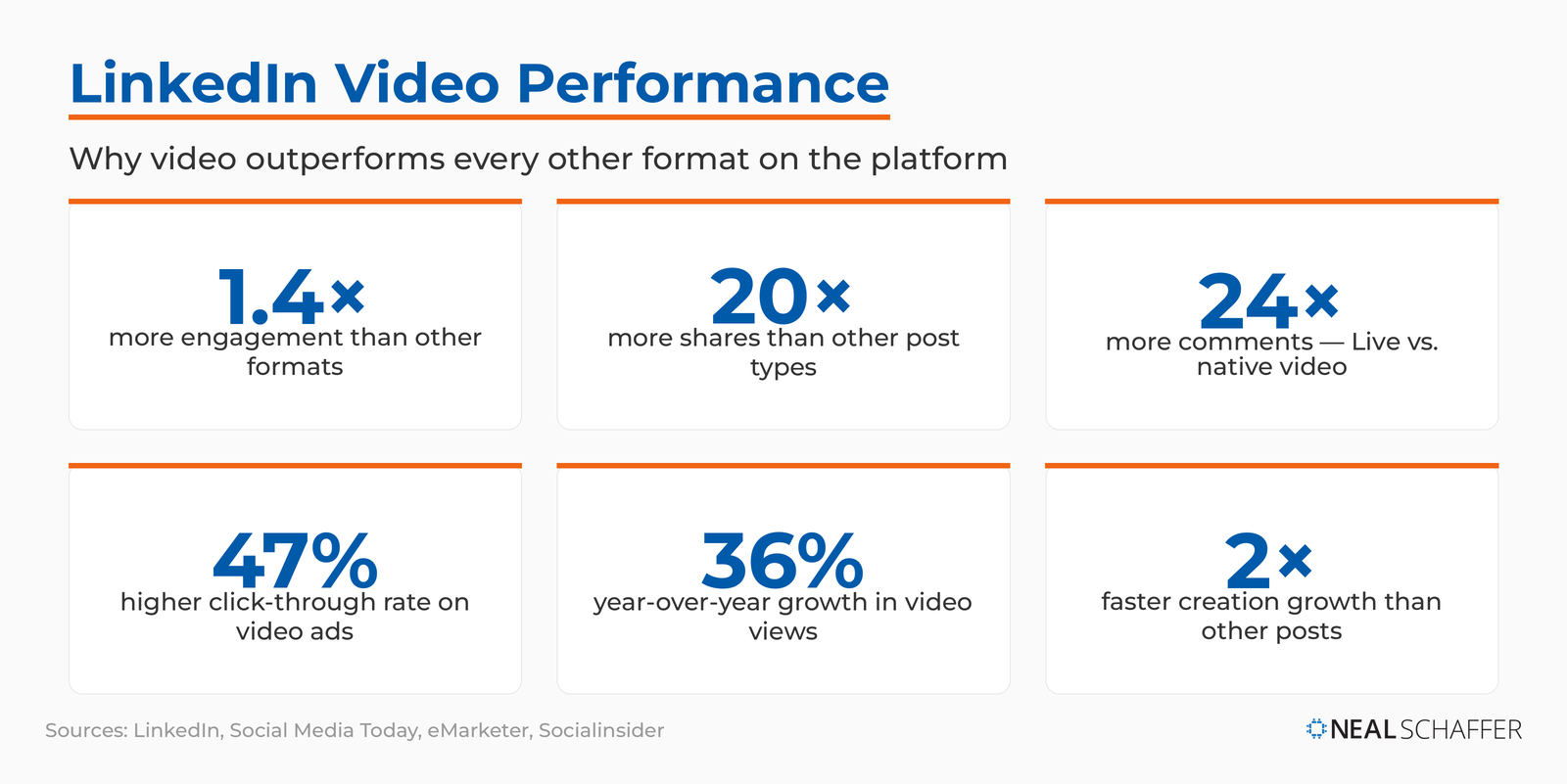
In addition, video posts receive 5x more engagement than other post types, and LinkedIn Live broadcasts generate 7x more reactions and 24x more comments than pre-recorded videos.
The engagement advantage extends into paid ads as well. Video ads on LinkedIn deliver a 47% higher click-through rate compared to standard sponsored content, proving that both organic and paid video strategies outperform text-based approaches.
What makes these numbers even more significant is the growth trajectory. Video creation on LinkedIn is growing 2x faster than other post types, according to Socialinsider’s benchmarks, indicating that early adopters are seeing results worth replicating.
What makes these numbers significant is the platform’s strategic shift. In 2024, LinkedIn launched a dedicated vertical video feed similar to TikTok’s interface and added full-screen mobile playback. As Adweek reported, LinkedIn seemingly “overnight turned its algorithm sights on being the TikTok of B2B video.”
For B2B professionals, this creates an opportunity. While your competitors stick with text posts, you can capture attention with video content that builds authority and drives meaningful conversations. I’ve written extensively about how video supports content marketing, and LinkedIn is now the platform where this matters most for professional audiences.
| Metric | Performance |
|---|---|
| Video engagement vs. other formats | 1.4x higher |
| LinkedIn Live vs. native video comments | 24x more |
| LinkedIn Live vs. native video reactions | 7x more |
| Year-over-year video view growth | 36% increase |
| Video creation growth rate | 2x faster than other posts |
What Types of LinkedIn Videos Can You Create?
LinkedIn supports multiple video formats, each serving different business objectives. Understanding when to use each type is essential for your video marketing strategy.
Native Video Posts
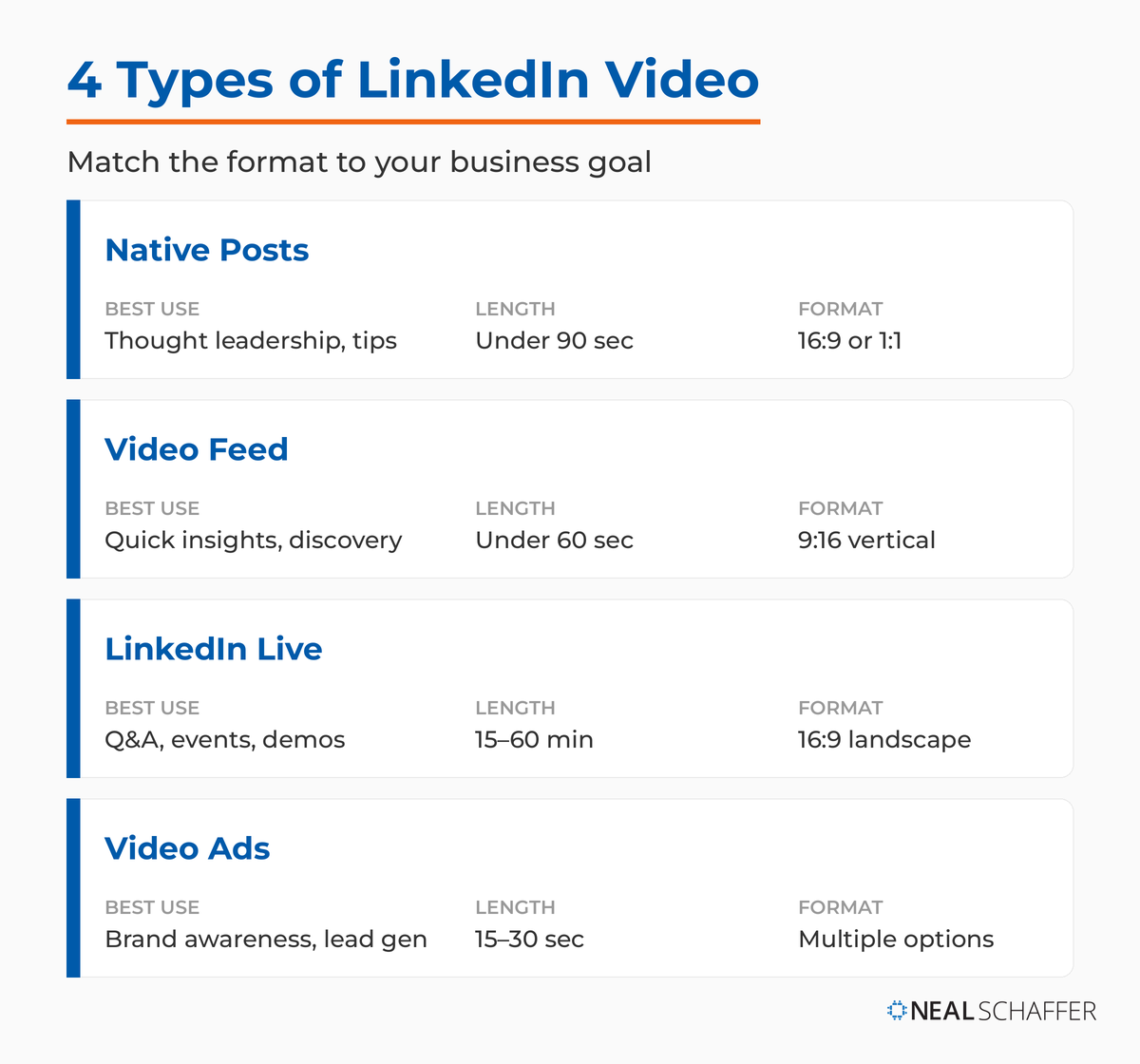
Native videos are uploaded directly to LinkedIn’s feed. They autoplay as users scroll, making the first two seconds critical for stopping thumbs. These work best for thought leadership content, quick tips, and professional storytelling.
The advantage of native uploads is algorithm preference. LinkedIn’s system prioritizes content that keeps users on the platform, giving native videos better organic reach than link-based posts that send users elsewhere.
LinkedIn Video Feed Content
The LinkedIn video feed operates separately from your main feed. It’s a vertical, full-screen experience designed for short-form video consumption. This feed prioritizes discoverability based on relevance and engagement patterns rather than just your network connections.
Content for the video feed should be mobile-first, vertical format (9:16 aspect ratio), and designed to work without sound. Think of it as LinkedIn’s answer to Instagram Reels or TikTok: short, punchy, and visually engaging.
LinkedIn Live Broadcasts
Live video creates real-time engagement opportunities. You can host Q&A sessions, product demonstrations, panel discussions, or behind-the-scenes tours. According to LinkedIn’s marketing blog, Live videos generate dramatically higher engagement because viewers can comment and ask questions as you speak.
LinkedIn Live requires application approval, but once granted, you can stream directly from desktop or mobile. The interactive element makes it worth the setup effort.
Video Ads
Sponsored video content appears in users’ feeds with targeting options based on job title, company size, industry, and other professional criteria. According to LinkedIn’s ad specifications, video ads can range from brand awareness campaigns to direct response offers.
| Video Type | Best Use Case | Ideal Length | Format |
|---|---|---|---|
| Native Posts | Thought leadership, tips | Under 90 seconds | 16:9 or 1:1 |
| Video Feed | Quick insights, discovery | Under 60 seconds | 9:16 vertical |
| LinkedIn Live | Q&A, events, demos | 15-60 minutes | 16:9 landscape |
| Video Ads | Brand awareness, lead gen | 15-30 seconds | Multiple options |
What Are LinkedIn’s Video Specifications and Requirements?
Technical specifications matter on LinkedIn. Upload videos that don’t meet platform requirements and you’ll face quality issues, processing errors, or reduced reach. Here’s what LinkedIn officially requires:
Video Format and File Requirements
LinkedIn accepts MP4, MOV, and AVI file formats. MP4 delivers the best combination of quality and compatibility, making it your default choice for most uploads.
Make Your Marketing Finally Work Together
My latest book helps small businesses, entrepreneurs, and marketers bring search, email, and social together into one digital marketing strategy that actually compounds.
Drawing on my work as a Fractional CMO, Digital Threads turns complicated tactics into a clear, practical plan you can follow, whatever your budget or team size.
Grab your copy on Amazon and start weaving your own digital threads. Click the cover or the button below to get started.

File size limits depend on upload method:
- Mobile uploads: Up to 5GB
- Desktop uploads: Up to 10GB (officially, though keeping files under 2GB ensures faster processing)
Aspect Ratio Specifications
The aspect ratio determines how your video displays across devices. LinkedIn supports several options:
| Aspect Ratio | Format Name | Best Use Case |
|---|---|---|
| 16:9 | Landscape | Desktop viewing, presentations, screencasts |
| 1:1 | Square | Mobile and desktop balance, versatile format |
| 9:16 | Vertical | Mobile-first content, LinkedIn video feed |
| 4:5 | Portrait | Mobile feed optimization, alternative to square |
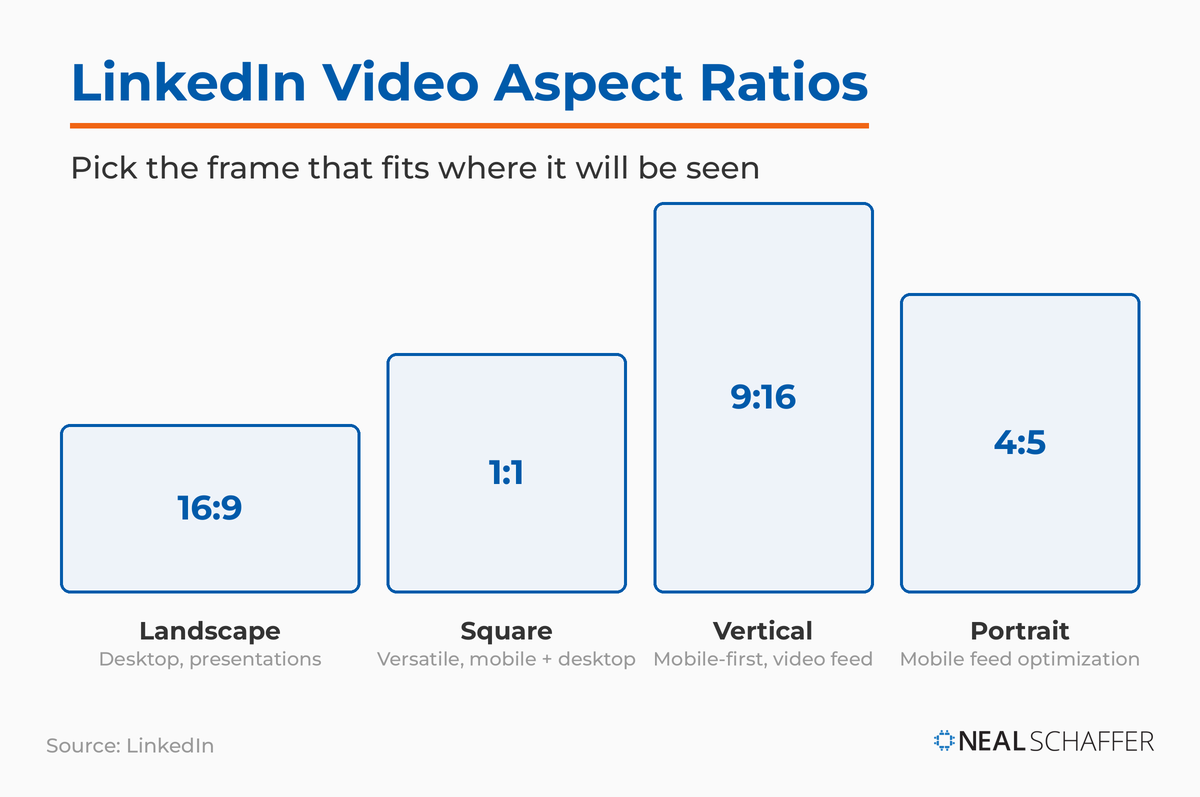
For the LinkedIn video feed specifically, use 9:16 vertical format. This fills mobile screens and provides an immersive viewing experience. If you’re repurposing content from short-form video platforms like TikTok or Instagram Reels, you’re already in the right format.
Resolution and Quality Standards
- Minimum resolution: 256×144 pixels
- Maximum resolution: 4096×2304 pixels
- Recommended: 1080p (1920×1080 pixels) for best quality
- Frame rate: 24fps or 30fps
Upload in at least 720p resolution. Higher resolution gives LinkedIn’s compression algorithm more data to work with, resulting in better final quality.
Video Length Limits
LinkedIn allows videos from 3 seconds to 10 minutes long. But just because you can post 10-minute videos doesn’t mean you should.
According to Socialinsider’s benchmarks, videos under 90 seconds consistently outperform longer content. For the video feed specifically, aim for under 60 seconds to match user behavior in that interface.
How Do You Create and Upload LinkedIn Videos? (Step-by-Step)
Creating effective LinkedIn videos doesn’t require professional equipment. Follow this process to go from concept to published post.
Step 1: Plan Your Video Content
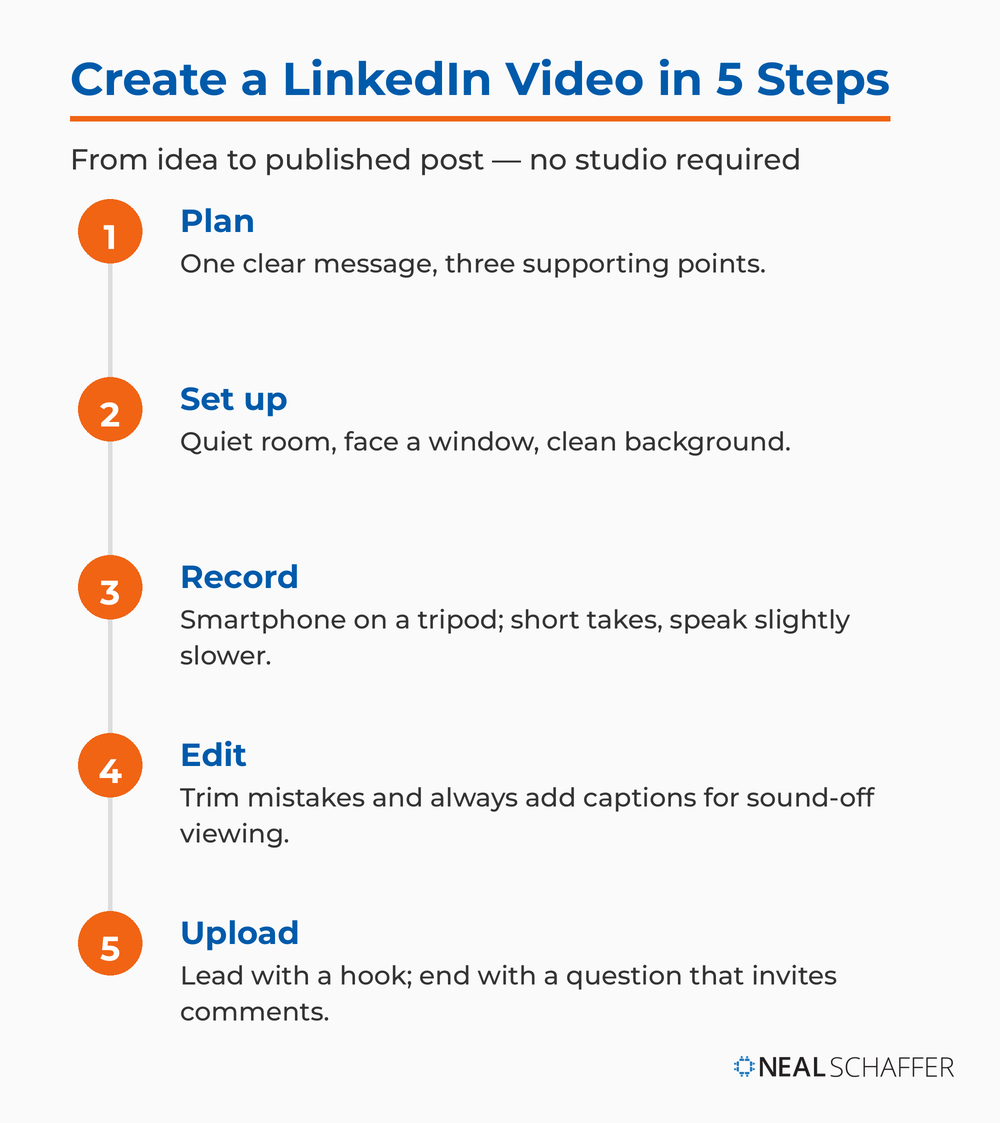
Start with a single, clear message. What’s the one thing you want viewers to remember? Write it down in one sentence. This becomes your video’s core focus.
Next, outline your talking points. Keep it to three main ideas that support your central message. More than three and you’ll lose viewer attention. I talk about this approach in my guide to content marketing types. Constraint breeds clarity.
Step 2: Set Up Your Recording Environment
Find a quiet location with good natural light. Position yourself facing a window for the best lighting, or use a simple ring light if recording in the evening.
Check your background. Remove clutter and ensure nothing distracting appears behind you. A plain wall or organized bookshelf works well. Your environment signals professionalism, or the lack of it.
Step 3: Record Your Video
Use your smartphone’s camera in landscape mode for traditional posts or vertical mode for the video feed. Hold the phone steady or use a simple tripod (even a stack of books works).
Record in short takes. If you make a mistake, pause and restart from that section. You’ll edit out the pauses later. This approach reduces stress and produces better content than trying for one perfect take.
Speak clearly and slightly slower than normal conversation. This improves comprehension and makes caption generation more accurate.
Step 4: Edit Your Video
Use free tools like CapCut (which now offers direct LinkedIn integration), VEED, or your phone’s built-in video editor. Cut out mistakes, long pauses, and any content that doesn’t directly support your message.
Add captions. According to research from Digiday, 75% of videos watched on a mobile phone are without sound. Captions aren’t optional. They’re essential for reach.
Keep your edit simple. Resist flashy transitions or effects. Professional B2B audiences respond better to clean, straightforward presentation.
Step 5: Upload to LinkedIn
- Preview how your video appears before posting
- Open LinkedIn and click “Start a post” from your homepage
- Select the video icon to upload your file
- Write your post copy while the video uploads
- Start with a hook that complements your video’s opening
- End with a question or call to action that encourages comments
- Tag 3-5 relevant connections (avoid over-tagging)
How Does the LinkedIn Video Feed Work?
The LinkedIn video feed operates differently from your main feed. Understanding this distinction helps you create content that reaches new audiences beyond your existing network.
Discovery vs. Network-Based Distribution
Your main LinkedIn feed shows content primarily from connections and people you follow. The video feed surfaces content based on relevance and engagement patterns, similar to how TikTok’s algorithm works. This means even accounts with smaller followings can reach new audiences if their content performs well.
The algorithm powering this feed considers:
- Your past engagement patterns
- The content’s performance with similar professionals
- How long viewers watch before scrolling
- Early engagement signals (comments, reactions)
Creating Content for the Video Feed
Video feed content requires a different approach than standard LinkedIn posts. The full-screen vertical format demands mobile-first thinking.
Start with a visual hook in the first frame. Text overlays work well because they communicate value before viewers unmute. Patterns like “3 mistakes [job title] make with [topic]” or “The fastest way to [achieve outcome]” stop thumbs effectively.
Structure for sound-off viewing. Your video must communicate value through visuals, captions, and text overlays alone, at least for the first few seconds until viewers decide to turn on audio.
Video Feed Best Practices
- Remember that video feed content also appears in standard feeds
- Keep content under 60 seconds for the video feed
- Use 9:16 vertical aspect ratio exclusively
- Post 2-3 video feed posts per week for momentum
What Are the Best Practices for LinkedIn Video Engagement?
Technical specs get your video uploaded. But engagement comes from understanding what makes B2B professionals stop scrolling and actually watch.
Master the Hook
Your first two seconds determine whether viewers keep watching. Strong hooks follow patterns:
- Contrarian statements that challenge assumptions
- Questions your target audience actively wonders about
- Surprising statistics that reframe their thinking
- Specific outcomes they want to achieve
Test different hook styles across multiple videos. Track which opening approaches generate the longest average view duration, then double down on what works for your audience.
Prioritize Authenticity Over Production Value
B2B buyers want expertise and authenticity, not television-quality production. A slightly imperfect video from a genuine expert outperforms a polished but generic corporate message every time.
Speak directly to camera as if talking to one person. Avoid reading scripts word-for-word. Know your key points and speak naturally about them. This conversational approach builds connection faster than rehearsed presentations.
Show your personality. LinkedIn is a professional network, but professionals are still people. Appropriate humor, personal anecdotes, and real opinions make your content memorable. I’ve seen this work repeatedly with LinkedIn influencers who’ve built significant followings through authentic video content.
Optimize for Mobile Viewing
Most LinkedIn users access the platform on mobile devices. Your video must work on small screens.
- Use larger text sizes for on-screen graphics
- Frame yourself appropriately (leave space around your head)
- Test all text overlays on an actual mobile device before publishing
Always Add Captions
Captions aren’t optional for LinkedIn video success. They serve accessibility needs while dramatically expanding your potential audience.
LinkedIn’s automatic caption feature works reasonably well but requires editing. Review auto-generated captions and fix errors before publishing. Incorrect captions damage credibility more than no captions at all.
For professional content, consider using tools like Rev or Otter.ai to generate accurate transcripts you can upload as subtitle files.
Engage With Comments Immediately
The first hour after posting determines your video’s reach. LinkedIn’s algorithm looks at early engagement signals to decide how widely to distribute your content.
Reply to every comment in the first 60 minutes. Your responses count as engagement signals that boost visibility. Ask follow-up questions in your replies to spark additional comments and extend the conversation. I cover this in detail in my LinkedIn analytics guide.
LinkedIn Video vs. Text Posts: When Should You Use Each?
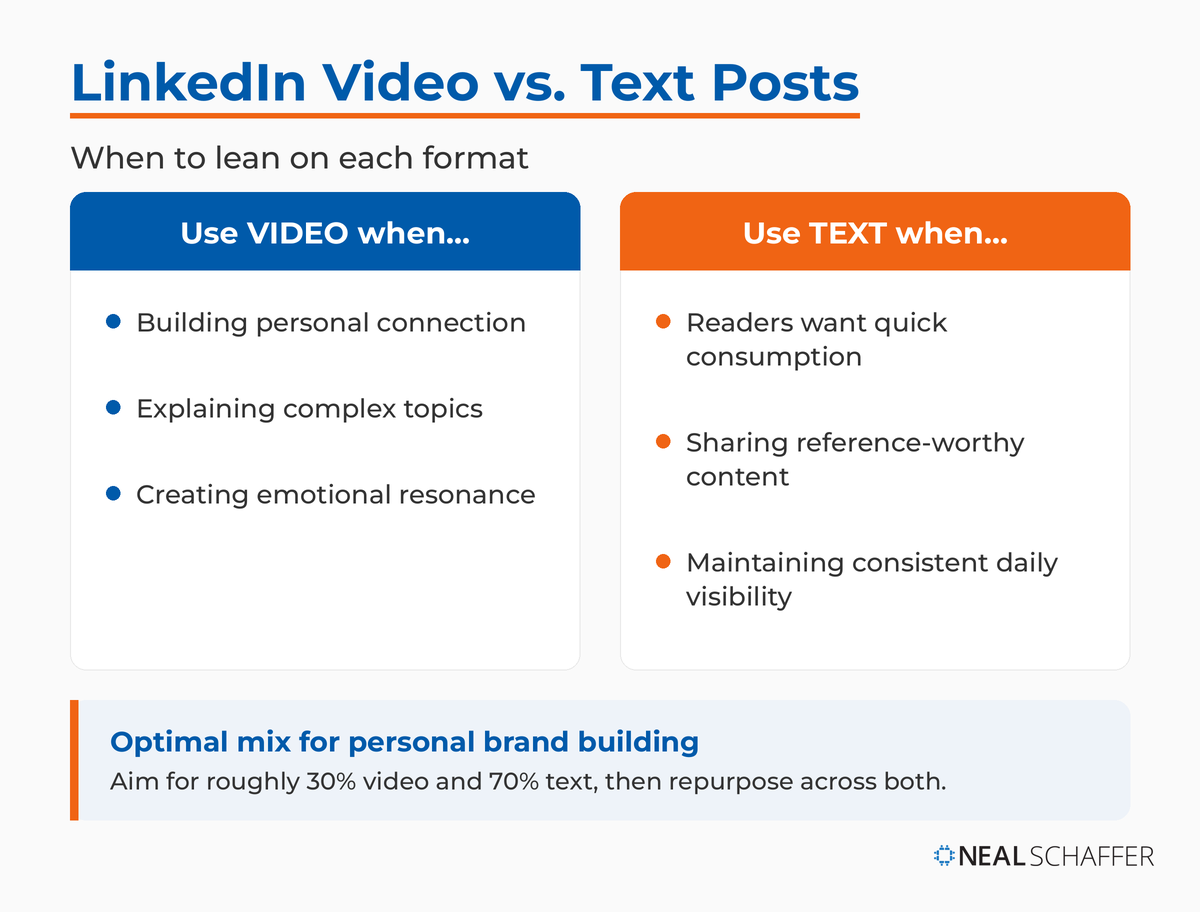
The question isn’t whether video or text is superior. It’s understanding when each format serves your goals more effectively.
When Video Outperforms Text
Building personal connection: Seeing and hearing you creates familiarity faster than reading your words. For personal brand building and thought leadership, video accelerates the know-like-trust process.
Explaining complex topics: Walking through a process verbally with visual aids clarifies concepts better than written instructions. Product demonstrations, software tutorials, and strategy frameworks all work better in video.
Creating emotional resonance: Your tone, facial expressions, and energy level communicate layers of meaning that text can’t capture. When sharing stories or rallying around causes, video amplifies impact.
When Text Posts Win
Quick consumption: Busy professionals scanning LinkedIn during brief moments can absorb text faster than watching even a short video.
Reference-worthy content: When sharing frameworks, lists, or data that people want to save and return to, text posts with document attachments serve readers better than videos they’d need to replay.
Consistent visibility: Text posts are easier to produce consistently. You can write and publish quality text content daily without the production overhead of video.
The Optimal Content Mix
A practical ratio: aim for 30% video content and 70% text posts if you’re building personal brand awareness. This gives you regular video presence without unsustainable production demands.
Repurpose across formats. Turn your best-performing video content into written posts with key takeaways. Transform popular text posts into video explanations. I cover this content repurposing strategy extensively, since it maximizes reach while reducing creative burden.
| Format | Strengths | Best For |
|---|---|---|
| Video | Personal connection, engagement, complex explanations | Thought leadership, tutorials, stories |
| Text | Quick consumption, reference value, production ease | Lists, frameworks, daily visibility |
| Carousel | Visual impact, educational content | Step-by-step guides, data presentations |
| Live | Real-time engagement, authenticity | Q&A sessions, events, announcements |
How Do You Optimize LinkedIn Videos for Maximum Reach?
Creating good content is half the battle. Optimizing that content for LinkedIn’s algorithm and your audience’s behavior completes the picture.
Write Strong Post Copy
Your post text works together with your video. Don’t just drop a video with a generic caption.
- Lead with your hook in text form. The first two lines appear before the “see more” cutoff. Make them count.
- End with a question that invites response. Comments drive algorithmic distribution.
- Include 3-5 relevant hashtags at the end, mixing broader industry tags with niche-specific terms.
Post at Strategic Times
Timing affects initial engagement, which influences overall reach. Test posting between:
- 7-9 AM (commute time)
- 12-1 PM (lunch break)
- 5-6 PM (end of workday)
Tuesday through Thursday typically see higher engagement than Mondays (inbox catch-up) or Fridays (weekend mindset). Track performance across different time slots to identify when your specific network is most active.
Analyze Your Performance Metrics
LinkedIn provides detailed video analytics. Use them to understand what’s working.
Focus on these key metrics:
- View count shows reach
- Watch time reveals engagement quality
- Drop-off points indicate where content loses viewers
- Engagement rate measures comments and reactions relative to views
A video with 1,000 views but 10% average completion rate underperforms one with 500 views and 60% completion. Quality of attention matters more than raw numbers.
Leverage LinkedIn’s Video Tools
LinkedIn continues adding features that make video creation easier:
- CapCut integration for direct editing and posting from mobile
- Native video editor for quick trimming and caption addition
- Automatic captions (review and edit before publishing)
For more advanced needs, explore specialized video marketing tools that can enhance your production workflow.
Cross-Promote Your Best Videos
Your best LinkedIn video content deserves extended visibility:
- Turn video transcripts into blog content
- Share in relevant LinkedIn groups (wait 2+ weeks after original post)
- Reference previous videos when posting related topics
- Repurpose for YouTube, email newsletters, or other social platforms
Frequently Asked Questions About LinkedIn Videos
What is the ideal length for LinkedIn videos?
The optimal length for LinkedIn videos is under 90 seconds for most content. According to Socialinsider’s benchmarks, shorter videos consistently outperform longer ones in engagement and completion rates. For the LinkedIn video feed specifically, aim for under 60 seconds.
What video format works best on LinkedIn?
Use MP4 format for best compatibility and quality. For aspect ratio, 9:16 vertical works best for the mobile video feed, while 16:9 landscape or 1:1 square work well for traditional feed posts. Resolution should be at least 1080p (1920×1080 pixels) for optimal quality after compression.
Should I add captions to my LinkedIn videos?
Yes. Captions are essential, not optional. Research shows that 75% of videos watched on a mobile phone are without sound. Captions also improve accessibility and ensure your message reaches viewers scrolling in meetings or public spaces.
How often should I post LinkedIn videos?
For most professionals building their personal brand, 2-3 videos per week provides good momentum without unsustainable production demands. Consistency matters more than volume. It’s better to post one quality video weekly.
What’s the difference between the LinkedIn video feed and regular posts?
Regular LinkedIn posts appear primarily to your connections and followers. The LinkedIn video feed operates on a discovery algorithm similar to TikTok, surfacing content to users based on interests and engagement patterns rather than just network connections. This means your video feed content can reach people who don’t follow you yet.
Your Next Steps With LinkedIn Video
LinkedIn video isn’t a nice-to-have feature anymore. It’s central to how the platform delivers content and how professionals build influence.
The barrier isn’t technical skill or expensive equipment. It’s making the decision to start and maintaining consistency once you do.
Your first step is simple: Record a 30-second video introducing yourself and one key insight from your professional experience. Don’t worry about perfection. Focus on clarity and authenticity. Upload it with a straightforward caption explaining what you do and who you help.
That first video won’t go viral. It probably won’t generate hundreds of comments. But it will teach you more about LinkedIn video than reading any guide—including this one.
From there, commit to one video per week for the next month. Test different topics, hooks, and formats. Watch your analytics. Notice which content generates engagement. Adjust based on what you learn.
The professionals winning on LinkedIn right now aren’t waiting for perfect conditions. They’re posting consistently, learning from each video, and building momentum through repetition. Understanding how content marketing supports overall business goals helps frame your LinkedIn video work within larger strategic objectives.
What will your first LinkedIn video cover?

Actionable advice for your digital / content / influencer / social media marketing.
Join 13,000+ smart professionals who subscribe to my regular updates.