
Take it from a content creator: It’s hard to create compelling content without using some type of specialized tool. Creators use various types of software to speed up their production process, increase engagement with their community, and even increase rankings for their content within search engines.
As someone who publishes new blog posts several times a week in addition to podcasting, managing a YouTube channel, and publishing almost daily across all of the major social networks, I have extensive knowledge of these programs that content creators use.
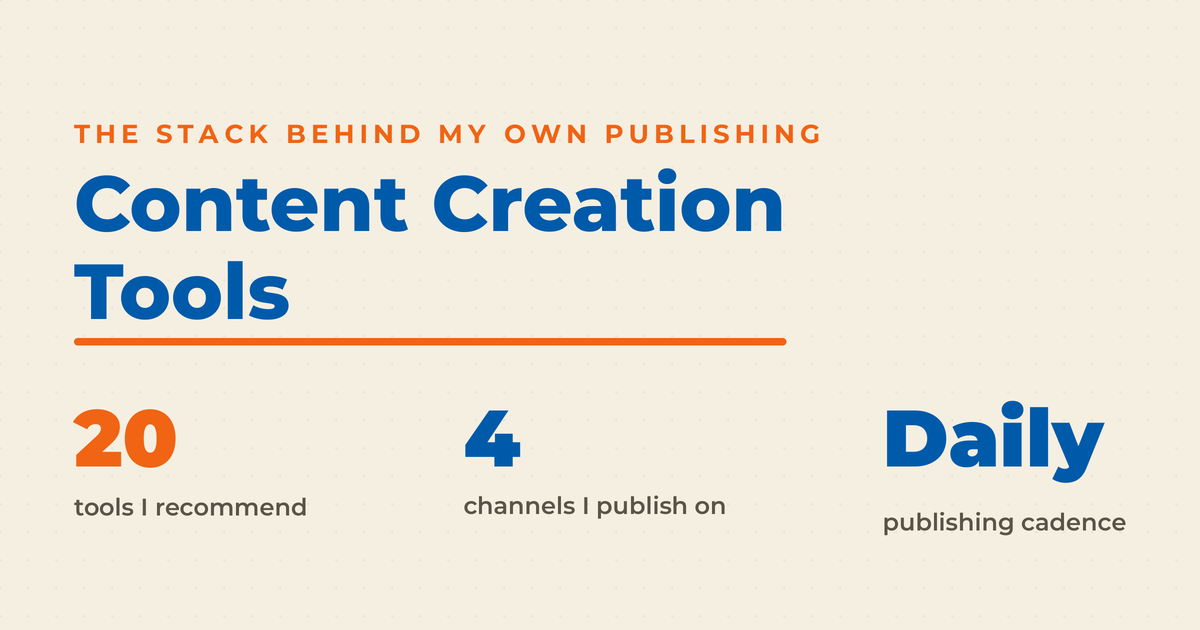
If you are a content creator looking for a specialized tool, let me help point you in the right direction. Before you add anything to your stack, get clear on what you are publishing and why. That is the job of your content strategy, and the tools follow it. If you are building out the wider marketing program and not just the production side, start with content marketing tools instead. Without further ado, here are the 20 best content creation tools that I recommend you check out to help make your daily content creation workflow a breeze.
Key Takeaways
✅ Twenty tools, four jobs. Images, video, AI-assisted writing, and research each need their own tool, and most creators only need one or two per category.
✅ Adobe Express is my default for images. As an official Adobe Express Ambassador I am in it almost daily, and the template library plus built-in AI generation covers nearly every social and blog visual I need.
✅ Free goes further than most people expect. CapCut, Google Trends, and Answer the Public cost nothing and handle a real share of the work.
✅ AI writing tools are drafting assistants, not publishers. I use them for ideas, outlines, and social copy, and I do not publish their raw output as blog posts.
✅ Start with research, not production. Google Trends and BuzzSumo tell you what is worth making before you spend an afternoon making it.
✅ Trial before you commit. Every tool here has a free tier or trial, so test two or three in the same category against your own workflow rather than picking from a list.
Content Creation Tools for Images
The best content creation tools for images are Adobe Express, Canva, Snappa, and Visme. All four are browser-based template editors that let a non-designer produce social graphics, thumbnails, and blog visuals in minutes. Adobe Express is my default, and it now handles AI image generation inside the same editor where I build social media content.

1. Adobe Express

Adobe Express is a perfect tool for social media posts, helping you create images and flyers for TikTok, Instagram, and other social platforms. The software utilizes text-to-image technology, allowing you to generate many content ideas from scratch. On top of that, Adobe Express also comes with a library of stock images that will save a lot of your time.
The software allows you to manipulate visual content by changing text effects, merging and resizing videos, converting formats, and more. The video content creation tool uses a drag-and-drop interface, making it perfect for newbies. It’s worth mentioning that the program uses branding features to keep you on point.
2. Canva

When you log into Canva, you instantly gain access to millions of premium photos, videos, elements, fonts, and templates. The popular tool has features such as resize, background remover, and magic switch for streamlining your content creation journey. To make things even better, each user gets 1 TB of storage where they can save their projects.
The great thing about Canva is its flexibility. You can use it for all sorts of marketing materials, ranging from traditional flyers and brochures to social media content and thumbnails. In fact, you can even use the program to design mugs and t-shirts! The software integrates with numerous apps, so you don’t have to waste time jumping from one platform to another.
3. Snappa

Like Canva and Adobe Express, this powerful tool lets you create a wide range of visual content for your website and social media. My favorite thing about Snappa is that it’s intuitive and newbie-friendly. The software uses a drag-and-drop system to streamline image creation.
This tool for content creators offers numerous templates to jumpstart your creative process. You get access to millions of vectors, icons, and fonts that will make every image a small masterpiece. Snappa also comes with social media scheduling tools, which will significantly enhance your daily workflow.
4. Visme

Besides images, Visme is a fantastic solution for documents, videos, social media graphics, mockups, and wireframes. My favorite thing about the graphic design tool is its collaboration features, which make it perfect for large international teams. Your employees can leave comments and instructions for other staffers to streamline the creation of social posts and blog posts.
Visme comes with a plethora of integrations. Combine it with SalesForce, Mailchimp, Slack, and other digital marketing tools to create a unified platform. Similar to other programs, Visme comes with a library of templates that will make your processes more straightforward.
Content Creation Tools for Videos
The best content creation tools for video are CapCut, Descript, Pictory, Lumen5, Animoto, and Biteable. Each edits on a timeline or directly on the script rather than in a traditional editing suite, so the learning curve is short. If you are cutting vertical clips for TikTok or Reels, pair one of them with a short-form video plan and a browser-based online video editor.
5. CapCut

My favorite thing about CapCut is that it’s completely free. The content creation software allows you to generate videos and images by relying on advanced AI algorithms. For example, you can use scripts to automate your video production or create shorts by repurposing long-form social media posts.
CapCut comes with a wide range of templates that will streamline your social media content creation process. Another nifty feature is that you can download the program to your PC at any time, so you’re no longer dependent on an internet connection.
6. Descript

Descript has a unique way of going about things. The software makes your video editing process a breeze introducing changes by simply changing the original script. As if that wasn’t enough, you can change the visuals by swapping between several video files and changing their placement.
Another standout feature has to be the AI translator. Descript adapts your interactive content for foreign markets and adds subtitles when necessary. As for other notable features, the video tool has an eye contact focus and removes filler words from your posts so that the video flows better.
7. Pictory

Similar to Descript, Pictory can turn your scripts into engaging, professional-looking video clips within seconds. The content creation software introduces AI voices, music, and footage to present a compelling story to end users. Among other things, you can use the AI-powered tool to repurpose blog posts and turn them into social media videos.
I also loved that Pictory can cut your long video tracks and create YouTube, Facebook, and Instagram shorts. Another limited feature is the caption creation; add subtitles below your posts to make videos more compelling to people who watch YouTube on mute.
The LinkedIn Playbook for Real Business Growth
My latest book helps professionals, entrepreneurs, and business owners turn LinkedIn from a static profile into a real source of clients and growth.
Maximizing LinkedIn for Business Growth gives you clear, practical steps to build a profile that gets noticed and a network that actually sends business your way.
Grab your copy on Amazon and put it to work this week. Click the cover or the button below to get started.

8. Lumen5

By relying on its wide range of features, Lumen5 makes every content strategy possible. The software comes with millions of pre-made templates, music, and vectors, which you can use to hasten daily workflow. Basically, all you need to do is drag elements around to create high-quality videos for your company.
The software also has numerous artificial intelligence functions, such as AI avatars and AI voiceover. I especially love avatars, as they allow you to add humanlike hosts without actually participating in videos. And if all of this is too much, you can simply upload your blog posts and remake them into animated videos for your target audience.
9. Animoto

Stop me if you heard this one, but Animoto relies on pre-built templates, like other tools from this category. The thing that separates this program from the rest is the variety of templates it offers. You have explainer videos, product demos, employee spotlight, educational instructions, and other footage at your disposal.
Elements can be dragged around and trimmed the way you see fit. Social media content creators can introduce company branding within the footage and collect feedback on each post. There’s also an option to screen record directly from Animoto, which will make it easier to create fresh content.
10. Biteable

Biteable has one of the most advanced, user-friendly interfaces within this tool category. The software mostly uses a drag-and-drop premise for content creation and has a library of templates to make your creative juices flow.
Once the project is ready, you can save it in Google Docs or share it with other team members. Biteable offers nifty editing tools for the entire company, which is perfect for streamlining your creative process.
11. Loom

Most people know Loom as a video-sharing and communication platform. But did you know this all-in-one platform also helps you edit footage once you record it? The software has advanced features such as video trimming and caption generation that will further polish your content for external users.
It also helps that this tool for content creators has an integrated comment-sharing function. Although the feature is mainly used for sharing files and notes during meetings, you can use it to coordinate between editors so they have a better understanding of how to make the video better.
12. Pixlr

Pixlr is one of the most impressive graphic design platforms I have had the chance to use. First and foremost, the program has numerous advanced features for video and image creation. It offers users AI image generation, AI face swap, background removal, object removal, resizing, trimming, collage maker, and a few other options.
While the software is more geared toward image generation, you can effectively use it to make videos. This is especially true if you’re making collages or introducing images into the background.
AI Content Creation Tools
AI content creation tools are writing assistants that draft, rewrite, and repurpose text from a prompt. ChatGPT, Jasper, CastMagic, Copy.ai, and Narrato all do this well. Treat what comes back as a first draft, not a finished post. My position on AI generated content has not changed, and an AI writer still needs your edit before anything publishes.
13. ChatGPT

ChatGPT is a perfect solution for people who want to save money on content writers. The writing assistant can create long-form articles, product descriptions, and shorter social content with a single line of prompts. All you need to do is explain what type of content you need and how long it should be, and ChatGPT will generate a piece according to your instructions.
While I don’t recommend AI writing tools for blog posting, they can still provide some value when used strategically. For example, you can use ChatGPT to generate ideas or create posts for social media platforms. Just make sure you don’t get flagged by search engines.
14. Jasper

Jasper is a fantastic tool that lets you generate all sorts of content. Most people use it for blog posts, but it’s every bit as effective for emails, presentations, flyers, brochures, and social media content creation. I love its branding features that ensure each piece resembles the previous one and ties to your company image.
With Jasper, you can also modify existing pieces. Make them shorter, expand them, or change the tone of voice with a single click of a button. My favorite thing about the platform is its SEO features, which help you modify and improve articles for a particular search term.
15. CastMagic

Similar to Jasper, CastMagic allows you to create a wide variety of content, including video scripts, emails, blog posts, and social media pieces. However, it is worth noting that the program is mainly geared toward podcasters and, specifically, transcript manipulation. Use existing transcripts to generate titles and summaries and modify text in other ways.
I appreciate the fact that the software is geared toward conversions. It has several features meant to boost your sales and increase engagement with your target audience. Save all your previous work to track performance over time, allowing AI to suggest the best strategy for your brand.
16. Copy.ai

Copy.ai has evolved significantly since its inception. Initially created as a content generation software, it now provides actionable business workflows to its users. The all-in-one platform helps you find contact information for other businesses, generate outreach emails, research other companies, and more.
As for its generative functions, the software helps you create various types of content for your marketing strategy. Copy.ai combines several natural language processing technologies ensuring each piece is on point. Find the perfect tone of voice, switch between different use cases, and edit your articles for higher engagement.
17. Narrato

Narrato is the perfect solution for content creation, offering numerous templates and use cases to get you started. The program can generate briefs within seconds while paying attention to the best SEO practices. Narrato integrates with other programs and will provide grammar and engagement suggestions for each post.
Once you subscribe to Narrato, you’ll never need another writing tool again. The software serves as an all-in-one platform, allowing you to write and edit your own pieces on top of generating new text. It also offers collaborative features, which makes it perfect for larger teams.
Research Tools for Content Creation
Research tools for content creation show you what people are already searching for before you write anything. Google Trends, Answer the Public, and BuzzSumo each surface that demand from a different angle. I run all three at the start of a planning cycle, alongside my content ideas process and the latest content marketing statistics.
18. Google Trends

Google Trends is one of the oldest Google tools, and it provides enormous value to this day. As the name suggests, this software allows you to learn more about the current internet trends. Find keywords people are searching for and compare them to other similar phrases to improve your content strategy.
Google Trends allows you to filter keywords based on location, categories, and date. It’s worth noting that the program doesn’t provide numerical value (i.e., a keyword had 10,000 searches in the last week). Instead, it compares its general performance compared to the previous period and other phrases.
19. Answer the Public

This software shows you the most common questions people ask when browsing Google, Bing, YouTube, TikTok, and Amazon. It breaks down each phrase into different categories, such as “Where,” “Who,” and “What,” and provides questions based on these keywords.
Besides retrieving common questions, Ask the Public also shows alphabetical, numerical, and related searches. Users can see the quantity of searches for each phrase, ranging from high to low. There are also CPC values which are especially valuable for paid advertising campaigns.
20. BuzzSumo

BuzzSumo has been recognized as a premium outreach software for quite a while. This is a perfect solution for finding journalists and bloggers and creating comprehensive contact lists. The software automates your campaigns by allowing you to reach out with shortlisted users with a single click.
Besides outreach, BuzzSumo is really fantastic for research. It shows you things people search for classified based on industries. You can also segregate data for YouTube, Facebook, Twitter, and Reddit. I also like that BuzzSumo helps you track competitors’ keywords and performance over time.
Frequently Asked Questions
Content creation tools are software programs that help you produce, edit, and publish images, video, audio, and written content. Most are browser-based and template-driven, so you do not need design or editing training to get a usable result. Creators typically run one tool per format rather than a single all-in-one platform.
CapCut is the strongest free option for video, and both Adobe Express and Canva have free tiers that cover most image work. For research, Google Trends and Answer the Public are free and give you real demand data. Between them you can run a complete content workflow at zero cost.
Most creators need three to five. One for images, one for video, one for AI-assisted drafting, and one for research, plus a scheduler if you publish across several platforms. Past that point you tend to be adding logins rather than output.
Not automatically. Google’s own guidance on generative AI content says AI is useful for researching a topic and adding structure, but warns that generating many pages without adding value for users can violate its scaled content abuse policy. The risk is publishing unedited output at volume, which is why I treat these tools as drafting help and edit every word before it goes live.
Start with whichever format you publish most. If that is social graphics, Adobe Express. If it is video, CapCut. Add a research tool second, because knowing what to make saves more time than making it faster.
Lean Into These Content Creator Tools
Whether you focus on textual content, videos, or images, these programs can help you out. Most of them utilize artificial intelligence to streamline and simplify their actions and deliver high-quality results. I love that the majority of these programs integrate with other third-party software to give you a comprehensive marketing experience.
Although I’ve mentioned the 20 best programs and split them into specific categories, there’s always something new on the market worth your time. So, before committing to a specific tool, I suggest you perform several trials to see which one provides the most value for your business. Keep in mind that each program has unique features that will make it stand out from the crowd.