
If you sell something on Facebook, you need a Facebook Page. Nobody argues about that. Instagram is looser, and plenty of small businesses run happily on a personal profile for years. TikTok sits somewhere in between, and the answer is genuinely not obvious.
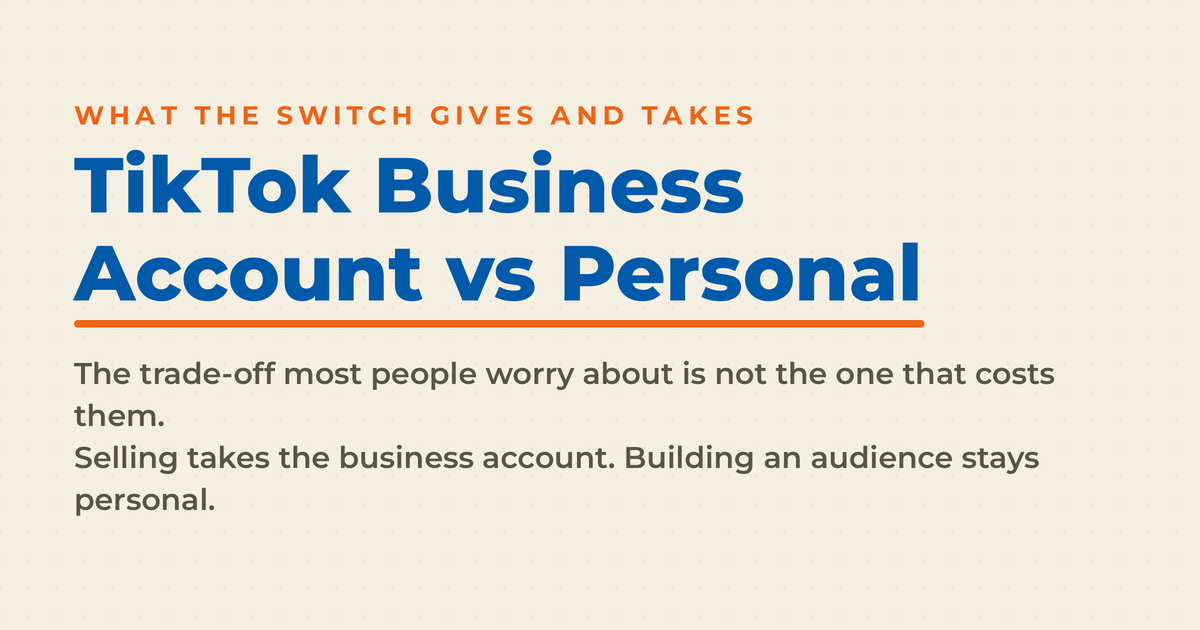
Every TikTok account starts life as a personal account. Switching to a business account takes about fifteen seconds, costs nothing, and is reversible. That combination makes it feel like a free upgrade. It isn’t. The switch hands you some real capabilities and quietly takes away others, and the trade-off most people worry about is not the one that actually matters.
I teach social media marketing to executives at Rutgers Business School and spend my days as a Fractional CMO helping businesses figure out which channels deserve real investment. TikTok is the platform I get asked about most. Usually by a small business owner or solo creator who wants a straight answer before tapping a button they don’t fully understand. I’m Neal Schaffer, and this post is for exactly that person.
Full disclosure before we start: I run a personal account on TikTok, not a business one. That’s a deliberate choice for what I’m doing there, and I’ll explain why below.
Key Takeaways
✅ A TikTok business account gives you a clickable website link at any follower count, Business Suite analytics, auto-replies, and profile action buttons.
✅ A business account cannot join the Creator Rewards Program, which is personal-accounts-only.
✅ TikTok’s published ranking signals don’t include account type, so there’s no direct algorithmic penalty. The reach cost comes from the sound library, not from a hidden demotion.
✅ The music rule follows the content, not the account. TikTok’s licenses outside its Commercial Music Library don’t cover promotional content no matter which account type posts it.
✅ You don’t need to switch your in-app account to run TikTok ads. TikTok Ads Manager is a separate registration.
✅ TikTok Shop is also separate, and its official account must share the shop’s name, which is the strongest argument for running a shop from its own handle.
What Is a TikTok Business Account?
A TikTok business account is an in-app account type built for brands, companies, and anyone using TikTok to sell something. It’s always public, it opens up marketing tools like analytics dashboards and profile action buttons, and you turn it on inside the app in a few taps. It’s free, and you can switch back whenever you want.
That’s the version most people know. What’s changed recently is that TikTok no longer describes business capability as a simple on/off switch. Its Business Help Center now lays out three progressive levels of account entitlements, and where you land determines which tools you actually see.
| Entitlement level | How you get it | What you gain |
|---|---|---|
| General TikTok Account | Default for every new account | Standard creation and engagement tools through TikTok Studio; no Business Suite access |
| TikTok Account with Advanced Access | Link your account to a TikTok for Business account or an unverified Business Center | Basic analytics in Business Suite, automatic messages, destination link management, Creative Hub, post scheduler |
| Verified Business Account | Complete business verification | Everything above plus conversion analytics, an AI chatbot, messaging lead collection, public display of your business profile, and audience geo-targeting |
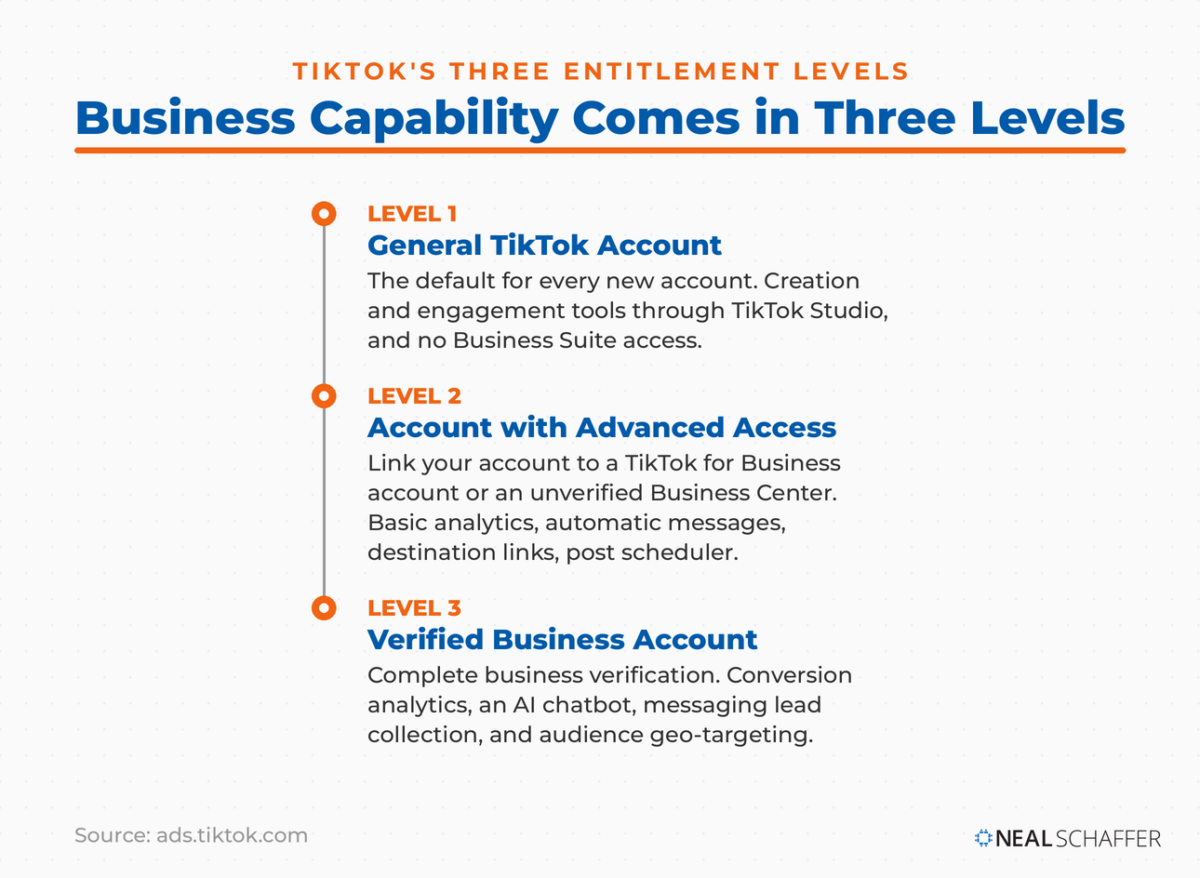
Two things jump out at me here. First, the top tier requires business verification, and TikTok says accounts of all types and sizes can apply for it. It used to be called a Registered Business Account, and you’ll still see that older name in places, including TikTok’s own consumer help pages. Second, the path to Advanced Access runs through linking a TikTok for Business account, which is the same thing you set up to advertise. The organic side and the paid side are more tangled together than the “personal vs business” framing suggests.
If you’re brand new to the platform and still working out the basics, how to use TikTok is the better starting point before you worry about account types at all.
What Can a Business Account Do That a Personal Profile Can’t?
A business account gives you a clickable website link at any follower count, deeper analytics through Business Suite, automatic replies, profile action buttons, and destination links on videos. A personal account can reach most of that too, but only after crossing 1,000 followers, and some of it not at all.
The website link is the one people care about most, and it’s the one my readers ask about constantly. TikTok’s documentation is clear: you can add a website link if you have 1,000 followers or more, or a Registered Business Account. So the business account is one of two routes, and it’s the faster one. The mechanics of setting it up, including what to do when the field refuses to appear, are in my post on adding links to your TikTok bio.
| Capability | Personal account | Business account |
|---|---|---|
| Clickable website link | At 1,000+ followers | Immediately |
| Analytics | Yes, via TikTok Studio | Yes, plus Business Suite dashboards |
| Full general sound library | Yes | No, Commercial Music Library only |
| Creator Rewards Program | Eligible | Not eligible |
| Auto-replies and welcome messages | No | Yes |
| Business Page and action buttons | No | Yes |
| Private account option | Yes | No, business accounts are public |
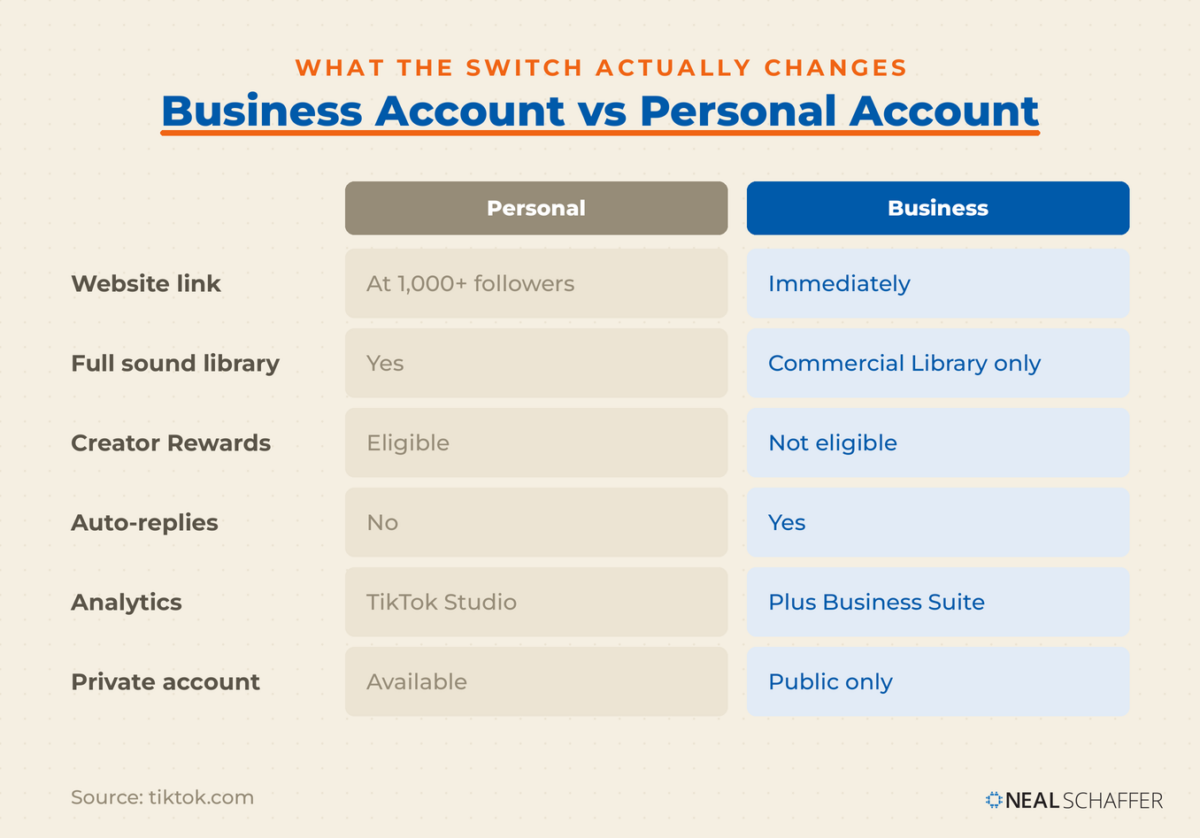
Notice what’s missing from the business column: monetization. TikTok states plainly that only personal accounts are eligible for the Creator Rewards Program, and that business accounts and accounts tied to political or government organizations don’t qualify. If getting paid per view is part of your plan, switching costs you that outright. Making money on TikTok looks very different depending on which side of that line you sit.
Does a TikTok Business Account Hurt Your Reach?
There’s no evidence of a direct algorithmic penalty for business accounts. TikTok publishes the signals behind the For You feed, and account type isn’t among them. What does show up on that list is the video’s soundtrack, and that’s where the real reach cost lives. Business accounts lose access to trending audio, and trending audio drives discovery.
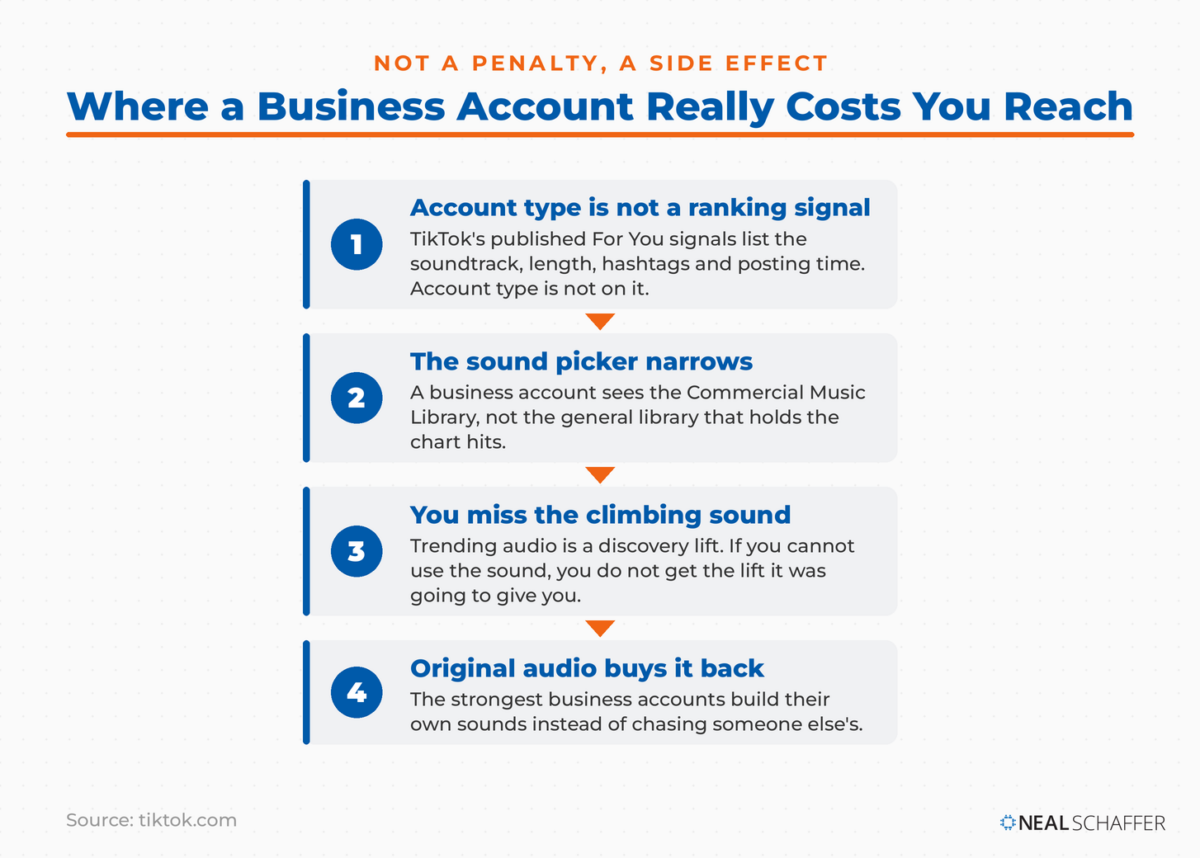
TikTok’s transparency documentation lists what the recommendation system weighs, including the video’s soundtrack, length, hashtags, and posting time, plus how likely you are to tap that soundtrack. Nothing about whether the poster switched a toggle in settings. So the “business accounts get shadowbanned” claim you’ll see repeated in TikTok comment sections has no support in TikTok’s own material.
But the indirect effect is real, and I don’t want to wave it away. If a sound is climbing and you can’t use it, you miss the discovery lift that sound was going to give you. That’s a genuine cost, and for entertainment-first accounts it’s a big one. It’s also a cost you can work around with original audio, which is how a lot of the strongest business accounts operate anyway. If you want to understand what actually drives distribution, start with how the TikTok algorithm works and then look at practical levers for getting more views on TikTok.
What Most Guides Get Wrong About the Music Restriction
Almost every comparison post frames the sound library as a business-account handicap you avoid by staying personal. That’s backwards. TikTok’s music policy attaches to the content, not to the account type. If your video promotes a brand, product, or service, the licenses TikTok holds for music outside the Commercial Music Library don’t cover you, whichever account posted it.
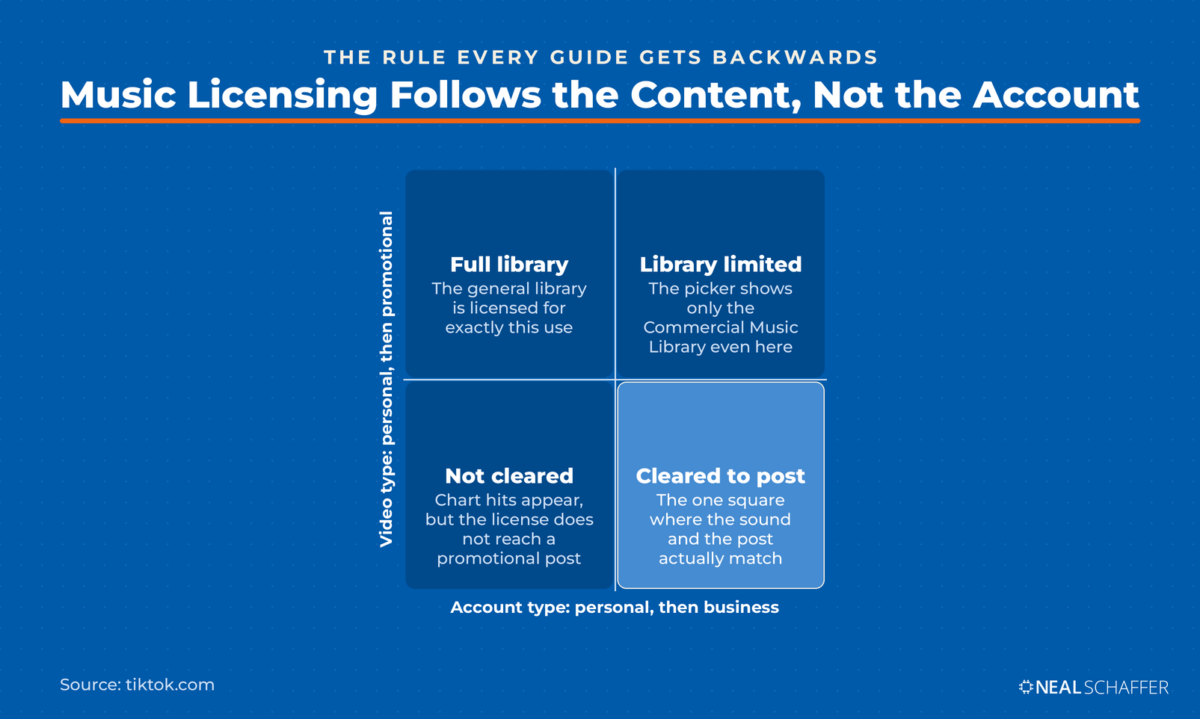
Read TikTok’s own wording. On commercial use of music, TikTok recommends that when you post content promoting a brand, product, or service you only use music from the Commercial Music Library, because its licenses for music outside that library don’t cover commercial use. Use something else and you have to agree to a Music Usage Confirmation, which is you asserting the rights are cleared.
So the business account doesn’t create the restriction. It applies it at the picker, before you can make a mistake. Staying on a personal account while posting promotional videos with chart hits doesn’t give you a license. It just removes the guardrail. That’s a very different risk profile from “personal accounts get all the sounds,” which is how it usually gets described.
Which brings up the part nobody mentions: the Commercial Music Library is a global catalog of a million songs, free for businesses, spanning genres and regions. It’s not a bin of elevator music. And if you build your videos outside the app, Adobe and TikTok announced an integration in 2024 that brings the Commercial Music Library into Adobe Express through the Symphony Assistant add-on, so you can score a video with cleared audio before it ever touches TikTok. As an Adobe Express Ambassador I’ll admit I’m biased here, but it removes the single most common excuse for reaching for a track you shouldn’t. Original audio is the other answer, and making your own sound on TikTok sidesteps the whole problem.
Do You Need a Business Account to Run TikTok Ads?
No. TikTok Ads Manager is a separate registration with nothing to do with the account-type toggle in your app settings. You sign up at the TikTok for Business site, provide your legal business name, time zone, currency, and billing details, and your ad account goes for approval. Your organic profile stays exactly as it is.
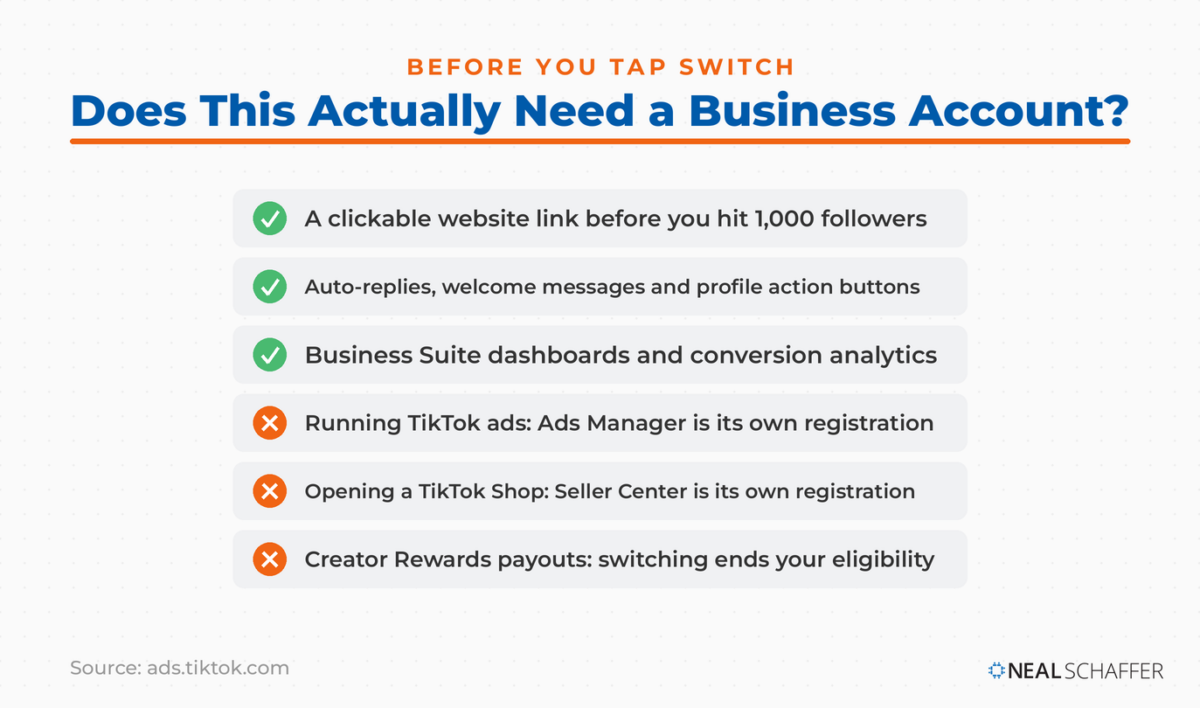
TikTok’s setup documentation walks through it: create a login, register an advertiser account with your business details, add billing, and your account is submitted for approval, usually reviewed in under 24 hours. Nowhere in that flow are you asked to convert your personal profile.
One wrinkle is worth knowing. Linking your TikTok account to that TikTok for Business account is exactly what promotes you to the Advanced Access entitlement level described earlier. So advertisers often end up with business tooling on their organic profile as a side effect, without ever tapping “Switch to Business Account.” Separately, TikTok’s in-app Promote tool boosts individual videos and LIVEs with a few taps if you want something lighter than a full campaign. Either way, paid TikTok works best on top of organic content that already performs, which is why I’d build the organic TikTok muscle first.
Do You Need a Business Account for TikTok Shop?
TikTok Shop runs through Seller Center, a separate registration with its own business verification. What links it to the app is an “official account,” a single TikTok account bound to the shop. That binding carries rules strict enough that they, not the account-type question, should drive how you set things up.
The rules are worth reading closely. Per TikTok’s seller documentation, each shop binds only one official account, the shop name and the official account name must match after upgrade, and changing the shop name changes the account name at the same time. You can unbind, but only 24 hours after binding and only three times total. And an official account can sell only its own shop’s products; it can’t join the affiliate program. That name-matching rule turns the shop handle into a branding decision rather than an afterthought, so it pays to work through TikTok username ideas before you bind anything.
| Official account | Marketing account | |
|---|---|---|
| How many per shop | 1 | Up to 4 |
| Product display | Shop Page, synced automatically | Showcase, added manually |
| Name must match shop | Yes | No |
| Can display affiliate products | No | Yes |
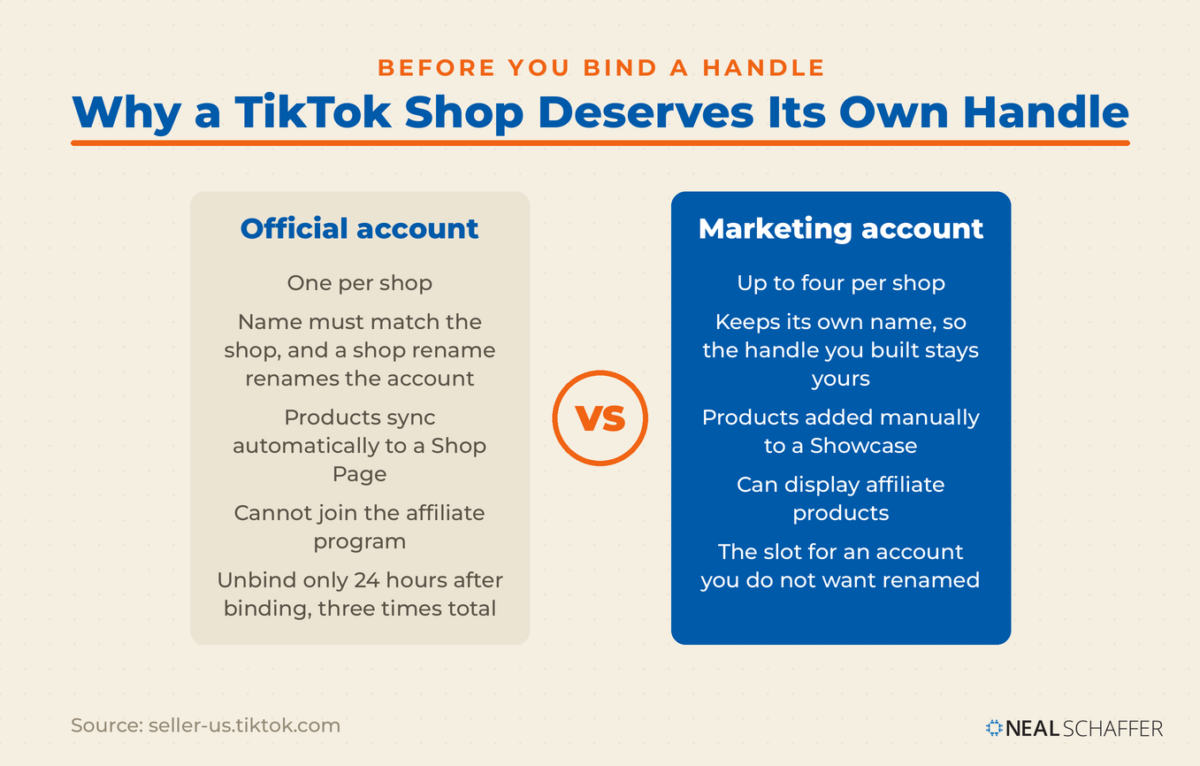
Now apply that to a real situation. I’ve been thinking about opening a TikTok Shop for my books. If I bound my existing handle as the official account, my personal brand account would be renamed to match the shop. That’s the deal-breaker, and it has nothing to do with business versus personal. A shop deserves its own handle so your product content and your personal content can each do their job, and so changing your TikTok username is never something a shop rename forces on you. The marketing account slot is the pressure valve, letting your existing account showcase products without surrendering its name.
The demand is there, for what it’s worth. Pew Research Center found that 62% of adult TikTok users say looking at product reviews or recommendations is a reason they use the platform. People arrive on TikTok already shopping.
Business, Creator, or Personal: How Should You Choose?
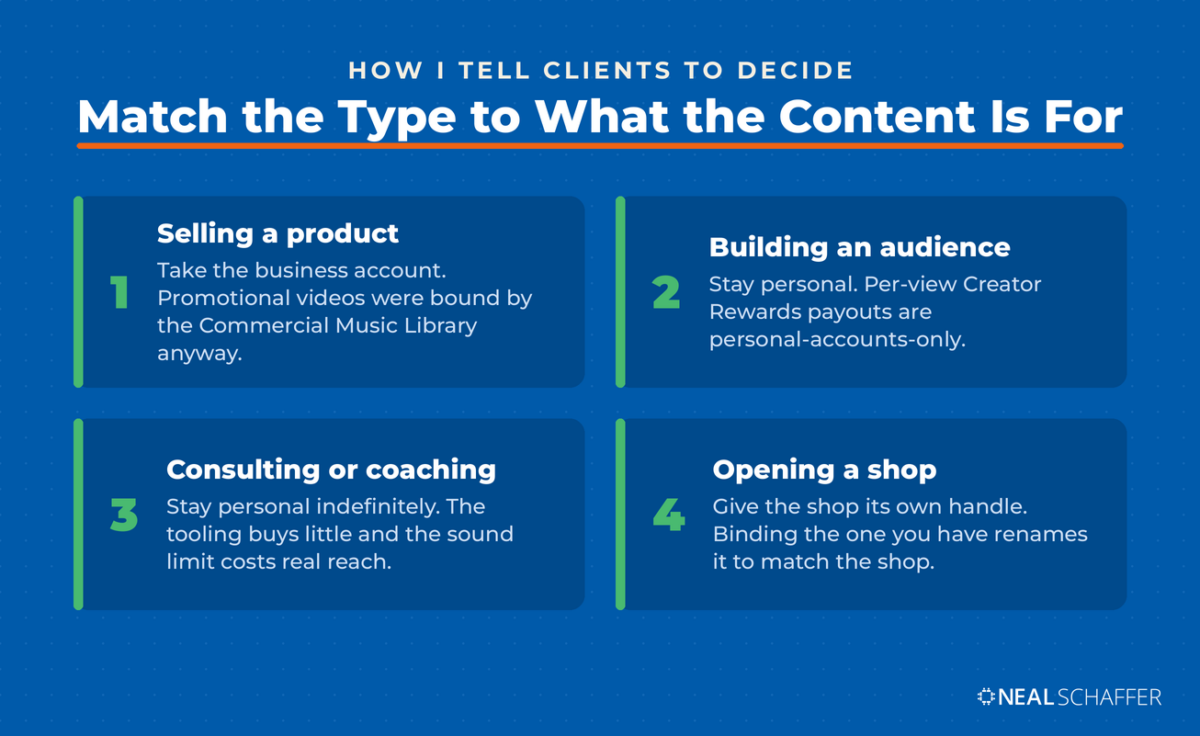
Match the account type to what the content is for. If your videos exist to sell something, take the business account and its music constraints, because those constraints bound you anyway. If your videos exist to build an audience and you want per-view monetization, stay personal. Still testing? Stay personal until you have something worth linking to.
TikTok is not a small bet either way. DataReportal’s global analysis puts TikTok’s reported advertising reach at 2.21 billion, third among social platforms worldwide, and the latest TikTok usage data says a lot about who you’d actually be reaching. On an episode of my podcast Your Digital Marketing Coach, I put the shift this way: “And when social media becomes a search engine, it becomes important for businesses and marketers to begin to reconsider the value of those platforms.”
My own answer, since I think you deserve one: I’m on a personal account. I’m not close to 1,000 followers there, so I don’t have a clickable link, and that bothers me less than it probably should. My TikTok is a research and teaching channel, not a storefront, and I want the full sound library while I’m still learning the format. I was late to short-form video and said so on that podcast episode. The way I got unstuck was hiring a TikTok video editor through Upwork, inviting a batch of candidates, then asking each one to walk me through their pre-publish checklist. That checklist taught me more about the format than any article did. The day I open a shop, I’ll spin up a separate business handle for it rather than convert the one I have.
Some readers should ignore all of this and stay personal indefinitely. Say you’re a consultant or coach, and your TikTok exists to make people curious about you rather than to sell a specific SKU. The business tooling buys you very little there, and the sound restriction costs you real reach. Account type is a tooling decision, not a statement about how serious you are. Treating it as one is how people end up with a business account they never use properly. What matters far more is whether your content earns attention, which is the actual subject of growing a TikTok account.
How Do You Switch to a TikTok Business Account?
You switch inside the app in under a minute. Tap Profile, open the menu at the top right, then Settings and privacy, then Account, then Switch to Business Account, and pick the category that describes what you do. Your username, followers, and existing videos all carry over untouched, and the same path reverses the switch later.
A few things worth doing right after. Fill in the business category and contact details so the profile reads as legitimate. Add your website link while you’re in Edit profile. Check whether your best-performing videos used sounds you can no longer access, because the restriction applies going forward and you’ll want a plan for replacements. And if credibility on the platform matters for your category, look at what it takes to get verified on TikTok once you qualify.
Frequently Asked Questions About TikTok Business Accounts
Yes. Switching is free and takes a few taps in Settings and privacy under Account. You can switch back to a personal account at any time, and your followers and videos are unaffected either way.
No. Business accounts see only the Commercial Music Library when adding sound. That library holds around a million cleared tracks, but chart hits and viral user-uploaded audio generally aren’t in it. Original audio remains available to every account type.
No. TikTok Ads Manager is a separate registration with nothing to do with the account-type toggle in your app settings. You sign up at the TikTok for Business site, provide your legal business name, time zone, currency, and billing details, and your ad account goes for approval. Your organic profile stays exactly as it is. Before you register, my guide to TikTok advertising lays out the budget minimums and the campaign types still available, so you know what a test actually costs.
Yes. TikTok lets you run multiple accounts and switch between them. A separate business handle alongside a personal one is a common setup, and a sensible one if you’re planning a TikTok Shop.
No. Your videos, followers, and username carry over. Business accounts view analytics through Business Suite while personal accounts use TikTok Studio, so the dashboard changes even though the underlying account doesn’t.
Ready to Pick the Right TikTok Account and Get to Work?
Decide what your TikTok is for before you decide what type it should be. Selling something? Take the business account and lean into original audio and the Commercial Music Library. Building an audience? Stay personal until you have a link worth clicking. Opening a shop? Give it its own handle from day one, before the name-matching rule decides for you.
If you want the wider picture of what works on the platform, start with TikTok marketing and build from there. When you’re ready to make TikTok one thread in a plan that connects search, email, and social into something that compounds, grab a free preview of Digital Threads or get in touch about Fractional CMO services.