

Editorial Note: I may earn a commission when you visit links that appear on my website.
Email Marketing Automation: The Complete Guide to Building a 24/7 Revenue Engine
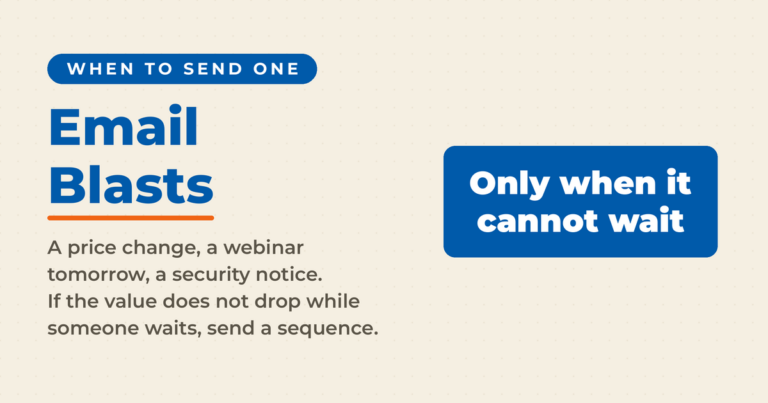
If you’re still sending one-off email blasts, you’re leaving money on the table. The businesses I advise see the biggest wins when they automate timely, relevant messages across the customer journey.
Fortunately, you don’t need a big team or budget to do this well. In this guide, I’ll show you how to pick the right stack, build the first automated systems that matter, and measure what moves the needle. Expect a practical road map you can implement in days, not months, with examples and playbooks that fit small businesses and scrappy entrepreneurs.
As someone who has written extensively about this topic in my book Digital Threads, taught email marketing best practices at Rutgers Business School, and advised companies as a Fractional CMO, I’ve seen firsthand how automation transforms results. I also dive into these strategies regularly on my podcast, Your Digital Marketing Coach.
First, though, what exactly is email marketing automation?
Key Takeaways
✅ Email marketing automation delivers an average ROI of $36 for every $1 spent, making it one of the highest-performing digital marketing channels
✅ Automated emails generate 320% more revenue than non-automated campaigns.
✅ Welcome emails achieve open rates up to 83%, making them the most critical automation to implement first
✅ Cart abandonment emails recover significant lost revenue with 39-45% open rates and 10.7% conversion rates.
✅ Segmented email campaigns generate 30% more opens and 50% more click-throughs.
✅ The right 90-day implementation plan can build a complete automation system without overwhelming your team
What Is Email Marketing Automation and Why Does It Matter?
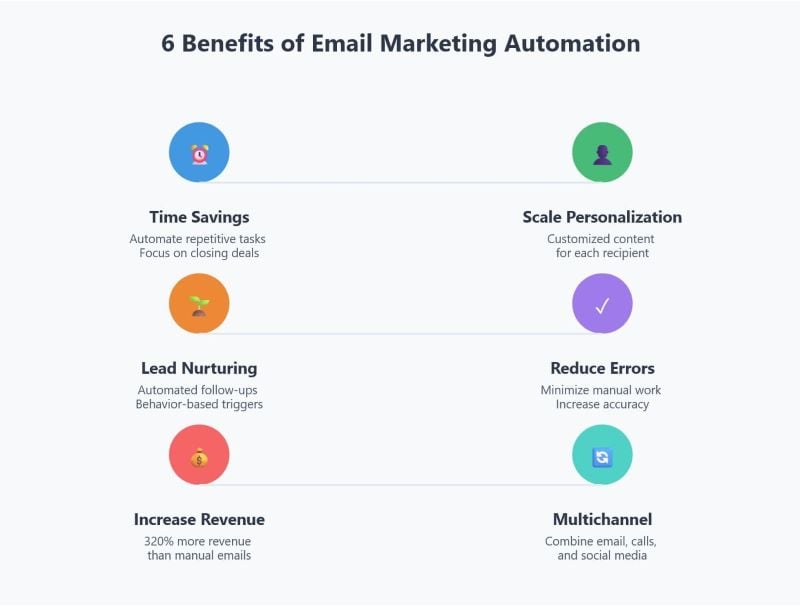
Email marketing automation is the use of software to send personalized, trigger-based email campaigns automatically based on subscriber behavior, preferences, or timing. Unlike manual batch-and-blast campaigns, automated emails respond to specific actions (like signing up, abandoning a cart, or making a purchase) to deliver the right message at the right moment.
Most small businesses send newsletters or promotions, but few use automation to send timely, behavior-based messages that convert. Here’s what automation really means, why it outperforms manual campaigns, and how it helps you scale personalization without scaling workload.
How Automation Differs from Manual Email Marketing
The core difference? Manual campaigns require you to create and send each message. Automated emails work in the background, triggering based on rules you set once and optimize over time.
Think of it this way: A newsletter is you talking to everyone at once. An automation is like having a personal assistant who sends exactly the right follow-up at exactly the right time, to exactly the right person, without you lifting a finger.
According to Omnisend’s ecommerce marketing statistics report, automated messages drove 37% of all email-generated sales in 2024, despite making up just 2% of total send volume. That’s the power of relevance and timing working together.
Benefits Backed by Data
The numbers make a compelling case for automation:
| Metric | Manual Campaigns | Automated Campaigns |
|---|---|---|
| Revenue Generation | Baseline | 320% more revenue per email |
| Open Rates | ~20-25% average | 44-50% for triggered emails. |
| Engagement Quality | Lower | 8x more opens than bulk sends. |
| Time Investment | High (ongoing) | Low (set once, optimize) |
According to Salesforce research, segmented email campaigns generate 30% more opens and 50% more click-throughs. And Litmus research shows email marketing delivers an average ROI of $36 for every $1 spent.
For deeper context on email marketing statistics, the data consistently shows automation outperforming manual sends across every metric that matters.
Common Myths Debunked
“Automation is only for ecommerce.”
Not true. Service providers, consultants, coaches, local businesses, and B2B companies all benefit from automated sequences. If you have leads to nurture or customers to retain, automation applies to you.
“It’s too technical or expensive.”
Modern platforms like MailerLite and Brevo offer visual workflow builders that require zero coding. And many start under $20/month for small lists.
“You’ll annoy subscribers with too many emails.”
Automation actually reduces annoyance because messages are relevant and timely. A welcome email when someone subscribes? Expected. A cart reminder when they abandon checkout? Helpful. Compare that to random promotional blasts, and you’ll see why triggered emails perform better.
Which Email Automations Should You Build First?
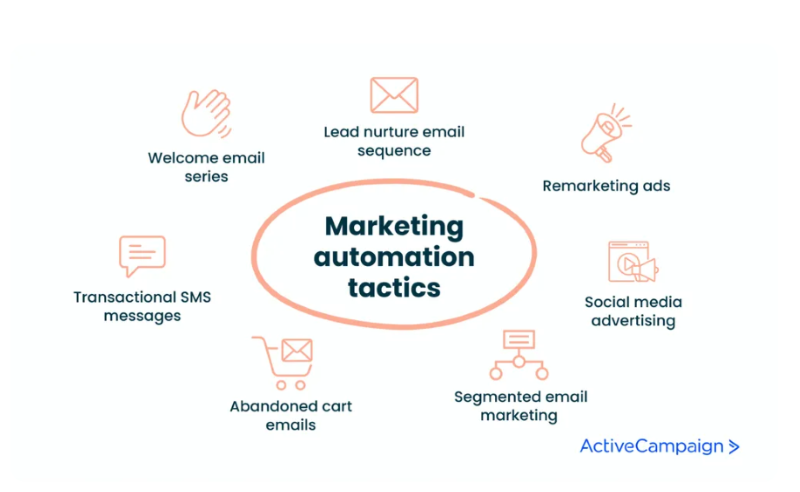
Start with the flows that deliver proven ROI. These 12 foundational automations help you capture sales, nurture leads, and retain customers without adding to your workload.
The 12 Revenue-Ready Automations
1. Double Opt-In Confirmation
Validate subscribers, improve email deliverability, and ensure compliance while setting expectations. This protects your sender reputation from the start.
2. Welcome Series
Welcome emails achieve an impressive average open rate of 83% and 16% CTR. These emails introduce your brand and drive the first action, whether that’s reading a key resource or making an initial purchase.
3. Lead Magnet Delivery
Instantly deliver your free resources, then follow with a short nurture sequence connecting the topic to your paid offer. This is essential for building an email list that converts.
Is LinkedIn Actually Bringing You Business?
My latest book helps professionals, entrepreneurs, and business owners turn LinkedIn from a static profile into a real source of clients and growth.
Maximizing LinkedIn for Business Growth gives you clear, practical steps to build a profile that gets noticed and a network that actually sends business your way.
Grab your copy on Amazon and put it to work this week. Click the cover or the button below to get started.

4. Abandoned Cart / Booking Reminder
Cart abandonment emails achieve open rates of 39% and 10.7% conversion rates. Learn more here about creating effective abandoned cart email sequences.
5. Browse Abandonment
Reignite interest by showcasing recently viewed products or related recommendations for visitors who browsed but didn’t add to cart.
6. Post-Purchase / Post-Service Follow-Up
Thank buyers, confirm details, and invite reviews or referrals. This flow strengthens relationships and generates social proof.
7. Onboarding Series
Help new clients or subscribers see value quickly with a few actionable setup or success emails. This reduces churn and increases lifetime value.
8. Replenishment / Renewal Reminder
Prompt repeat business before products run out or subscriptions expire. This is especially powerful for consumable products.
9. Review or Feedback Request
Ask for testimonials shortly after delivery to generate social proof. Timing matters here: ask when satisfaction is highest.
10. VIP or Loyalty Reward
Recognize top customers with exclusive offers or early access to new products.
11. Re-Engagement / Win-Back
Reconnect with inactive subscribers through personalized “we miss you” content or an incentive. Even a small discount can encourage your email list to respond.
12. Anniversary / Birthday Celebration
Strengthen loyalty with milestone or birthday emails that make subscribers feel appreciated.
Automation Priority by Impact
| Priority | Automation | Why It Matters |
|---|---|---|
| Critical | Welcome Series | 320% more revenue than promotional emails |
| Critical | Abandoned Cart | 10.7% average conversion rate |
| High | Post-Purchase | Drives repeat purchases and reviews |
| High | Lead Magnet Delivery | Nurtures cold leads to customers |
| Medium | Re-Engagement | Recovers inactive subscribers |
| Medium | VIP/Loyalty | Increases customer lifetime value |
Tailor AuHow Do You Tailor Automations to Your Business Model?
Every business has a different customer journey, and your automation mix should reflect that.
Ecommerce Businesses
Focus on cart, browse, and post-purchase flows to increase repeat purchases. Use dynamic product blocks showing items left behind or related recommendations. Replenishment triggers work especially well for consumable products.
For ecommerce email marketing specifically, abandoned cart sequences are non-negotiable. Cart recovery revenue per recipient averages $3.65. Multiply that by thousands of abandoned carts, and the revenue adds up fast.
Service Providers and Consultants
Prioritize lead nurture, consultation booking, onboarding, and testimonial sequences. Integrate with your calendar to automate appointment confirmations and reminders.
Your email marketing strategy should focus heavily on education and trust-building before the sale, then deliver exceptional value during onboarding.
Local Businesses
Use appointment reminders, missed-call follow-ups, and review prompts. Pair email with SMS for time-sensitive messages.
The combination of email marketing for small business and local relevance creates a powerful retention engine.
B2B Companies
According to EmailVendorSelection research, 71% of B2B marketers use email newsletters as part of their content marketing strategy. Focus on lead scoring, B2B email marketing nurture sequences, and content delivery automations.
How Do You Choose the Right Email Automation Platform?
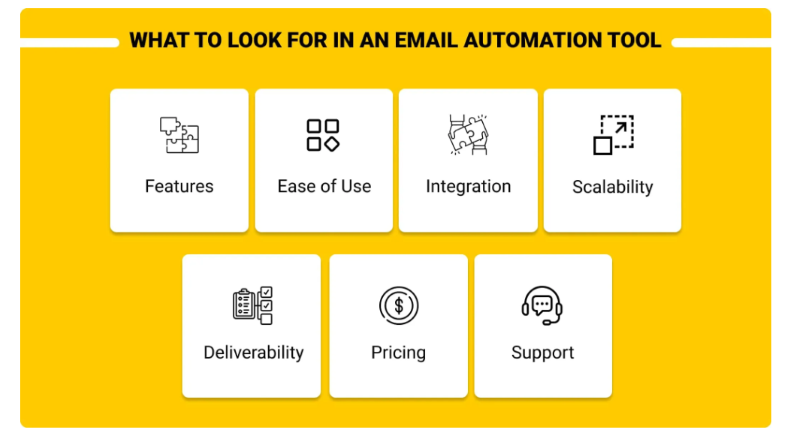
The right email automation platform depends on your business goals and complexity. Choose a tool that balances power with usability and budget.
“Email has an ability many channels don’t: creating valuable, personal touches, at scale.” — David Newman, Marketing Expert
Platform Recommendations by Business Type
| Business Type | Recommended Platforms | Why |
|---|---|---|
| Ecommerce Under 10K Contacts | Klaviyo, Omnisend | Deep ecommerce integrations, product recommendations |
| B2B Services or Creators | ActiveCampaign, MailerLite | Strong automation, CRM features, affordable |
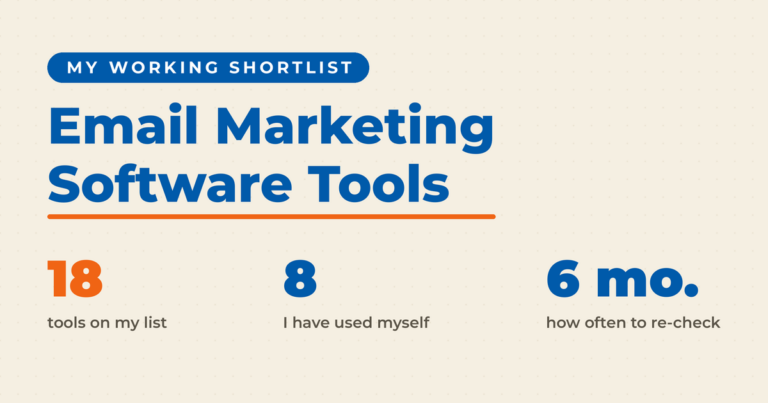
| Budget-Conscious Small Teams | Brevo, Sender | Free tiers, basic automation, easy setup |
| CRM-First Growth | HubSpot Starter, Zoho Campaigns | Native CRM integration, sales alignment |
Key Features to Evaluate
When evaluating your email marketing tools, look for:
- Visual workflow builders with drag-and-drop simplicity
- Segmentation depth to target based on behavior, not just demographics
- Site and ecommerce tracking to trigger automations based on browsing
- AI-driven personalization for product recommendations and send-time optimization
- Deliverability insights showing inbox placement rates
- Transparent pricing that scales with your growth
According to HubSpot research, 78% of marketers actively use email marketing as a key part of their multichannel approach, and 58% prioritize email automation.
Do You Also Need a Per-Message Email Tracker?
An automation platform reports on campaigns and flows. It will not tell you whether the one proposal you sent a prospect this morning has been opened. That job belongs to a different category of tool, an email tracker that sits inside Gmail or Outlook and drops a tracking pixel into individual messages you type by hand.
Three questions decide whether a tracker earns its keep, and they are worth asking in this order.
Does it log to the CRM you already use? A tracker that only pings you is a notification. A tracker that writes the open and the click onto the contact record gives your next conversation something to stand on. HubSpot’s email tracking is free to start, and every tracked open lands on the contact record in its CRM.
Does it support your inbox? Check this before you compare pricing. Streak offers free tracking with real-time notifications, but it is built entirely inside Gmail and has no Outlook version. HubSpot covers Gmail, Outlook, and Office 365.
Is it simple enough that a new rep uses it on day one? Most trackers install as a browser extension and add a checkbox to the compose window. If setup asks for more than that, your team will quietly stop turning it on.
How Do You Ensure Your Emails Actually Reach the Inbox?
Even the smartest automations fail if your emails don’t reach inboxes or if subscribers stop trusting you. Protect your sender reputation, respect privacy, and maintain credibility.
Authentication Requirements
Gmail and Yahoo now require DMARC authentication for bulk senders (5,000+ daily emails). According to Litmus research, companies with proper DMARC configuration see 10-20% better inbox placement.
Set up these three authentication protocols:
- SPF (Sender Policy Framework)
- DKIM (DomainKeys Identified Mail)
- DMARC (Domain-based Message Authentication)
List Hygiene Best Practices
According to Dyspatch research, 1 in 6 marketing emails never reach the inbox, getting filtered to spam or blocked outright. Here’s how to protect your deliverability:
- Remove hard bounces immediately
- Suppress soft bounces after 3-5 attempts
- Re-engage or remove subscribers inactive for 90+ days
- Use double opt-in to verify genuine interest
- Monitor spam complaint rates (keep under 0.1%)
For detailed guidance, read my email deliverability guide.
Compliance Requirements
Always use double opt-in, honor unsubscribes promptly, and comply with CAN-SPAM, CASL, and GDPR. Failing to comply can destroy your sender reputation and create legal exposure.
The tracking pixel itself is now a separate compliance question in Europe. On April 14, 2026, France’s data protection regulator published Decision No. 2026-042, which makes the recipient’s prior consent the general rule for pixels in email. Two narrow exceptions exist. One covers authentication and security, the other covers deliverability measurement. Neither covers marketing email. The B2B opt-out route does not rescue you either, because you can still send the message without prior consent but the pixel inside it needs consent of its own. I am not a lawyer, so get proper counsel before you switch open tracking on for an EU list.
What Makes Email Copy and Design Convert?
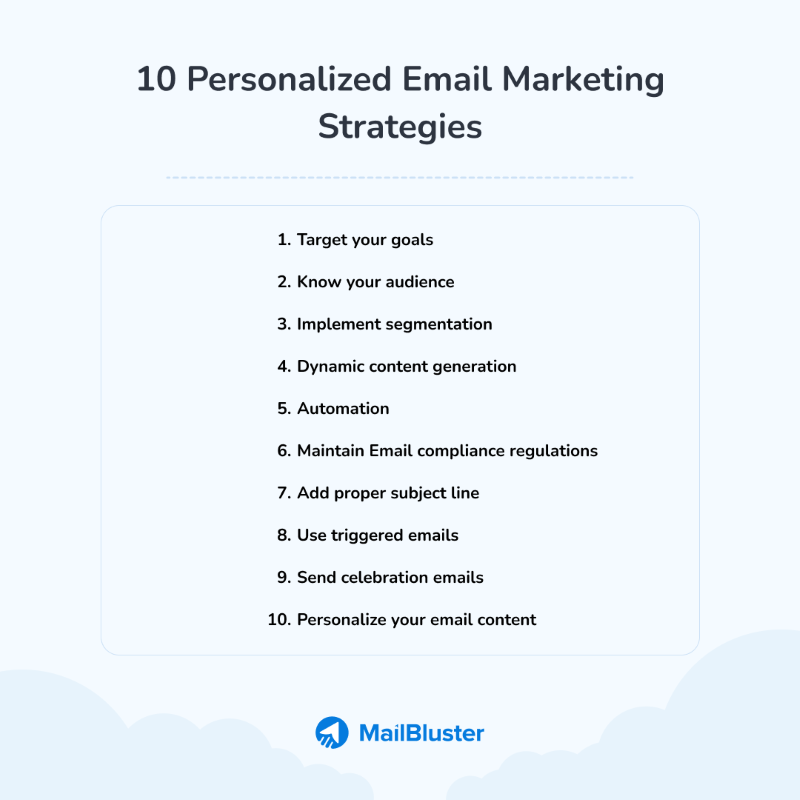
Automation works best when every message feels personal and valuable. Combine smart segmentation, strong copy, and simple design for higher engagement.
Segmentation Strategies That Work
According to HubSpot’s State of Marketing Report, 78% of marketers say segmentation is their most effective tactic. Build segments based on:
- Lifecycle stage: New subscribers, first-time buyers, repeat customers, dormant users
- Purchase behavior: Product categories, average order value, purchase frequency
- Engagement level: Active openers, occasional readers, unengaged
- Demographics and preferences: Location, stated interests, communication preferences
Subject Line Formulas That Drive Opens
Emails with personalized subject lines are 26% more likely to be opened. Use these frameworks:
- Curiosity + specificity: “The one email that recovered $47K last quarter”
- Benefit + timeframe: “3 automations to set up this weekend”
- Question + outcome: “Why did our open rate jump 40%?”
For more strategies, see my guide on email subject lines.
Design Principles for Conversion
According to HubSpot, emails with a single CTA can increase clicks by up to 371%. Follow these principles:
- One clear CTA per email: Don’t make subscribers choose
- Mobile-first layout: 50-60% of opens happen on mobile devices
- Scannable blocks: Short paragraphs, bullet points, clear headers
- Visual hierarchy: Guide the eye to your CTA
For design inspiration, explore email marketing design best practices.
MetWhich Metrics Should You Track for Email Automation?
Automation isn’t “set and forget.” Focus on the KPIs that reveal true ROI.
Core Flow Metrics by Automation Type
| Flow | Primary Metric | Benchmark |
|---|---|---|
| Welcome Series | Time-to-first-purchase | Track velocity improvement |
| Cart Recovery | Revenue per recipient | $3.65 average (Klaviyo) |
| Post-Purchase | Repeat purchase rate | Track time-to-second-order |
| Win-Back | Reactivation rate | 5-10% is strong |
Program-Level KPIs
According to Omnisend data, aim for these benchmarks:
- Automation revenue share: Aim for automation revenue share of 37%+ like top performers.
- Open rates: Above 30% is solid, 40%+ is strong
- Click-through rates: Above 3% for automated emails
- Spam complaints: Under 0.1% is the gold standard
- Revenue per subscriber: Track monthly to measure list health
Automated drip campaigns report 77% higher engagement and 3x more conversions than one-time blasts.
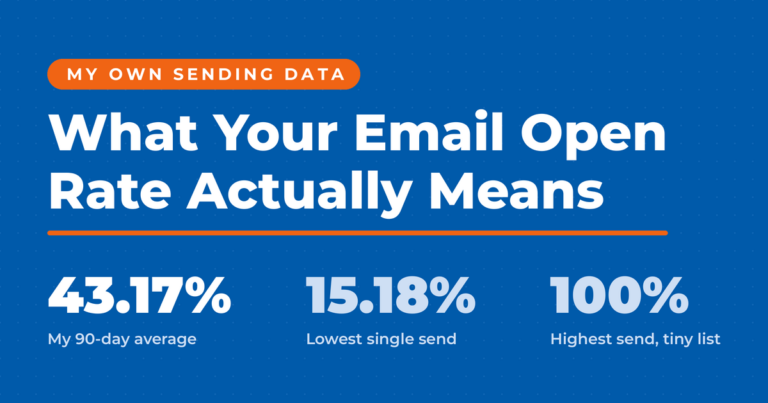
Treat every open rate on this page as directional rather than exact. Apple’s Protect Mail Activity downloads remote content in the background by default, whether or not the recipient engages with the email. Your tracking pixel fires on those messages and your platform counts it as an open. If a real share of your list reads mail in Apple Mail, your reported open rate is inflated by an amount you cannot measure. Clicks, replies, and revenue per recipient are the numbers to judge a flow on.
For comprehensive measurement guidance, see email marketing metrics to consider.
What’s the Best 90-Day Implementation Plan?
You don’t need to automate everything at once. Follow this practical, phased plan to launch, test, and refine your automations while avoiding the most common mistakes.
Phase 1: Foundation (Days 1-21)
Actions:
- Connect your CRM or store and authenticate your domain (SPF, DKIM, DMARC)
- Import and clean your existing list
- Launch welcome and double opt-in confirmation flows
Why this order? Your welcome series will generate the highest engagement rates. Welcome emails generate 4x more opens and 5x more clicks than regular campaigns.
Pitfall to avoid: Skipping authentication or list cleaning can tank deliverability before you even start. Early deliverability issues can effectively destroy a campaign.
Phase 2: Conversion and Engagement (Days 22-60)
Actions:
- Add cart abandonment and browse abandonment flows
- Build post-purchase and lead nurture automations
- Enable frequency caps and create a preference center
Why this order? Cart recovery directly impacts revenue. According to Baymard Institute research cited by Email Vendor Selection, the average cart abandonment rate is 74.8%, representing massive recovery opportunity.
Pitfall to avoid: Overlapping automations can cause over-sending and unsubscribes. Map out which automations can run simultaneously and add suppression rules.
For email marketing campaign examples, see what’s working for other businesses.
Phase 3: Optimization and Scale (Days 61-90)
Actions:
- Layer in VIP, win-back, and milestone emails
- A/B test subject lines, timing, and offers in top-performing flows
- Prune inactive contacts and document all workflows
Pitfall to avoid: Measuring vanity metrics instead of revenue impact. Opens and clicks matter, but conversions, repeat purchases, and retention are what count.
Frequently Asked Questions About Email Marketing Automation
How much does email marketing automation cost for small businesses?
Entry-level platforms like MailerLite and Brevo offer free tiers for small lists (under 500-1,000 subscribers) with basic automation. Paid plans typically start at $10-30/month for 1,000-5,000 contacts with full automation features. Mid-tier platforms like ActiveCampaign and Klaviyo range from $30-100/month depending on list size and feature needs. For more details on email marketing cost, evaluate based on your specific requirements.
What’s the difference between drip campaigns and automation workflows?
Drip campaigns are time-based sequences (email 1 on day 1, email 2 on day 3, etc.). Automation workflows respond to specific behaviors or triggers (opened email, clicked link, made purchase, visited page). The best email marketing automation combines both: time-based drips with behavioral branches that personalize the journey.
How many automated emails should I send per week?
There’s no universal answer, but frequency caps help prevent fatigue. Most businesses cap total automated + promotional sends at 2-4 emails per week per subscriber. The key is relevance: a subscriber who abandoned a cart expects a reminder, while someone who just purchased doesn’t need another sales pitch.
Can I use AI to write my automated emails?
According to HubSpot’s AI Trends Report, 65% of marketers advocate using AI as an assistive tool but oppose fully hands-off deployment. Use AI to draft emails, then refine them for brand voice and authenticity. For more on this topic, see AI email marketing.
How do I know if my automation is working?
Track revenue attributed to each automation flow, not just open and click rates. Most platforms show revenue per recipient for each sequence. Compare automated email performance against manual campaigns and set specific targets: aim for automated emails to generate at least 20% of total email revenue as a starting point.
Ready to Build Your 24/7 Revenue Engine?
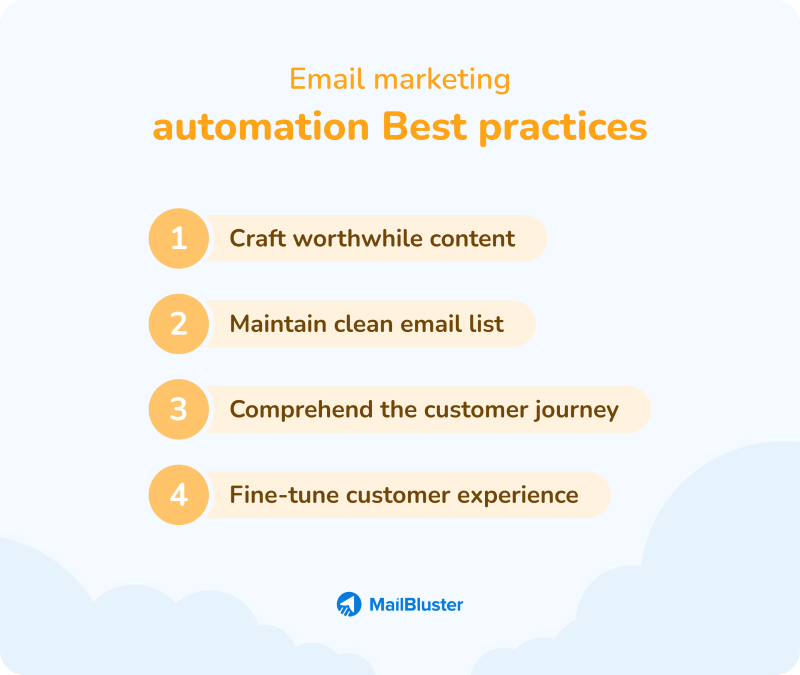
Email automation isn’t about sending more emails. It’s about sending the right message at the right time and letting software handle the rest.
Start with the flows that reliably generate revenue: welcome series, cart recovery, and post-purchase follow-ups. Protect your deliverability from day one. Measure impact beyond opens and clicks by tracking actual conversions and revenue.
With a focused 90-day plan and the right email marketing tools, you can convert more visitors, increase retention, and grow your pipeline without adding headcount.
Want to go deeper? Download my free Email Marketing Guide for additional templates and examples. If you want help tailoring these playbooks to your business model, this is exactly the kind of work I do as a Fractional CMO. Reach out for a more detailed plan, or join my Digital First Group Coaching Community to implement alongside other entrepreneurs.
DIY your digital marketing with AI.
Practical advice on social, content, influencer, and search marketing, plus the AI tools that make each one easier. Join thousands of founders and business owners who read it.

Neal Schaffer
Articles: 5902 Comments
Comments are closed.
Hi, this is a great blog and I always enjoy the information posted here! Thanks againl
Thank you for the positive comment Beth – I try my best!