
Open the Explore tab on X right now and you’ll see a list of trending topics that has very little to do with your business. Politics. A sports score. A celebrity nobody in your industry has heard of. That’s the moment most marketers close the tab and decide Twitter trends aren’t worth the effort.
I think that’s the wrong call, but for a subtle reason. The trending list you see is not a neutral snapshot of what the world is talking about. It’s a personalized, algorithmically ranked, heavily filtered feed that X built to keep you engaged. Once you understand how it gets assembled, you can work around it, pull the signal you actually need, and use trends as a research input rather than a bandwagon.
I joined Twitter in September 2008 and have posted more than 235,000 times since, which is either a credential or a confession. I teach social media marketing to executives at Rutgers Business School and personal branding at UCLA Extension. In my work as a Fractional CMO, I get asked about trend-jacking more than almost any other tactic. My honest answer usually disappoints people: most brands should join far fewer trends than they think, and spend the time they save on trend *research* instead. This post covers both sides, plus the AI tools that make each step faster.
Key Takeaways
✅ X trends are algorithmic and personalized by default, based on who you follow, your interests, and your location, and the post count is only one input among many, according to X’s Trends FAQ.
✅ Millions of trends get detected globally every day, and X ranks the small slice you see with machine learning models that weight similarity to your interests 50% more heavily than raw trend score, per X’s own engineering overview.
✅ Joining a trend has a short shelf life and real downside: 93% of consumers say brands should keep up with online culture, but a third find trend-jumping embarrassing and 27% say it only works within 24 to 48 hours, according to the 2025 Sprout Social Index.
✅ AI tools now cover the whole workflow: Grok summarizes what’s behind a trend, listening platforms tell you the sentiment, and trend databases separate a two-hour spike from a two-year shift.
✅ The highest-ROI use of Twitter trends is not the reactive tweet. It’s the research signal that tells you what to build content around next.
What Are Twitter Trends and How Does X Decide What Trends?
Twitter trends, now officially X trends, are topics and hashtags that X’s algorithm identifies as gaining sudden traction right now rather than being consistently popular over time. They appear in the Explore tab and the “What’s happening” module. X states in its Trends FAQ that trends are tailored by default to who you follow, your interests, and your location.
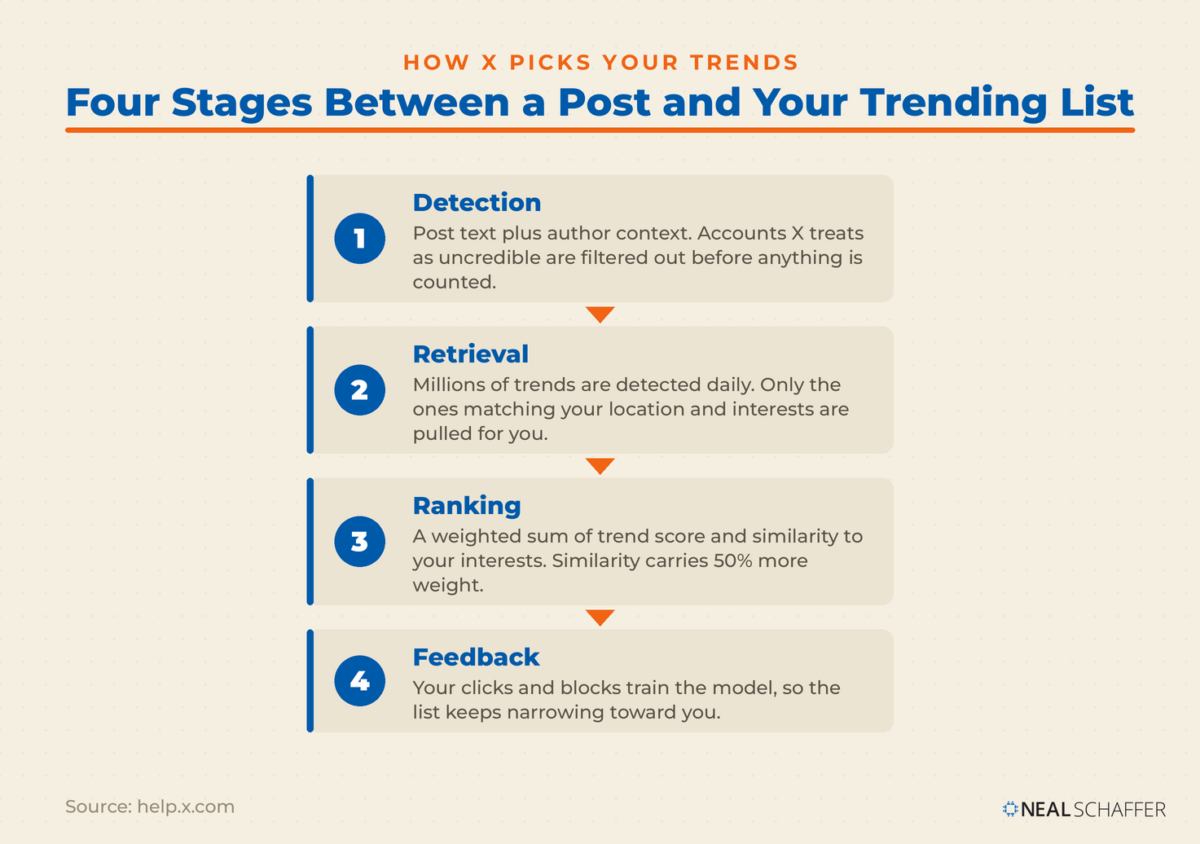
The mechanics matter more than most marketers realize. X’s engineering team describes a four-stage system: detection, candidate retrieval, ranking, and feedback collection. Detection tokenizes post text into phrases and combines them with author context like account age and location. Posts from accounts X considers uncredible get filtered out before anything is counted, which includes new accounts with few followers and suspected bots.
Then comes the part that explains why your trending list looks so different from your customer’s. Millions of trends are detected daily and globally. Retrieval pulls only the ones relevant to your location and interests. A light ranking step then scores each candidate on a weighted sum of the trend’s own score and its similarity to your interests. Similarity gets 50% more weight than the trend score itself.
Read that again. The system is tuned more toward what you personally engage with than toward what is objectively big. Two other details are worth knowing:
- Volume is one input, not the input. X notes explicitly that post count is just one factor the ranking algorithm considers.
- Related hashtags get grouped. #MondayMotivation and #MotivationMonday may both surface under a single trend, so chasing hashtag variants is wasted effort.
- Trends are not personalized in the European Union, where X serves the non-personalized list instead.
Where Do You Find Twitter Trends That Are Actually Relevant to Your Business?
Finding useful X trends means deliberately turning off the personalization. The Explore tab’s “For you” list reflects your own habits. Switching to the Trending tab, or setting a specific location, gives you the non-personalized list for a geography, which is far closer to what your prospects in that market are seeing.
Each surface gives you something different, and I reach for them for different jobs:
| Where to look | What it shows you | Best for |
|---|---|---|
| Explore > For you | Trends personalized to your interests, location, and who you follow | Understanding your own filter bubble, not your market’s |
| Explore > Trending (or a set location) | The non-personalized list for a geography | Seeing what a city or country is actually talking about |
| Topics you follow | Trends filtered into News, Sports, Entertainment and similar tabs | Cutting political noise out of the list |
| Search plus filters | Any keyword, sorted by Latest | Spotting niche momentum before it ever trends |
| X Lists | A curated timeline of the accounts that matter in your niche | Industry micro-trends that will never hit the main list |
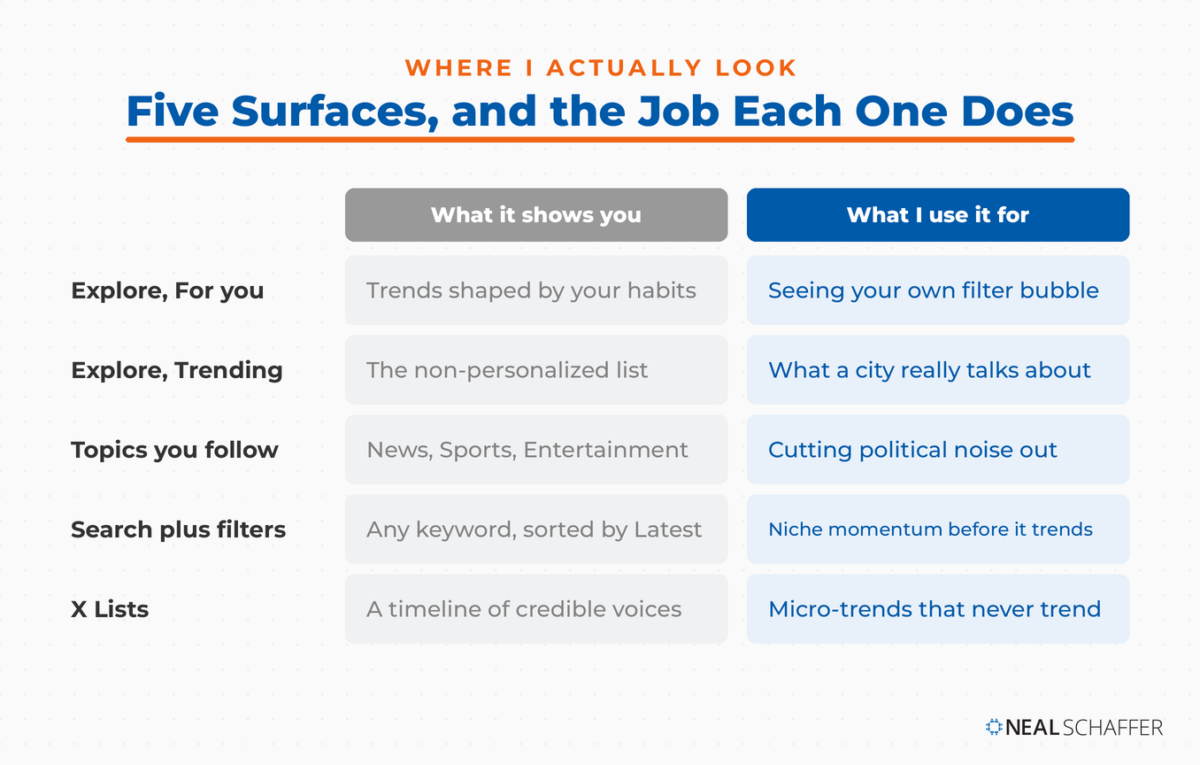
The last two are where the real work happens for B2B and niche brands. Your industry’s emerging conversation will almost never appear in a public trending list, because it doesn’t have the volume. It will show up in a well-built Twitter List of 30 credible people in your space, or in a saved search. Want to get precise? Twitter advanced search filters by engagement thresholds, date ranges, and specific accounts. That turns “what’s trending” into “what’s trending among people who matter to me.”
To view trends for a specific location on x.com, click Change in the Trends box and either keep tailored trends or pick a location. On mobile, that setting lives under Settings and privacy, then Privacy and safety, then Content you see, then Explore settings. On desktop, a couple of the Twitter Chrome extensions I cover go further and strip promoted posts and other clutter out of the page.
Why Do X’s Trends Look So Political Now?
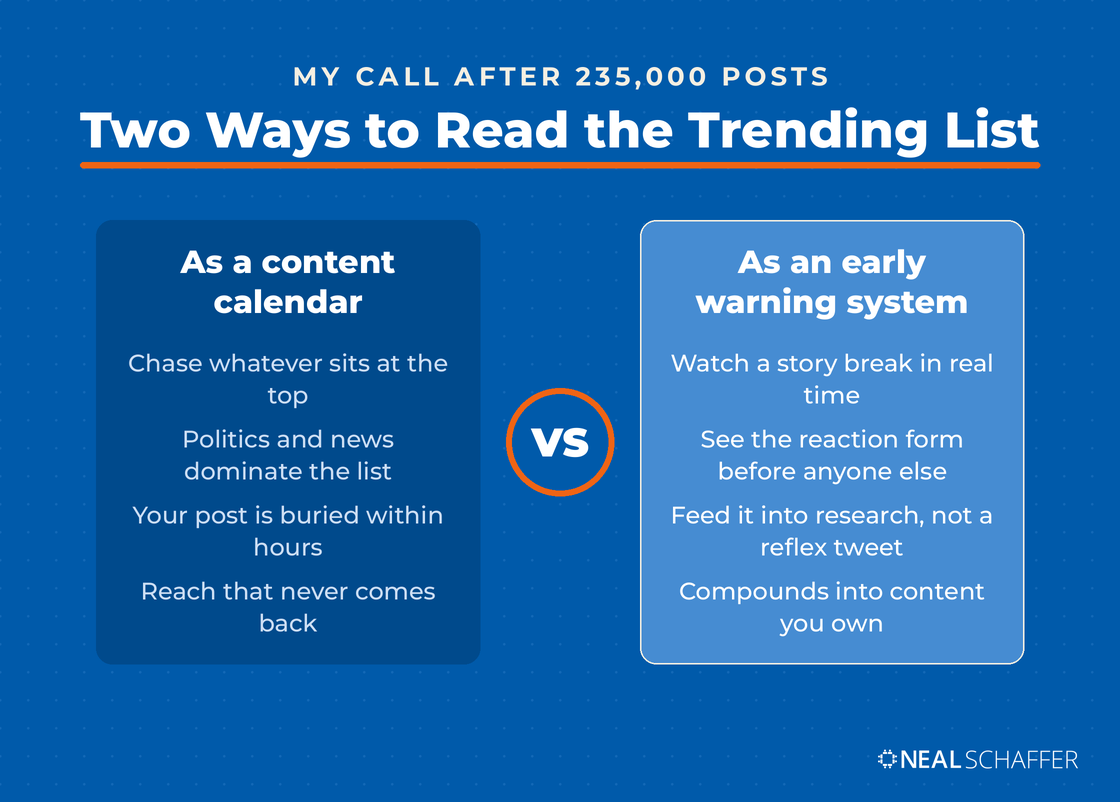
Because the composition of the platform’s most active posters has shifted, and trends are computed from post volume and velocity among credible accounts. The result is a trending list where political and news topics dominate and business conversation is thin. This is a real constraint on trend-jacking, not a rounding error, and it changes what X is useful for.
On a recent episode of my podcast Your Digital Marketing Coach, I put it bluntly: “Twitter is no longer social media. What I would call Twitter instead is political media.” I didn’t say that to be provocative. I said it because my own data forced me to.
Twitter generated the most or second-most traffic to my website for years, consistently, going back to the early days. Then I watched it slide while I kept posting the same content at the same frequency. By early 2025, both LinkedIn and Facebook were sending me more visitors than Twitter was. That is what a platform-level algorithmic shift looks like from the inside, and no amount of trend participation fixes it. If you’re rebuilding your approach from scratch, my post on how to use Twitter for business covers the strategic questions that come before any of this.
But that same shift is exactly what makes X valuable as a listening post. It remains the fastest place to see a story break and to watch the reaction form in real time. You just stop treating the trending list as a content calendar and start treating it as an early warning system. For brand-specific monitoring rather than culture-wide monitoring, pair it with social listening tools that watch your name, your competitors, and your category across platforms.
Which AI Tools Help You Find and Use Twitter Trends?
AI now covers four distinct jobs in the trend workflow: understanding what a trend is actually about, judging whether it’s safe and relevant, producing the creative, and separating real shifts from noise. No single tool does all four, so the practical answer is a small stack rather than one product.
| Tool | What it does for trends | Use it for |
|---|---|---|
| Grok (built into X) | Summarizes trending stories in Explore and answers questions about live X conversation | Understanding *why* something is trending in seconds |
| Brandwatch | AI sentiment analysis and automated spike detection across online sources | Knowing whether the conversation is positive before you join it |
| Exploding Topics | Machine-learning trend database with growth, sentiment, and 12-month forecasts | Telling a two-hour spike apart from a real market shift |
| Google Trends | Search-interest validation for any term | Checking whether a trend has search demand behind it |
| Adobe Express | Generative AI templates, images, and scheduling | Producing an on-brand visual fast enough to matter |
| X API (Trends by WOEID) | Programmatic trend lists per location | Automating trend monitoring across multiple markets |
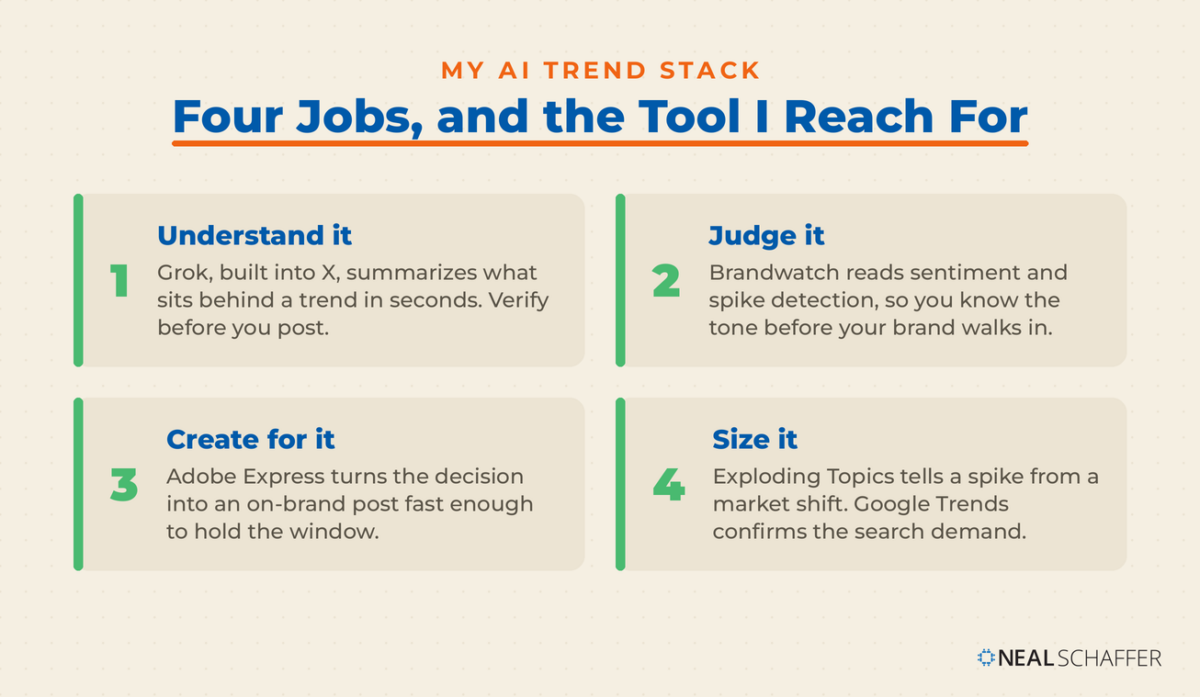
Grok is the fastest way to answer “why is this trending?” X launched Stories in Explore, where Grok summarizes the posts behind each trending topic for Premium subscribers, as TechCrunch reported at launch. One caveat every marketer should internalize: those summaries are built from what people are saying on X, not from the underlying article text. Every summary carries a warning that Grok can make mistakes. So use it to get oriented, then verify before you post. A summary of the reaction is not the same as the facts.
Brandwatch handles the question Grok can’t answer reliably, which is tone. Its Listen product runs sentiment analysis and AI-driven spike detection across more than 100 million online sources. You get to see whether a trend is celebratory or a pile-on before your brand walks into it. That distinction is the difference between a good newsjack and an apology tweet.
Exploding Topics solves the durability problem. Most X trends are gone in hours. The tool tracks a database of over 1.1 million trends, with machine-learning indicators for growth, volatility, sentiment, and a 12-month forecast. It also breaks each topic down by channel, including X, according to Semrush’s documentation. Plans start at $39 per month. When a topic shows up both in X’s trending list *and* as an exploding topic with a growing forecast, that’s not a news cycle. That’s a market shift, and it belongs in your content calendar.
Google Trends is the free cross-check. Its Trending now data refreshes roughly every ten minutes, so you can see within minutes whether a trending X topic is also driving search behavior. Social buzz with no search demand behind it is entertainment. Social buzz *with* search demand is a content opportunity.
Is Your Digital Marketing All Over the Place?
My latest book helps small businesses, entrepreneurs, and marketers bring search, email, and social together into one digital marketing strategy that actually compounds.
Drawing on my work as a Fractional CMO, Digital Threads turns complicated tactics into a clear, practical plan you can follow, whatever your budget or team size.
Grab your copy on Amazon and start weaving your own digital threads. Click the cover or the button below to get started.

Adobe Express is what I use to get from decision to published post without losing the window. You can generate a template or an image from a text prompt, apply your Brand Kit so it stays on brand, and schedule the post to X and other channels from the same editor. Speed is the whole game here, and a design tool that requires a designer is a design tool you won’t use at 9pm on a Friday.
The X API is for teams tracking multiple markets. The Trends by WOEID endpoint returns trending topics for a specific location using Yahoo’s Where On Earth ID system, where Worldwide is 1, the United States is 23424977, and Los Angeles is 2442047. Poll a handful of the locations you sell into and you have a trend monitor that ignores your personal filter bubble entirely.
One more use that costs nothing: paste the trend name into ChatGPT, Claude, or Grok and ask for ten angles that connect it to your industry, then reject nine of them. Generative AI is genuinely good at the divergent step and genuinely bad at the judgment step. Keep the judgment. If you want the wider view of what AI can do across your marketing, my roundup of the best AI tools goes deeper than I can here.
How Do You Decide Whether to Join a Trend?
Join a trend only when three things are true: you have a legitimate connection to it, you have something useful to add, and you can publish inside the window. Miss any one of them and you are better off staying quiet. The consumer data on trend-jumping is unforgiving, and most brands fail at least one of the three tests.
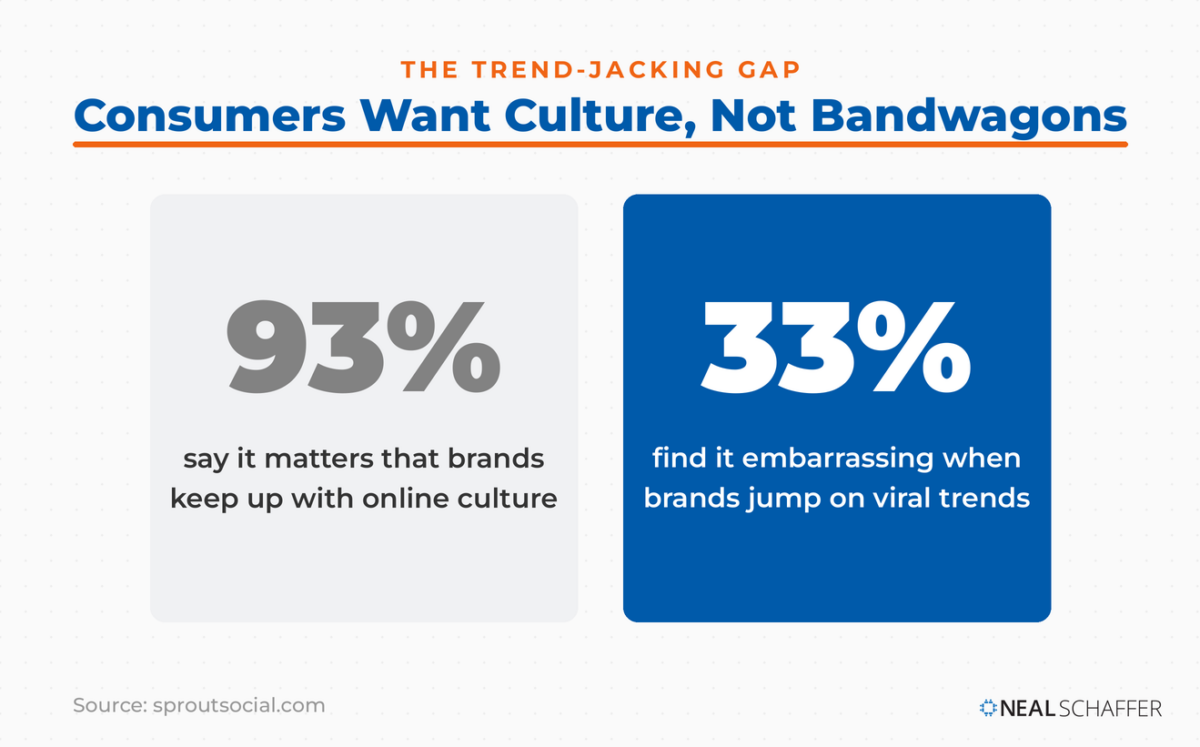
In the 2025 Sprout Social Index, 93% of consumers said it’s important for brands to keep up with online culture, but a third find it embarrassing when brands jump on viral trends, and only 27% think it works beyond the first 24 to 48 hours.
David Meerman Scott, who coined the term newsjacking, describes it as the process by which you inject your ideas or angles into breaking news, in real-time. The operative word is *ideas*. A brand that adds a genuine perspective to a story is newsjacking. A brand that posts a meme with its logo on it is just noise with a logo on it.
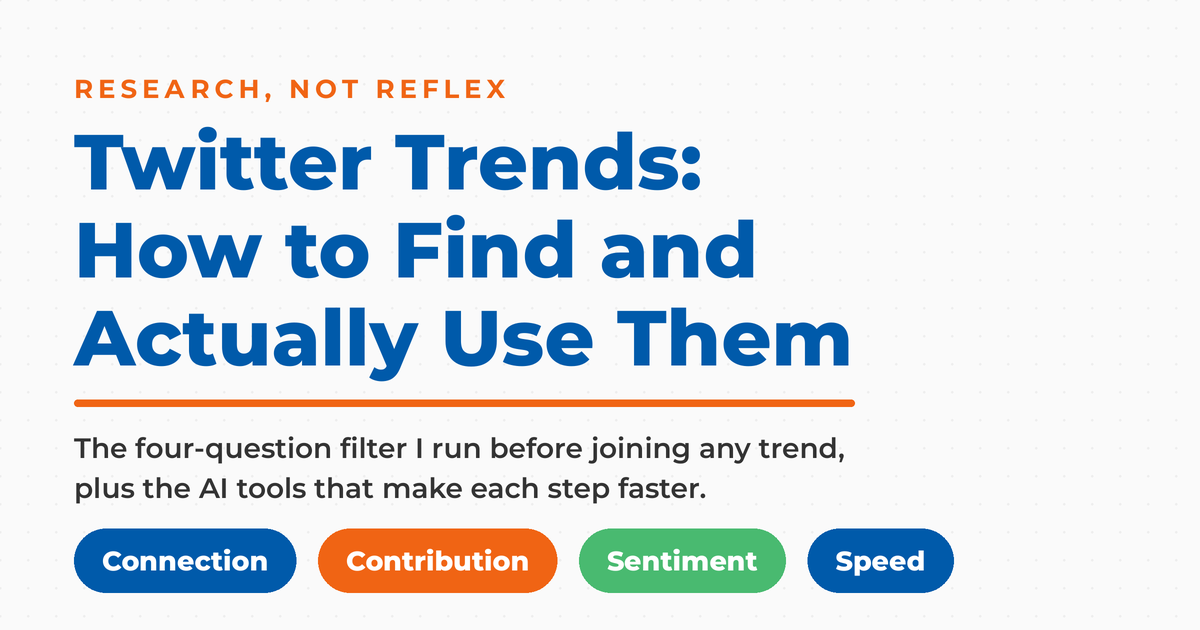
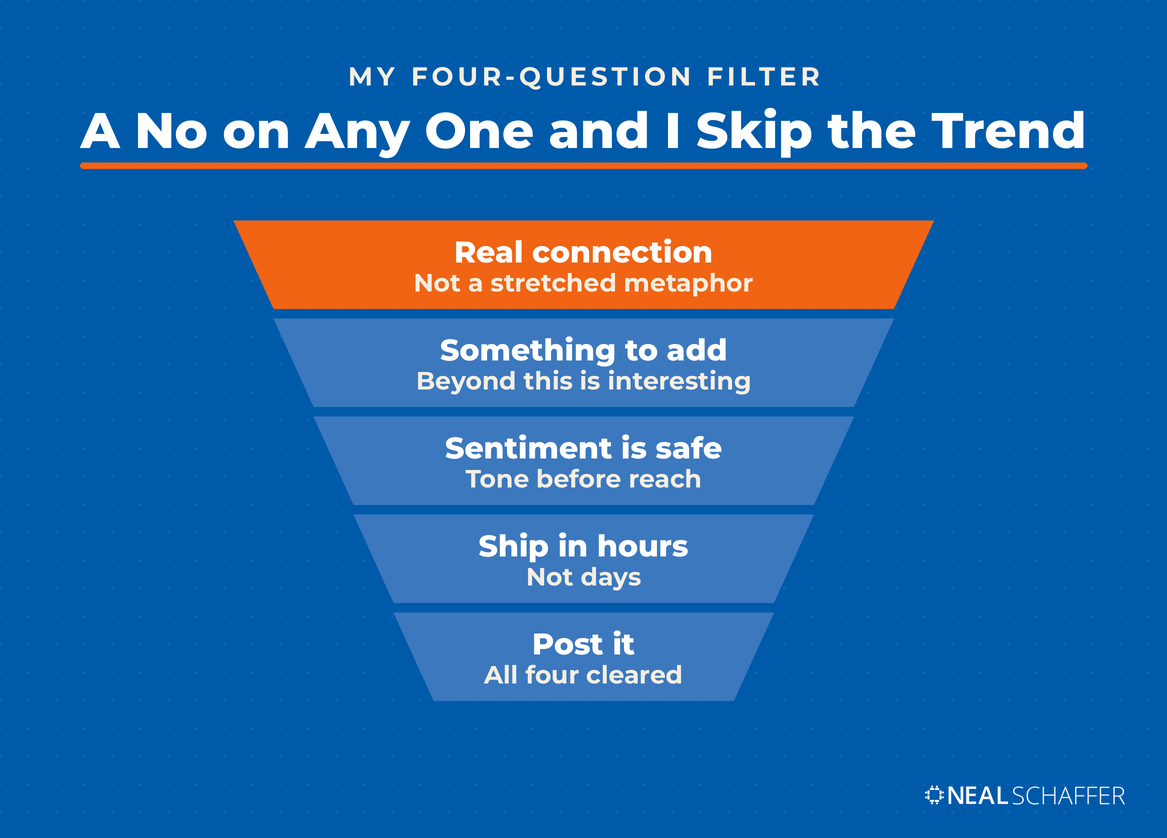
My filter is four questions, and a no on any one of them means I skip it:
- Do we have a real connection? Not a stretched metaphor. An actual claim to the topic through our expertise, product, or customers.
- Do we have something to add? If your take is “this is interesting,” stay quiet.
- Is the sentiment safe? Tragedy, crime, and political flashpoints are not marketing surfaces. Check the tone before you check the reach.
- Can we ship it in hours, not days? If your approval chain takes three days, you are not in the trend business, and that’s fine. Build your strategy around something else.
That last one deserves emphasis. Most brands lose to the clock, not to the idea. Decide in advance who can approve a trend-response post without a meeting, or accept that reactive content isn’t your play.
How Do You Turn a Trend Into Content That Lasts?
Convert the trend into an owned asset instead of a disposable post. A tweet lives for hours. A blog post that answers the question the trend surfaced can rank, get cited by AI assistants, and keep working for years. This is the single biggest miss I see, and it’s where the compounding actually happens.
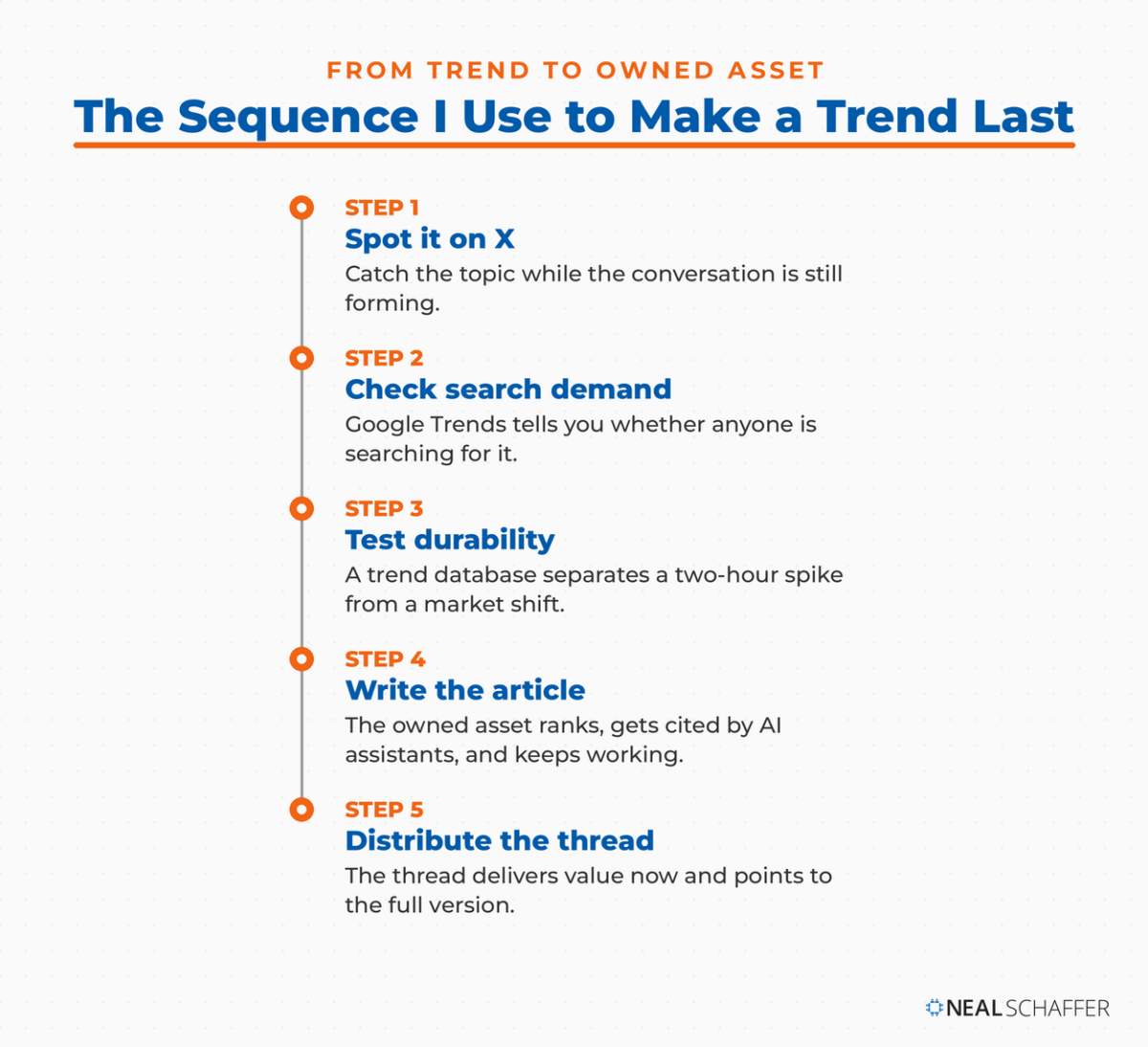
The sequence I use is simple. Spot the trend on X. Confirm real search demand in Google Trends. Check its durability in a trend database. If all three line up, write the article. Then use the trend itself as distribution: a Twitter thread that delivers real value while the conversation is hot, with the article waiting for anyone who wants the full version. This is the core argument of my book Digital Threads, that search, social, and email compound when you weave them together rather than running them as separate campaigns.
Two supporting habits make this work. First, tie your posts to the conversation properly, which means understanding how to use Twitter hashtags rather than stuffing three of them into every post. Second, publish when your audience is actually there. Trend windows and audience windows are different things, and my data on the best time to tweet is a starting point for the second one.
How Do You Measure Whether Trend Posts Worked?
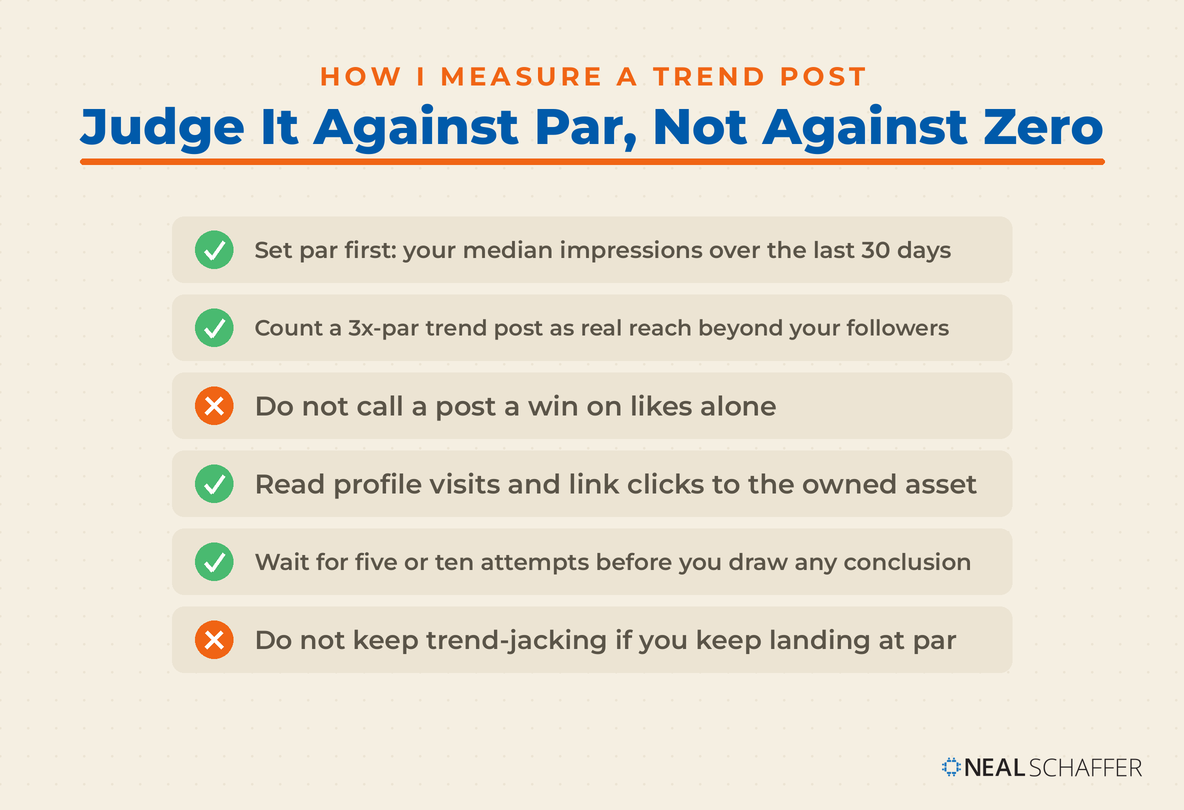
Measure trend participation against a baseline, not in isolation. Pull your last 30 days of normal posts, calculate median impressions and median engagement rate, and treat that as par. A trend post that beats par by 3x reached beyond your followers. A trend post that lands at par reached nobody new, no matter how many likes it got.
The metrics I actually look at, in order:
- Impressions versus your median. This is the only reliable signal that the trend gave you reach you wouldn’t otherwise have had.
- Profile visits. Trend traffic that never visits your profile is traffic that will never convert.
- Link clicks to the owned asset. The whole point of the exercise, if you followed the previous section.
- New followers in the 24 hours after. A blunt but honest measure of whether strangers wanted more.
Everything you need for the first three lives inside Twitter analytics. Track it across five or ten trend attempts before you draw any conclusion, because the variance on any single post is enormous. If your trend posts consistently land at par, the honest read is that trend-jacking isn’t working for your brand. Redeploy that time into building Twitter engagement with the people already in your orbit.
Frequently Asked Questions About Twitter Trends
There’s no fixed threshold. X’s ranking looks at how fast a topic is accelerating alongside volume, and filters out posts from accounts it considers uncredible before counting. A topic gaining traction quickly in a specific location can trend on far fewer posts than a slow-building global topic.
Because they’re personalized by default to your location, your interests, and the accounts you follow. Two people in the same city can see meaningfully different lists. Switch to the Trending tab or pick a specific location if you want the non-personalized view.
Yes. X sells promoted trends, which appear in the trending list marked as promoted. They’re an ad product, priced at the enterprise end of the market, and separate from the organic ranking system described above.
Most last hours, not days. That’s why the 24-to-48-hour participation window from the Sprout data matters so much, and why the durable-trend check in a tool like Exploding Topics is worth doing before you invest in anything bigger than a post.
For reactive posting, usually no. For research, absolutely yes. Watching what your niche is reacting to is free market intelligence, and it costs you ten minutes a day.
Start Using Twitter Trends as Research, Not Reflex
Pick one trend this week that genuinely touches your expertise. Check the sentiment before you touch it, check whether it has search demand behind it, and then write the article rather than the tweet. Use the tweet to distribute the article. That single change in sequence is worth more than a year of chasing hashtags.
For the trend picture across every platform rather than just X, start with the social media trends I track. The social media marketing statistics I maintain give you the numbers behind them. And if you’d like help building a strategy where social, search, and email actually reinforce each other instead of competing for attention, download a free preview of Digital Threads or get in touch about Fractional CMO services.