Editorial Note: I may earn a commission when you visit links that appear on my website.
The 10 Best AI Facebook Post Generators in 2026 Compared
Do you sometimes stare at the Facebook composer with zero idea what to post? Welcome to the club. I’ve run into that blank-box problem for years, both on my own pages and inside client accounts. And honestly? That’s exactly the use case AI Facebook post generators were built for.
But here’s the thing nobody mentions in 2026: a lot of these tools produce what I’d call “AI slop.” Generic, punchy-in-a-bad-way captions that your followers can spot from three posts away. Meta’s own algorithm has gotten smarter about this too. So the question isn’t really “which AI Facebook post generator is best?” It’s “which tools actually help you write like yourself, faster, without triggering that telltale AI-written feel?”
I’ve tested nearly every major AI Facebook post generator on the market, and this guide is the result. I’ll cover what’s actually worth using, what’s fine for a free experiment, and which ones I’d skip entirely. I’ll also share the prompt framework I use with clients so the output doesn’t sound like a robot wrote it.
Before I dig in, a quick note on where I’m coming from. I’ve been consulting on social media marketing for over 15 years, host the Your Digital Marketing Coach podcast, teach influencer marketing and personal branding at UCLA Extension, and wrote Digital Threads and The Age of Influence among six books on digital marketing. I work with brands as a fractional CMO, and AI tools have become a real part of how I help clients scale content without losing brand voice. So when I say a tool works or doesn’t, it’s because I’ve shipped posts with it, not because I skimmed a feature page.
Key Takeaways
✅ Not all AI Facebook post generators are built for Facebook. Most are general social media tools that bolt on Facebook as an afterthought. The best ones understand Facebook’s length, tone, and algorithm signals specifically.
✅ The best tool is the one you already pay for. If you use Canva, Buffer, or Hootsuite, their native AI features are almost always the right starting point before you add another subscription.
✅ Meta has its own AI built directly into Ads Manager. Most guides skip this entirely, but Advantage+ creative tools inside the Meta platform are often stronger than third-party generators for paid content.
✅ Prompt quality beats tool quality. A detailed, voice-specific prompt in free ChatGPT will usually out-perform a generic prompt in a premium tool. I’ll show you the exact framework below.
✅ AI-generated posts work best as drafts, not final copy. Every tool on this list requires human editing to sound human. The ones that deny this are lying to you.
What Is an AI Facebook Post Generator?
An AI Facebook post generator is a tool that uses large language models to draft captions, hooks, and full posts for Facebook based on a prompt, keyword, or content brief you provide. The best tools also let you set tone, brand voice, audience, and post intent so the output aligns with your strategy instead of sounding generic.
Most of these tools sit on top of OpenAI’s GPT models or Anthropic’s Claude, with a simplified interface and some social-specific training on top. A few (like Meta’s own Advantage+ suite) use proprietary models trained specifically on Facebook performance data. The quality difference between tools often comes down to the prompt scaffolding they build around your input, not the underlying AI model itself.
How Does AI Post Generation Actually Work Behind the Scenes?
AI Facebook post generators take your input (topic, keywords, tone, audience), wrap it in a pre-built prompt template the tool has optimized for social content, and send that to a large language model like GPT-4 or Claude. The model generates text, which the tool then displays and often lets you refine with follow-up controls.
This matters because it explains why two tools using the same underlying AI can produce dramatically different output. A tool like Jasper has years of refinement in its prompt scaffolding. A newer tool might just be a thin wrapper over the same model with less careful instruction tuning. That’s also why I tell clients that prompt engineering skills transfer across tools, while learning any individual tool’s quirks is often wasted effort. Some of the tools on my list of AI prompt generators can help with this step directly.
What Should You Look For in an AI Facebook Post Generator in 2026?
The criteria that matter in 2026 are different from what mattered even a year ago. Facebook’s algorithm shifted significantly with Meta’s Andromeda update and the continued rollout of Meta Lattice. According to Meta’s own 2026 AI performance update, “2025 was the year we saw AI advance across every facet of Meta’s offerings,” and that now shapes what works on the feed.
Here’s my practical checklist when I evaluate any tool for a client:
Brand voice control. Can you upload samples, set custom tone, or train the tool on your past posts? Tools without this feature produce cookie-cutter captions.
Prompt transparency. Does the tool let you see and edit the actual prompt, or does it hide the prompt behind a “magic” button? Transparent tools give you far more control.
Post length flexibility. Facebook posts can run from a single-line hook to 600-word stories. The best tools let you specify length and format precisely.
Multi-platform with Facebook-specific tuning. Most tools output the same caption for every platform. Look for ones that understand Facebook rewards different things than LinkedIn or X.
Humanization. In 2026, there are actual detectors that flag AI-generated content, and your audience is one of them. Tools that produce natural, varied sentence rhythm beat tools that optimize for “punchiness.” If your drafts keep sounding artificial, that’s a signal to spend more time humanizing AI text before hitting publish.
Scheduling integration. If you’re already paying for a social media management platform, use its native AI first. Stacking tools creates workflow friction that kills consistency.
The 10 Best AI Facebook Post Generators I Recommend
I’ve organized this list by use case, not by a ranking. Different tools win for different situations. Quick note: this post is about tools that generate post copy specifically. The broader landscape of AI tools for social media goes well beyond post writing.
1. ChatGPT (Best All-Around for Custom Prompts)
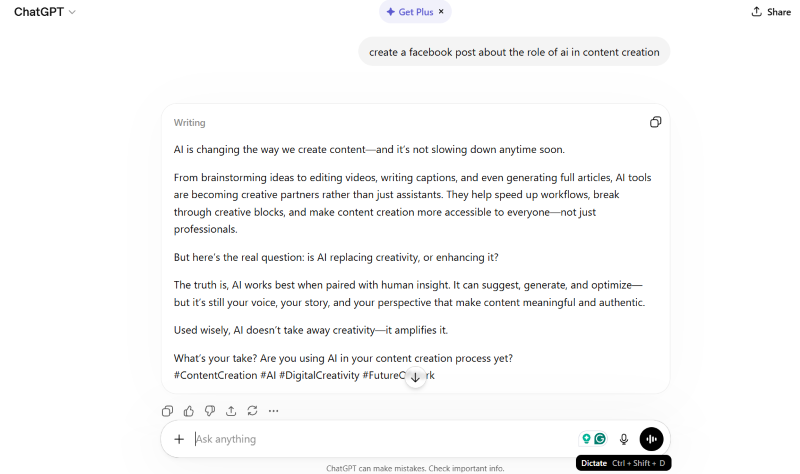
ChatGPT remains the default for anyone serious about custom Facebook content because it gives you full prompt control, memory of past instructions, and the flexibility to iterate in conversation. For free users, GPT-5 level quality at no cost is genuinely useful. For paid users, custom GPTs let you save brand voice templates you can reuse forever.
What I like most about ChatGPT for Facebook specifically: you can paste in your last 10 high-performing posts and ask it to match the pattern. No other purpose-built tool on this list does that as flexibly. The tradeoff is that you’re doing your own prompt engineering, which has a learning curve.
Best for: Content marketers who already think in prompts and want maximum flexibility.
Is Your Digital Marketing All Over the Place?
My latest book helps small businesses, entrepreneurs, and marketers bring search, email, and social together into one digital marketing strategy that actually compounds.
Drawing on my work as a Fractional CMO, Digital Threads turns complicated tactics into a clear, practical plan you can follow, whatever your budget or team size.
Grab your copy on Amazon and start weaving your own digital threads. Click the cover or the button below to get started.

Pricing: Free tier available; Plus at $20/month gives priority access and advanced models.
2. Claude (Best for Longer, Storytelling-Style Posts)
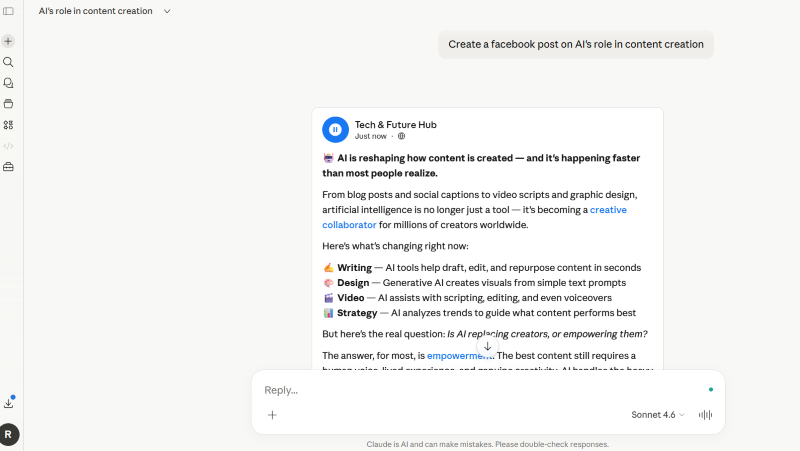
Claude, from Anthropic, is my preferred tool when I want a Facebook post that actually reads like a human wrote it. Its sentence rhythm feels less formulaic than GPT, and it handles longer-form storytelling captions noticeably better. If your Facebook strategy leans on personal stories, thought leadership, or any post over 200 words, Claude usually wins my head-to-head tests against ChatGPT.
The interface is simpler than ChatGPT’s, which is either a pro or a con depending on how you work. Projects (Anthropic’s equivalent to custom GPTs) let you save brand voice guidelines and reference documents, which I use heavily.
Best for: Writers and brands with a narrative or thought-leadership style.
Pricing: Free tier available; Pro at $20/month.
3. Meta AI and Advantage+ Creative (Best for Paid Posts)
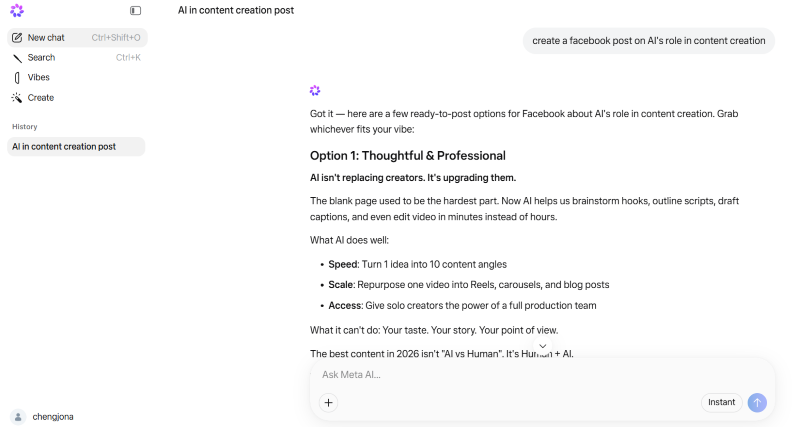
If you’re planning to boost your post or run it as an ad, stop using third-party tools and go straight to Meta. Meta’s Advantage+ creative suite generates ad variations (image, video, carousel, and text) directly inside Ads Manager, with the model trained on actual Facebook performance data. Meta reported that their video generation tools reached a $10 billion run-rate in Q4 2025, which tells you the scale at which advertisers are using these features.
This is the single biggest gap in most “best AI Facebook post generator” articles. They review external tools while ignoring the one built directly into the platform where your content will live. Jeremy Schulkin, SVP of services at Hawke Media, told Marketing Brew that Advantage+ campaigns now account for “60% to 70% of the agency’s Meta spending.” If your goal is a Facebook ad or boosted post, Meta’s native AI has data no third-party tool can access. Third-party AI still has a place once you can name what Advantage+ is leaving on the table, and my roundup of AI tools for Facebook Ads covers the campaign automation, creative, and copy platforms that sit on top of it.
Best for: Anyone running Facebook Ads or boosting posts.
Pricing: Included free with any Facebook Ads account.
4. Canva Magic Write (Best If You’re Already Using Canva)
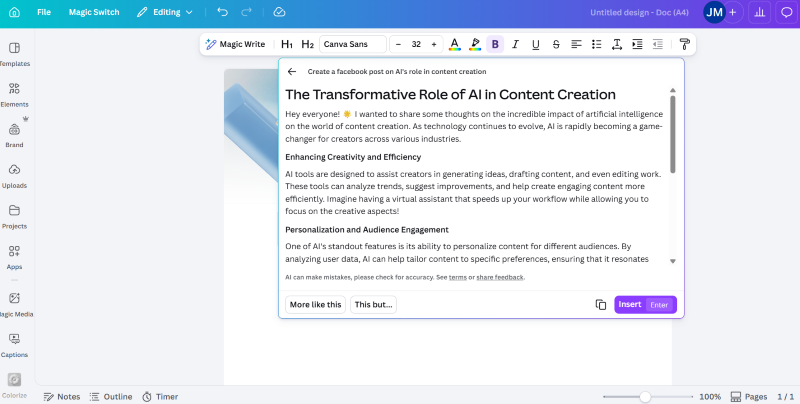
Canva’s Magic Write is part of the Magic Studio suite and lets you generate captions directly inside the Canva editor while you’re designing the visual. For anyone who already uses Canva for their Facebook image and video creation (which is most small business owners I work with), this eliminates the tool-switching tax entirely.
The caption quality is solid but not spectacular. Where Canva wins is integration: generate the graphic, write the caption, schedule the post, all in one window. For the solo creator juggling too many tabs, that workflow advantage is worth more than marginally better AI copy.
Best for: Small business owners and creators who already use Canva for visuals.
Pricing: Free tier available; Pro at $15/month.
5. SocialPilot (Best Budget Social Media Platform with AI)

SocialPilot’s AI Facebook post generator is attached to their broader social media scheduling platform, and they’ve made the free generator genuinely usable (no login required for the basic tool). You input a topic, select tone, and get a caption in seconds. Simple, fast, and works.
What elevates SocialPilot is the price-to-feature ratio for the full platform. If you’re managing multiple Facebook pages across clients or brands and need scheduling plus AI plus analytics for well under $50 a month, SocialPilot is hard to beat. I recommend it to clients who are priced out of Hootsuite but need more than Buffer’s free plan.
Best for: Small agencies and multi-brand operators on a budget.
Pricing: Free AI generator; full platform starts at $30/month.
6. SocialBee (Best Template Library for Specific Industries)

SocialBee’s AI post generator shines on its template library. They’ve built category-specific templates for realtors, restaurants, coaches, fitness trainers, and more. If you work in one of those verticals, the starting prompts are already tuned for what tends to work for your audience, which saves real prompt-engineering time.
SocialBee is also built around content pillars and category-based scheduling, which is genuinely useful if you’re running an intentional Facebook marketing strategy rather than posting ad hoc. For solo marketers who want structure without complexity, it hits a nice middle ground.
Best for: Niche businesses and coaches who want industry-specific templates.
Pricing: Starts at $29/month; 14-day free trial.
7. Buffer AI Assistant (Best for Repurposing Existing Content)
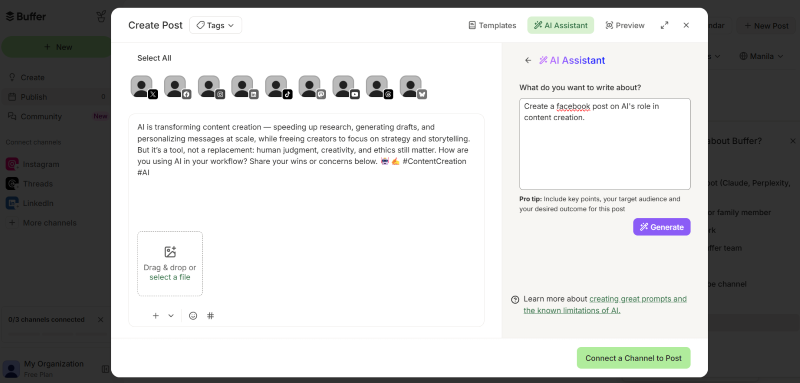
Buffer’s AI Assistant, integrated into their free plan, is my go-to recommendation for creators who want to turn one piece of content into many. Paste a blog post, podcast transcript, or newsletter, and Buffer generates Facebook-appropriate versions in seconds. This is the specific workflow that made me keep Buffer in my stack even after switching my main scheduling elsewhere.
The standalone caption generation is fine but not special. Where Buffer wins is inside their “Ideas” feature, where you can store drafts, repurpose across platforms, and schedule with a few clicks. For anyone already creating long-form content, Buffer plus its AI is a force multiplier.
Best for: Bloggers, podcasters, and creators repurposing existing content.
Pricing: Free tier includes the AI Assistant; paid plans start at $6/month per channel.
8. Hootsuite OwlyWriter AI (Best for Agencies on Hootsuite Already)
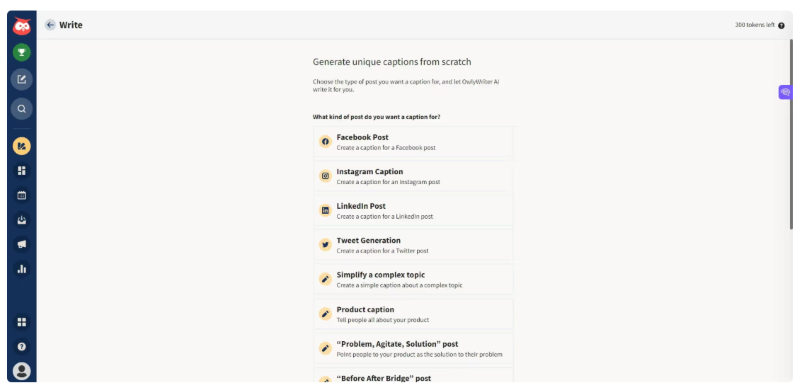
If your team already lives inside Hootsuite, OwlyWriter AI is the path of least resistance for AI-generated Facebook posts. It’s built directly into the Hootsuite composer, can generate captions from a URL, a prompt, or a past-post inspiration, and ties into Hootsuite’s scheduling and analytics natively.
My honest take: OwlyWriter isn’t dramatically better than the alternatives, but the workflow integration is excellent if you’re already paying for Hootsuite. I wouldn’t switch to Hootsuite just for OwlyWriter. But if you’re there, use it.
Best for: Agencies and enterprise teams already using Hootsuite.
Pricing: Included with Hootsuite plans starting at $99/month.
9. Jasper (Best Enterprise-Grade AI for Content Teams)
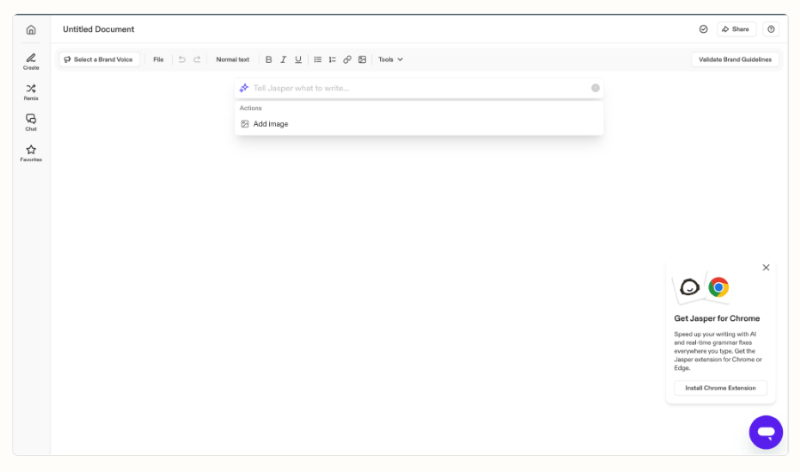
Jasper is the most feature-rich option on this list and the one I recommend for content teams at larger brands. Brand voice training, team collaboration, campaign management, and a browser extension that works inside Facebook’s composer make it serious infrastructure rather than a single-use tool.
The price reflects that. Jasper is significantly more expensive than most tools here, so it only makes sense if you have a team producing high content volume across multiple channels. For a solo creator, it’s overkill. For a content team of 5+ people working across blogs, ads, social, and email, it’s often cheaper than the alternatives by the time you factor in consistency gains.
Best for: Content teams at brands with 5+ social channels and high volume.
Pricing: Starts at $49/month per user; enterprise custom.
10. Predis.ai (Best for Multimedia Post Generation)
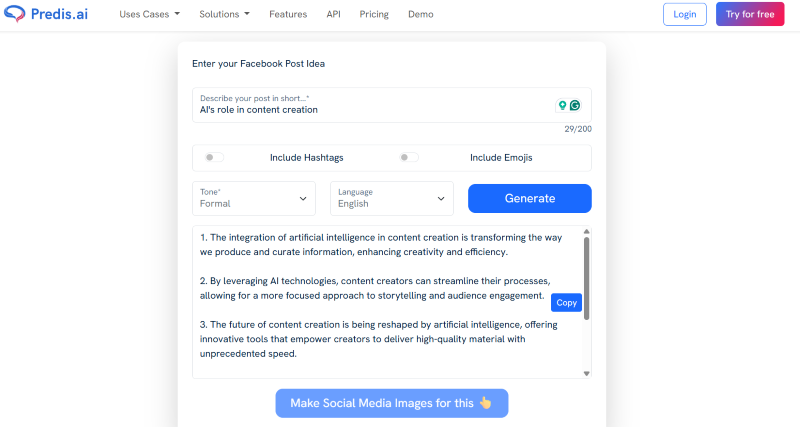
Predis.ai is the tool I recommend when someone wants both the caption and the visual generated together, with Facebook-specific formatting. It outputs carousels, single images, and short videos with captions attached, which is useful if you’re not a designer and don’t want to hop between tools.
The caption quality alone isn’t what makes Predis worth it. The multimedia output is. If you need to produce 10 Facebook posts a week including creative assets, and you don’t have a design team, Predis saves hours. The tradeoff is that the visuals feel template-y, so don’t expect brand-distinctive creative.
Best for: Solopreneurs who need full posts (copy plus visual) with minimum effort.
Pricing: Free tier available; paid plans start at $32/month.
Which AI Facebook Post Generator Should You Choose?
The right tool depends on what you already pay for and what kind of Facebook content you create. This comparison table should help narrow it down:
| Tool | Best For | Starting Price | Visuals Included? | Facebook-Specific Training? |
|---|---|---|---|---|
| ChatGPT | Custom prompts, flexibility | Free / $20 mo | No (Plus has image gen) | No, but highly trainable |
| Claude | Longer storytelling posts | Free / $20 mo | No | No, but highly trainable |
| Meta AI Advantage+ | Paid posts and ads | Free with Ads | Yes | Yes, trained on Meta data |
| Canva Magic Write | Existing Canva users | Free / $15 mo | Yes | Generic social |
| SocialPilot | Budget multi-brand ops | Free / $30 mo | No | Yes |
| SocialBee | Industry-specific niches | $29 mo | Limited | Yes |
| Buffer AI Assistant | Repurposing content | Free / $6 channel | No | Yes |
| Hootsuite OwlyWriter | Enterprise Hootsuite users | $99 mo | No | Yes |
| Jasper | Content teams | $49 mo/user | Yes | Yes |
| Predis.ai | All-in-one post + visual | Free / $32 mo | Yes | Yes |
My quick decision framework: If you already use a social media management platform, use its native AI first. If you don’t, start with free ChatGPT or Claude and learn to prompt well before paying for anything else. If you’re running ads, skip the third-party tools and go straight to Meta Advantage+.
How Do You Write Prompts That Don’t Produce Generic AI Slop?
The difference between a Facebook post that reads like a human wrote it and one that screams “AI-generated” is almost entirely in the prompt. I use a five-part prompt structure for every client, and it works across every tool on this list.
| Prompt Part | What It Does | Example Line to Include |
|---|---|---|
| 1. Role and context | Sets who the AI is writing as, which shifts tone and vocabulary instantly | “You are a 10-year fitness coach with a direct, no-BS tone who speaks to busy moms over 35.” |
| 2. Audience | Narrows output to a specific reader so copy stops sounding generic | “Write for first-time founders running Shopify stores under $1M in annual revenue who are burned out on generic marketing advice.” |
| 3. Goal | Tells the AI what the post should drive: comments, clicks, shares, DMs, or saves. Each goal produces different copy | “The goal is to drive comments from readers who’ve struggled with the same problem.” |
| 4. Voice samples | Gives the AI real examples to mirror. This is the single most effective anti-AI-voice technique | “Match the sentence rhythm, vocabulary, and structure of these three past posts: [paste 2-3 of your best].” |
| 5. Explicit don’ts | Lists the AI patterns to avoid, since most tools default to them | “Don’t start with a question. No em dashes. Avoid ‘unlock,’ ‘elevate,’ or ‘game-changing.’ Use contractions.” |
Run this prompt once, review the output, and give feedback in the same chat. Iteration is where great posts get made, not the first generation.
How Do Meta’s 2026 Algorithm Changes Affect AI-Generated Facebook Posts?
Meta’s 2026 algorithm shifts make AI-generated post quality more important than ever because the Facebook algorithm now evaluates content engagement signals more ruthlessly. Meta’s January 2026 update confirmed that feed and video ranking improvements in Q4 2025 delivered a 7% lift in views of organic feed and video posts, driven by better engagement prediction.
What this means in practice: posts that get fast engagement in the first hour perform exponentially better than posts that don’t. Generic AI-generated content historically underperforms here because it doesn’t prompt strong reactions. The fix isn’t to stop using AI. It’s to use AI better.
In Q4 2025, Meta also reported that their Meta Lattice system delivered a 12% increase in ads quality by consolidating Facebook Stories and other surfaces into the overall Facebook model. The lesson for organic content is parallel: Facebook’s AI is getting significantly better at distinguishing engaging content from filler, which means low-effort AI posts will see declining reach over time.
Sprout Social’s 2026 Content Strategy Report found that 48% of Facebook users say short-form video is the content type they interact with most, followed by text posts at 32%. If you’re using an AI Facebook post generator for text-only captions on static images, you’re optimizing for a format that’s losing share of engagement. Pair your AI-written caption with a short video whenever possible.
What Are the Risks of Using AI to Write Your Facebook Posts?
AI Facebook post generators carry real risks that most guides gloss over. Knowing them protects your brand and your account.
| Risk | Why It Happens | How to Mitigate |
|---|---|---|
| Generic brand voice drift | Every AI tool has a default voice that tends toward safe, punchy, slightly hyperbolic copy, and it shows up across 100 posts if you don’t customize | Include 2-3 voice samples in every prompt and use a brand voice setting when the tool offers one |
| Factual errors and made-up statistics | Large language models confidently fabricate numbers, sources, and attributions that sound plausible but don’t exist | Verify every statistic and source at the primary source before publishing, treating AI output as unverified until checked |
| Duplicate content across brands | Free AI tools produce similar output for similar prompts across different users in the same niche | Edit heavily and add specific details only you would know: client examples, your own data, personal stories |
| Algorithm penalties for low-quality content | Meta’s ranking systems reward engagement, watch time, and saves, which generic AI content rarely produces | Treat AI drafts as starting points, never final copy, and edit for the specific hook and emotional resonance that drives engagement |
| Compliance issues in regulated industries | Finance, healthcare, and legal brands face real regulatory risk if AI-generated claims are inaccurate or non-compliant | Add a human compliance review step before any AI-generated post goes live. Brand guardrails in tools like Jasper help but don’t replace an actual check |
Frequently Asked Questions
What is the best free AI Facebook post generator?
For pure flexibility, free ChatGPT or Claude give you the most control with no cost. For integrated workflow, Canva Magic Write’s free tier or Buffer’s free AI Assistant are strong choices if you already use those platforms. SocialPilot’s standalone generator is also free to try without an account.
Can Facebook detect AI-generated posts?
Meta hasn’t publicly confirmed that they specifically detect and penalize AI-generated posts, but their algorithm does reward strong engagement signals that generic AI content typically fails to produce. In practice, the distinction matters less than whether your post genuinely connects with readers.
Will AI replace Facebook social media managers?
No. AI dramatically speeds up content drafting but still requires human editorial judgment, community management, engagement responses, and strategic direction. The managers who thrive in 2026 are the ones who learned to use AI as a first-draft tool, not a replacement for thinking.
How long should an AI-generated Facebook post be?
Test different lengths for your specific audience. Short hook-style posts (under 100 words) tend to drive discussion, while longer storytelling posts (300-600 words) tend to drive saves and shares. Meta’s algorithm doesn’t penalize length when engagement is strong. For specific examples, see my post on Facebook post ideas.
Is it worth paying for an AI Facebook post generator if I already have ChatGPT?
Usually no, unless the paid tool solves a specific workflow problem (scheduling, team collaboration, brand voice training across multiple users). For a solo creator, a well-prompted free ChatGPT or Claude account plus your scheduling platform’s native AI is usually enough.
What’s the biggest mistake marketers make with AI Facebook post generators?
Publishing the first draft. Every tool on this list produces usable first drafts, but none produces publishable final copy. The marketers getting real results treat AI output as a starting point they edit heavily for voice, accuracy, and specific detail.
Ready to Use AI to Scale Your Facebook Content Without Losing Your Voice?
AI Facebook post generators are genuinely useful when you use them as thinking partners, not replacements. The tools I recommend above will save you hours every week if you pair them with solid prompts and a willingness to edit. The tools will keep getting better. The marketers who learn to work with AI in 2026 will out-produce the ones who don’t, and the ones who blindly publish AI output will keep wondering why their reach keeps dropping.
If you’re a marketing leader or business owner trying to build a real AI-assisted content engine across Facebook and other channels, I help brands do exactly this through my fractional CMO services. And if you want my deeper thinking on how AI is reshaping digital marketing across every channel, grab a free preview of Digital Threads, my book on building a connected digital presence in the AI era. For weekly tactical breakdowns like this one, you can also subscribe to the Your Digital Marketing Coach podcast.
Pick one tool from the list above. Use it for a week. Edit every post for voice before publishing. That’s the whole game.
Actionable advice for your digital / content / influencer / social media marketing.
Join 13,000+ smart professionals who subscribe to my regular updates.