
I’ve been helping businesses improve their search visibility for over a decade. As a Fractional CMO, I’ve seen countless companies struggle with SEO because they think it requires technical wizardry. It doesn’t. What it requires is understanding what Google actually wants and being consistent about delivering it.
Through my work consulting with companies, hosting the Your Digital Marketing Coach Podcast, and teaching digital marketing at universities like UCLA Extension and Rutgers Business School, I’ve found that on page SEO comes down to one thing: making your content genuinely useful and easy for both humans and search engines to understand.
Key Takeaways
✅ On page SEO focuses on elements you control directly: title tags, content structure, internal links, and page speed.
✅ The #1 organic result in Google gets 27.6% of all clicks, making first-page rankings essential.
✅ Title tags between 40-60 characters perform best for click-through rates.
✅ Internal linking helps Google discover content and distributes ranking authority across your site.
✅ Mobile-first indexing means your mobile site is what Google evaluates for rankings.
What Is On Page SEO and Why Does It Matter?
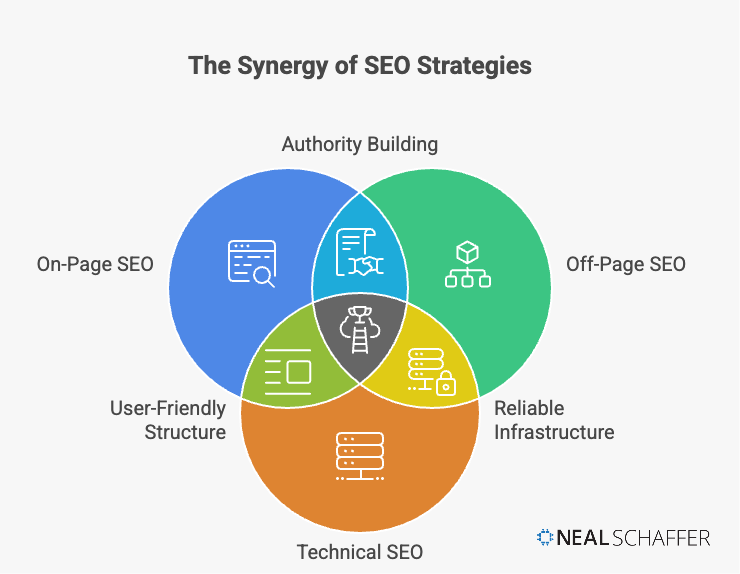
On page SEO refers to the practice of optimizing individual web pages to rank higher in search engines and attract more relevant traffic. This includes optimizing your content, HTML source code, images, and internal links, all elements within your direct control.
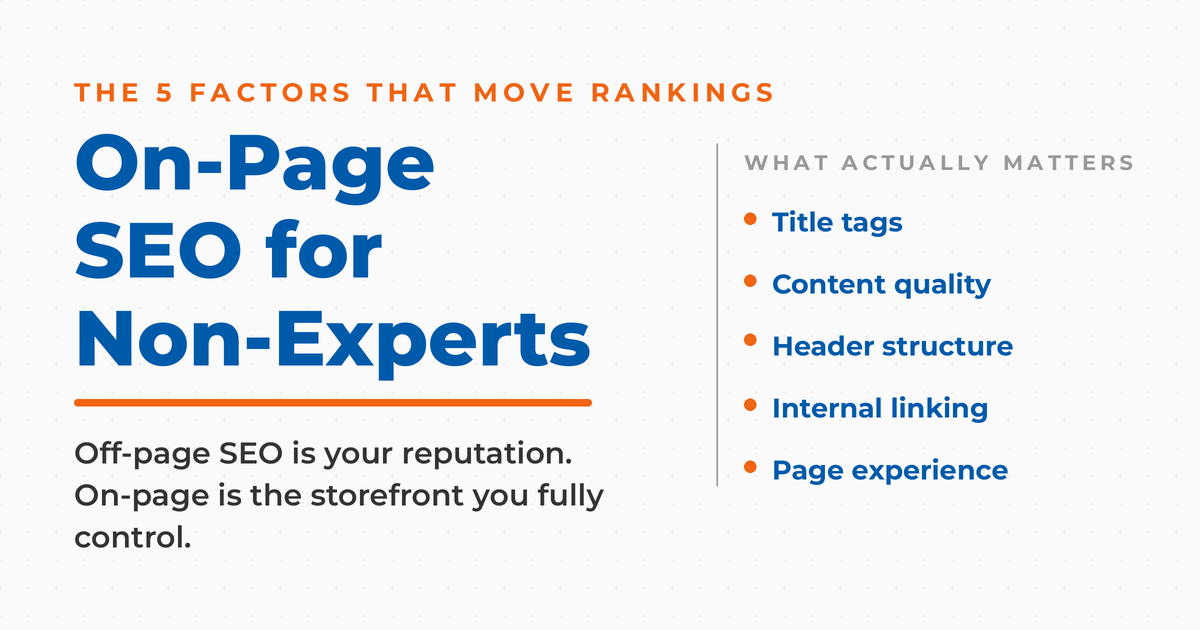
Think of it this way: off page SEO is like your reputation in the community (what others say about you through backlinks). On page SEO is your storefront: the signage, the layout, how you present your products. You have complete control over your storefront.
According to Google’s own documentation, the fundamentals of on page SEO focus on helping search engines understand your content so they can present it to the right users. The businesses that get this right consistently outperform their competitors in organic search.
| On Page SEO | Off Page SEO |
|---|---|
| Title tags and meta descriptions | Backlinks from other sites |
| Content quality and structure | Social media mentions |
| Internal linking | Brand mentions |
| Page speed and mobile optimization | Guest posting |
| URL structure | Influencer outreach |
| Image optimization | PR and media coverage |
What Are the Most Important On Page SEO Factors?
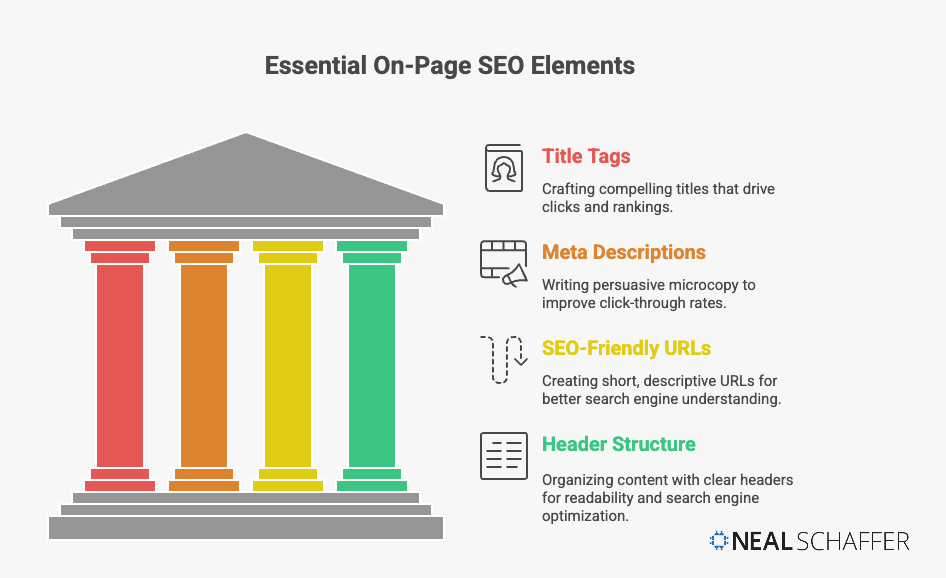
The most critical on page SEO factors are title tags, content quality, header structure, internal linking, and page experience signals. While Google uses over 200 ranking factors according to Backlinko’s analysis, these on page elements give you the most control over your search visibility.
I’ve written extensively about SEO basics before, but here’s what actually moves the needle:
Title Tags: Your First Impression in Search Results
Your title tag is the blue clickable headline in Google’s search results. Get it wrong, and nobody clicks. Get it right, and you can dramatically increase your organic traffic without changing your rankings at all.
According to Backlinko’s analysis of 4 million Google search results, title tags between 40-60 characters tend to have the highest click-through rates. Title tags with 15-40 characters showed CTRs of 8.6%, higher than longer alternatives.
Here’s what works:
- Put your target keyword near the front (not buried at the end)
- Keep it under 60 characters so Google doesn’t truncate it
- Make it compelling, not just keyword-stuffed
- Match search intent: if people want a how-to, say “how to”
Bad example: “SEO Services | Digital Marketing Agency | Best SEO Company”
Good example: “On Page SEO Guide: 10 Tactics That Actually Work”
See the difference? One is a keyword dump. The other tells you exactly what you’ll get.
Meta Descriptions: Your Sales Pitch in 160 Characters
Meta descriptions don’t directly affect rankings (Google has confirmed this). But they massively impact whether someone clicks your result or your competitor’s. As Moz explains, a well-written meta description can significantly improve click-through rates, which indirectly benefits your SEO.
Write meta descriptions that:
- Stay under 160 characters (Google truncates longer ones)
- Include your target keyword naturally
- Have a clear value proposition
- Use active voice and create urgency when appropriate
Don’t just describe your content. Sell it.
Header Tags: Structure That Search Engines Love
Header tags (H1, H2, H3) do two things: they help readers scan your content, and they help Google understand your content hierarchy.
According to Semrush’s research on H1 tags, pages with a single H1 tag that matches search intent tend to perform better in rankings. The key is using headers to create a logical content flow.
| Header Tag | Purpose | Best Practice |
|---|---|---|
| H1 | Main page title | One per page, include primary keyword |
| H2 | Major section headers | Break content into scannable sections |
| H3 | Subsections within H2s | Add detail without overwhelming |
| H4-H6 | Further nested content | Use sparingly, only when needed |
One mistake I see constantly: using headers for styling rather than structure. If you’re making text an H2 because you want it bigger, you’re doing it wrong. Headers should represent your content hierarchy, not your design preferences.
How Do You Optimize Content for On Page SEO?
Optimizing content for on page SEO means creating comprehensive, well-structured content that directly answers user queries while naturally incorporating relevant keywords. The focus should be on depth, readability, and genuine usefulness rather than arbitrary word counts or keyword density percentages.
Is Your Digital Marketing All Over the Place?
My latest book helps small businesses, entrepreneurs, and marketers bring search, email, and social together into one digital marketing strategy that actually compounds.
Drawing on my work as a Fractional CMO, Digital Threads turns complicated tactics into a clear, practical plan you can follow, whatever your budget or team size.
Grab your copy on Amazon and start weaving your own digital threads. Click the cover or the button below to get started.

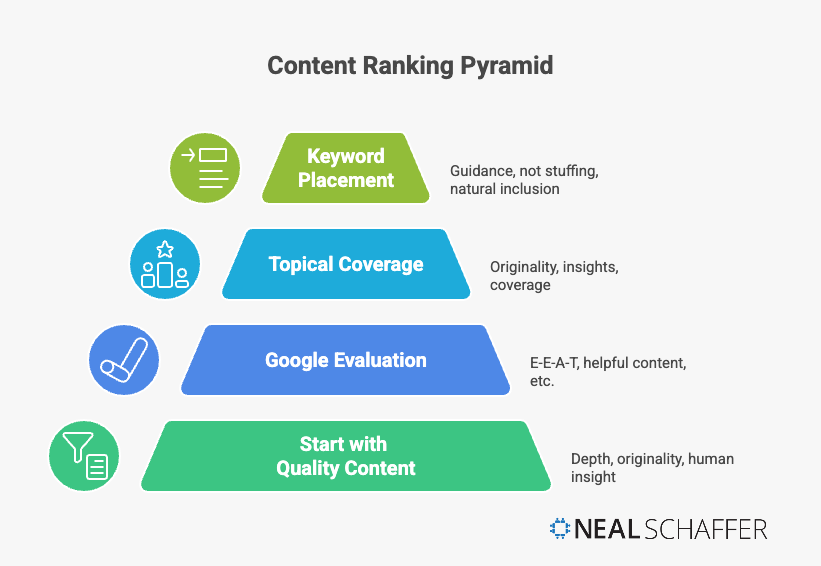
Gone are the days when you could stuff keywords into every paragraph and rank well. Google’s algorithms, especially with the helpful content updates, now prioritize content that demonstrates genuine expertise and provides real value.
Keywords: Strategy Over Stuffing
I’ve talked about SEO keywords in depth before, but here’s the practical application for on page optimization:
Place your primary keyword in:
- The title tag (preferably near the front)
- The H1 header
- The first 100 words of your content
- At least one H2 header
- The meta description
- The URL slug
But here’s what matters more: topical coverage. Google doesn’t just look for keywords anymore. It evaluates whether your content comprehensively covers the topic. If you’re writing about on page SEO but never mention title tags, header structure, or internal linking, that’s a red flag that your content is incomplete.
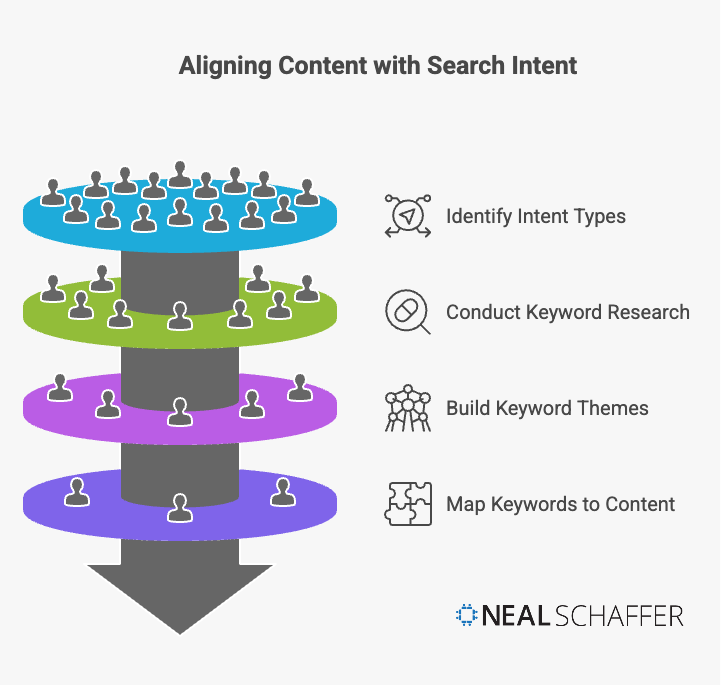
According to Semrush’s analysis of keyword density, obsessing over exact keyword percentages is outdated. Instead, focus on covering related topics and using natural language variations of your target keywords.
Content Depth: Quality Over Word Count
Here’s something that surprises a lot of marketers: there’s no magic word count for SEO. Google’s John Mueller has repeatedly stated that word count isn’t a ranking factor. What matters is whether your content fully addresses the user’s query.
That said, data from Backlinko’s analysis of 11.8 million search results found that the average first-page result contains about 1,447 words. This isn’t because Google prefers long content. It’s because comprehensive content tends to answer questions more completely.
My recommendation: write enough to fully cover your topic. Don’t pad content to hit a word count. Don’t leave obvious questions unanswered just because you’re trying to keep things short.
| Content Type | Typical Word Count | Why This Length |
|---|---|---|
| Product pages | 300-500 words | Users want quick information |
| Blog posts | 1,000-2,000 words | Room for depth without bloat |
| Ultimate guides | 2,500-5,000 words | Comprehensive topic coverage |
| News articles | 500-1,000 words | Timely, focused information |
Why Is Internal Linking Critical for On Page SEO?
Internal linking connects pages within your website, helping search engines discover content, understand site hierarchy, and distribute ranking authority (link equity) throughout your site. A strategic internal linking structure can significantly improve how your pages perform in search results.
I talk about this constantly because it’s one of the most overlooked aspects of SEO. Most businesses spend all their energy chasing backlinks from other sites while ignoring the links they can control completely: their own internal links.
Internal links also help Google understand which pages on your site are most important. When you link from a high-authority page to a newer page, you’re passing some of that authority along.
How to Build a Smart Internal Linking Strategy
- Audit your existing content for linking opportunities. Look at your top-performing posts and see which other pages they could naturally link to.
- Use descriptive anchor text, not “click here” or “read more.” If you’re linking to a post about content marketing benefits, say exactly that.
- Link to your important pages frequently. Your key service pages, cornerstone content, and conversion pages should get the most internal links.
- Create content clusters around main topics. I’ve organized my content so posts about AI marketing tools link to related posts about AI marketing strategy and AI for content marketing.
- Check for orphan pages with no internal links pointing to them. These are essentially invisible to Google.
A practical tip: every time you publish new content, go back to 3-5 related older posts and add links to the new piece. This simple habit dramatically improves your internal link structure over time.
How Does Page Speed Impact SEO Rankings?
Page speed is a confirmed Google ranking factor, though its impact is most noticeable for sites with extremely slow load times. Google’s Core Web Vitals measure loading performance, interactivity, and visual stability, providing specific metrics that affect both rankings and user experience.
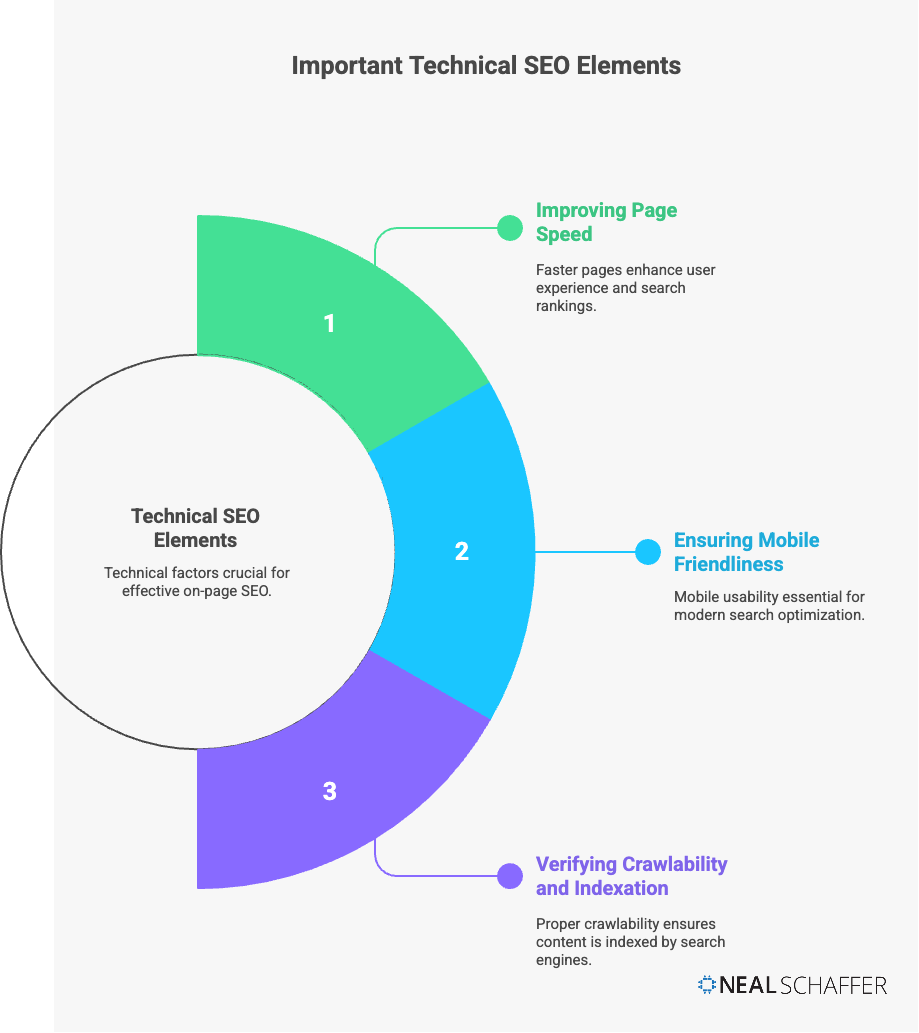
These technical factors work together to determine how Google evaluates your page experience. Let’s start with page speed.
Google has been clear about this: Core Web Vitals are a ranking signal. But here’s the nuance that gets lost in the conversation: John Mueller has indicated that while page speed matters, it’s typically not the differentiator between sites with good content and bad content. It becomes significant when you’re competing against similar quality content.
The three Core Web Vitals metrics are:
| Metric | What It Measures | Good Score |
|---|---|---|
| Largest Contentful Paint (LCP) | Loading speed | Under 2.5 seconds |
| Interaction to Next Paint (INP) | Interactivity | Under 200 milliseconds |
| Cumulative Layout Shift (CLS) | Visual stability | Under 0.1 |
Check your site’s performance using Google PageSpeed Insights. If you’re in the red on any of these metrics, prioritize fixes.
Quick wins for improving page speed:
- Compress images (this is often the biggest issue)
- Use a content delivery network (CDN)
- Enable browser caching
- Minimize unnecessary JavaScript
- Choose a quality hosting provider
If you’re using WordPress, I’ve covered the best SEO plugins that can help with technical optimization.
Is Mobile Optimization Still Important for SEO?
Mobile optimization is not just important; it’s essential. Google uses mobile-first indexing, meaning the mobile version of your website is the primary version Google uses for indexing and ranking. If your mobile experience is poor, your entire site’s SEO suffers.
According to Google’s documentation on mobile-first indexing, this has been the default for all new websites since 2019 and became the standard for all sites by 2023.
What does this mean practically?
- Your mobile site needs all the same content as desktop. Don’t hide content on mobile to save space.
- Images must be crawlable on mobile. Use the same image URLs if possible.
- Structured data should be on both versions.
- Meta tags should be equivalent across devices.
Test your mobile experience regularly. Pull out your phone and actually try to use your site. Is text readable without zooming? Are buttons easy to tap? Does content load quickly on mobile data?
How Do You Optimize Images for On Page SEO?
Image optimization for on page SEO involves using descriptive file names, adding alt text that accurately describes images, compressing file sizes for faster loading, and using appropriate image formats. Properly optimized images improve accessibility, page speed, and can drive traffic from Google Image Search.
According to Google’s image SEO best practices, the most important factors are using descriptive alt text, placing images near relevant text content, and ensuring images load quickly.
Here’s my process for image optimization:
- Name files descriptively before uploading. Not “IMG_4532.jpg” but “on-page-seo-checklist.jpg”
- Write useful alt text. Describe what’s in the image as if explaining it to someone who can’t see it. Don’t stuff keywords, but do include them when relevant.
- Compress images using tools like TinyPNG or ShortPixel. Large image files are often the biggest drag on page speed.
- Use the right format. JPEG for photographs, PNG for graphics with transparency, WebP for best compression (most browsers now support it).
- Consider lazy loading for images below the fold. This improves initial page load time.
As Moz explains in their alt text guide, good alt text serves dual purposes: it makes your site accessible to users with visual impairments, and it helps search engines understand your image content.
What’s a Good URL Structure for SEO?
A good SEO URL structure is short, descriptive, includes the target keyword, uses hyphens to separate words, and gives users a clear idea of page content. According to Google’s URL structure guidelines, simple URLs that are readable to humans are easiest for search engines to crawl.
Good URL: yoursite.com/on-page-seo-guide
Bad URL: yoursite.com/p=123?category=seo&date=2024
URL best practices:
- Keep them short. Data suggests shorter URLs tend to rank slightly better.
- Include your target keyword when possible.
- Use hyphens, not underscores to separate words.
- Avoid unnecessary parameters and session IDs.
- Make them readable. A user should know what the page is about from the URL alone.
One thing to be careful about: don’t change URLs on existing content unless you have a good reason. If you do change a URL, always set up a 301 redirect from the old URL to the new one.
How Often Should You Update Content for SEO?
Content should be updated whenever information becomes outdated, when you can add significant value, or when existing content is underperforming in search. Regular content audits (quarterly or annually) help identify pages that need refreshing to maintain or improve rankings.
I’ve written about blog marketing and whether blogs are still relevant, and one consistent finding is that updated content often performs better than static content.
Google values freshness for certain types of queries. If someone searches for “SEO trends 2025,” they don’t want content from 2019. Even for evergreen topics, updated content signals to Google that you’re maintaining your site actively.
My content update strategy:
- Quarterly: Review top-performing posts for accuracy
- Biannually: Check mid-tier posts for improvement opportunities
- Annually: Full content audit to identify outdated or underperforming content
When you update content, don’t just change the publication date. Actually improve the content: add new information, update statistics, remove outdated sections, and improve the overall structure.
The On Page SEO Checklist: Your Action Plan
I’ve created a detailed SEO checklist that covers technical aspects, but here’s the on page specific version you can use immediately:
Before publishing any page:
- Title tag includes primary keyword (under 60 characters)
- Meta description is compelling and under 160 characters
- URL is short, descriptive, and includes keyword
- H1 tag contains the primary keyword
- Content has clear H2/H3 structure
- Primary keyword appears in first 100 words
- Images have descriptive alt text
- Internal links to related content are included
- Content comprehensively covers the topic
- Page loads quickly on mobile
Monthly maintenance:
- Check Google Search Console for crawl errors
- Review pages with declining traffic
- Add internal links from new content to older relevant posts
- Update any outdated statistics or information
Frequently Asked Questions About On Page SEO
On page SEO changes can show results in as little as a few days if Google recrawls your page, but typically expect 2-6 weeks for significant changes. Major improvements may take 3-6 months as Google reevaluates your content.
Neither is more important; they work together. On page SEO ensures your content is optimized and crawlable. Off page SEO (primarily backlinks) builds authority. A site with perfect on page SEO but no backlinks will struggle to rank for competitive terms.
There’s no ideal keyword density. Modern SEO focuses on topical coverage and natural language rather than specific keyword percentages. If your keyword appears naturally as you write comprehensive content, you’re doing it right.
Focus on one primary keyword and its close variations per page. Trying to rank a single page for unrelated keywords dilutes your optimization. Create separate pages for distinct topics.
Track your rankings for target keywords, monitor organic traffic in Google Analytics, and check click-through rates in Google Search Console. I also walk through how to check your site’s SEO on Google page by page, which helps when the numbers move and you want to know which element caused it. Improvements in any of these metrics indicate your on page SEO efforts are working.
Start Improving Your On Page SEO Today
On page SEO doesn’t require perfection. It requires consistency and a commitment to clarity. Start by optimizing your most important pages: your homepage, key service pages, and top-performing blog posts. Focus on clear title tags, well-structured content, strategic internal links, and a mobile-friendly experience.
From there, build a simple review calendar to keep your content fresh and accurate. The businesses that win with on page SEO aren’t doing everything at once. They’re doing the fundamentals well, measuring what works, and improving over time.
I’ve helped a number of businesses improve their organic search visibility through my Fractional CMO services and consulting work. The patterns are consistent: those who take on page SEO seriously and implement it systematically see results. Those who chase shortcuts or ignore the basics keep wondering why their competitors outrank them.
Your content deserves to be found. Now you know how to make that happen.
Have questions about on page SEO or need help with your strategy? Connect with me to discuss how we can improve your search visibility.