
You came here for a number, so let me give it to you before anything else. The X (Twitter) banner size is 1500 x 500 pixels. That is the header image running across the top of your profile, and it has stayed the same through the Twitter-to-X rebrand.
But the number is the easy part. X covers a chunk of your banner with your profile photo. It trims a strip off the top and bottom on some phones. And it drops all of this into a fast-scrolling, text-heavy feed where a sharp image is one of the few things that makes people stop. Get the visual right and your profile reads as professional in the first second. Get it wrong and your logo ends up half-hidden behind your avatar.
I have spent more than fifteen years helping businesses with social media. I teach it at Rutgers Business School and at UCLA Extension, and I have written six books on digital and social marketing, including *Digital Threads*. As an official Adobe Express Brand Ambassador, I also spend a lot of time actually making these images, not just writing about them. So this post covers the exact dimensions, the safe zones nobody warns you about, and the video limits that pushed me to open my wallet for a paid X account.
Key Takeaways
✅ The X (Twitter) banner (header) size is 1500 x 500 pixels, a 3:1 aspect ratio, and your profile photo should be 400 x 400 pixels, per X’s own profile guidelines.
✅ Your circular profile photo covers the lower-left corner of the banner, so keep logos and text out of that zone and centered instead.
✅ People form a first impression in about a tenth of a second, so your header and avatar are doing branding work before anyone reads a word of your bio.
✅ Free X accounts cap native video length, while X Premium raises it to hours on the web and on iOS.
✅ I design my branded headers in Adobe Express because its X templates have the avatar safe zone and cropping built in, which saves the upload-check-redo cycle.
What is the correct X (Twitter) banner size in 2026?
The correct X (Twitter) banner size is 1500 x 500 pixels, which is a 3:1 aspect ratio. Your profile photo should be a 400 x 400 pixel square. X accepts JPG, PNG, and GIF files for both, though it does not animate GIFs used as a header or profile image. Those specs come straight from X’s profile setup documentation.
If you still see the old 1024 x 512 figure floating around, ignore it. That spec is out of date, and uploading at it forces X to stretch and soften your image. For sharp results on high-resolution screens, you can design at 3000 x 1000 pixels (double size) and let X scale it down. Keep the file to a couple of megabytes or less, because X compresses hard above that and text starts to look fuzzy. Use PNG when your header has flat color, logos, or text. Use JPG when it is mostly a photo.
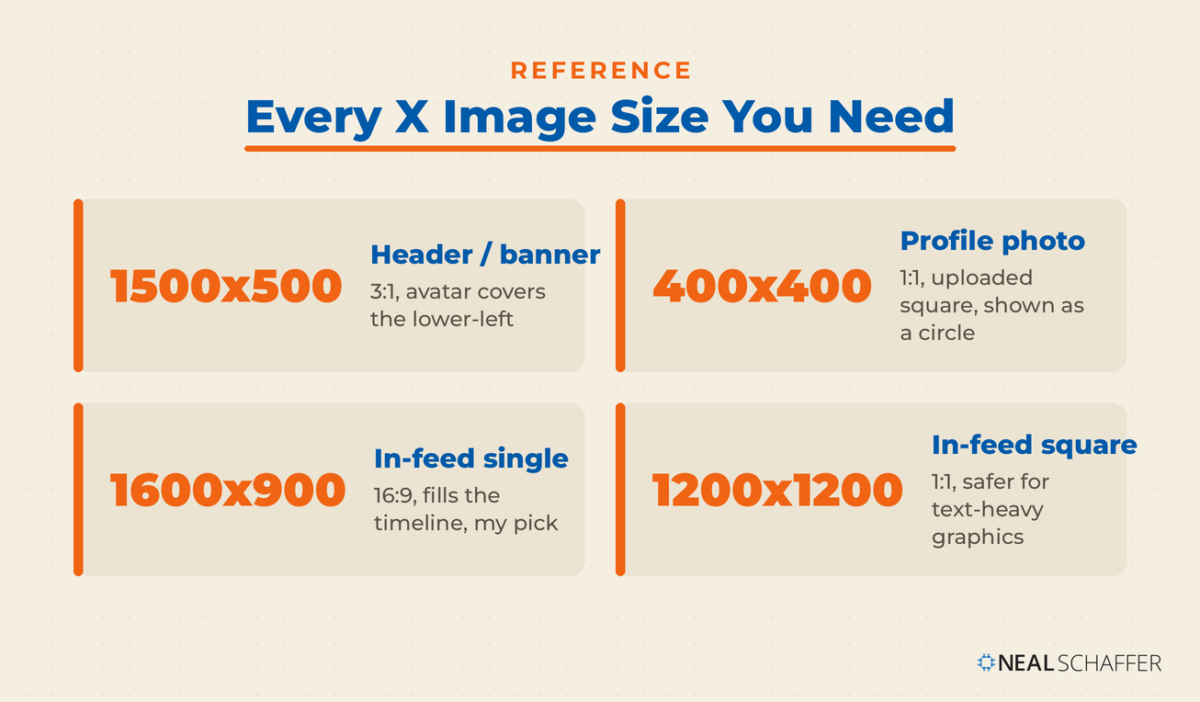
Here are the image sizes you actually need for a complete X profile.
| Image | Recommended size | Aspect ratio | Notes |
|---|---|---|---|
| Header / banner | 1500 x 500 px | 3:1 | Profile photo overlaps the lower-left corner |
| Profile photo (avatar) | 400 x 400 px | 1:1 | Uploaded square, displayed as a circle |
| Single in-feed image | 1600 x 900 px | 16:9 | Fills the timeline without cropping |
| Square in-feed image | 1200 x 1200 px | 1:1 | Safer for text-heavy graphics |
If you are just setting up your account, how to use Twitter for beginners is a useful starting point. And Twitter bio ideas can help with the text that sits right under the header.
Where does the profile photo cover the banner?
Your profile photo covers the lower-left corner of your banner. That is why well-designed headers still look broken. X also trims roughly 60 pixels off the top and bottom on some screens, and the mobile display area is narrower still. So your only reliable real estate is the center of the image, which is smaller than the full canvas suggests.
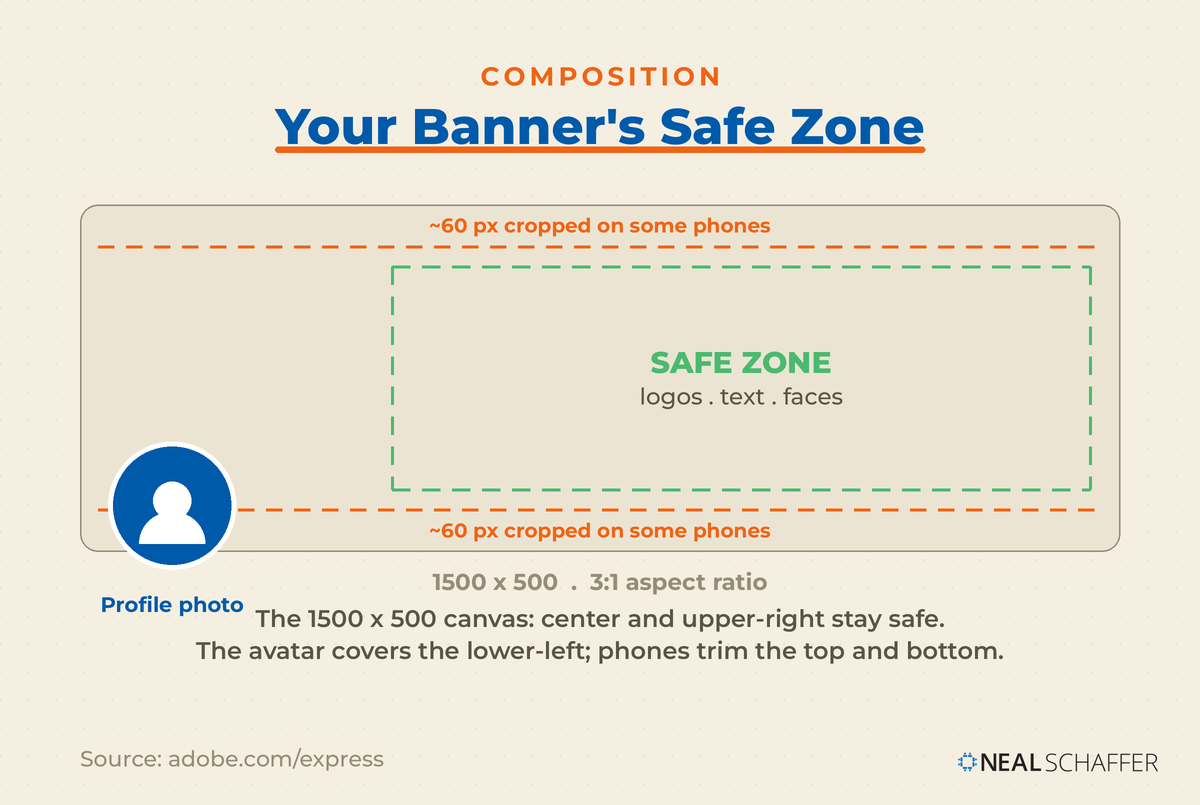
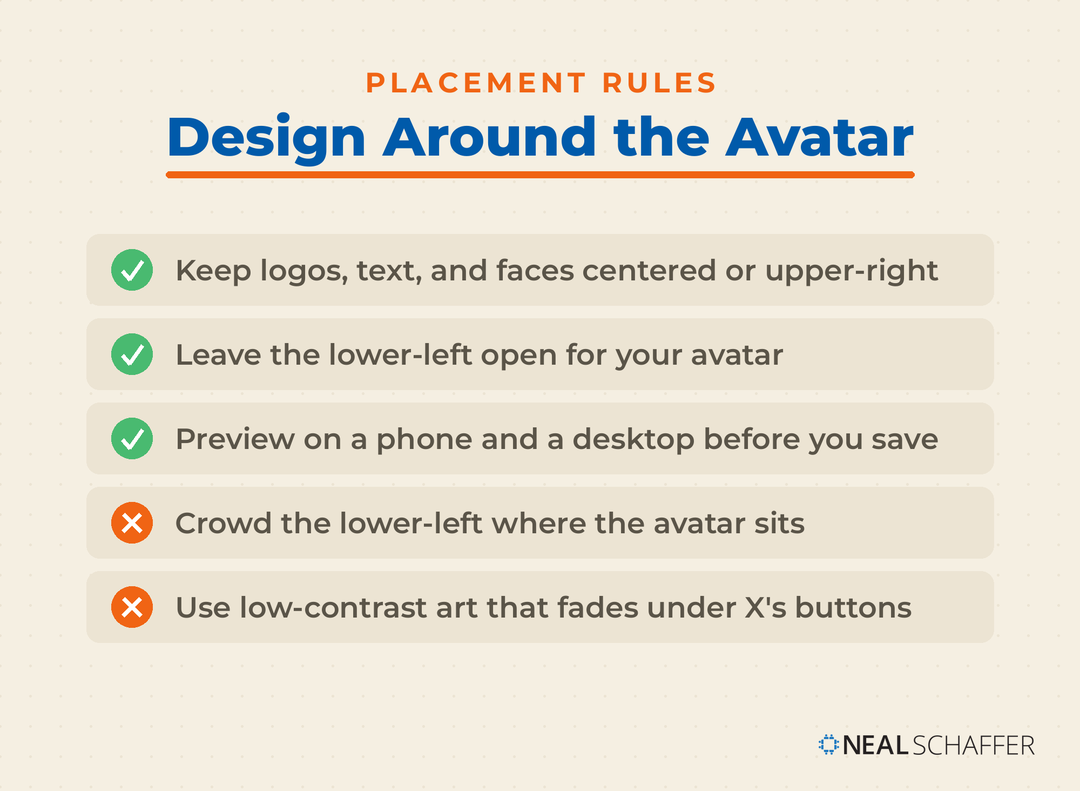
The practical rule is to treat the middle of the header as safe and everything near the edges as risky. Adobe Express spells this out: expect around 60 pixels of cropping on the top and bottom, and keep key information near the center because your profile photo blocks part of the lower-left. Anything you place in that avatar zone, a logo, a tagline, or a face, gets partly hidden on desktop.
A few habits fix almost all of it:
- Keep logos, text, and faces in the center and upper-right of the header.
- Leave the lower-left corner deliberately empty, or design it to frame the avatar rather than fight it.
- Preview on a phone and a desktop before you commit, because the crop differs between them.
X also overlays small interface buttons on the banner, so a low-contrast design can lose those elements. Pick colors with enough contrast that your header still reads underneath X’s own buttons.
Why do visuals matter so much on X?
Visuals matter on X because attention there is scarce and fast. X is a text-first feed where posts scroll by in a fraction of a second. A clean, well-sized image is one of the few things that stops the thumb. And your header and avatar are the first branded thing a visitor sees when they land on your profile.
How fast is that first look? Princeton researchers found that people form an impression of a face in about one-tenth of a second, and that longer looks mostly just harden the snap judgment. Your profile photo and header get judged before anyone reads your bio. That is why a stretched, off-brand, or half-cropped banner quietly costs you.
The scarcity shows up in the numbers too. Sprout Social’s 2025 benchmark data puts the average engagement rate on X at 0.16% across brands, which lines up with the broader social media marketing statistics on how hard attention is to win. With a window that small, every visual has to earn its place. As Forbes contributor Serenity Gibbons put it, brands should convey emotions and the power of your brand through photos and videos. On X, your banner is the first photo in that story.
This is why I still care about the visual side of X even as the platform has changed. I dig into where it is headed on a recent episode of my podcast, Your Digital Marketing Coach. The mechanics of getting seen and interacted with sit in my post on Twitter engagement.
How do you design an X banner that actually works?
Designing an X banner well comes down to composition, not decoration. Start with a 1500 x 500 canvas, keep your message centered, and give the lower-left corner to your avatar. Choose one clear idea rather than cramming the space. The banner is a great spot to feature a current focus, a new book, or an event.
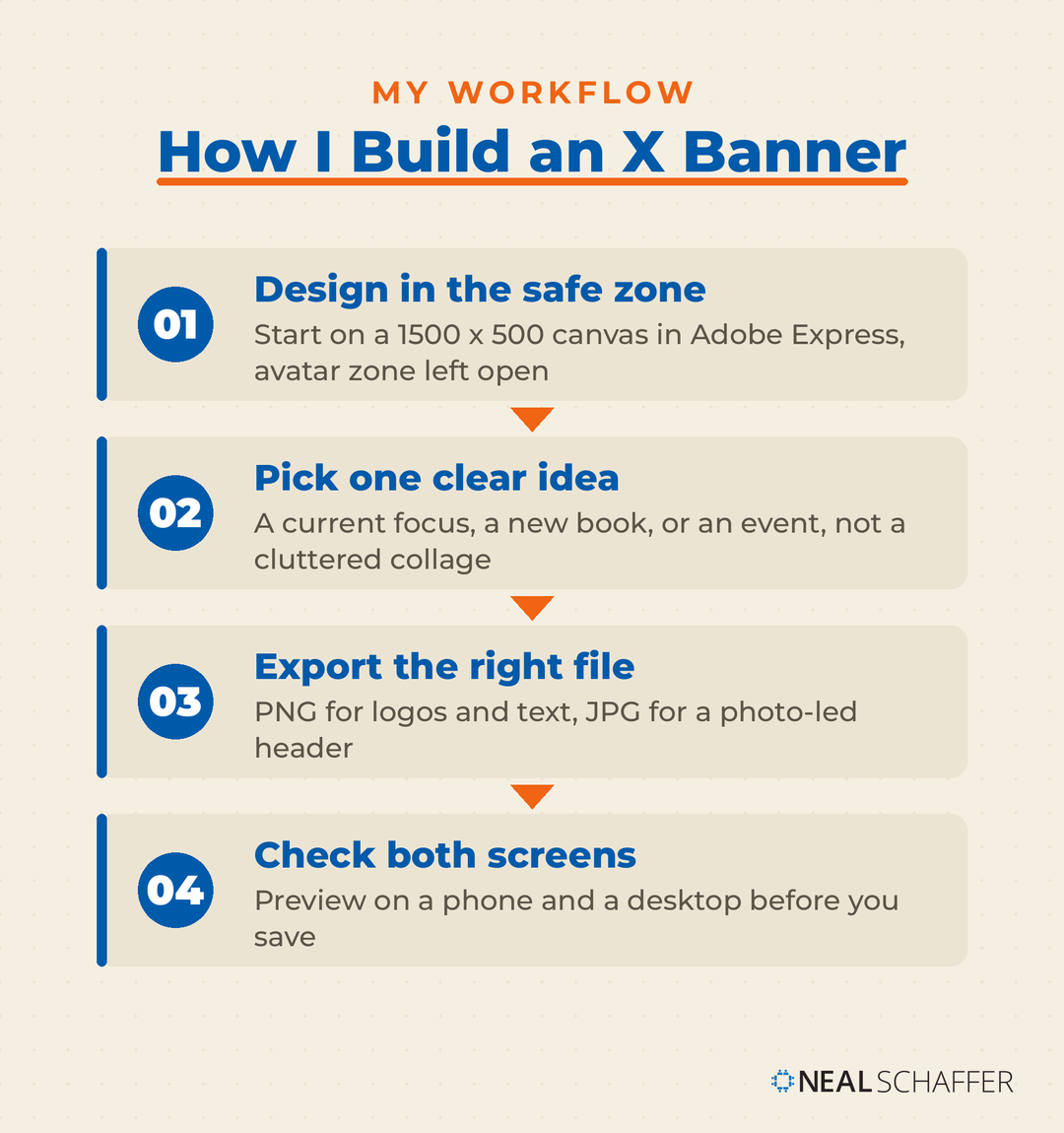
My tool of choice is Adobe Express, and not only because I am an ambassador for it. Its X header templates come pre-sized at 1500 x 500 with the avatar safe zone marked, so I design inside the lines from the start instead of guessing. Canva works too if that is already your habit. Either way, the workflow that saves the most time is simple. Design in the safe zone, export as PNG for graphics or JPG for photos, then upload. Check the result on both a phone and a desktop before you save.
Remember that the header is only one image type. Your link previews are controlled by Twitter cards, and once your profile is set, Twitter analytics will show you which posts and visuals actually pull their weight. For businesses building a full presence, how to use Twitter for business puts the profile in the context of a wider strategy.
What are the X video size and length limits for free vs. paid accounts?
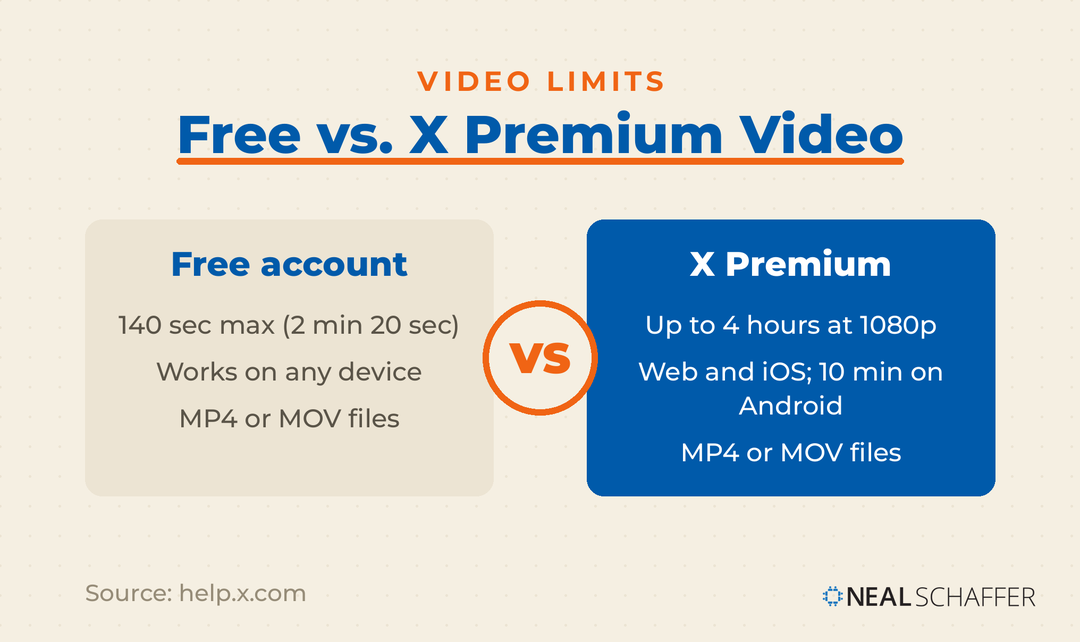
Free X accounts can post video up to 140 seconds long, which is 2 minutes and 20 seconds, on any device. X Premium subscribers can post much longer, up to several hours at 1080p on the web and on iOS. Android has a shorter 10-minute cap. Approved video files are MP4 or MOV.
That 140-second free cap is not academic to me. A content collaboration with a brand is what forced my hand. The deliverable was a video I could post at full length for free on other social networks. On X, the free account cut me off at 2 minutes and 20 seconds. To post the same video natively, I had to upgrade to a paid account. It was a small, slightly annoying reminder that “free” limits are a lever platforms pull, and video length is one of X’s.
Is LinkedIn Actually Bringing You Business?
My latest book helps professionals, entrepreneurs, and business owners turn LinkedIn from a static profile into a real source of clients and growth.
Maximizing LinkedIn for Business Growth gives you clear, practical steps to build a profile that gets noticed and a network that actually sends business your way.
Grab your copy on Amazon and put it to work this week. Click the cover or the button below to get started.

Here is how the two tiers compare for native video.
| Free account | X Premium | |
|---|---|---|
| Max video length | 140 seconds (2 min 20 sec) | Up to several hours at 1080p (web and iOS); 10 min on Android |
| Where it applies | Any device | Longer uploads limited to web and iOS |
| File format | MP4 or MOV | MP4 or MOV |
If your video runs long on a free account, you have two honest options before paying: trim it under 2:20, or break it into a thread of clips. Short clips usually perform better anyway. When you need to trim or reformat, Twitter video tools can help you export cleanly to X’s specs.
Should you upgrade to X Premium for longer video?
Upgrade to X Premium if you regularly post native video longer than 2 minutes and 20 seconds, or if you want the other profile perks. X Premium pricing starts at $3 per month or $32 per year for the Basic tier, which includes the longer video uploads along with post editing and longer text posts.
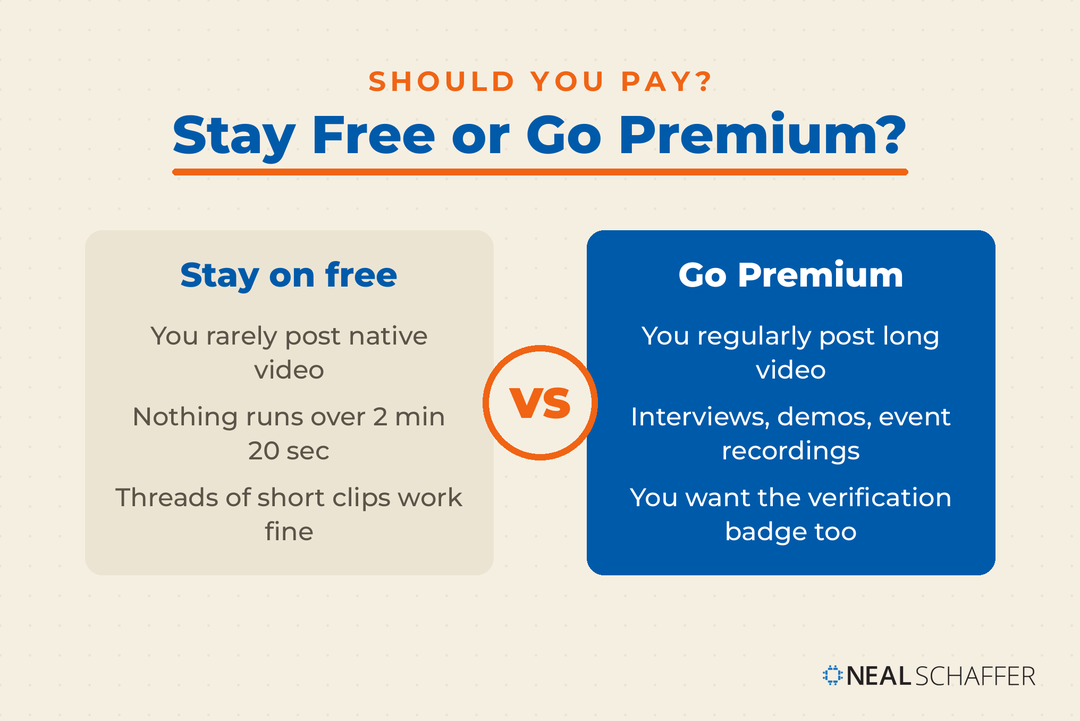
For me, the video ceiling was the deciding factor, exactly as it was in that brand collaboration. If you never post video over two minutes, the free account is genuinely fine and you can skip the subscription. If long-form video is part of your plan, whether that is interviews, demos, or event recordings, the upgrade removes the cap. Verification comes bundled with Premium as well, so if a checkmark matters to you, how to get verified on X and X Premium (Twitter Blue) will help you weigh it.
Frequently Asked Questions
The X banner (header) is 1500 x 500 pixels with a 3:1 aspect ratio. Keep important content centered, because your profile photo overlaps the lower-left corner and X crops the top and bottom slightly on some devices.
Your X profile picture should be 400 x 400 pixels. You upload it as a square, but X displays it as a circle, so center your face or logo and keep key details away from the corners.
X trims roughly 60 pixels from the top and bottom on some screens and covers the lower-left with your avatar. If your header looks cut off, your content is too close to the edges. Move it toward the center.
Free accounts can post video up to 140 seconds (2 minutes and 20 seconds). X Premium subscribers can post much longer, up to several hours at 1080p on the web and iOS, with a 10-minute cap on Android.
No. X accepts JPG, PNG, and GIF files for your header, but it does not animate GIFs used as a profile or header image. The header displays as a static image.
Get Your X Profile Looking Sharp Today
Start with the numbers: build your header at 1500 x 500, keep your message centered, and leave the lower-left for your avatar. Check the result on a phone and a desktop before you save. Then decide whether X Premium’s longer video fits how you actually post. Those two moves put you ahead of most profiles on the platform.
If you want to go further, Twitter marketing connects your profile visuals to a real strategy for growing an audience. And if you would like help building a coordinated presence across X and your other digital channels, come join the Digital First Mastermind community, where I coach entrepreneurs and marketers through exactly this kind of work.