
Most people asking which blogging platform to use are really asking a different question. They want to know which one they will not regret in three years, when they need to change something and find out whether they are allowed to.
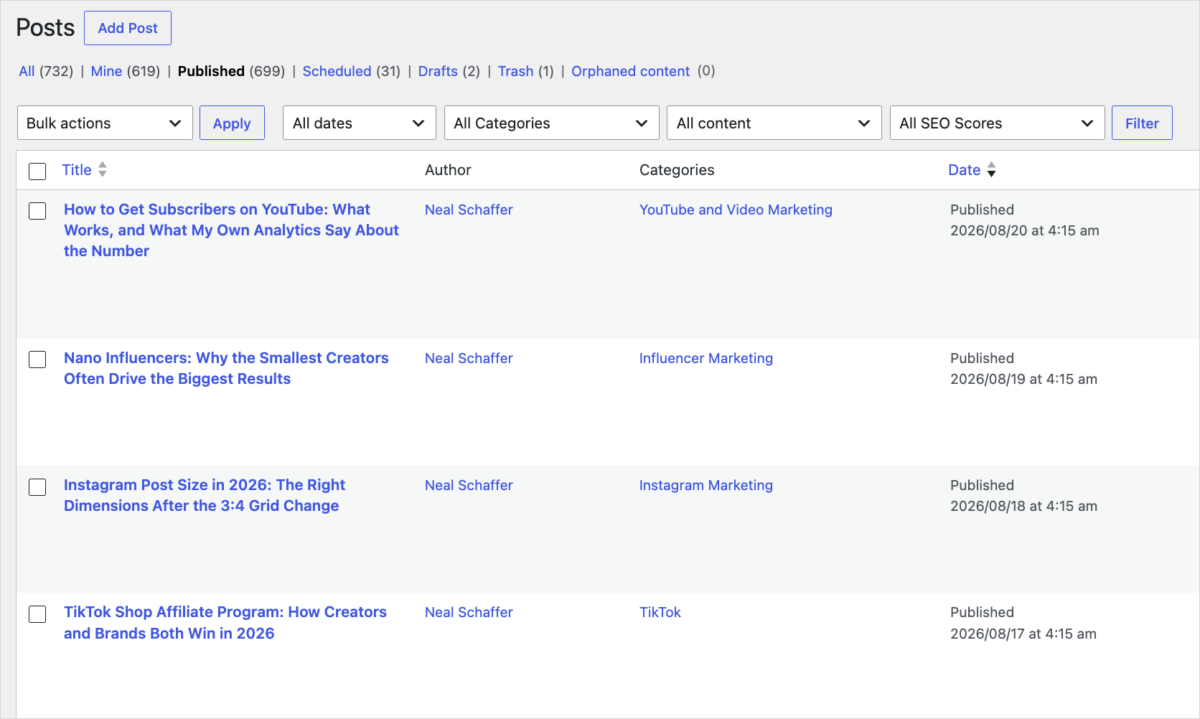
I can answer that from experience rather than from a features chart. I started this blog in July 2008 on a free WordPress.com subdomain, and it has lived at four different addresses since. It runs about 700 posts today, down from a peak of well over a thousand after several rounds of pruning. Four moves and one big prune taught me more about this decision than any comparison table ever did.
So this is not a ranked list of vendors. It is the choice I actually make, the reasoning behind it, and then every platform worth knowing grouped by the thing that matters most: who ends up owning what you publish.
Key Takeaways
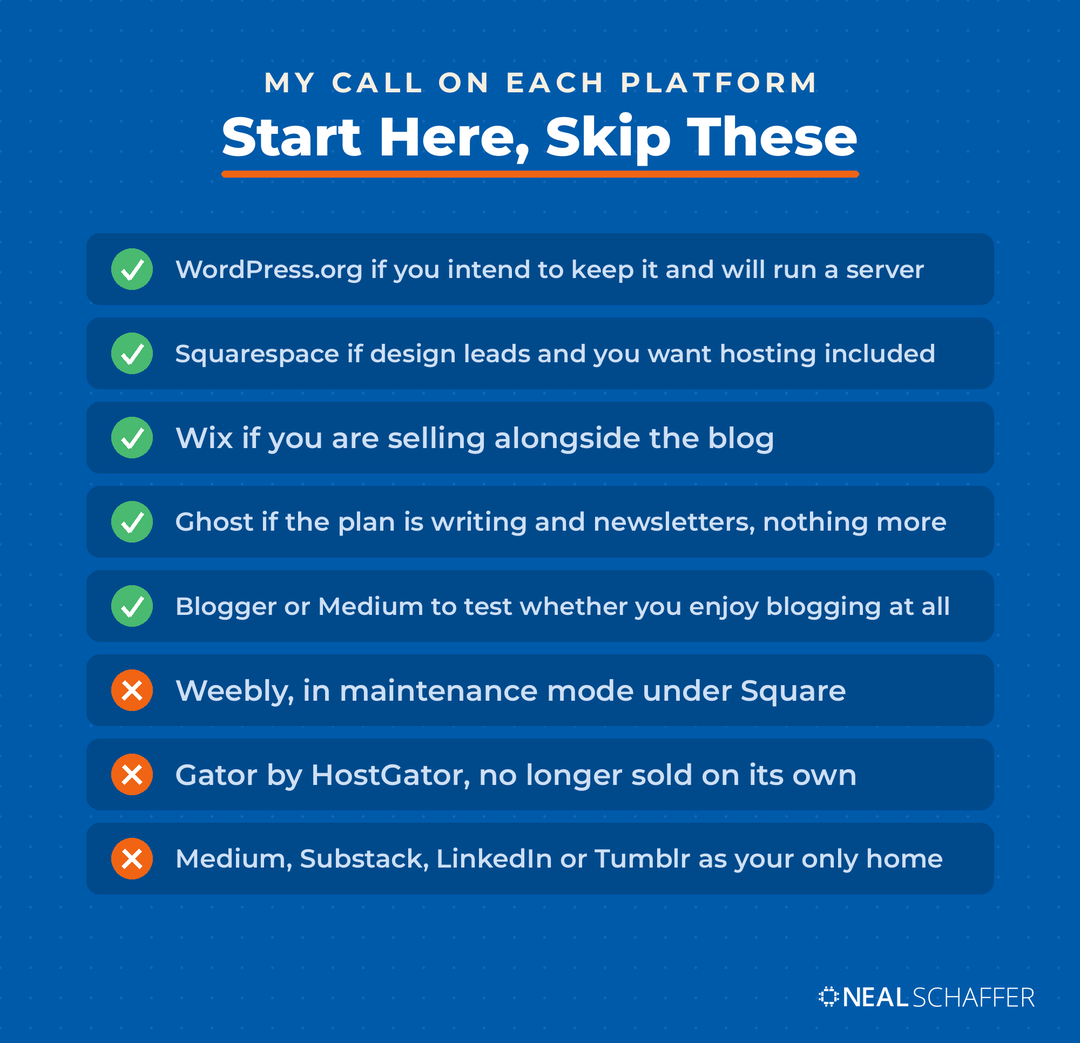
✅ WordPress.org is what I recommend to almost anyone building something they intend to keep, and the tradeoff is that you buy and manage your own hosting.
✅ For most people the real decision is three-way, between WordPress, Squarespace and Wix. The two builders handle hosting, design and security for you, and WordPress trades that convenience for the freedom to change anything, plus a plugin library and developer pool nothing else matches.
✅ WordPress.com and WordPress.org are different products with nearly the same name, and confusing them is the costliest mistake beginners make here. Plugin access on WordPress.com is no longer held back for the top tiers: every paid plan now includes it, starting at $4 a month billed annually.
✅ Free tiers exist on WordPress.com, Wix, Blogger, Medium and Tumblr, and on most of them a custom domain still requires paying.
✅ Medium, Substack, LinkedIn and Tumblr lend you an audience you do not own, which is why I treat all of them as distribution rather than as a blog.
✅ Two platforms in the usual roundups have gone quiet: Weebly sits in maintenance mode under Square, and HostGator no longer sells Gator as a standalone builder.
What Is the Best Blogging Platform in 2026?
Self-hosted WordPress.org is the blogging platform I recommend to most people building something they intend to keep. It runs 40.7% of all websites, lets you change anything on the site without asking permission, and costs you a hosting bill rather than a platform subscription.
That recommendation comes with a real cost, and I would rather say it up front than sell you on it. You are responsible for the hosting account, the updates, the backups, and the security. Nobody patches it for you at 2am. The 17 WordPress tips and tricks I use myself make that load lighter, from speeding the site up to keeping it from breaking.
What you get back is that nothing is locked. When I want to change how URLs are structured, or add schema, or swap a caching setup, I can. On a hosted platform those decisions belong to somebody else’s product team.
I am not claiming WordPress ranks better. I have seen no data that shows it, and content and consistency are what decide rankings. What it gives you is that nothing is off limits: every part of WordPress SEO is yours to change, where other platforms decide some of it for you.
The second half of the argument is the ecosystem. Between the plugin directory and the share figure above, you can add almost any capability without writing code, and you can hire someone who already knows the system in any city. Try that with Ghost or Drupal.
If none of that appeals to you, that is useful information rather than a failure. Plenty of people should be on a hosted builder, and I get to that below. First, the confusion that trips up more beginners than anything else.
WordPress.com vs WordPress.org: The Difference That Costs Beginners Most
WordPress.com is a hosted service run by Automattic, and WordPress.org is free software you install on hosting you buy yourself. The editor looks the same. The ownership does not. On WordPress.com the company runs the server. On WordPress.org you do, and that is the whole tradeoff.
I have been on both sides of this. I launched in July 2008 on a WordPress.com subdomain, linkedinquestions.wordpress.com, and I got there through a WordPress application LinkedIn offered back then. Free, fast, and no server to think about.
Then it kept moving. To windmillnetworking.com, then to maximizesocialbusiness.com for the blog with maximizeyoursocial.com carrying the podcast, and finally all of it merged here. Every one of those old domains still forwards to this site, because I owned them. The content came with me every time, and that portability is the entire case for owning the place you publish.
I do not regret any of those moves, and I would probably make the same sequence again.
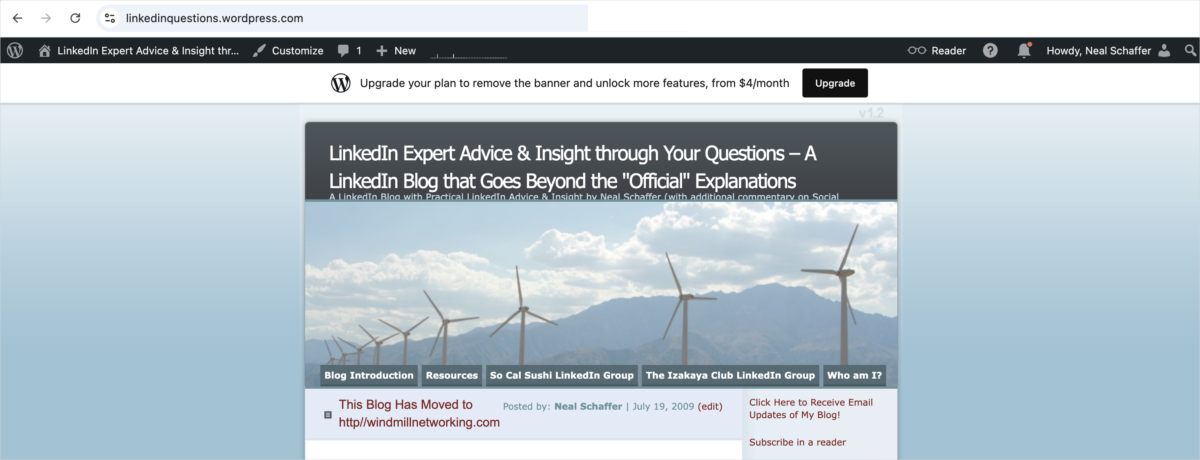
One thing has changed since I left WordPress.com, and it changes the advice. Plugin installation used to be reserved for WordPress.com’s expensive tiers. It is now available on every paid plan, as noted above, which removes what used to be the single strongest reason to leave.
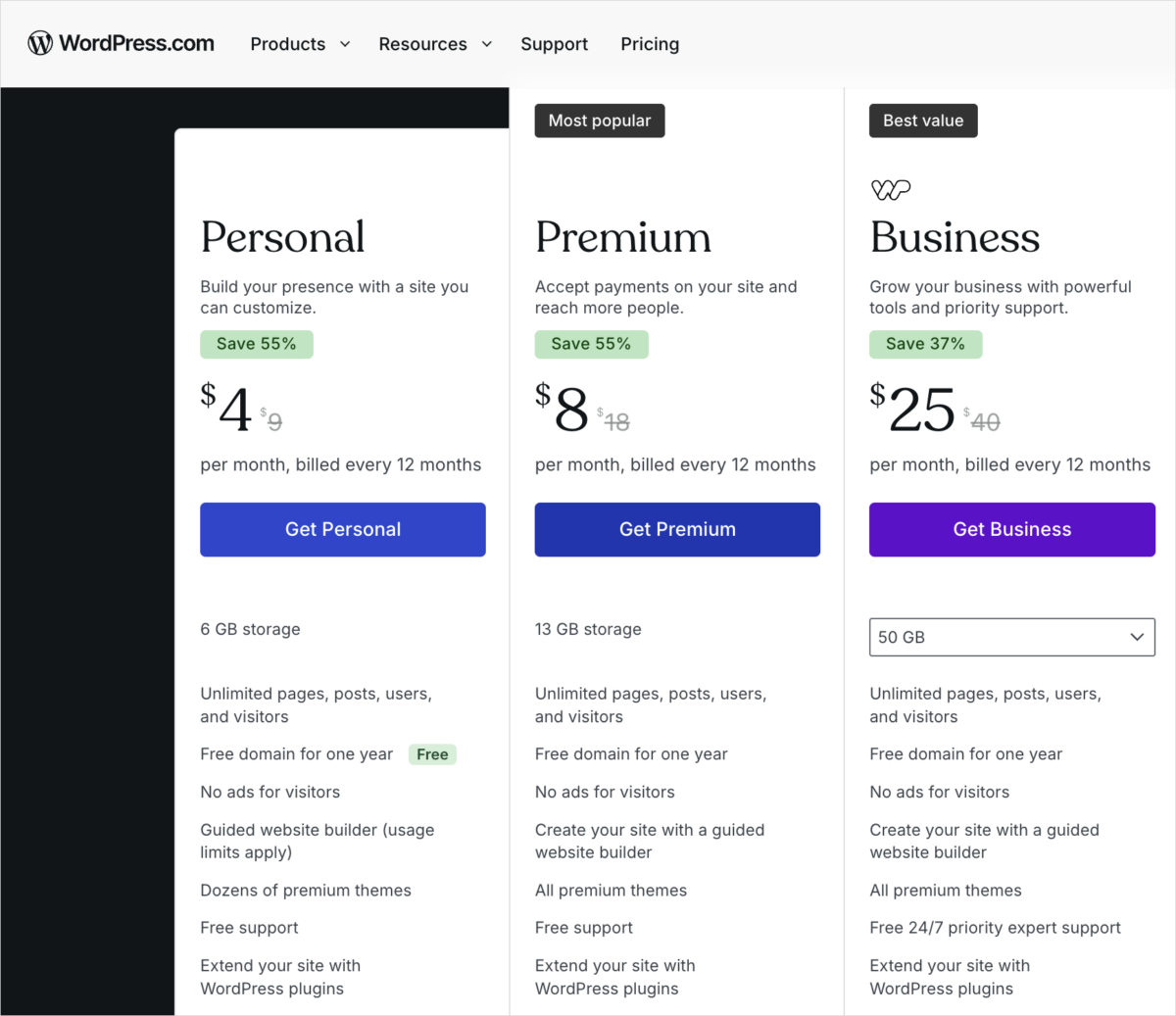
What still sits behind the Business tier is developer access: SFTP and SSH, WP-CLI, GitHub deployments, and real-time backups. If you never expect to want those, hosted WordPress.com may well be enough for you.
On WordPress.org the plugin question does not arise, because over 70,000 free plugins are always available. That is also a trap. From what I have seen, most of that directory is not worth installing. I would start from a short list of the best WordPress plugins for a business blog instead of whatever ranks first in the directory search.
The naming confusion is worth clearing up before anything else, because everything below depends on knowing which side of that line you want to be on.
Three Questions That Decide Your Blogging Platform
Three questions settle almost every platform choice: who owns the audience you build, how much control you need over SEO and design, and how much setup work you are willing to do yourself. Answer them in that order and a long list of platforms narrows down to two or three very quickly.
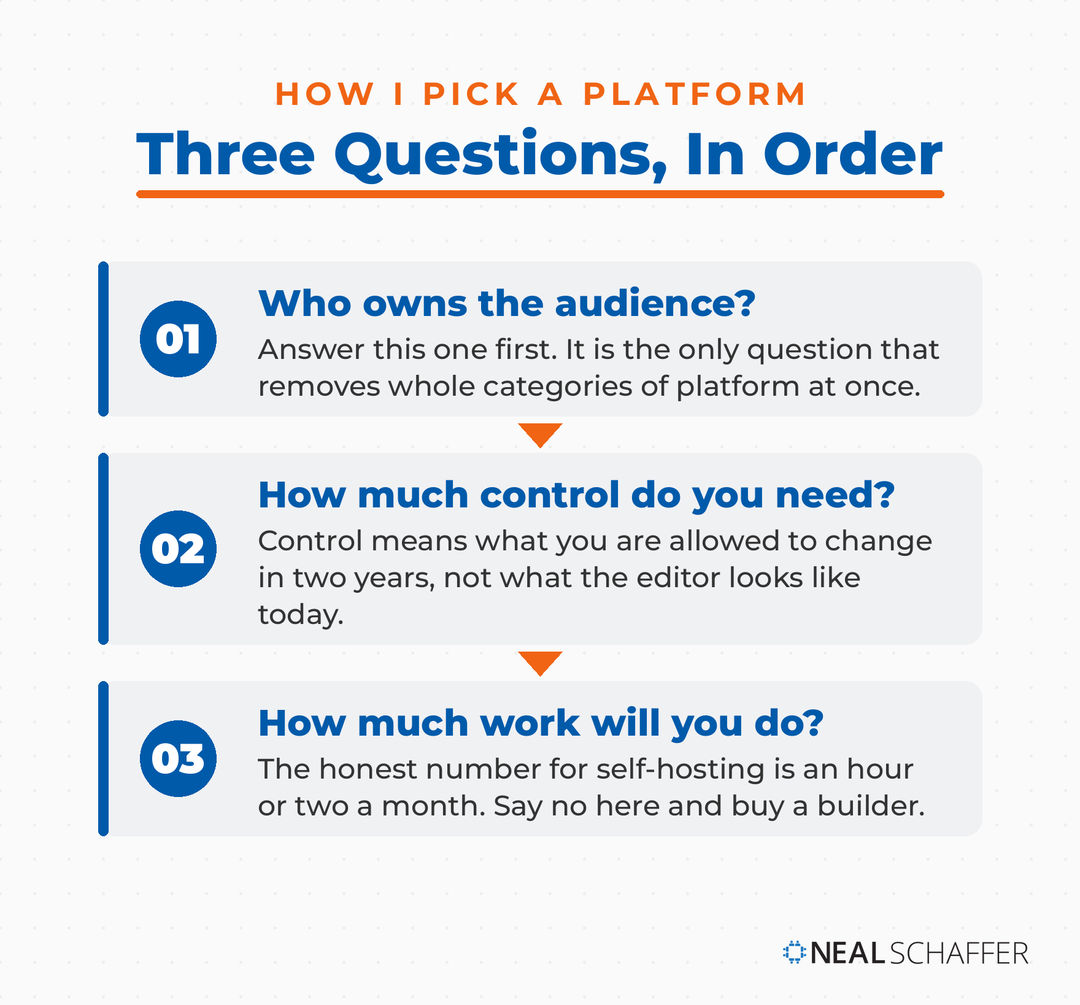
Who owns the audience?
Publishing on Medium or LinkedIn puts your writing in front of readers who are already there. That is genuinely useful when your own site has no traffic. It is also borrowed. Those readers belong to the platform, the recommendation algorithm decides who sees you, and none of it is yours to move. The extreme case is blogging on Instagram, where you cannot even carry a working link out of a post.
The Digital Marketing Playbook for Small Teams
My latest book helps small businesses, entrepreneurs, and marketers bring search, email, and social together into one digital marketing strategy that actually compounds.
Drawing on my work as a Fractional CMO, Digital Threads turns complicated tactics into a clear, practical plan you can follow, whatever your budget or team size.
Grab your copy on Amazon and start weaving your own digital threads. Click the cover or the button below to get started.

How much control do you need?
Control mostly means what you are allowed to change. If organic search is how you expect people to find you, you want your own URL structure, metadata and page speed within reach. Hosted builders cover the basics competently and then stop. Ask what happens when you need something past the basics.
How much work will you do?
Self-hosting means an hour or two a month you would not otherwise spend. If that hour is worth more to you than the extra control, buy a hosted platform and stop reading comparison posts. That is a legitimate answer, not a compromise.
Take those three answers with you into the numbers, because the market is far more concentrated than any roundup list makes it look.
Which Blogging Platforms Actually Run the Web?
WordPress runs 40.7% of all websites and 58.9% of sites using a known content management system, according to W3Techs. Shopify follows at 5.3%, though it is an ecommerce platform. Wix is the largest general-purpose builder at 4.2%, then Squarespace at 2.4%. Everything else sits under one percent.
That gap is worth sitting with. Roundup posts line these platforms up as though they were peers competing on features, and the measured reality is one platform and a long tail. Shopify is in the table because leaving it out would flatter the rest, and it earns that share by selling rather than by blogging.
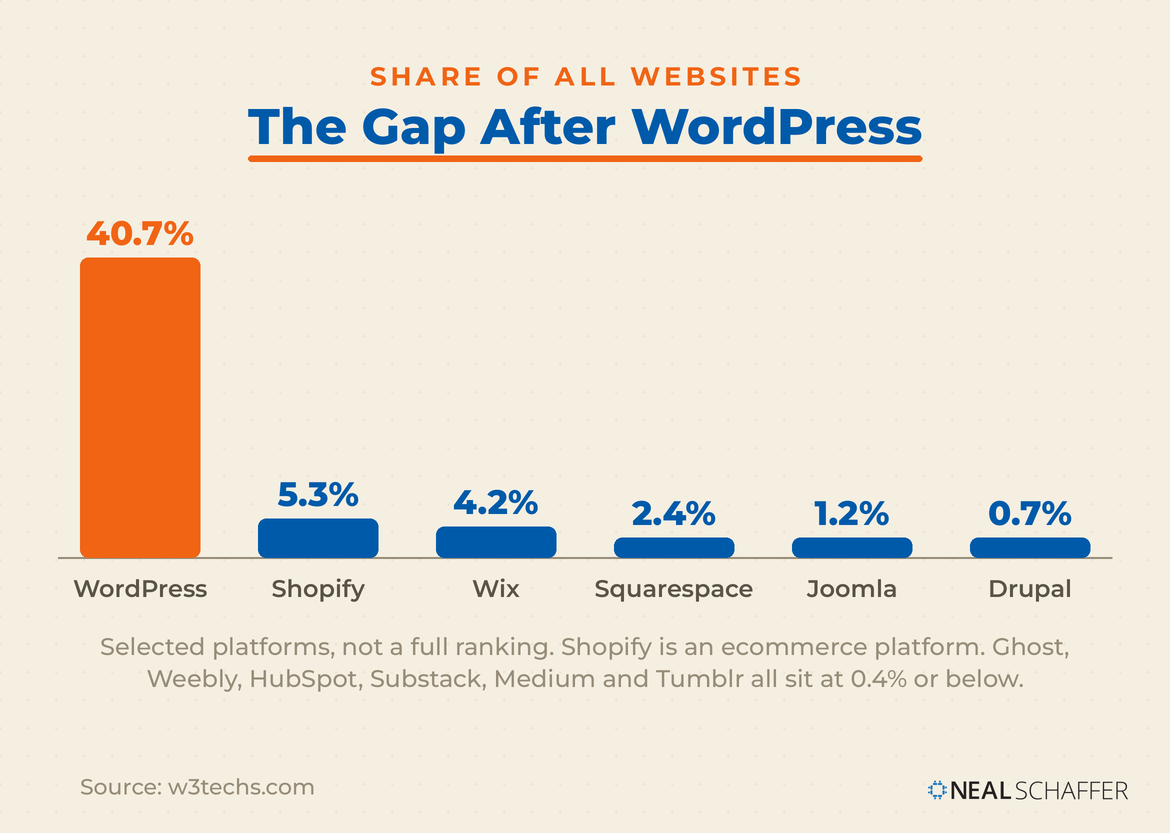
| Platform | Share of all websites | Share of the CMS market |
|---|---|---|
| WordPress | 40.7% | 58.9% |
| Shopify (ecommerce) | 5.3% | 7.7% |
| Wix | 4.2% | 6.1% |
| Squarespace | 2.4% | 3.5% |
| Joomla | 1.2% | 1.7% |
| Drupal | 0.7% | 1.0% |
| Weebly | 0.4% | 0.6% |
| HubSpot | 0.2% | 0.2% |
| Ghost | 0.1% | 0.1% |
| Substack | under 0.1% | under 0.1% |
| Medium | under 0.1% | under 0.1% |
| Tumblr | under 0.1% | under 0.1% |
Share is not the same as quality, and I would not pick a platform on popularity alone. What it does buy you is everything downstream: themes, plugins, tutorials, developers who already know the system, and an answer waiting when something breaks at midnight. Those figures also raise a question I get asked constantly, which is whether a blogging platform and a content management system are the same thing.
Is a Blogging Platform the Same as a CMS?
A content management system is software that lets you publish and edit a website without writing code, and every platform in this post is one. Blogging platform is the narrower term. It describes the content management systems built mainly for publishing articles rather than for running a store or a corporate site.
The distinction people actually trip on is CMS versus website builder. A CMS manages the content layer, so you publish and edit pages without touching code. A website builder wraps that same content layer together with hosting and design templates and sells it as one product. WordPress.org is a CMS you install yourself. Wix and Squarespace are builders with a CMS inside.
CMS is also a wider word than blogging platform, and it covers ground this post leaves alone on purpose. Shopping carts are content management systems, and so are enterprise publishing systems and the design-led tools that sit between the two. If your site is a store first and a blog second, that is the different comparison I pointed at above rather than this one.
Three systems run most of the market between them. WordPress, Shopify and Wix account for more than 70% of it once you add the shares in the table above, and every other platform, including every one I would call a blogging platform first, divides up what is left.
With the scale question settled, the platforms worth your time sort cleanly into three groups.
Every Blogging Platform Worth Knowing, Grouped by What You Own
Every platform worth considering falls into one of three buckets: software you run on your own hosting, a hosted builder that runs it for you, or somebody else’s publishing site where you are a guest. The bucket decides more about your outcome than any individual feature does.
Platforms you run on your own hosting
WordPress.org is the one I use and the one I recommend most often. Open source, endlessly extensible, and the strongest option if search traffic is the goal. If a blank theme intimidates you, a WordPress AI website builder will generate a first version you then edit, and a WordPress page builder handles layout without code.
Ghost is open source under the MIT license, and you can self-host it or use Ghost(Pro), the managed service the same team runs. It is built for writing and newsletters rather than for websites generally, which is a strength if that is your plan and a limit if it is not.
Drupal and Joomla are both free and open source, and both assume development resources you probably do not have if you are reading a post about choosing a platform. I would only reach for either one on a project with a developer already attached.
Hosted builders that run the site for you
WordPress.com covers everything above about hosted WordPress. Fastest route to a real WordPress blog without touching a server.
Wix is the drag-and-drop option with the largest share after WordPress. Building is free, and connecting a custom domain requires a paid plan, which also removes Wix branding from your site.
Shopify comes up every time I write about this, so let me draw the line. If the store is the point and the blog supports it, you are choosing an ecommerce platform rather than a blogging platform. That comparison is WordPress vs Shopify, not this one.
Squarespace is the one I point design-led people toward, and it is genuinely good at courses, memberships and password-protected content. Hosting is included, so there is no separate bill.
My longstanding complaint still stands, and Squarespace states it plainly. The platform has no auto-save or revision history while editing, so work lost to a browser crash or a second open tab cannot be recovered. Deleted pages and posts sit in a 30-day bin, and that is the whole safety net.
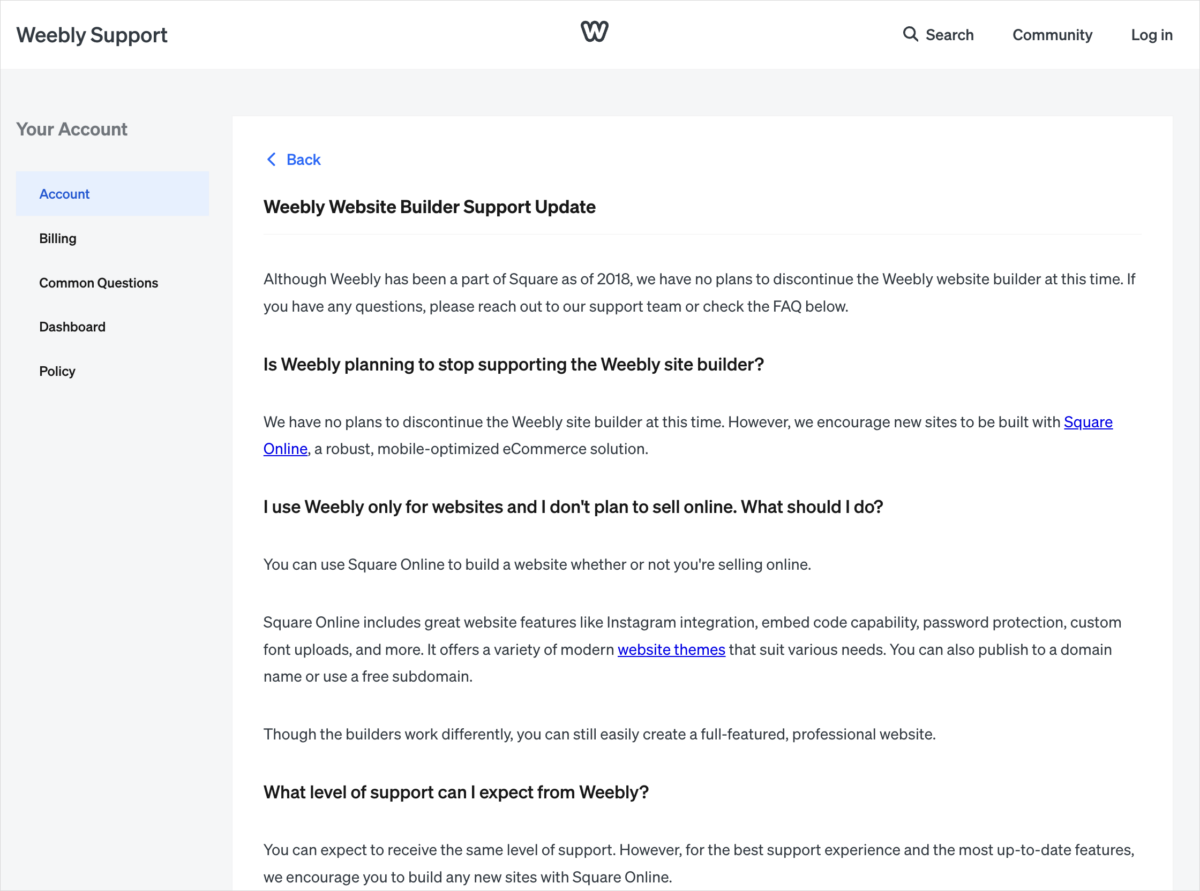
Weebly still works, and I would not start anything new on it. Square owns it now. Its own support page says Square has no plans to discontinue the builder “at this time”, while encouraging new sites to be built on Square Online instead. The mobile app is gone. I read that as a wind-down.
HubSpot renamed CMS Hub to Content Hub, and separately offers free CMS tools that include a custom domain and hosting with no credit card. The pull is the CRM underneath it. The catch is that you are buying into HubSpot’s platform, not just a blog.
Blogger is the oddity here. It is free, Google-hosted, still running, and it lets you connect a custom domain and run AdSense against your own content. Development has been thin for years. For a first blog that costs nothing, it still works.
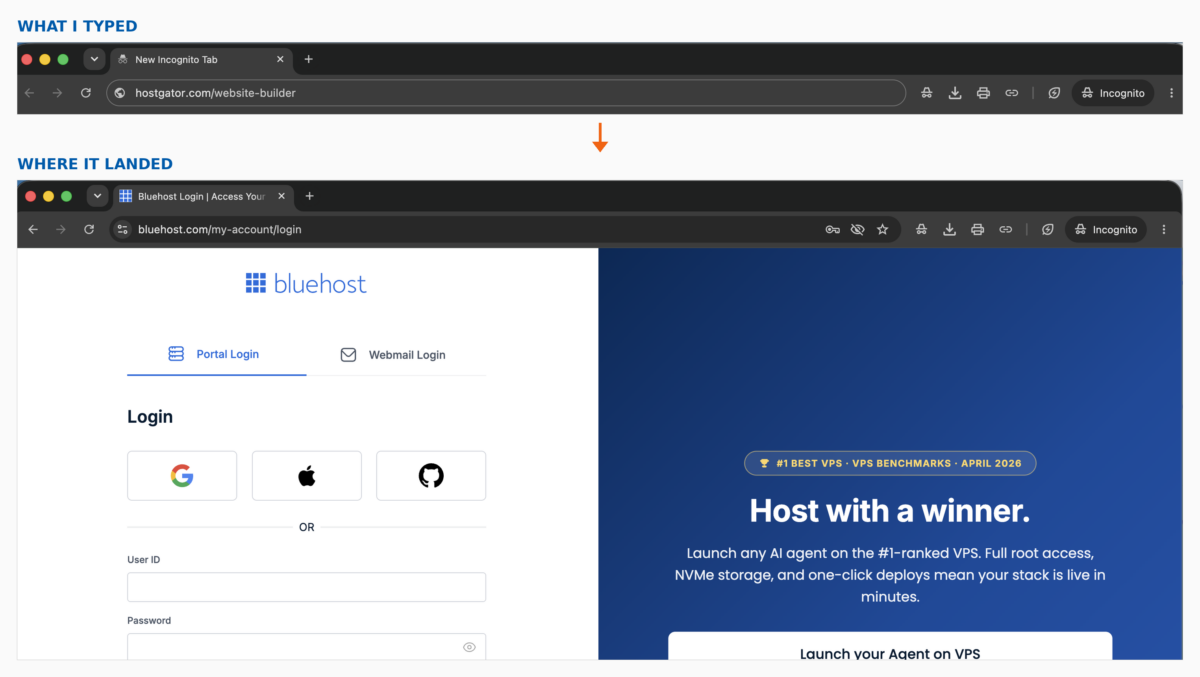
Web.com leads with AI site generation and suits small business sites more than content-heavy blogs. Gator by HostGator looks finished as a standalone product. When I checked HostGator’s website builder page while updating this post, it redirected to a Bluehost account login rather than to a builder. Try it yourself before you count on it.
Sites where you are publishing as a guest
Medium is probably the strongest of these for reaching readers you have not earned yet. Setup takes minutes, and there are settings worth getting right on day one when you set up a Medium account. Note that a custom domain requires an active Medium membership, and even then the site is still Medium’s. Medium’s own help page also says it does not support Google Analytics and there is no way to add code to your page, which tells you plenty about how much of it you control.
Substack is the one people ask me about most. Publishing is free no matter how many subscribers you have, and Substack takes 10% of each transaction once you turn on paid subscriptions, on top of Stripe’s fees.
That model is generous at the start and gets expensive as you grow. Ghost’s own hosting comparison, linked above, puts its cut of subscription revenue at zero. Run that comparison before you commit rather than after.
LinkedIn gives you reach with a professional audience and works well if you are already active there. Tumblr suits short posts and visual content rather than long articles, and gives you almost no customization.
Use Medium, Substack, LinkedIn and Tumblr as a second home for work that already lives on your own site. Do not let any of them become the only place your writing exists.
Which Blogging Platform Should You Pick?
Match the platform to the job you actually need done rather than to the longest feature list. The table below is how I answer this when someone asks me directly, and each row assumes you have already answered the three questions above about ownership, control and effort.
| If this is you | Start here | Why |
|---|---|---|
| Business blog chasing organic search | WordPress.org | Nothing locked, a plugin for everything |
| Want WordPress without a server | WordPress.com | Same editor, plugins on every paid plan |
| Design matters more than SEO | Squarespace | Polished templates, hosting included |
| Selling products alongside the blog | Wix | Strong commerce tooling at a lower tier |
| Writing and newsletters only | Ghost | Purpose-built, and you can self-host it |
| Testing whether you enjoy blogging | Blogger or Medium | Free, no setup, nothing to lose |
That last row just might matter more than people expect. If you are not sure you will still be publishing in six months, spend nothing, write ten posts somewhere free, and make the real decision once you know the answer. Migrating later is a chore, and it is a much smaller chore than paying for two years of hosting on a blog you abandoned.
Whichever row fits, there are a few ways this decision goes wrong that have nothing to do with which logo you pick.
What I Get Asked, and What I See People Get Wrong
The mistakes I see most often have little to do with which platform someone picked. People choose before deciding what the blog is for, treat a free tier as genuinely free, expect the software to do the ranking, and spend money on tools long before they have written anything worth promoting.
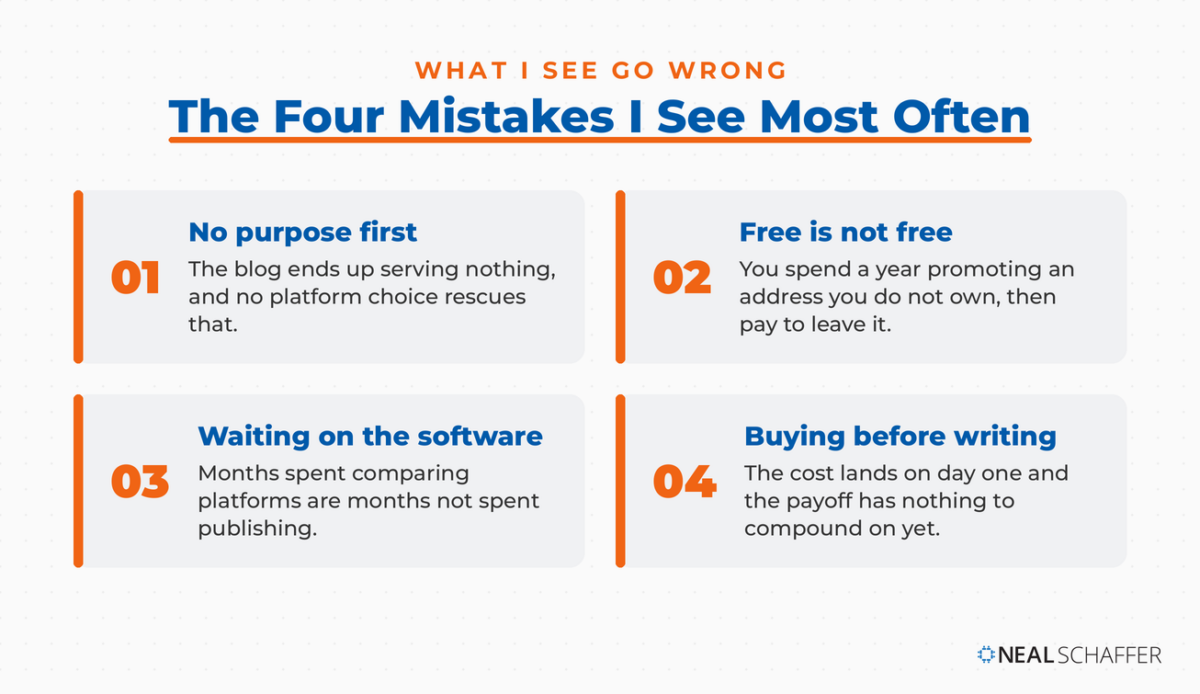
That first one caught me too. In Digital Threads I wrote that “a blog serves a very strategic purpose, allowing you to gain more visitors. With a blog you can build a content asset.” That framing came out of an audit I ran on my own site. I found I ranked for almost nothing on a topic I had written a book about.
Treating the free tier as free is the next one. On most hosted platforms, free means platform branding, a subdomain that is not yours, and no custom domain until you pay. That is fine for a test and bad for anything you plan to promote.
Buying the platform and skipping the work is the one I see most in client audits. No platform makes content rank. The compounding comes from writing blog posts consistently, doing the blog SEO work, and giving it eighteen months. If you want a sense of what the return looks like, the business blogging statistics I track are worth a look before you commit.
Over-buying at the start is the last of the four. You do not need premium hosting, a premium theme and eight paid plugins on day one. Get the blog design to a state you are not embarrassed by, then spend your money on the blogging tools that save you actual hours.
Frequently Asked Questions
WordPress.com, Wix and Squarespace are the easiest starting points because none of them ask you to set up hosting. Wix and Squarespace both use drag-and-drop editing, so you can publish something decent-looking without touching code. Move to WordPress.org later if you outgrow the design or technical limits.
No. WordPress.com is a hosted service where the company runs the server for you, and WordPress.org is free software you install on your own hosting account. As covered above, plugin installation is now available on every paid WordPress.com plan, so the gap between the two is narrower than it used to be.
Your platform sets your limits rather than your results. I have seen no data showing that sites rank better for being on WordPress, and from what I have seen, content and consistency decide it. What self-hosted WordPress.org gives you is that URLs, metadata, page speed and SEO plugins are all yours to change, where some platforms will not let you near them.
Yes. WordPress.com, Wix, Blogger, Medium and Tumblr all have free tiers you can publish on today. The tradeoffs are platform branding in your URL, limited customization, and on several of them no custom domain until you upgrade to a paid plan.
Use them as a supplement rather than a replacement. Both give you access to an existing audience, which helps while your own blog has little traffic. You do not own that content or that audience, so anything you publish there should also live on a site you control.
Ready to Pick Your Blogging Platform?
Start by answering the ownership question, because it eliminates the most options fastest. If you want to own what you build, you are choosing between WordPress.org and WordPress.com, and the deciding factor is whether you want to run a server.
If you do not need to own it, pick the hosted builder that matches your strength. Design-led people should look at Squarespace. Anyone selling alongside the blog should look at Wix.
Then stop researching and publish something. My post on how to start a blog is where to go next. If you go the self-hosted route, choosing your blog hosting is the one decision I would slow down on.
After a few months of publishing, the question shifts from platform to revenue. The options for monetizing a blog are worth reading before you build habits that make them harder.
If you would rather have someone build the strategy around your blog instead of piecing it together, that is what I do as a Fractional CMO. And if you want to work through it alongside other founders and operators, my Digital First Mastermind exists for exactly that. You can also read more about my work and how I got here.