Editorial Note: I may earn a commission when you visit links that appear on my website.
17 Amazing AI Video Generators to Start Using Today
AI video generators are a tool category I’ve been experimenting with as of late. There are many potential use cases for them, and they can play an impactful role in educational video and anywhere stock video would otherwise do the job, such as b-roll. There are plenty of other ways to use these new tools, and only your imagination is the limit. Keep reading to learn what makes these platforms unique and how you can benefit from them!
Key Takeaways
✅ These tools fall into two camps. Some hand you premade templates and avatars to fill in, and others build the video from a written prompt. The first camp is more predictable, the second is more surprising.
✅ Avatar and language reach is where the leaders separate. Synthesia alone offers more than 140 AI avatars and AI voices in 120 languages, which is what makes a single script usable across markets.
✅ Not every tool on this list is video-only. Designs.AI spans video, text, logos, and voiceovers, and Stable Diffusion is an image generator you can push into video work.
✅ Wondershare Filmora is the tool here I have spent the most time in, and it is the closest thing on this list to a conventional editing timeline.
✅ This category moves fast. A tool you tried and dismissed a year ago is worth opening again before you rule it out.
What is an AI Video Generator?
As you can guess by the name, these programs serve for video creation, generating content from scratch. Unlike the traditional, complex editing tools, which also require some software knowledge, these platforms have minimal prerequisites. Just about any random guy can jump into these platforms and become Roman Polanski overnight. Well, a little exaggerated, but you get the point!
How Do AI Video Generators Work?
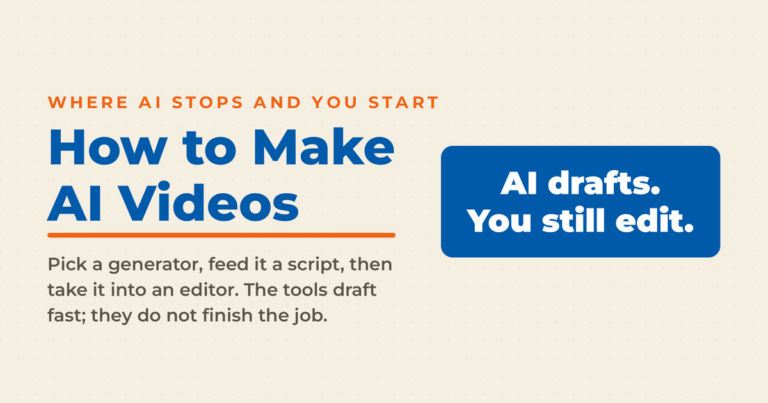
Depending on the tool, you can either use premade templates and avatars or input textual prompts to create a marketing video. Customizable templates make the process more predictable and repeatable, while video editing tools that rely on prompts are a bit more chaotic. If you want the full workflow rather than the tool list, my guide to how to make AI videos walks through the process from script to finished file.
Whatever the case, these platforms allow you to create professional videos with minimal resource investment. Although most people will figure out these were made by artificial intelligence, these high-quality videos will still do the job for small and medium-sized companies that don’t have money for professionals. At the end of the day you will have to be the judge as to how useable these are, but note that AI video technological advancements are happening FAST, so even if you checked out some of these before, you should definitely be keeping an eye on them!
What Types of Videos Can an AI Video Generator Generate?
While these platforms might seem like the alpha and omega of content creation, creating all sorts of funky videos, most of them are actually quite limited. Some of them specialize in training videos and explainer videos built around a custom avatar selection, while others are better suited to social media videos, where the platform dictates the format and the length.

A few of these are also magical if you’re looking for professional voiceovers, generating and editing just about any audio file. Certain platforms utilize green screens, allowing you to switch the background in video editing.
Here are 17 Recommended AI Video Generators to Check Out
Not to waste any more of your time, let’s jump into the best video and image tools for your company!
1. Synthesia
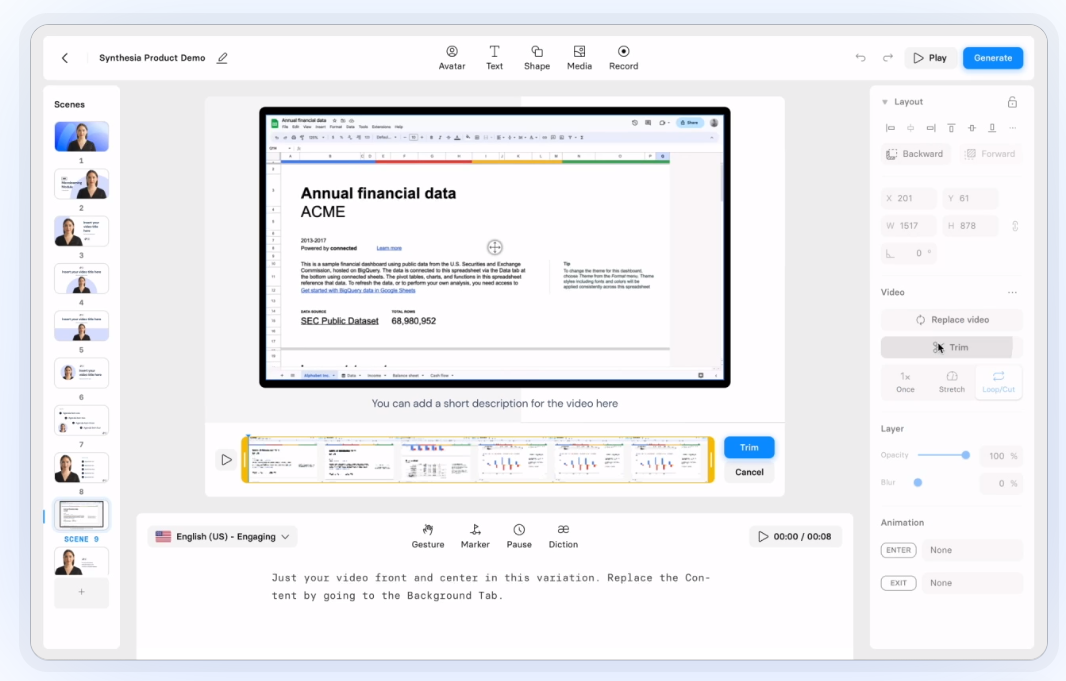
In a nutshell, Synthesia uses pre-made video templates as the basis of its video production. As a content creator, you get access to more than 140 custom AI avatars and AI voices in 120 different languages. So, basically, no matter where you live, you can create engaging marketing material for your target audience.
Another thing I really liked about this tool is its script generator feature. In other words, you also won’t need any content writing skills to create engaging videos for your brand. All you gotta do is select a template and tone of voice, make a few other modifications, and you can create product promos, training videos, and other types of video clips. If the script is the part that slows you down, I have rounded up a set of free AI script generators that handle just that step.
2. Pictory

Nowadays, even if you employ fantastic content writers, it’s hard to compete with companies that use video technology. This is why you should consider using a video tool such as Pictory.
With this marvelous program, you can turn scripts and blog posts into AI-generated videos with minimal human involvement. The software has a massive library of human voiceovers, so you can find the perfect ambassador for your business. As if that wasn’t enough, you can also insert royalty-free background music to spice up the message.
I like the fact you can use this program for just about any channel. It’s simply perfect for social media platforms, but you can also generate video content for your articles, giving users another, more engaging format.
3. InVideo

You don’t have to be a professional video creator to rock the marketing world. Nowadays, you can rely on tools such as InVideo to automate your video creation workflow and generate impeccable content with minimal skills.
The thing that makes this software ground-shattering is its vast library with more than 5,000 elements. Similar to Synthesia, InVideo serves as a text-based video editing tool, allowing you to generate scripts within seconds. And if that doesn’t work, you can always feed the beast with human-made blog posts.
When creating videos at scale, you can also play around with subtitle settings, adjusting your font and text appearance. InVideo also allows human voiceovers and has collaboration features.
4. Deepbrain AI

Deepbrain AI is a popular choice among content creators. Besides the fact you can create a video in minutes, the tool also works for various formats, such as social media content, onboarding videos, explainers, and so on. The best thing yet is that no credit card is required to start editing video content!
Another thing I found intriguing (and unique) is the fact you can choose between 2D and 3D digital avatars. While 2D format looks more humanlike, 3D is an ideal avatar if you’re looking for a robotic appearance. Lastly, besides premade avatars, you can also create customizable video templates that are more suitable for your users.
5. Lumen5
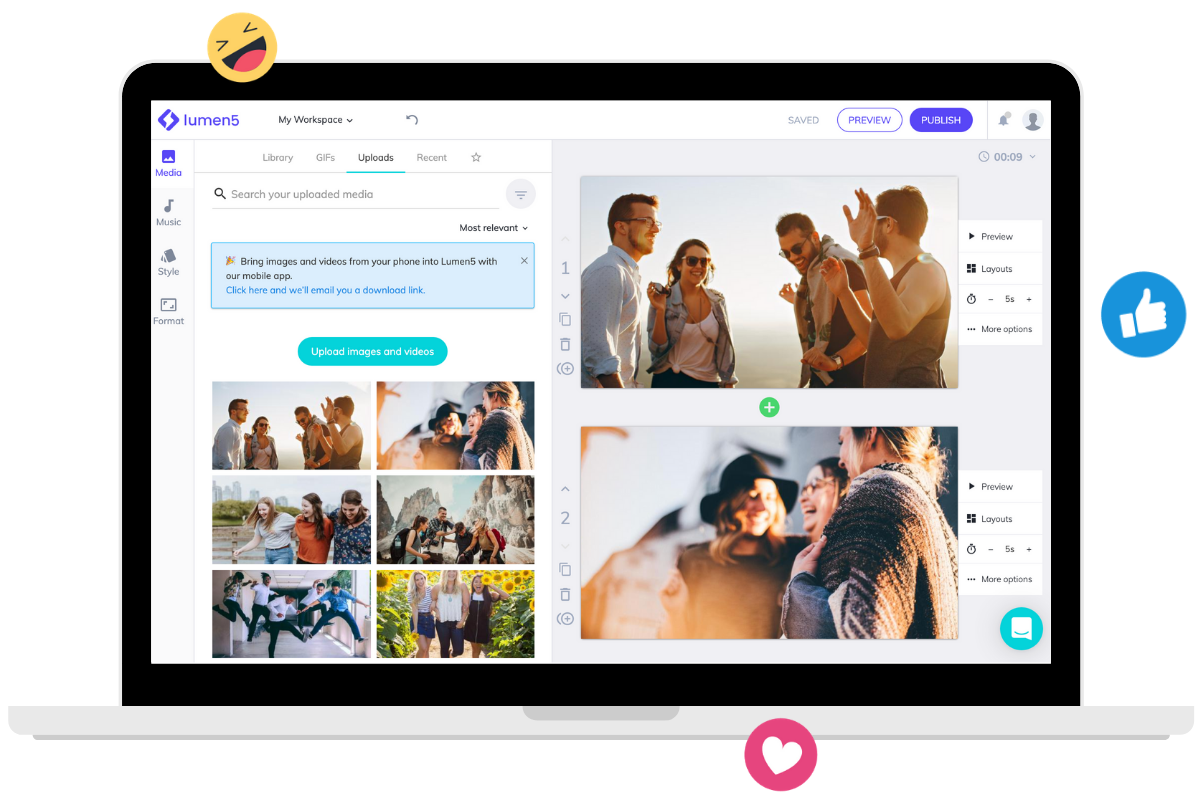
Even if you’re clueless when it comes to video creation and design skills, you can become a visual artist with Lumen5. The AI-powered tool works under a simple drag-and-drop premise, allowing you to move stock images around and create videos in minutes. Elements are flexible, allowing users to play around with colors and sizes and adjust other settings.
If you don’t like generic images and want to introduce a bit of pizzazz to your content, you can also go with talking head videos. These are usually better suited for training videos or other pieces that have to be relatable. You can also add customizable subtitles to your content so that your message reaches even the users with hearing impairment.
Did I mention there’s no
6. VEED

Whether you’re looking to create videos from scratch or you want to finish editing video content, VEED can help you out. The software offers a vast library of templates that come with premade music. You can basically insert these graphics, add text, and make a few tweaks to create stunning videos in minutes.
Aside from making voiceovers, VEED also offers text-to-speech functionality. You can choose background music based on genres, ranging from jazz to rock and electronic. This video maker also comes with a background remover, allowing you to tweak the visuals of your existing content.
7. Elai.io

Elai.io offers a wide variety of features, combining a video, text, and image generator all in one platform. Nevertheless, the thing I found most interesting is how the company handled its avatars. Aside from 80+ premade templates, you can also create a custom character. For example, you can create one in your own image by taking a selfie, or you can hire the Elai.io team to create a studio version.
The software can create compelling video scripts that can serve as a basis for your content. There’s also multi-lingual voice cloning, allowing you to generate a replicate of your own voice in 28 languages.
8. Colossyan

If you want to learn what artificial intelligence technology can do for your brand, you should definitely give Colossyan a go. Aside from using AI-generated avatars, the software also comes with an extensive library of templates you can use for the background. Among others, Colossyan allows you to create a digital twin for your posts!
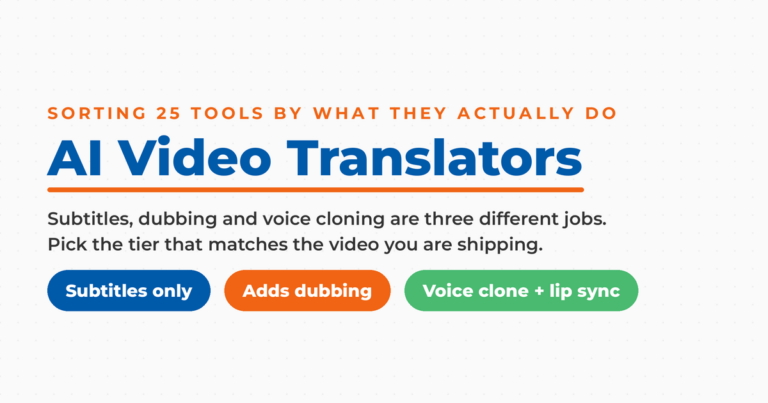
Like most other tools on the list, this program can create a straightforward video script based on a short textual input. There’s also a cool translate feature that would automatically convert your text into one of 120+ languages—putting Colossyan among the AI video translators worth a look when localizing existing footage into new markets is your real goal.
9. Designs.AI

Most programs on this list advertise themselves as video generation tools. This isn’t the case with Designs.AI. The comprehensive platform can work for just about any marketing material, ranging from videos to text, logos, social media posts, human voiceovers, and logos.
I almost felt nauseous when I first accessed its media library, consisting of 170 million images. With such a wide selection, you’ll never have to create a background from scratch. Aside from this feature, Designs.AI can create automatic video transitions and optimize content for different platforms while also allowing internal communications.
10. FlexClip

True to its name FlexClip is a flexible video editor that combines several artificial intelligence technologies. It comes with a video script generator, AI image generator, and text-to-video functionality. In other words, it can serve as a one-stop shop for all your marketing needs.
Like other video generators on the list, this program comes with a massive resource library. With it, you can create just about any long or short-form video and modify different settings by adding subtitles, adding music, trimming videos, doing screen recording, and so on.
11. Synthesys

Synthesys AI video generator is somewhat similar to FlexClip, but also other apps on the list. The makers provide a large number of avatars, voices, and images that you can introduce into your content. The voice library is especially impressive, offering 400+ voices that cover 140+ languages.
Aside from these basic functionalities, you also have a few advanced features like voice cloning and custom avatars. While not necessary, these features can add a bit of flavor to your videos.
12. Runway

Runway offers one of the more comprehensive solutions on the market (at least, based on what I’ve seen so far). The platform mimics the functionality of a professional-grade video editing tool, allowing you to cut, crop, resize, and perform other modifications. There are also all sorts of other filters that can change the videos’ visuals.
Out of all these nifty functions, I was especially captivated by the green screen, motion tracking, and inpainting. These features aren’t that common within this software category so, if you’re looking for something extra, you should definitely check out Runway.
13. HeyGen

HeyGen offers several categories of avatars. Aside from natural-looking characters, you can also go with generic, multipurpose avatars that can be used in all sorts of situations. You can also use the AI technology to turn static images and art into avatars with moving expressions.
Users can also select one of 300+ voices representing 40 languages. I liked the vast number of integrations that the platform offers. For example, you can combine HeyGen with OpenAI, Canva, Zapier, Discord, and other popular programs.
14. Wave Video

Wave Video combines numerous functionalities in one comprehensive platform. Aside from generative and editing videos, you can also use the built-in screen recorder, video hosting feature, and thumbnail creator. Nevertheless, the thing that is most unique about this program is its watermark creator.
Even if you don’t have a video to start with, you can always access a massive stock library. Aside from videos, the library also consists of numerous audio tracks and images. That way, you can streamline just about any marketing process and create all sorts of materials.
15. Wondershare Filmora

When talking about video editing platforms, it’s hard not to mention Wondershare Filmora. In fact, this is probably the tool I’ve used the most out of all the entries on the list. Besides traditional editing features, like cutting and cropping, the software also includes added effects, smooth color modifications, and audio enhancement.
Recently, the company added lots of AI features, allowing users to perform automatic synchronization and ducking. You can use Filmora to perform smart cutouts, reframes, denoising, and remove pauses.
16. Stable Diffusion

Stable Diffusion is, first and foremost, an image generation tool. Although very different from other entries on the list, your marketing team can still use it to create promotional videos for the brand. For example, you can use existing content and convert it into a robotic, digital version, giving it a much smoother visual appearance.
17. Fliki

Fliki can easily turn text into video or speech. It’s the perfect software for marketers who want to turn their social media posts and articles into a digital format. After introducing text, all you have to do is select a language, a voice, and background imagery. Fliki can also create AI visuals based on your input, adding extra creativity to the process.
Frequently Asked Questions
What is the best AI video generator?
There is no single best one, because these tools specialize. Synthesia and Colossyan are built around avatars and training video, Pictory and InVideo turn written content into video, and Runway behaves more like a professional editor with AI features layered on top. Pick based on the format you produce most.
Are AI video generators free?
Most run on freemium or trial pricing rather than being fully free. Deepbrain AI lets you start editing without a credit card, which makes it a low-friction place to test the category before you commit any budget.
Can an AI video generator use my own voice?
Yes. Elai.io and Synthesys both offer voice cloning, so one short recording becomes a reusable voice track. Elai.io will also carry that cloned voice into 28 languages.
Do AI-generated videos look professional enough to publish?
Most viewers will recognize a fully AI-generated video for what it is. That tends to be fine for training, explainer, and b-roll footage where clarity matters more than polish, and less fine for a brand hero video that carries your positioning.
Which of these tools handle real editing rather than generation?
Runway and Wondershare Filmora are the two closest to a traditional editor. Runway adds green screen, motion tracking, and inpainting, while Filmora layers AI features like smart cutouts, reframing, and pause removal onto a standard editing timeline.
Conclusion
No matter what type of business you’re in, these tools can change how much video your brand is able to put out. You can use them for all sorts of marketing materials, ranging from explainer and training videos to interactive social media posts. The best thing yet is that most of them don’t require advanced technical or graphic skills to use. Video is one piece of a bigger stack, so once you have picked a generator it is worth reviewing the rest of the AI marketing tools that can feed it.
DIY your digital marketing with AI.
Practical advice on social, content, influencer, and search marketing, plus the AI tools that make each one easier. Join thousands of founders and business owners who read it.