Earn the Links That Get Your Website Found
Get my free 8-step guest blogging strategy.
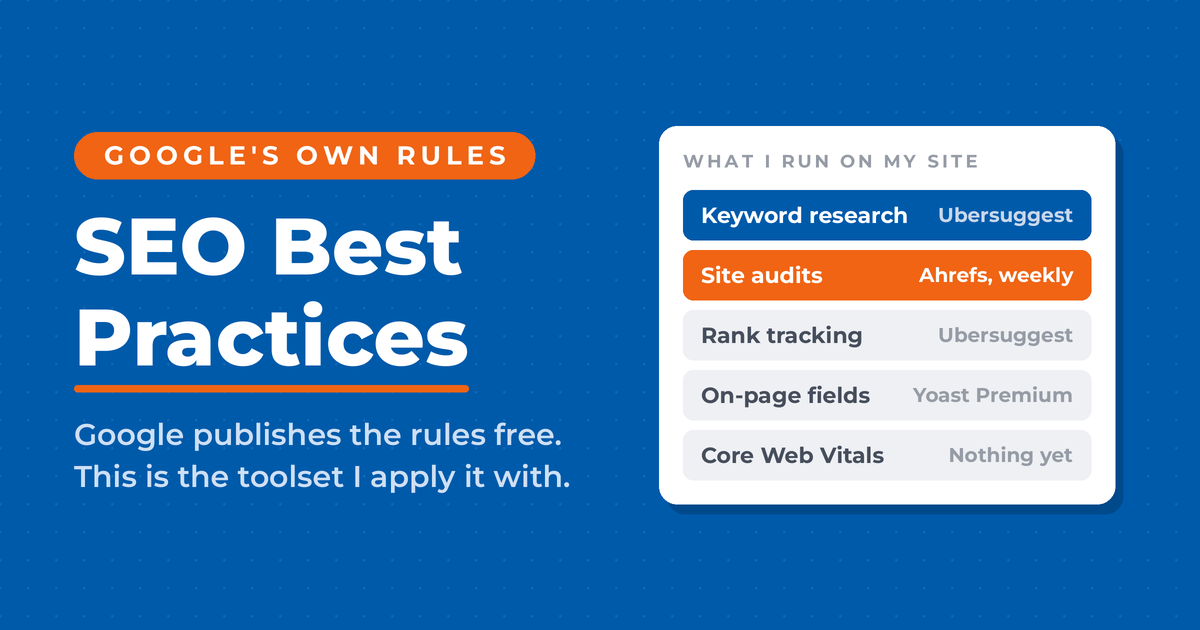
The SEO best practices that probably matter most are already written down, for free, by the company doing the ranking. Google publishes the rules it wants site owners to follow, and it explains in plain English how it decides what ranks. The hard part is deciding which of those rules deserve your time this month.
I’m Neal Schaffer. I have been publishing on this site since 2008, and search is one of the core threads in my book Digital Threads. So this is written from the practitioner’s chair. You will get what Google says, what I actually do on nealschaffer.com, and where the two meet.
This is for marketers and business owners who already have a site and want to know which SEO work deserves their time. If you are new to SEO and want the ground floor first, start with the basics of SEO marketing and come back.
✅ Google already publishes the rulebook. Its Search Essentials break SEO into technical requirements, spam policies, and a short list of key best practices, and most sites pass the technical part without trying.
✅ Search intent comes before everything else. Match what the searcher wants first, then worry about titles, headings, and links.
✅ People-first content is Google’s own standard. Show who wrote the page, how it was made, and why it exists, and skip anything written to hit a word count.
✅ Backlinks still matter, and relevance probably matters more than volume. A link from a site in your niche helps. A pile of random links probably does not.
✅ Audits are maintenance. I run a site audit every week. A regular crawl catches broken pages and missing tags before they cost you traffic, and a spot check on Core Web Vitals will tell you things you would rather know.
✅ Ranking is no longer the finish line. AI summaries now answer some searches right on the results page, so measure visibility, not only clicks.
SEO best practices are the habits that make your pages eligible to appear and perform well in search. Google groups its own version into three parts in its Search Essentials: technical requirements, spam policies, and key best practices. Meeting all three makes you eligible. It does not guarantee Google will index or rank you.
That last point probably gets less attention than it deserves. The same Search Essentials page says a page can meet every requirement and best practice and still not get crawled, indexed, or served. It also says appearing in Google Search results does not cost any money, no matter what anyone tries to tell you.
| Part of Search Essentials | What it covers | What happens if you miss it |
|---|---|---|
| Technical requirements | The bare minimum for Google to access a page | Google may not be able to crawl, index, or serve it |
| Spam policies | Tactics Google considers manipulative | A page or a whole site can be ranked lower or left out entirely |
| Key best practices | The habits that help Google understand and surface your content | Nothing breaks, but you make Google work harder to see what the page is for |
Google’s own short list of key best practices is worth reading in full. In my words, it asks you to:
When you read any list of SEO best practices, try mapping each item back to one of those five. If an item doesn’t map to any of them, I would argue it probably isn’t a best practice.
So which factors does Google actually weigh when it sorts the results?
Google says its ranking systems weigh five broad factors: the meaning of your query, the relevance of the content, its quality, its usability, and the searcher’s context. Google explains all five on its How Search Works ranking page, and it notes that the weight of each one changes depending on the query.
| Factor | What Google says it looks at | What you can do about it |
|---|---|---|
| Meaning | The intent behind the words, including synonyms and spelling corrections | Write for the question behind the keyword |
| Relevance | Whether the page contains the query’s words in headings or body text, plus related content beyond the keyword | Use the searcher’s language and cover the subtopics they expect |
| Quality | Signs of expertise, authoritativeness, and trustworthiness, including whether prominent sites link to the content | Show who wrote it and earn links from sites in your niche |
| Usability | Page experience, such as mobile-friendly pages that load quickly, when other factors are roughly equal | Fix slow or unstable pages before they cost you a tie |
| Context | The searcher’s location, search history, and settings | Build location pages if you serve a local market |
Two details on that page should change how you prioritize. The first is that the weight shifts by query. Google’s own example is that freshness counts for more on current news than on a dictionary definition. So a best practice for a news site can be wasted effort on an evergreen guide.
The second is that usability works as a tie-breaker. When the other factors are roughly equal, the more usable page may win. So fix technical problems, but don’t expect a fast page to outrank a more relevant one.
Meaning sits at the top of that table, and it is where the practical work starts.
Search intent is the reason behind a search, and I would argue matching it comes first, because every other factor depends on it. Before writing, search the keyword yourself, look at what already ranks, and confirm the format and angle searchers expect. A well-optimized page aimed at the wrong intent is fighting uphill.
Bruce Clay, author of Search Engine Optimization for Dummies, told me on my podcast how blunt this gets. In his words: “If your page intent is transactional, don’t expect a rank for that informational query. It just isn’t going to happen.”
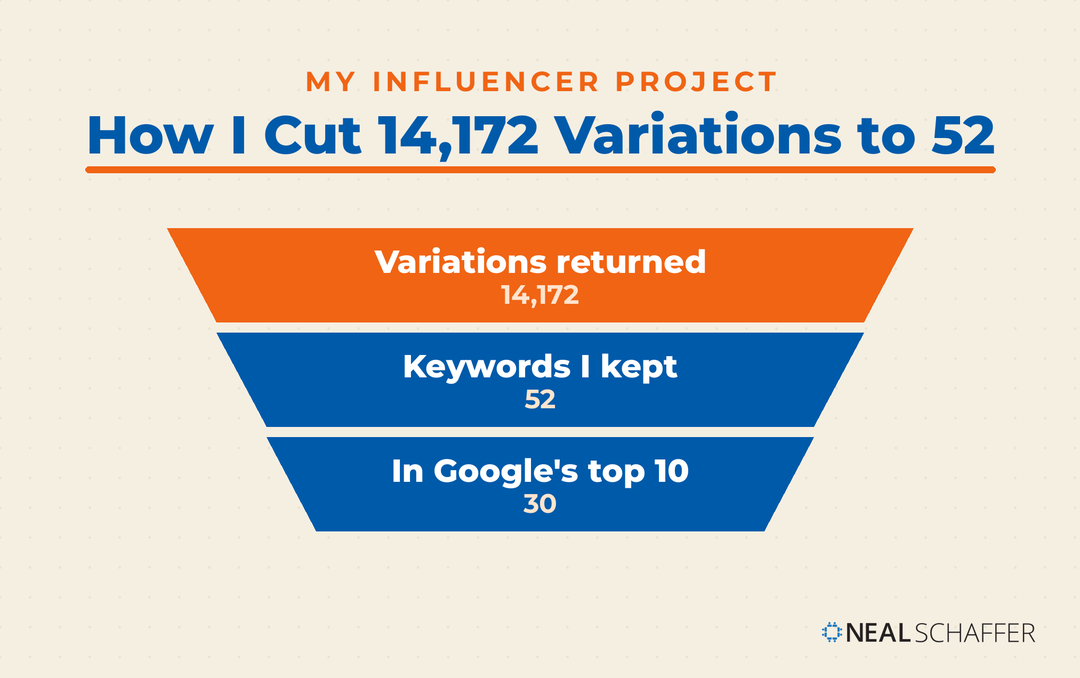
When I set out to rank for influencer marketing, a project I describe in Digital Threads, the SEO tool I used returned 14,172 keyword variations and 1,504 questions. I cut that down to 52 keywords I could connect with, enough for one post a week for a year. Then I confirmed the intent of each one by searching it in an incognito window.
That intent check did two jobs. It showed me which phrases Google treated as the same search, so I could cover them with one post instead of several. It also sorted the high-intent phrases, which belong on product and service pages, from the ones better suited to a blog post.
I then ranked the 52 keywords from easiest to hardest by keyword difficulty and worked through them in that order. When I started tracking in November 2020, I had three posts in the top 10 and 15 keywords in the top 100. A year later, 47 of the 52 ranked in the top 100, 30 in the top 10, and five at number one.
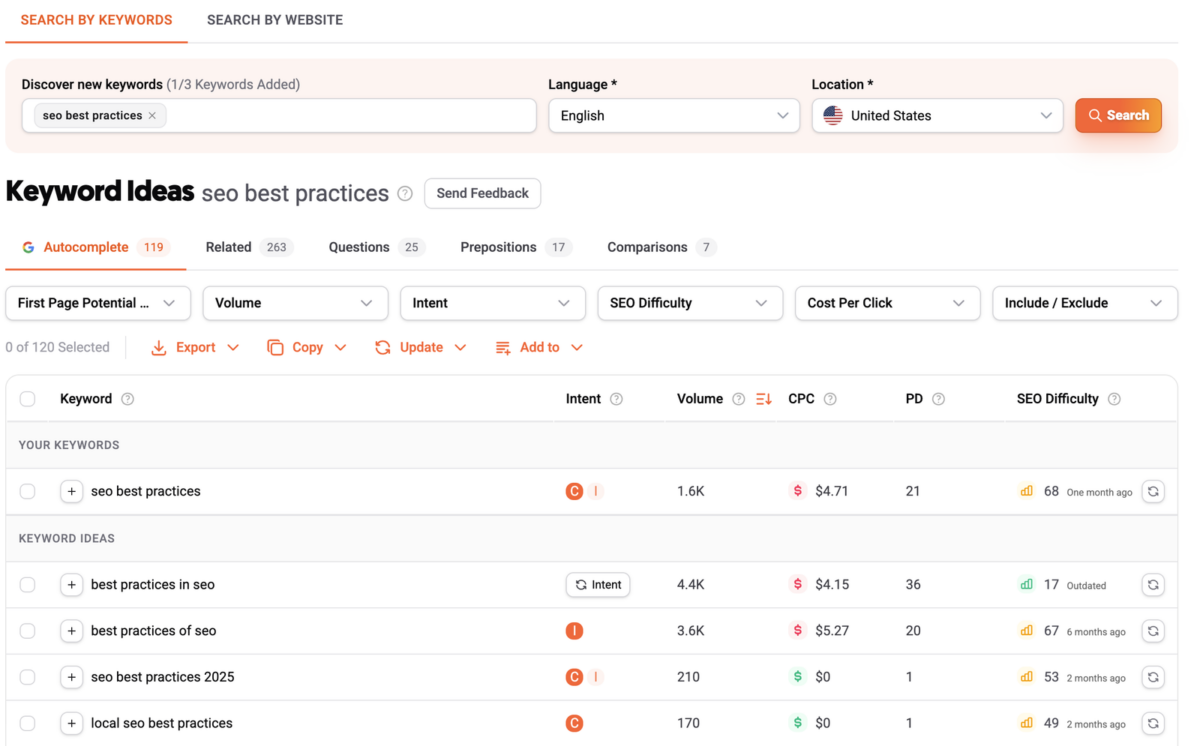
Today I do my keyword research in Ubersuggest, and I look at volume, CPC, SEO difficulty, and intent together rather than volume alone. Here is the routine, in order:
Two related decisions come next: how specific to get with long-tail keywords, and how to choose SEO keywords for a whole site.
My latest book helps professionals, entrepreneurs, and business owners turn LinkedIn from a static profile into a real source of clients and growth.
Maximizing LinkedIn for Business Growth gives you clear, practical steps to build a profile that gets noticed and a network that actually sends business your way.
Grab your copy on Amazon and put it to work this week. Click the cover or the button below to get started.

Once you know what the searcher wants, the next question is what Google considers a good answer.
People-first content is content created primarily to help a reader. Google’s guidance on creating helpful, reliable, people-first content says its ranking systems are designed to prioritize it. Google also offers a simple test: ask who created the content, how it was created, and why.
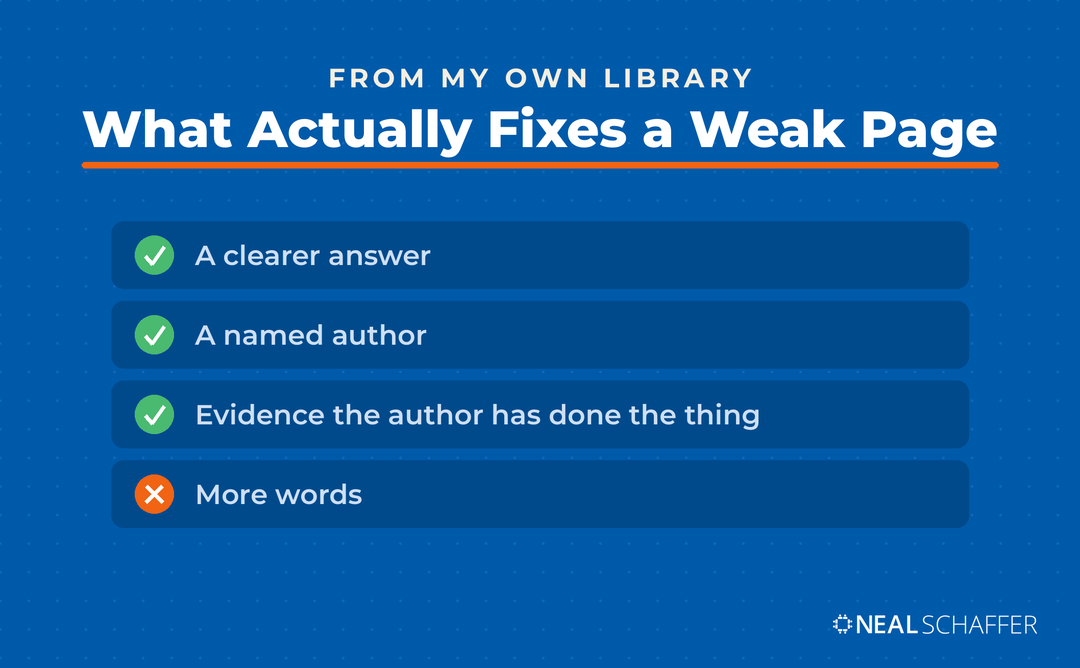
The “who” is the easiest place to start. Google encourages bylines where readers expect them, and bylines that lead to more information about the author. A page with no clear author probably gives a reader very little reason to trust it. What that means for a whole site is the subject of my post on E-E-A-T and SEO.
Google is also explicit about a few habits that are warning signs. It lists writing to a particular word count as a warning sign and says outright that it has no preferred word count. It also warns against changing the date on a page to make it look fresh when the content has not substantially changed.
On E-E-A-T itself, the same guidance says it is not a specific ranking factor, and that trust is the most important of the four parts. Experience, expertise, and authoritativeness feed into trust, but a page does not need to show all of them to be helpful.
From what I have seen working through my own library, a weak page usually needs a clearer answer and a named author. It also needs evidence that the author has done the thing. Adding words rarely fixes it.
With the content right, the page itself still has to tell Google what it is about.
On-page SEO covers everything on the page you control: the title, headings, body copy, images, and internal links. Google’s Search Essentials ask you to put the words people search with in prominent places like the title and main heading, and to make your links crawlable. They help Google understand the page, even if they probably rarely win a ranking alone.
Put the searcher’s language in your title tag and your H1, then use related phrases in your subheadings. Add descriptive alt text to every image. My own site runs on WordPress with Yoast Premium, which handles the title and meta description fields.
Treat these as the entry ticket, not the whole show. Backlinko’s correlation study, which covered 11.8 million Google results, found that most first-page title tags contain the keyword. It also found essentially no correlation between a keyword-matched title and ranking higher once a page reached page one.
Internal links belong in the same pass, since Google follows crawlable links to find your other pages. Plan your internal linking as deliberately as your titles, and work through the rest of your on-page SEO from there.
I would argue featured snippets favor the answer-first structure journalists call the inverted pyramid. The most fundamental facts come first, and the details follow in order of importance.
To apply it, find the question-shaped searches around your topic. Put each question in a heading, and answer it in 40 to 60 words in the first paragraph underneath, before any detail.
Discover is the part of Google Search that shows people content related to their interests, and it needs no special tags. Google’s Discover documentation says content is eligible once it is indexed and meets Discover’s content policies. For images, it recommends at least 1200 pixels wide, more than 300,000 total pixels, and a 16:9 ratio, enabled by the max-image-preview:large setting.
Google also warns that Discover traffic is less predictable than keyword-driven search traffic and describes it as supplemental. Plan for search traffic, and treat Discover as upside.
Good on-page work only counts if Google can crawl the page and load it quickly, which is where technical SEO comes in.
Technical SEO is the work of making sure Google can crawl, render, and index your pages. The good news is that Google’s Search Essentials describe the technical requirements as the bare minimum, and say most sites pass them without even realizing it. Focus on crawlable links, working pages, and page experience before anything exotic.
Start with these basics:
Each of these sits under the broader heading of technical SEO.
Core Web Vitals measure how a page loads, how quickly it responds, and whether it stays visually stable. The responsiveness metric is now Interaction to Next Paint, or INP. According to web.dev, INP is the successor to First Input Delay, and a good score is 200 milliseconds or less at the 75th percentile of real visits.
The difference matters. First Input Delay only measured the delay before a page began handling the first interaction. INP looks at every click, tap, and key press during the visit, so slow responses long after the page loads now count against it.
I’ll admit something here. I don’t run a dedicated tool to monitor Core Web Vitals on my own site, and I should. If you are in the same spot, the fastest start is free. Run your key pages through PageSpeed Insights, which shows real-user data when your site qualifies for Chrome’s real-user dataset. Then check the Core Web Vitals report in Search Console.
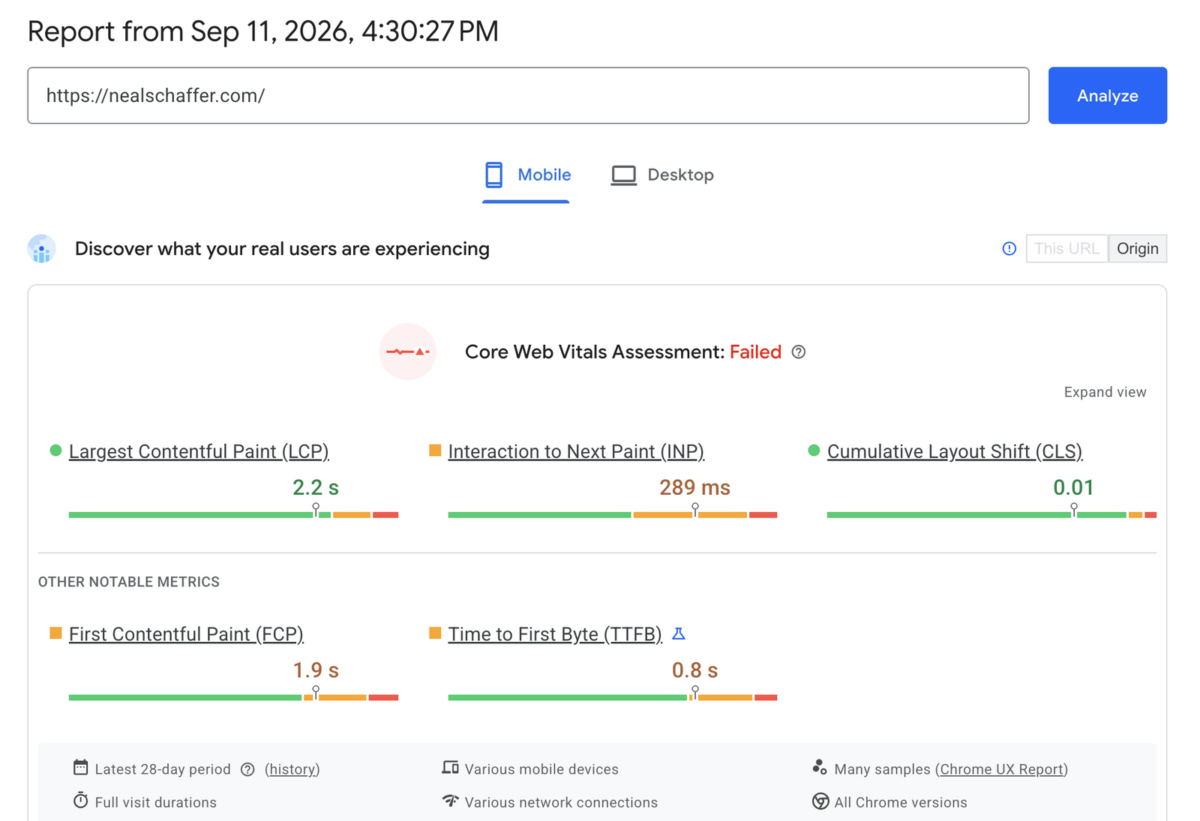
Interaction to Next Paint is the metric I failed, which fits the definition above: the page loads fine and then responds slowly to what the visitor does next. Desktop is a different story.
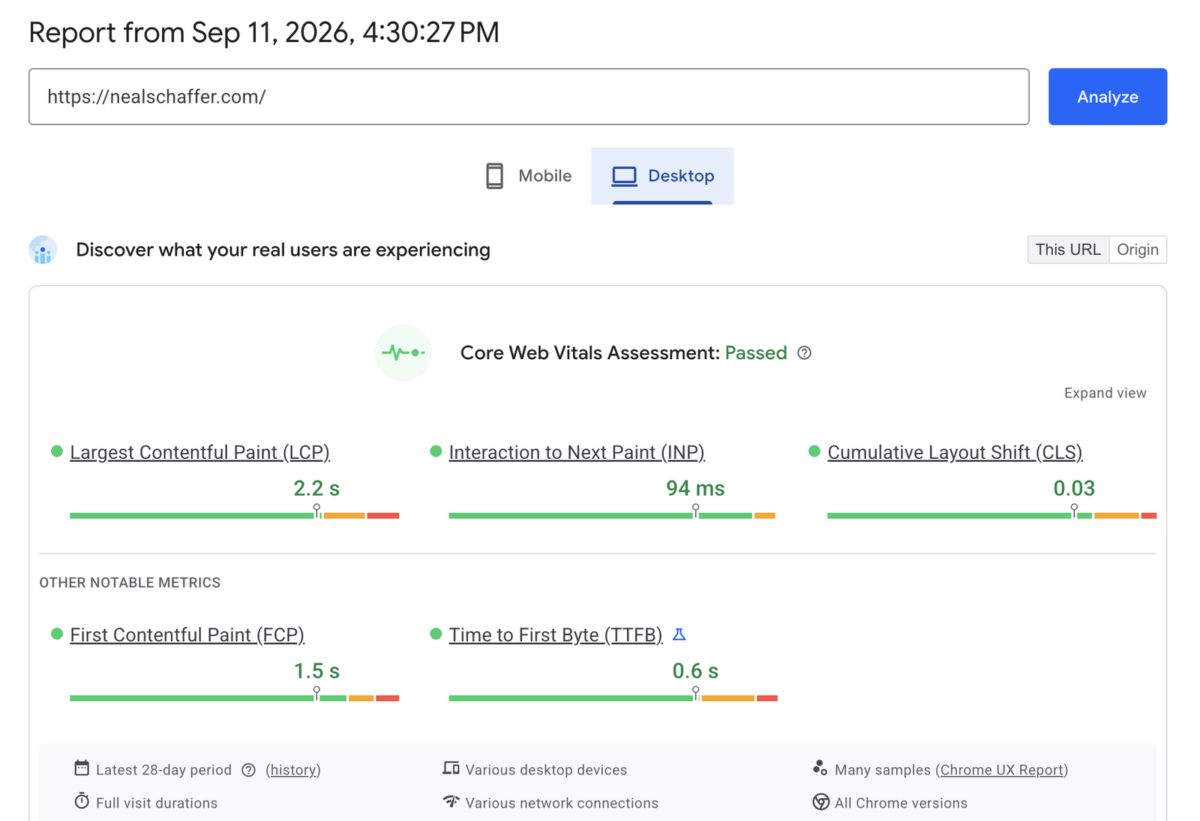
The lesson is one you can apply in five minutes. Run your own site, look at the mobile tab first, and find out what your visitors are actually experiencing.
A site that works properly still needs other sites to vouch for it.
A backlink is a link from another site to yours, and Google names links from prominent websites as one factor it uses to judge quality. Earn links through relationships and useful content, because Google’s spam policies describe tactics that can get a page or a whole site ranked lower.
The link data points the same way. In Backlinko’s data, the page in the top spot averaged 3.8 times the backlinks of the pages sitting in spots two to ten. Meanwhile, roughly 95% of the pages it looked at had zero backlinks. Both are correlations, not proof of cause, but they line up with what Google says about quality. You’ll find more numbers like these among my SEO statistics.
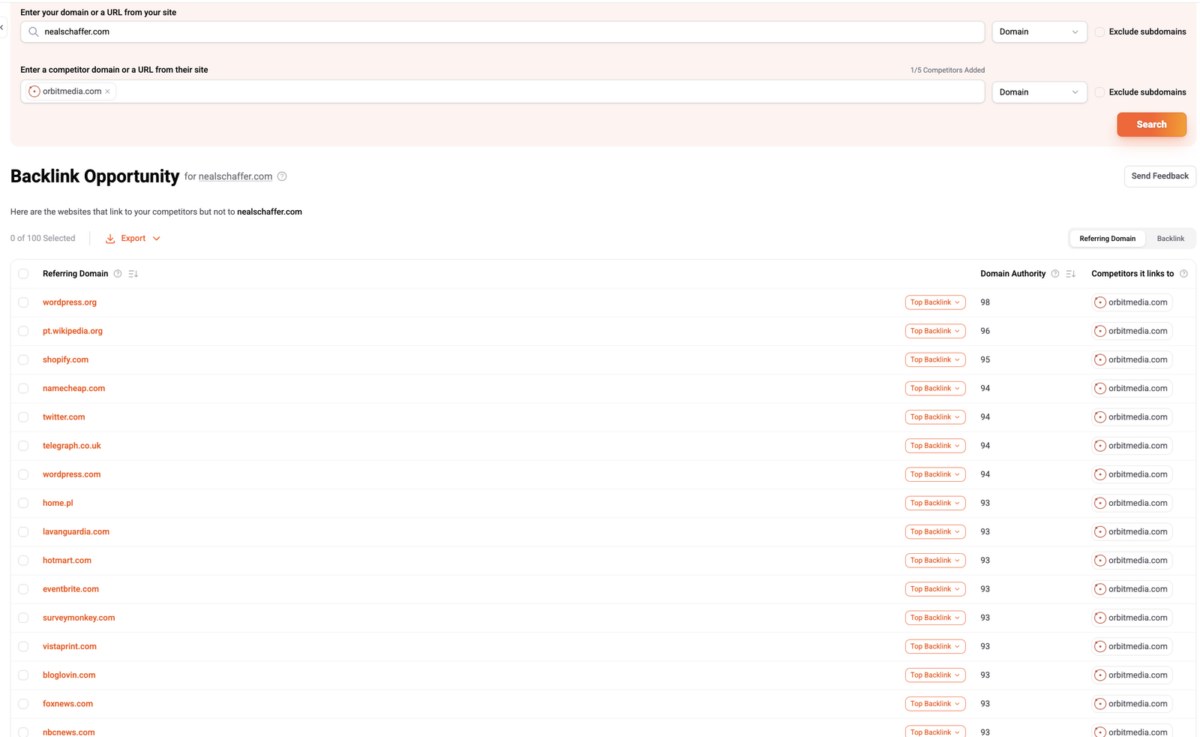
My own thinking on links comes from a competitor audit I describe in Digital Threads. I picked a competitor that got more organic traffic than my site with only a slightly higher domain authority. Their links came consistently from guest podcasts, guest blogs, and other blog posts, several of them written by the same freelance author.
That audit is why I call building backlinks an exercise in influencer marketing, but for SEO. People run every website, so every link starts with someone deciding your page is worth sending their readers to.
Here is how to run that audit yourself:
Relevance probably matters more than count. If a site has nothing to do with your topic, I’d suggest its link will not help you. The tactics are in my posts on link building, backlinks, and off-page SEO, and the research step starts with an SEO competitor analysis.
None of this is a one-time job, which is why the next practice is a schedule.
A site audit is a scheduled crawl of your own site that finds broken pages, missing tags, and technical errors before they cost you traffic. I run mine weekly in Ahrefs. Pair the audit with rank tracking and a regular review of older posts that need revising, so you catch both technical problems and content that has gone stale.
Bruce Clay put the reason for a schedule better than I can when he was on my show: “SEO is done when Google stops changing things and all your competition has died.”
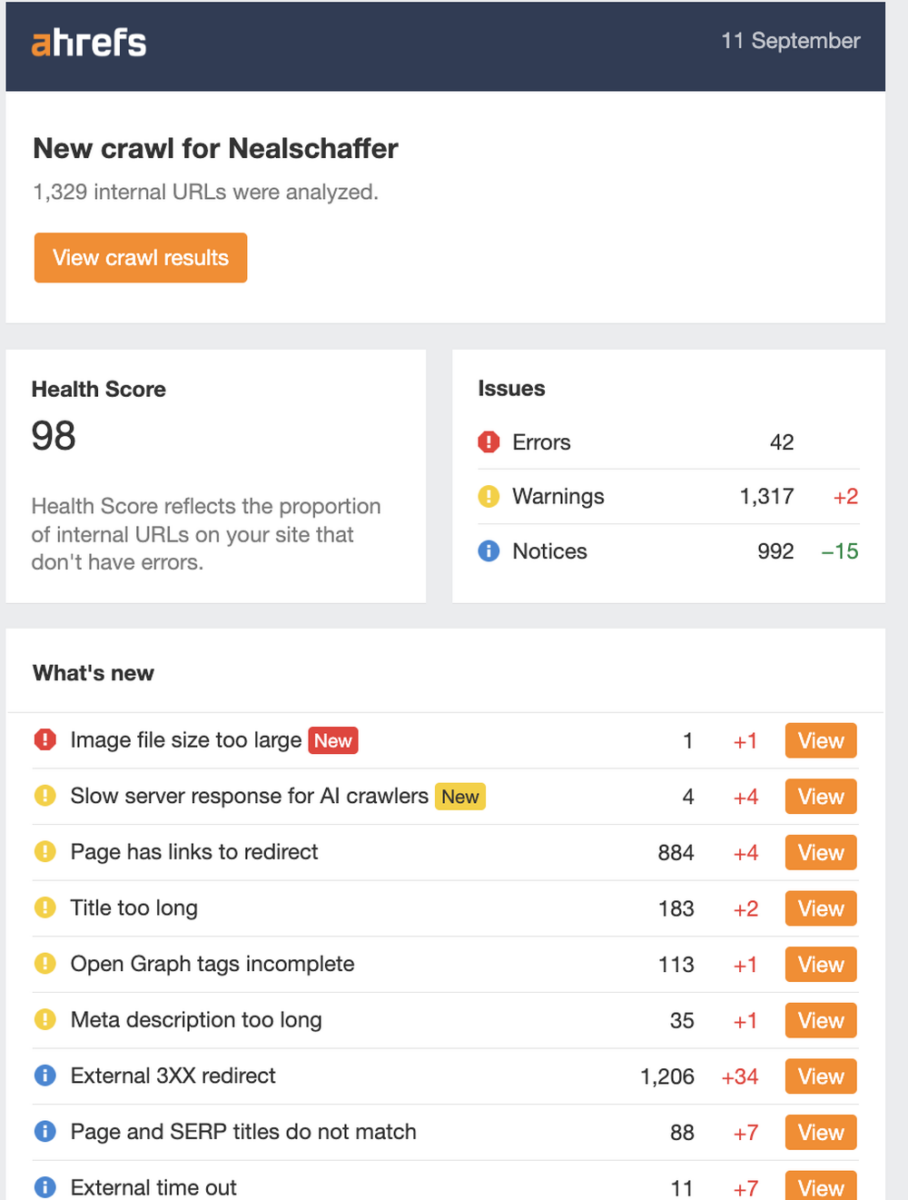
Here is the toolset I actually use for each job:
| Task | What I use | Note |
|---|---|---|
| Keyword research | Ubersuggest | Volume, CPC, difficulty, and intent pulled together |
| Site audits | Ahrefs | Weekly |
| Backlink and competitor backlink checks | Ubersuggest | Domains linking to competitors but not to me |
| Rank tracking | Ubersuggest | Tracked keywords for nealschaffer.com |
| On-page fields in WordPress | Yoast Premium | Titles, meta descriptions, and the FAQ block |
| Search performance | Google Search Console | Queries, impressions, and position by page |
| Core Web Vitals | Nothing dedicated yet | I should be |
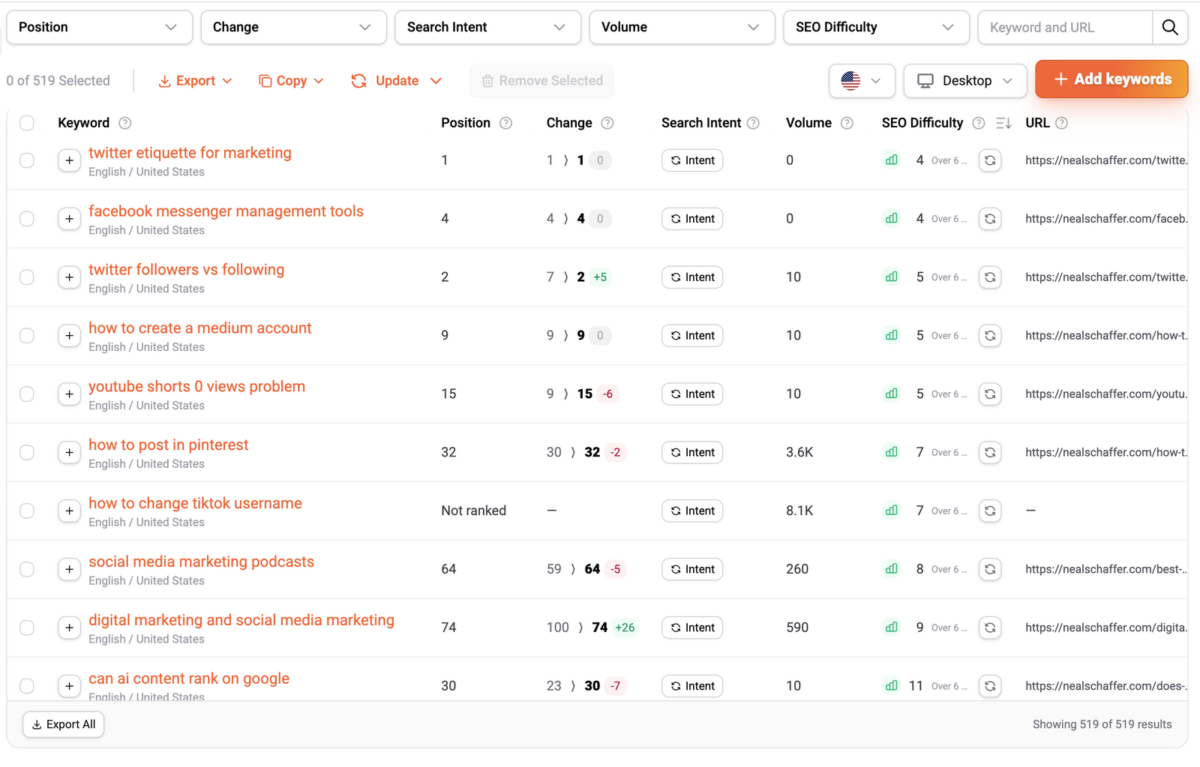
Updating old content is part of the same routine. As I wrote in Digital Threads, I regularly review my blog for older posts that need revising so they can earn new traffic. Change the date only when the content has substantially changed, since the Google guidance noted earlier lists a date change without a real update as a warning sign.
Deciding what to work on first is a planning question, and it belongs in your SEO strategy.
That schedule works best when you know which popular advice to ignore.
From what I have seen, SEO best practice lists tend to fail in one of three ways. They treat recent algorithm news as the practice itself, they assume a ranking still turns into a click, or they treat Google as the only search engine. Each one pulls effort toward things that look current.
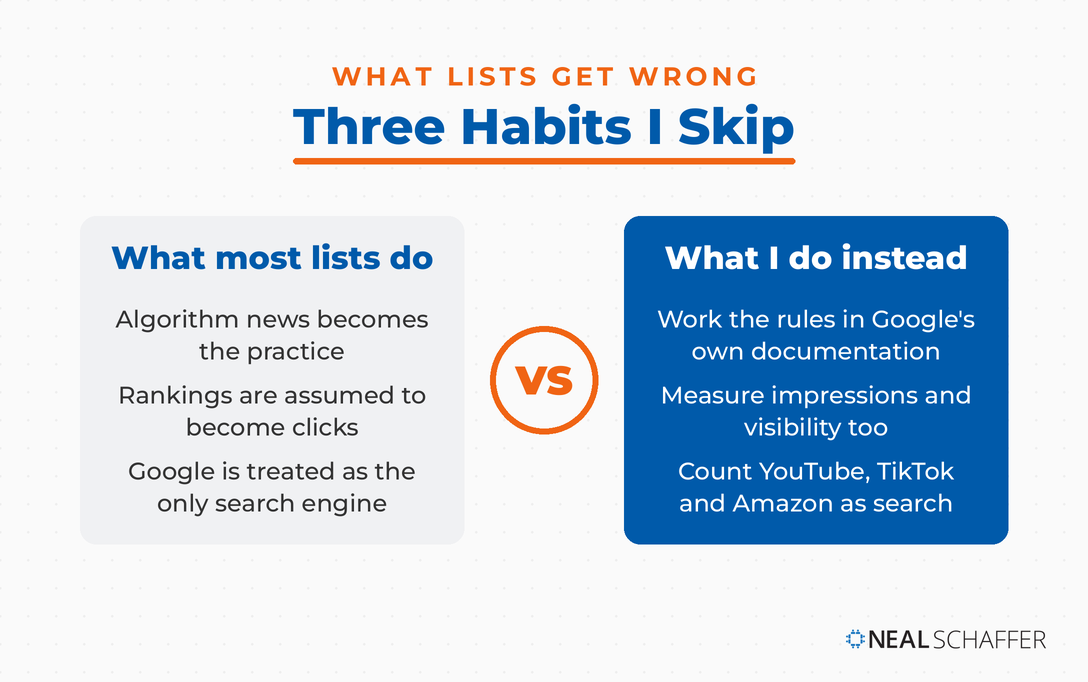
The version of this page that used to sit at this URL was a 2022 guest post. It presented four of its eleven items as newer algorithm changes and treated the rest as evergreen. Over the last 12 months, Search Console shows it averaged around position 60 for its queries and earned roughly one click for every 11,700 impressions.
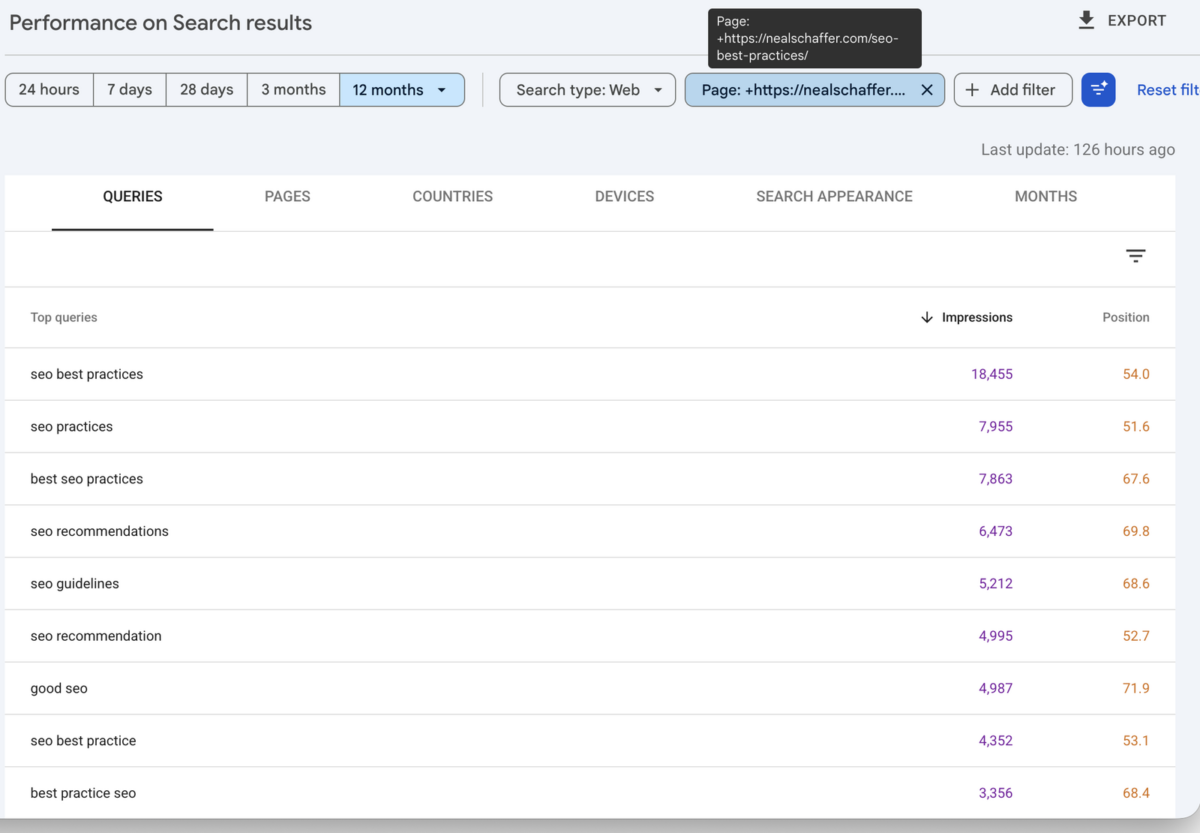
Its monthly impressions also fell by about 84% between January and February 2026. I can’t tell you which part of the old page held it back, and the data can’t either. What I would argue is that a list built on algorithm news ages quickly, while the rules in Google’s own documentation probably age much more slowly.
Pew Research Center tracked the browsing of 900 U.S. adults in March 2025 and found that Google users who saw an AI summary clicked a traditional result in 8% of visits, compared with 15% when no summary appeared. Links inside the summary were clicked in just 1% of visits.
The same study found that longer searches produce AI summaries far more often: 53% of searches of ten words or more, against 8% of one- or two-word searches. That probably hits long-tail strategies hardest, since longer, more specific searches are the ones most likely to trigger a summary. Measure impressions and visibility alongside clicks, and see my take on AI search engine optimization for the next step.
In Digital Threads I argue that a search engine is anywhere people find you. YouTube is a search engine. So are TikTok, Instagram, and Amazon. The best practices in this post still apply, but they are not the whole job.
A few questions are worth answering directly.
Match search intent, write helpful people-first content, use the searcher’s words in your title and headings, keep your links crawlable, and earn links from relevant sites. Those map directly to the key best practices in Google’s Search Essentials, so they are the safest place to start.
No. Ranking factors are what Google’s systems weigh, such as meaning, relevance, quality, usability, and context. Best practices are the things you do so your pages score well on those factors. Knowing the factors tells you why each practice matters.
It depends on the competition for the term. When I built my influencer marketing content one post a week, it took about a year. I went from three posts in the top 10 to 30 keywords in the top 10. Technical fixes can register sooner, once Google recrawls the page.
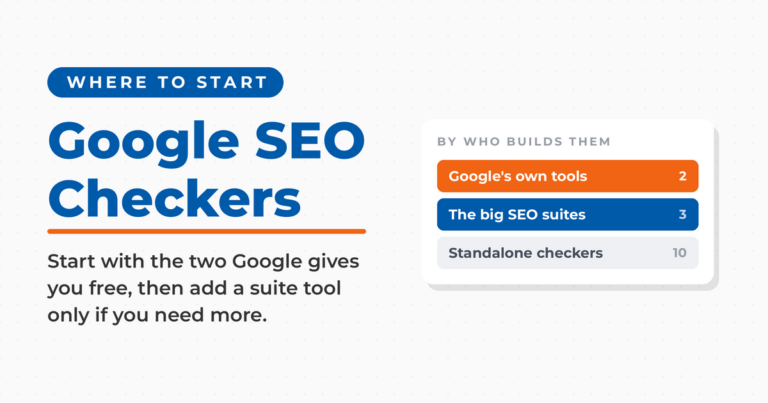
Not to start. Google Search Console and PageSpeed Insights cost nothing to use. I use Ubersuggest for keyword research, rank tracking, and backlink checks, and Ahrefs for weekly audits. If you want quick wins before choosing tools, a few simple SEO tips are a good place to begin.
Pick one of these practices and apply it on your site this week. If you are not sure where to start, confirm the intent of your five most important keywords before you touch anything else. Then set a schedule: run an audit on a regular cadence, track your rankings, and revisit older posts when the content genuinely needs it.
If your site is just getting started, begin with how to do SEO from the ground up.
You can download a free preview of Digital Threads to see how search fits with the rest of your marketing. And if you want help building SEO into a broader marketing plan, take a look at my Fractional CMO services.

We respect your privacy. Unsubscribe at anytime.
Practical advice on social, content, influencer, and search marketing, plus the AI tools that make each one easier. Join thousands of founders and business owners who read it.