
Think about it: Your online store’s theme is the digital storefront that either welcomes customers in or sends them running. And with WooCommerce powering 33.4% of all ecommerce sites globally, you have access to thousands of WordPress ecommerce themes. But which ones actually deliver results?
I’ve spent years helping businesses build their digital presence as a Fractional CMO, and I’ve seen firsthand how the wrong theme choice can tank conversion rates and frustrate business owners. The reality? Most themes look great in demos but crumble under real-world conditions.
Here’s what matters: According to Cloudflare research, Walmart found that for every 1-second improvement in page load time, conversions increased by 2%. That’s not a typo. Speed matters. A lot.
So I’ve put together this guide covering 15 WordPress ecommerce themes that I’d actually recommend to clients. These are the store-ready picks; if your site leans more blog or brochure than shop, the wider field of WordPress themes is worth a look too. I recommend these not because they paid me (they didn’t, and there are no affiliate links here, either), but because they work for business owners who need results, not headaches.
Key Takeaways
✅ WooCommerce powers over 33% of global ecommerce sites, making WordPress theme selection critical for success
✅ Page speed directly impacts revenue: every 1-second delay can reduce conversions by up to 20%
✅ Free themes like Astra, OceanWP, and Storefront offer robust ecommerce features without upfront investment
✅ Premium options like Flatsome and Shoptimizer provide conversion-focused features that can justify their cost
✅ Your theme choice should match your technical comfort level and growth plans
What Makes a Great WordPress Ecommerce Theme?
The best WordPress ecommerce themes combine fast loading speeds, WooCommerce compatibility, mobile responsiveness, and conversion-focused design. You need a theme that won’t slow down your store, integrates cleanly with your payment systems, and looks professional on every device.
Your theme controls how your store looks and feels, while your WordPress ecommerce plugins control what it can do, so it helps to weigh the two decisions together. Before we get into specific themes, here is what I look for when recommending WordPress ecommerce themes to clients:
- Speed: If your theme adds 3 seconds to load time, you’ve lost customers. Period.
- WooCommerce Integration: Not just compatible, but optimized for ecommerce workflows
- Mobile Performance: With smartphones accounting for 69% of global online shopping orders, mobile-first isn’t optional
- Customization: You need to match your brand without hiring a developer
- Support: When something breaks (and it will), you need help fast
Now, let’s look at the 15 themes that actually deliver.
Free WordPress Ecommerce Themes
These free WordPress ecommerce themes offer robust ecommerce functionality without spending a dime. You can launch a fully operational online store using just the free versions. While each has premium upgrades available, you won’t feel forced to upgrade just to get basic features working. For entrepreneurs testing the waters or operating on tight budgets, start here.
1. Astra

Astra is the most popular WordPress theme worldwide, powering over 2.4 million websites with its lightweight architecture and extensive WooCommerce features. If you’re looking for a reliable foundation, start here.
I’ve recommended Astra to countless clients because it just works. The theme loads in under half a second with default settings, and the free version includes enough ecommerce features to launch a professional store.
Key Features for Business Owners:
- Pre-built ecommerce starter templates (import and customize in minutes)
- Native WooCommerce integration with customizable shop layouts
- Built-in schema markup for better SEO
- Works with Elementor, Beaver Builder, and the block editor
Pricing:
| Plan | Annual | Lifetime |
|---|---|---|
| Free | $0 | $0 |
| Astra Pro | $59 | $179 |
| Essential Toolkit | $99 | $359 |
| Business Toolkit | $199 | $599 |
Pros:
- Incredibly fast out of the box
- Huge template library
- Excellent documentation
Cons:
- Some design limitations in free version
- Advanced features require paid upgrades
2. OceanWP

OceanWP offers the most generous free feature set of any WordPress ecommerce theme, making it ideal for budget-conscious entrepreneurs who don’t want to sacrifice functionality.
What sets OceanWP apart is how much you get without paying anything. The free version includes ecommerce-specific features like a floating add-to-cart bar and product quick view that other themes lock behind paywalls.
Key Features for Business Owners:
- Native WooCommerce styling options
- Floating add-to-cart bar (free!)
- Multiple header styles and layouts
- RTL support for international stores
Pricing:
| Plan | Annual |
|---|---|
| Free | $0 |
| Personal | $43 |
| Business | $71 |
| Agency | $127 |
Pros:
- Feature-rich free version
- Highly customizable
- Active community
Cons:
The Digital Marketing Playbook for Small Teams
My latest book helps small businesses, entrepreneurs, and marketers bring search, email, and social together into one digital marketing strategy that actually compounds.
Drawing on my work as a Fractional CMO, Digital Threads turns complicated tactics into a clear, practical plan you can follow, whatever your budget or team size.
Grab your copy on Amazon and start weaving your own digital threads. Click the cover or the button below to get started.

- Some extensions cost extra
- Can feel overwhelming with options
3. Neve

Neve by ThemeIsle is a speed-focused theme that consistently scores 90+ on Google PageSpeed tests, making it perfect for store owners who prioritize performance.
I’ve used Neve on projects where speed was the primary concern. The theme is built with performance in mind, and it shows. If you’re worried about your site’s Core Web Vitals, Neve should be on your shortlist.
Key Features for Business Owners:
- Header and footer builder included
- WooCommerce booster module (Pro)
- 100+ starter sites for quick launches
- AMP-ready for mobile speed
Pricing:
| Plan | Annual |
|---|---|
| Free | $0 |
| Personal | $69 |
| Business | $149 |
| Agency | $259 |
Pros:
- Exceptional performance scores
- Clean, modern design
- Regular updates
Cons:
- Premium starter sites require Business plan
- Less customization than competitors
4. Storefront

Storefront is WooCommerce’s official theme, built by the same team that develops the ecommerce plugin, ensuring the deepest possible integration.
Here’s the thing about Storefront: It’s not flashy. It won’t win design awards. But it’s rock-solid reliable because the people who built WooCommerce also built this theme. When WooCommerce updates, Storefront works immediately. No compatibility issues. No waiting for third-party developers.
Key Features for Business Owners:
- 100% WooCommerce compatible (obviously)
- Clean, conversion-focused design
- Child themes available for customization
- Free forever
Pricing: Completely free
Pros:
- Perfect WooCommerce compatibility
- No bloat or unnecessary features
- Guaranteed long-term support
Cons:
- Basic design requires customization
- Limited built-in options
- Needs child themes for major changes
5. Hestia

Hestia brings Material Design aesthetics to WordPress ecommerce, offering a modern, professional look that works particularly well for single-product stores and startups.
If you’re launching a new brand and want that clean, contemporary feel without hiring a designer, Hestia delivers. The one-page layout option is especially useful for content marketing for ecommerce campaigns where you want to tell a story.
Key Features for Business Owners:
- Material Design foundation
- One-page website option
- WooCommerce integration
- Starter content for fast setup
Pricing:
| Plan | Annual |
|---|---|
| Free | $0 |
| Starter | $69 |
| Business | $149 |
| Agency | $259 |
Pros:
- Beautiful modern design
- Great for startups
- Easy to customize
Cons:
- Design style isn’t for everyone
- Limited layout options compared to others
6. Sydney
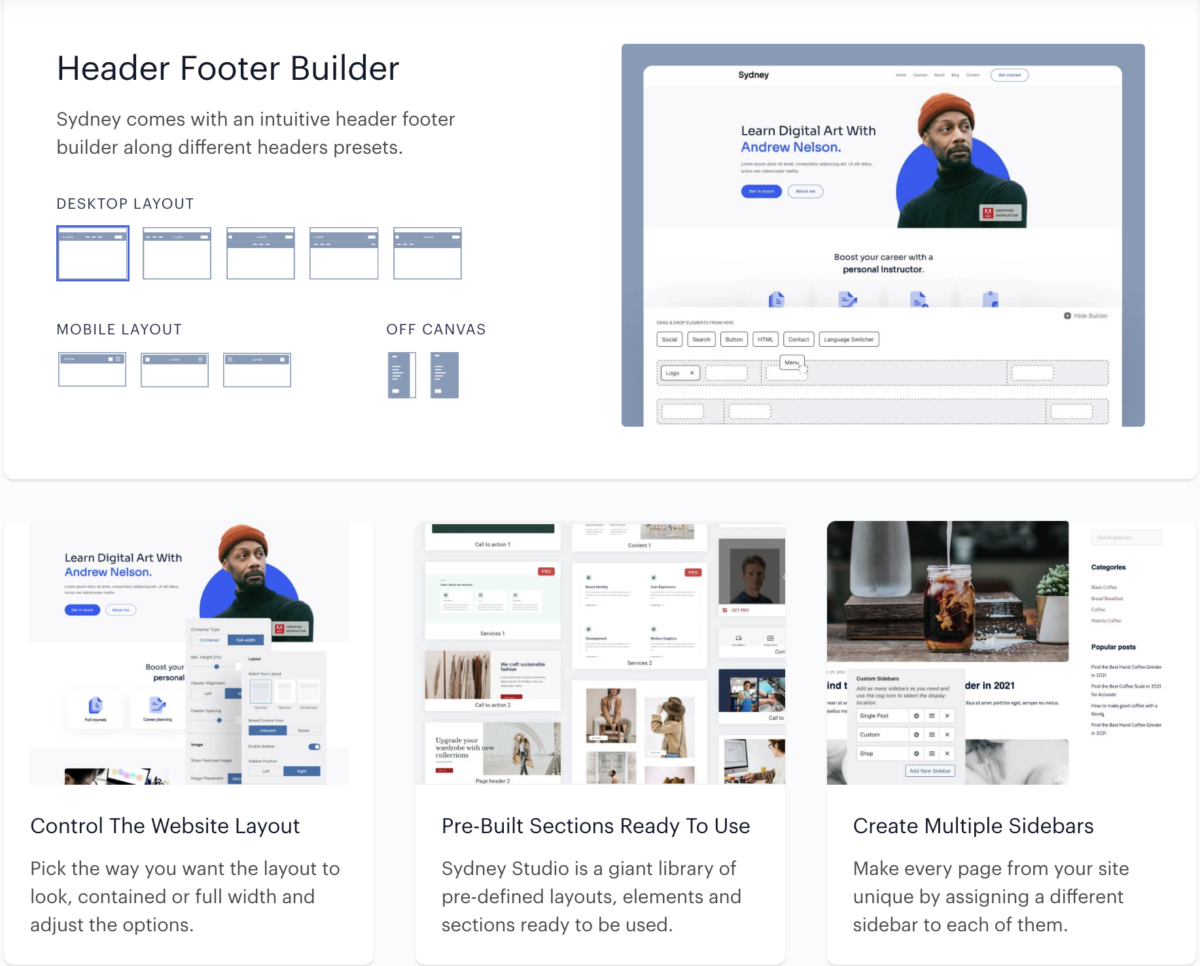
Sydney by aThemes combines business-focused features with ecommerce capabilities, making it ideal for professional service providers who also sell products.
I often recommend Sydney to consultants and coaches who want both a professional business website and an online store. The theme handles both use cases well, which is surprisingly rare.
Key Features for Business Owners:
- Business page templates
- WooCommerce support
- Elementor compatibility
- Portfolio features
Pricing:
| Plan | Annual |
|---|---|
| Free | $0 |
| Sydney Pro | $69 |
Pros:
- Excellent for service + product businesses
- Clean professional design
- Good value Pro version
Cons:
- Ecommerce features less developed than pure shop themes
- Requires Elementor for full customization
7. Zakra
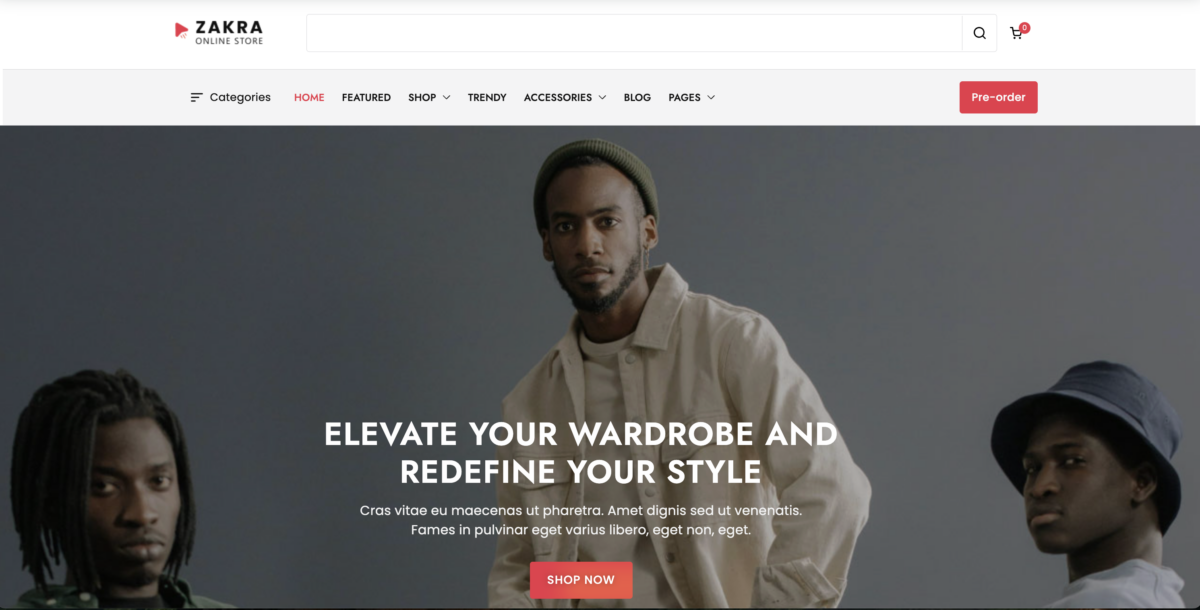
Zakra provides 80+ starter templates including several ecommerce-focused designs, giving you a quick path from zero to launched store.
The starter template approach is smart for business owners who don’t want to design from scratch. Import a demo, swap in your products and branding, and you’re live. It’s particularly helpful if you’re building your first ecommerce website.
Key Features for Business Owners:
- 80+ starter templates
- WooCommerce optimized layouts
- Customizer controls for non-coders
- Lightweight core
Pricing:
| Plan | Annual |
|---|---|
| Free | $0 |
| Personal | $49 |
| Plus | $69 |
| Agency | $119 |
Pros:
- Lots of starter templates
- Affordable Pro version
- Good documentation
Cons:
- Less popular (smaller community)
- Some templates feel dated
Premium WordPress Ecommerce Themes
These “premium” themes either require purchase outright or deliver their real value through paid versions. Some like GeneratePress and Botiga technically have free versions, but their ecommerce-specific features and conversion tools live behind the paywall. If you’re serious about building a store that maximizes sales and you have budget to invest, these options are worth the money.
8. Flatsome

Flatsome is the best-selling WooCommerce theme on ThemeForest with over 200,000 sales, featuring its own page builder and extensive ecommerce-specific elements.
The numbers don’t lie. Flatsome’s popularity comes from its all-in-one approach. You get a theme, page builder, and ecommerce elements in one package. For business owners who don’t want to juggle multiple plugins, that simplicity is valuable.
Key Features for Business Owners:
- UX Builder (proprietary page builder)
- Live search for products
- Wishlist functionality
- Extensive shop customization
Pricing: $59 (one-time, regular license on ThemeForest)
Pros:
- Comprehensive ecommerce features
- One-time payment
- Huge user base (easy to find help)
Cons:
- Annual support costs extra after first year
- Page builder has learning curve
9. Divi

Divi by Elegant Themes is a complete WordPress ecosystem with visual builder, theme, and AI tools, used by over 1 million websites worldwide.
I have mixed feelings about Divi. On one hand, it’s incredibly powerful and the visual builder is genuinely impressive. On the other hand, it can create dependency issues if you ever want to switch themes. That said, for business owners committed to the platform, Divi delivers serious value.
Key Features for Business Owners:
- Visual drag-and-drop builder
- WooCommerce modules
- Divi AI for content generation
- Global elements for consistency
Pricing:
| Plan | Price |
|---|---|
| Annual | $89/year |
| Lifetime | $249 |
Pros:
- Incredibly flexible
- Active development and AI features
- Lifetime license available
Cons:
- Can be resource-heavy
- Lock-in concerns
- Learning curve
10. GeneratePress

GeneratePress is a developer-favorite theme that prioritizes clean code and performance, with the entire theme weighing under 30KB.
If speed is everything to you, GeneratePress is the answer. The theme is almost ridiculously lightweight. Pair it with GenerateBlocks and you have a seriously fast foundation for your store. I’ve seen sites running GeneratePress achieve perfect PageSpeed scores.
Key Features for Business Owners:
- Under 30KB footprint
- Block-based design system
- WooCommerce integration
- Clean, semantic code
Pricing:
| Plan | Annual |
|---|---|
| Free | $0 |
| GeneratePress Premium | $59 |
Pros:
- Fastest theme tested
- Clean code (developers love it)
- Affordable premium
Cons:
- Less visual customization
- Requires more technical knowledge
- Minimal out-of-box design
11. Shoptimizer

Shoptimizer is built specifically for WooCommerce conversions, including features like distraction-free checkout, sticky add-to-cart bars, and product trust badges.
This is the theme I recommend when clients care primarily about conversion rate. Shoptimizer isn’t trying to be a general-purpose theme. It’s built to sell products. Period. Every feature exists to move customers toward checkout.
Key Features for Business Owners:
- Distraction-free checkout
- Sticky add-to-cart functionality
- Product trust badges
- Ajax search and filtering
- Size guide integration
Pricing: $99 (currently $49 promotional price)
Pros:
- Built for conversions
- Excellent speed optimization
- Regular updates
Cons:
- Single-purpose (only for ecommerce)
- Smaller community than giants like Astra
12. SeedProd
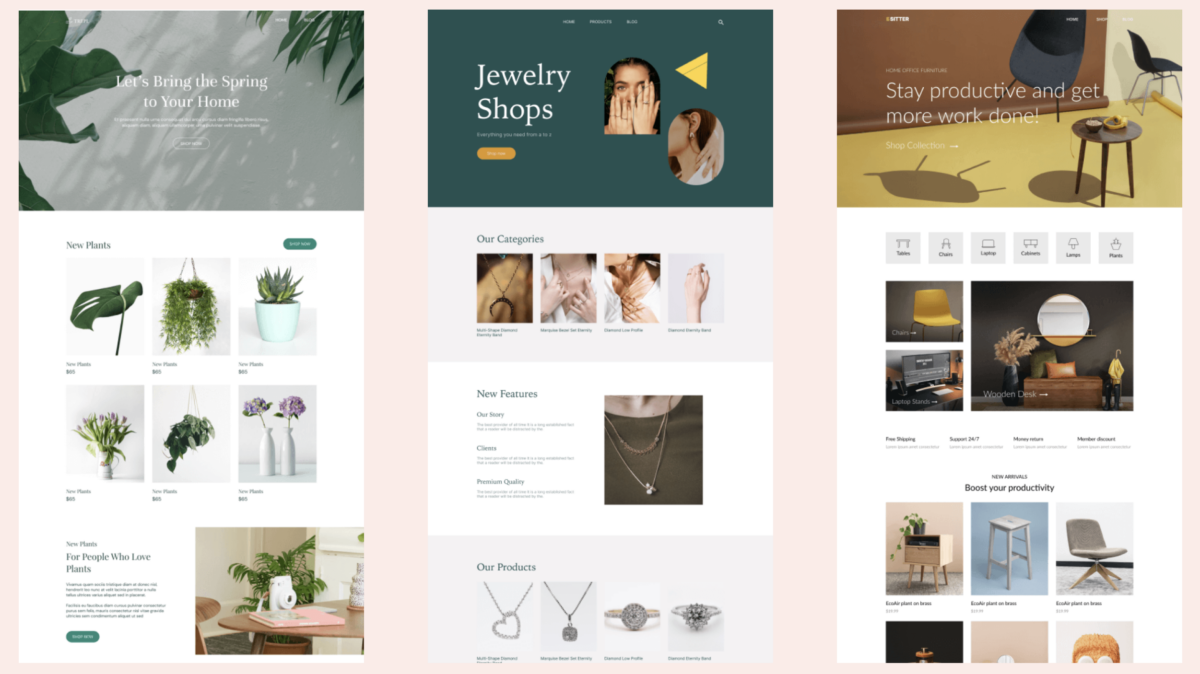
SeedProd is a WordPress website and theme builder with drag-and-drop functionality, AI assistance, and over 300 templates for rapid site creation.
SeedProd takes a different approach. Instead of a traditional theme, it’s a complete website builder. You design your entire site, including shop pages, using their visual builder. For non-technical business owners, this approach can be liberating.
Key Features for Business Owners:
- Drag-and-drop theme builder
- WooCommerce blocks
- AI-powered design assistance
- Coming soon and maintenance modes
Pricing:
| Plan | Annual |
|---|---|
| Basic | $39.50 |
| Plus | $99.50 |
| Pro | $199.50 |
| Elite | $239.60 |
Pros:
- No coding required
- AI features included
- Great for landing pages
Cons:
- Annual subscription required
- Can be overkill for simple stores
- Theme builder requires Plus plan or higher
13. Botiga

Botiga is a fast, modern WooCommerce theme from aThemes that loads in just 0.23 seconds and includes advanced shop features like quick view and AJAX filtering.
The performance numbers on Botiga are impressive. The theme consistently scores well on Core Web Vitals tests, which matters for both user experience and SEO rankings.
Key Features for Business Owners:
- Multiple single product layouts
- Quick view functionality
- AJAX filtering and sorting
- Mini cart and wishlists
Pricing:
| Plan | Annual | Lifetime |
|---|---|---|
| Free | $0 | $0 |
| Personal | $69 | $199 |
| Plus | $99 | $249 |
| Agency | $169 | $399 |
Pros:
- Excellent performance
- Modern, clean design
- Conversion-focused features
Cons:
- Newer theme (smaller community)
- Some features require Pro
14. Ultra by Themify
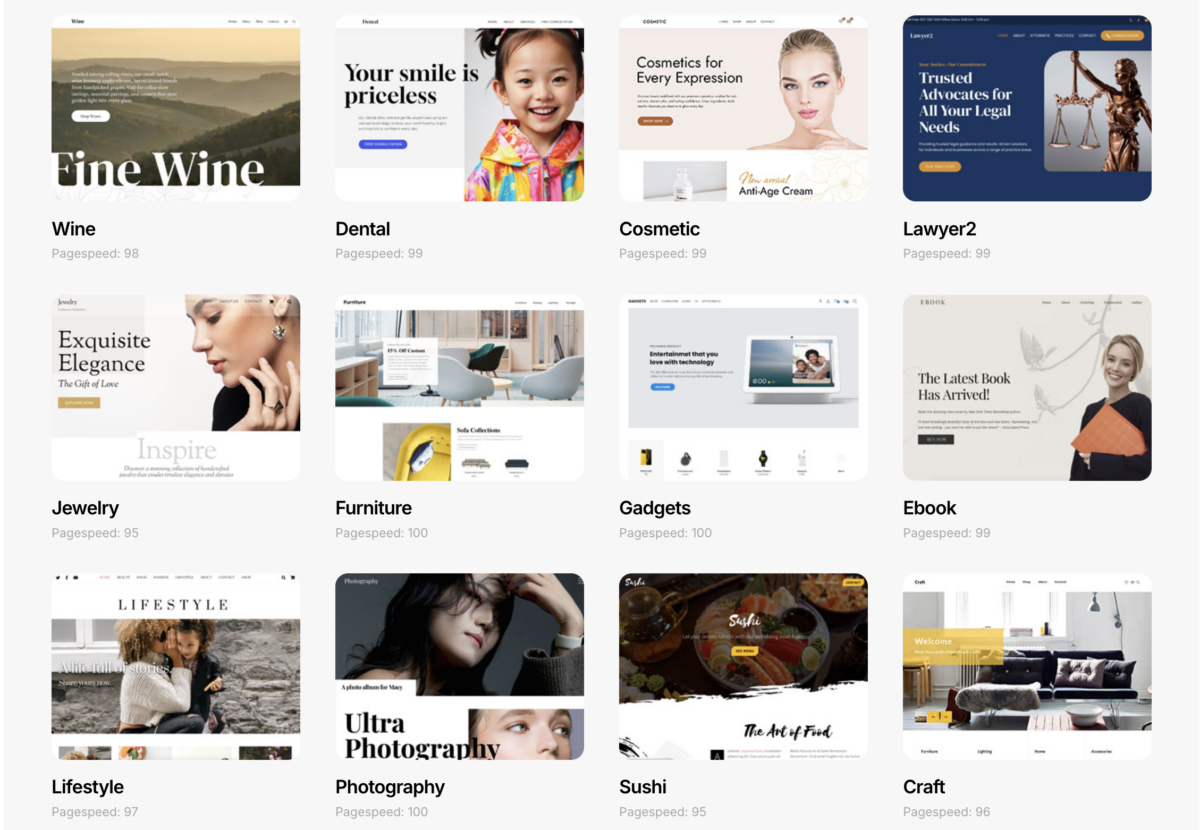
Ultra is Themify’s flagship theme offering 60+ pre-designed layouts and their proprietary builder, with a membership model that includes all Themify products.
The Themify membership model is interesting. Instead of buying individual themes, you get access to everything. For agencies or entrepreneurs building multiple stores, this can be cost-effective.
Key Features for Business Owners:
- 60+ pre-designed layouts
- Themify Builder included
- WooCommerce styling
- Mega menu support
Pricing: $89/year (includes all Themify themes and plugins)
Pros:
- Includes everything Themify makes
- Unlimited sites
- Lots of design options
Cons:
- Builder is proprietary
- Learning curve
- Tied to their ecosystem
15. Shoppe by Themify
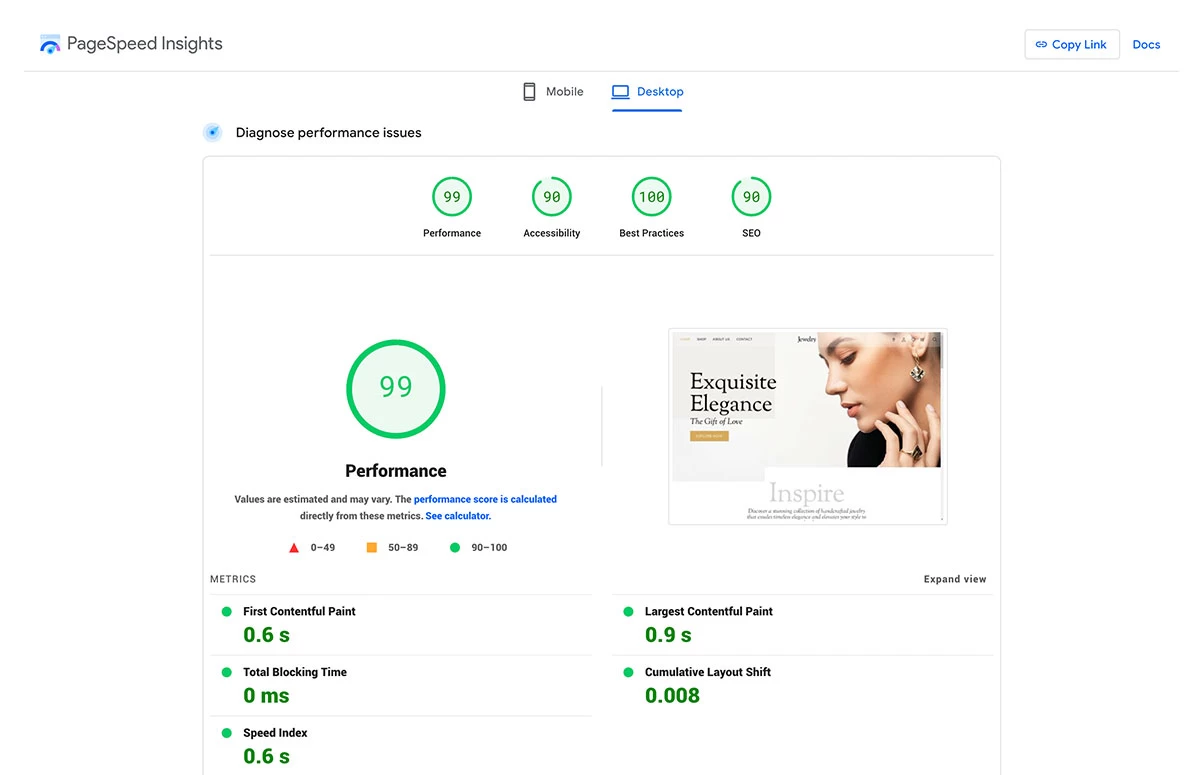
Shoppe is Themify’s dedicated WooCommerce theme, optimized specifically for online stores with product showcase features and shop-focused layouts.
Shoppe is what you get when Themify focuses entirely on ecommerce. Same builder, same membership access, but with layouts and features specifically for stores.
Key Features for Business Owners:
- Product showcase layouts
- Shop-focused templates
- WooCommerce optimized
- Included in Themify membership
Pricing: Included with $89/year Themify membership
Pros:
- Purpose-built for stores
- Professional shop layouts
- Full Themify toolkit access
Cons:
- Requires membership
- Similar limitations to Ultra
WordPress Ecommerce Themes Comparison Table
| Theme | Price | Best For | Speed | Ease of Use |
|---|---|---|---|---|
| Astra | Free – $199/yr | All-around choice | ⭐⭐⭐⭐⭐ | ⭐⭐⭐⭐⭐ |
| OceanWP | Free – $127/yr | Budget-conscious | ⭐⭐⭐⭐ | ⭐⭐⭐⭐ |
| Neve | Free – $259/yr | Speed-focused | ⭐⭐⭐⭐⭐ | ⭐⭐⭐⭐ |
| Storefront | Free | WooCommerce purity | ⭐⭐⭐⭐ | ⭐⭐⭐⭐⭐ |
| Flatsome | $59 one-time | All-in-one | ⭐⭐⭐⭐ | ⭐⭐⭐ |
| Divi | $89/yr – $249 lifetime | Visual design | ⭐⭐⭐ | ⭐⭐⭐⭐ |
| GeneratePress | Free – $59/yr | Performance | ⭐⭐⭐⭐⭐ | ⭐⭐⭐ |
| Shoptimizer | $99 | Conversions | ⭐⭐⭐⭐⭐ | ⭐⭐⭐⭐ |
| SeedProd | $39.50 – $239.60/yr | No-code building | ⭐⭐⭐⭐ | ⭐⭐⭐⭐⭐ |
| Botiga | Free – $169/yr | Modern stores | ⭐⭐⭐⭐⭐ | ⭐⭐⭐⭐ |
| Hestia | Free – $259/yr | Startups | ⭐⭐⭐⭐ | ⭐⭐⭐⭐ |
| Sydney | Free – $69/yr | Service + products | ⭐⭐⭐⭐ | ⭐⭐⭐⭐ |
| Zakra | Free – $119/yr | Template variety | ⭐⭐⭐⭐ | ⭐⭐⭐⭐ |
| Ultra | $89/yr membership | Multiple sites | ⭐⭐⭐⭐ | ⭐⭐⭐ |
| Shoppe | $89/yr membership | Dedicated stores | ⭐⭐⭐⭐ | ⭐⭐⭐ |
How to Choose the Right WordPress Ecommerce Theme
Select a WordPress ecommerce theme based on your technical skill level, budget, primary business goals, and growth plans. Don’t choose based on demo screenshots alone.
Here’s my honest advice after helping dozens of businesses choose themes:
- If you’re just starting out: Go with Astra or OceanWP. Both have generous free versions that let you launch without investment. Upgrade later when you know what you need.
- If speed is your priority: GeneratePress or Botiga. These themes are built for performance from the ground up.
- If conversions matter most: Shoptimizer. It’s designed specifically to turn visitors into customers.
- If you hate code: SeedProd or Divi. Visual builders let you design without touching CSS.
- If you’re building multiple stores: Themify membership or Divi lifetime. The math works out when you’re launching several sites.
And remember: The best theme is the one you’ll actually use effectively. A perfectly optimized theme that confuses you is worse than a good theme you understand completely.
Need help with your broader ecommerce marketing strategy? I’ve written extensively about that topic, and your theme choice is just one piece of the puzzle.
Frequently Asked Questions About WordPress Ecommerce Themes
Astra is the best free WordPress ecommerce theme for most users due to its speed, WooCommerce integration, and extensive template library. OceanWP is a close second with more built-in features in its free version.
No, you don’t need a premium theme to sell products on WordPress. Free themes like Storefront, Astra, and OceanWP provide all essential ecommerce functionality. Premium themes offer additional customization and conversion features, but aren’t required to launch.
Good WordPress ecommerce themes range from free to $249. Most quality premium themes cost between $49-99 for a one-time purchase or $59-99 per year for subscription-based options. The Astra and Divi lifetime deals offer long-term value.
GeneratePress and Botiga are the fastest WordPress themes for online stores, with core theme files under 50KB. GeneratePress Premium’s lightweight architecture consistently achieves sub-1-second load times on optimized hosting.
Yes, you can switch WordPress themes without losing WooCommerce products. Your products, orders, and customer data are stored in the database independently of your theme. However, you may need to reconfigure shop layouts and styling after switching.
Final Thoughts
Choosing the right WordPress ecommerce theme matters, but don’t let the decision paralyze you. Start with something reliable (Astra, Storefront, or OceanWP are safe bets), launch your store, and optimize from there.
The entrepreneurs I work with who succeed focus less on finding the “perfect” theme and more on understanding their target audience and delivering value. Your theme is the foundation, not the business.
If you’re ready to take your digital marketing seriously beyond just your store design, explore my resources on WordPress AI plugins and essential ecommerce tools to build a complete tech stack.
Have questions about which theme fits your specific situation? Contact me and let’s see if I can be of any help!